Worcester County Dissolution of Lien Form
Last validated October 8, 2026 by our Forms Development TeamFormatted for recording in Worcester County, for property anywhere in the county: rural and unincorporated areas as well as Ashburnham, Athol, Auburn, Baldwinville, Barre, Berlin, Blackstone, Bolton and 76 more.
- 3 documents included
- Immediate PDF download
- Formatting guarantee
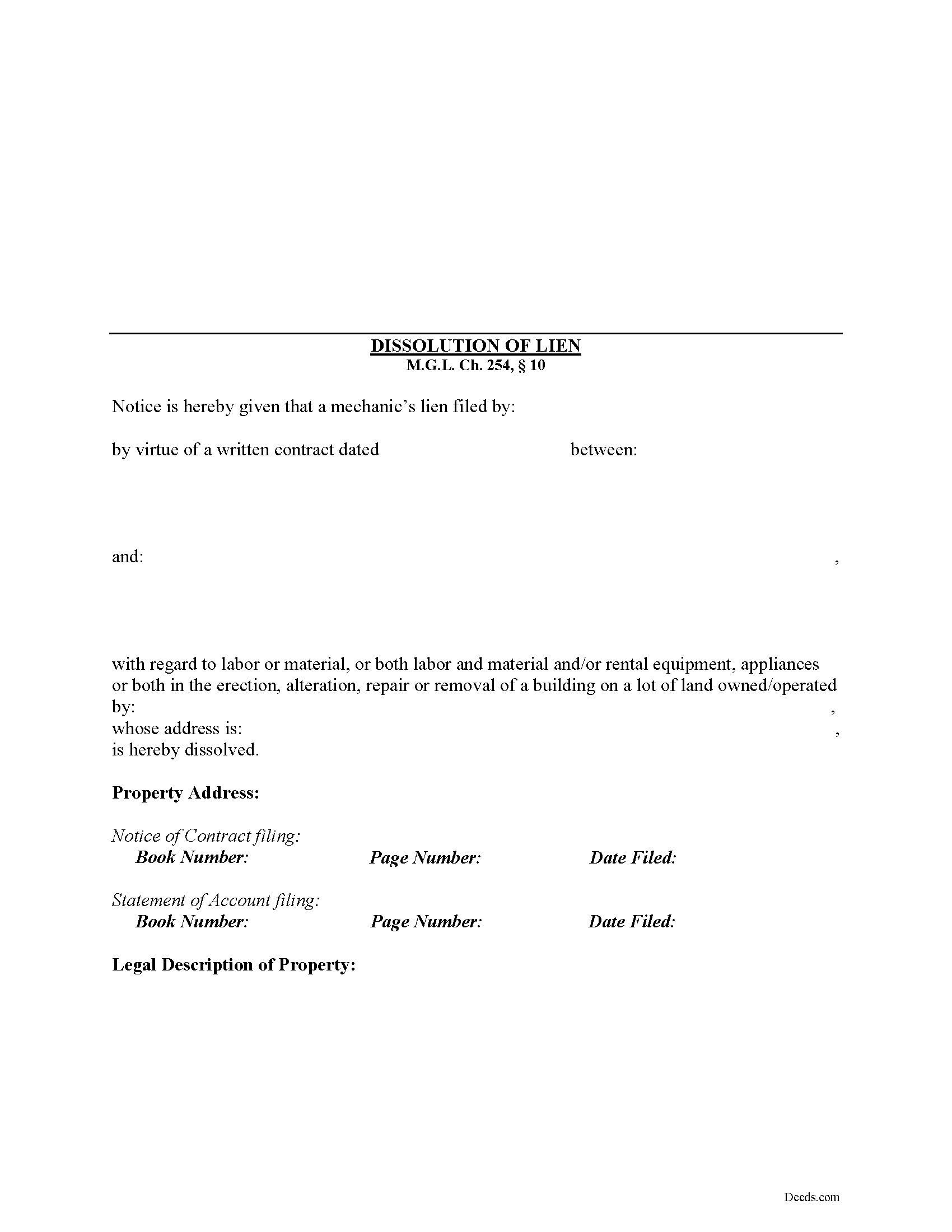
Worcester County Dissolution of Lien Form
Fill in the blank Dissolution of Lien form formatted to comply with all Massachusetts recording and content requirements.
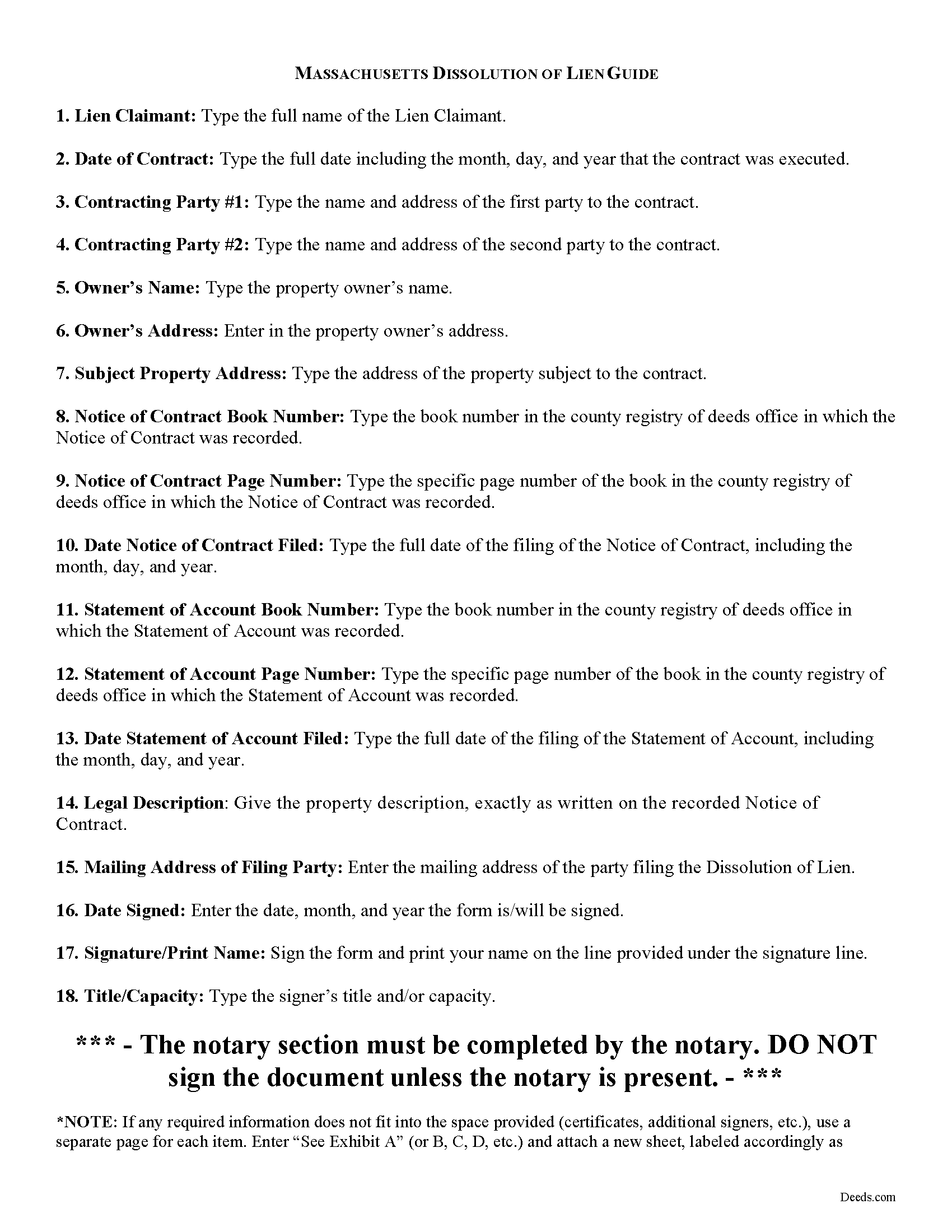
Worcester County Dissolution of Lien Guide
Line by line guide explaining every blank on the form.
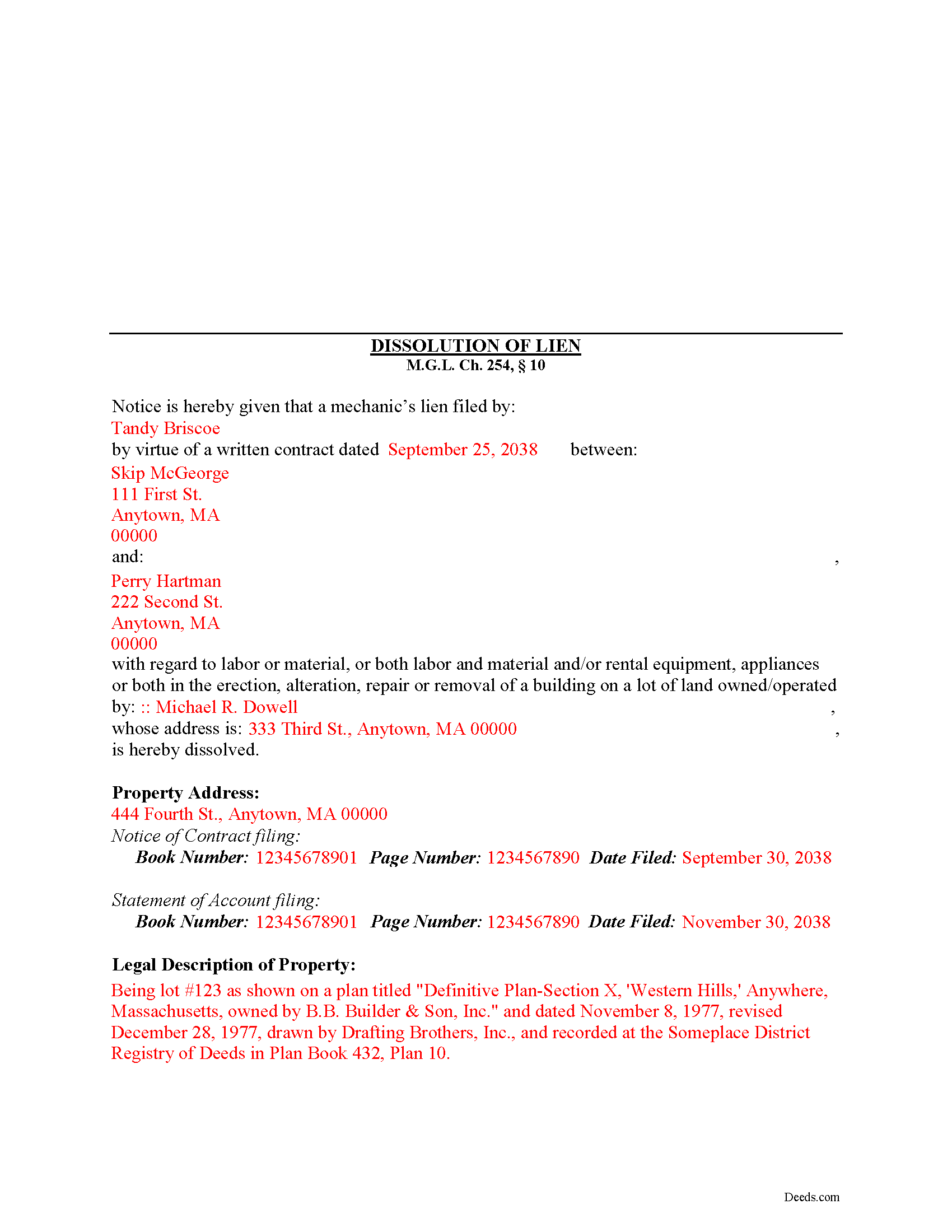
Worcester County Completed Example of the Dissolution of Lien Document
Example of a properly completed form for reference.
All 3 documents above included • One-time purchase • No recurring fees
Immediate Download • Secure Checkout
Additional Massachusetts and Worcester County documents included at no extra charge:
Where to Record Your Documents
Worcester District Registry of Deeds
Worcester, Massachusetts 01608
Hours: 9:00am to 4:00 pm M-F
Phone: (508) 798-7717
Worcester Northern District Registry of Deeds
Fitchburg, Massachusetts 01420
Hours: 8:30 to 4:30 M-F / Recording until 4:00
Phone: (978) 342-2132
Recording Tips for Worcester County:
- Bring your driver's license or state-issued photo ID
- Ensure all signatures are in blue or black ink
- Ask if they accept credit cards - many offices are cash/check only
- Check that your notary's commission hasn't expired
- Documents must be on 8.5 x 11 inch white paper
Cities and Jurisdictions in Worcester County
Properties in any of these areas use Worcester County forms:
- Ashburnham
- Athol
- Auburn
- Baldwinville
- Barre
- Berlin
- Blackstone
- Bolton
- Boylston
- Brookfield
- Charlton
- Charlton City
- Charlton Depot
- Cherry Valley
- Clinton
- Douglas
- Dudley
- East Brookfield
- East Princeton
- East Templeton
- Fayville
- Fiskdale
- Fitchburg
- Gardner
- Gilbertville
- Grafton
- Hardwick
- Harvard
- Holden
- Hopedale
- Hubbardston
- Jefferson
- Lancaster
- Leicester
- Leominster
- Linwood
- Lunenburg
- Manchaug
- Mendon
- Milford
- Millbury
- Millville
- New Braintree
- North Brookfield
- North Grafton
- North Oxford
- North Uxbridge
- Northborough
- Northbridge
- Oakham
- Oxford
- Paxton
- Petersham
- Princeton
- Rochdale
- Royalston
- Rutland
- Shrewsbury
- South Barre
- South Grafton
- South Lancaster
- Southborough
- Southbridge
- Spencer
- Sterling
- Still River
- Sturbridge
- Sutton
- Templeton
- Upton
- Uxbridge
- Warren
- Webster
- West Boylston
- West Brookfield
- West Millbury
- West Warren
- Westborough
- Westminster
- Wheelwright
- Whitinsville
- Winchendon
- Winchendon Springs
- Worcester
Hours, fees, requirements, and more for Worcester County
How do I get my forms?
Forms are available for immediate download after payment. The Worcester County forms will be in your account ready to download to your computer. An account is created for you during checkout if you don't have one. Forms are NOT emailed.
Are these forms guaranteed to be recordable in Worcester County?
Yes. Our form blanks are guaranteed to meet or exceed the applicable formatting requirements used for recording in Worcester County, including margin requirements, font requirements, and other layout standards. This guarantee applies to formatting, not to the legal sufficiency of information entered by the user or the suitability of a form for a particular transaction.
Can I reuse these forms?
Yes. You can reuse the forms for your personal use. For example, if you have multiple properties in Worcester County you only need to order once.
What do I need to use these forms?
The forms are PDFs that you fill out on your computer. The free Adobe Acrobat Reader is recommended, and most PDF apps also work. You do NOT enter your property information online - you download the blank forms and complete them privately on your own computer.
Are there any recurring fees?
No. This is a one-time purchase. Nothing to cancel, no memberships, no recurring fees.
How much does it cost to record in Worcester County?
Recording fees in Worcester County vary. Contact the recorder's office at (508) 798-7717 for current fees.
Questions answered? Let's get started!
Dissolving a Lien in Massachusetts
Under M.G.L. Ch. 254, 10, liens that are no longer needed or must be discharged for any other reason can be lifted by filing a Dissolution of Lien in the country registry of deeds where the Notice of Contract was originally filed.
The Dissolution of Lien contains the names and addresses of the parties to the contract, the property owner's name and address, the recording information for the Notice of Contract and Statement of Account, and a legal description of the subject property. Id. Once properly filed and recorded, the clerk will strike the lien from the record. Id.
This article is provided for informational purposes only and should not be relied upon as a substitute for the advice from an attorney. If you have questions about dissolving a lien, or any other issues related to lien laws in Massachusetts, please consult with an attorney.
Important: Your property must be located in Worcester County to use these forms. Documents should be recorded at the county recording office listed above.
This Dissolution of Lien meets all recording requirements specific to Worcester County.
Our Promise
The documents you receive here are guaranteed to meet or exceed the applicable Worcester County recording format requirements. If there is a rejection caused by our formatting, we will correct the issue or refund your payment. This guarantee applies to document formatting only and does not extend to information entered by the user, the selection of the form, or the legal effect of the completed document.
Save Time and Money
Get your Worcester County Dissolution of Lien form done right the first time with Deeds.com Uniform Conveyancing Blanks. At Deeds.com, we understand that your time and money are valuable resources, and we don't want you to face a penalty fee or rejection imposed by a county recorder for submitting nonstandard documents. We constantly review and update our forms to meet rapidly changing state and county recording requirements for roughly 3,500 counties and local jurisdictions.
4.8 out of 5 - ( 4,828 Reviews )
Regina A. 5 out of 5 stars
I needed to look for a recorded document and found what I was looking for. Thank you for the great service.
Thank you for your feedback. We really appreciate it. Have a great day!
Charles C. 5 out of 5 stars
Easy to use. Good price. I like that it came with instructions and an example.
Thank you for your feedback. We really appreciate it. Have a great day!
Dean L. 3 out of 5 stars
The template isn't that easy to work with, with you have to type out large amounts of text. Also copy and paste doesn't seem to work. Furthermore, the code listed on the guide is out of date. However, the DQC is decent in that it has all the required fields you need.
Thank you for your feedback. We really appreciate it. Have a great day!
KATHLEEN S. 5 out of 5 stars
Excellent service, great feedback and recommendations by the deed preparer, and I really appreciate the personalized service. The website is amazing, everything is well thought out, and all messages are saved, clear and easy to read. I wish my website was so easy to navigate! Seriously, the person who worked on my account is awesome. They made recommendations about what to include and what not to include. They didn't make me feel dumb for asking questions about out-of-state service and filing procedures, and I will be using Deeds.com exclusively on my cases. Five stars !
We appreciate your business and value your feedback. Thank you. Have a wonderful day!
Michael W. 4 out of 5 stars
I am generally pleased with your products. However, I found it difficult to return to the package after accessing one selected document. One other comment: Your Trustee's Deed package should include a Certificate of Trust form.
Thank you for your feedback. We really appreciate it. Have a great day!
Sean M. 5 out of 5 stars
This was exactly what I needed. For $25-$30 it gave me the formatted document I needed and made it so easy to input the info. I wouldn't recommend it to someone who has no clue what they're doing, but for somebody who knows all the info and just needs a formatted page to input it onto, this is perfect.
We appreciate your business and value your feedback. Thank you. Have a wonderful day!
Marilyn W. 5 out of 5 stars
The Mineral Deed transfer form was pretty good. Could have used more info in the guide about where to find legal property descriptions and source of title. Also more space on the pdf for entering return addresses - there was room for only one; I needed three. I will be sending the form to the County Courthouse soon. I hope it works.
Thank you for your feedback. We really appreciate it. Have a great day!
Catherine J S. 5 out of 5 stars
Did not like that the lines aren't lining up smoothly to make the document look more professional.
Thank you for your feedback. We really appreciate it. Have a great day!
Judy C. 5 out of 5 stars
Both sets of deeds were complete and easy to understand. Both states accepted the forms to transfer property.
We appreciate your business and value your feedback. Thank you. Have a wonderful day!
David B. 5 out of 5 stars
fast and easy.
Thank you!
Gertrude M. 5 out of 5 stars
Rating 5 stars
Thank you!
Robert M. 1 out of 5 stars
Ultimately, it directed me to the wrong form. Not very helpful. I had to turn to a title company to get my issue addressed.
Our website makes documents available to you. It does not direct you as to which one to use. We are glad that you sought the assistance it sounds like you needed. Have a wonderful day
Ricky N. 5 out of 5 stars
Great service and instructions are excellent.
Thank you for your feedback. We really appreciate it. Have a great day!
Van S. 5 out of 5 stars
Easy to use...very informative...ttook care of exactly what I was looking for.
Thank you for your feedback. We really appreciate it. Have a great day!
Joshua P. 5 out of 5 stars
Easy fill in the blanks form. Just FYI make sure you have a copy of whatever deed you are changing and the tax records. You will want the language to be identical.
Thank you for your feedback. We really appreciate it. Have a great day!