Suffolk County Notice of Contract Form
Last validated September 22, 2026 by our Forms Development TeamFormatted for recording in Suffolk County, for property anywhere in the county: rural and unincorporated areas as well as Allston, Boston, Brighton, Charlestown, Chelsea, East Boston, Hyde Park, Jamaica Plain and 6 more.
- 3 documents included
- Immediate PDF download
- Formatting guarantee
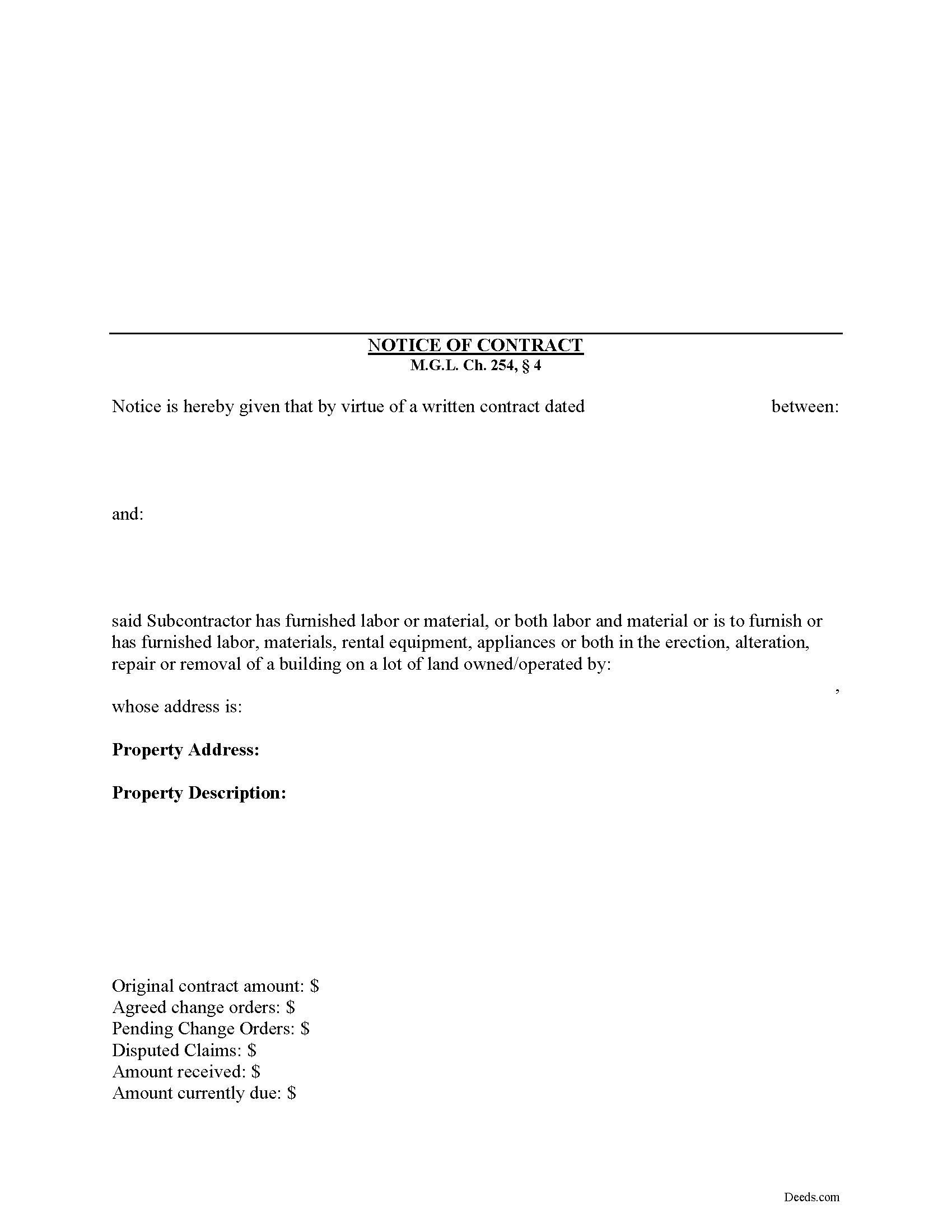
Suffolk County Notice of Contract Form
Fill in the blank Notice of Contract form formatted to comply with all Massachusetts recording and content requirements.
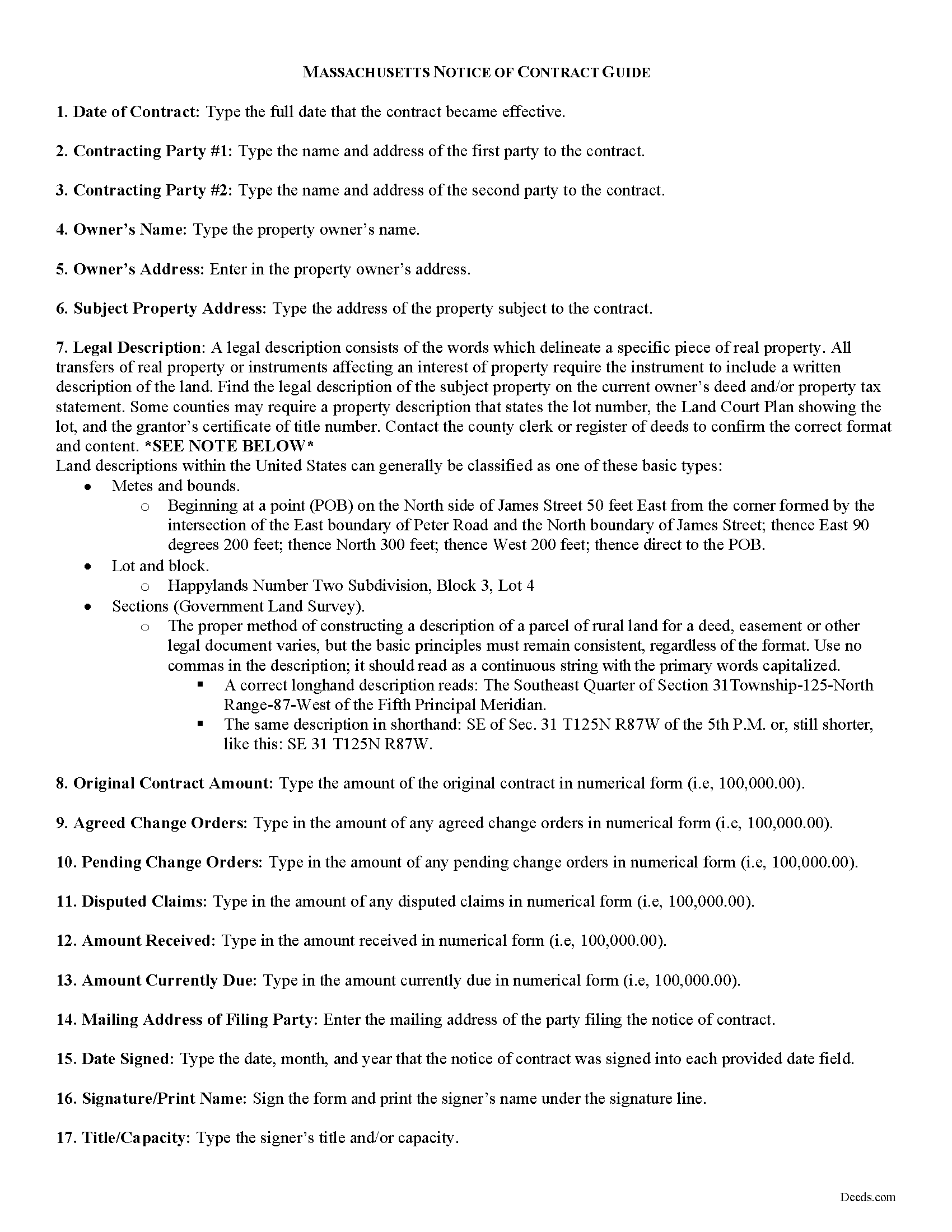
Suffolk County Notice of Contract Guide
Line by line guide explaining every blank on the form.
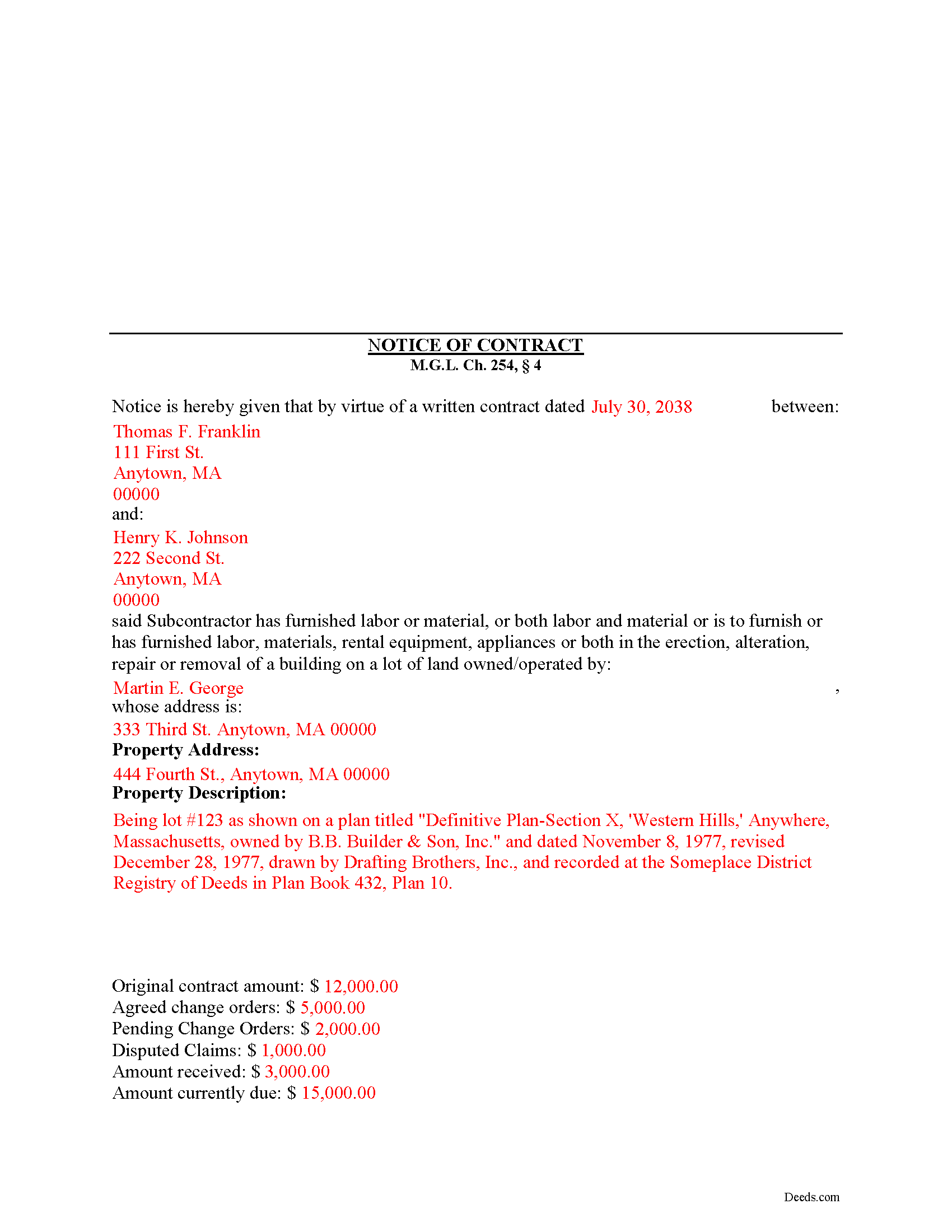
Suffolk County Completed Example of the Notice of Contract Document
Example of a properly completed form for reference.
All 3 documents above included • One-time purchase • No recurring fees
Immediate Download • Secure Checkout
Additional Massachusetts and Suffolk County documents included at no extra charge:
Where to Record Your Documents
Suffolk County Registry of Deeds
Boston, Massachusetts 02114-9660
Hours: 8:30 to 4:45 M-F / Recording until 4:15
Phone: (617) 788-8575 or 788-6221
Recording Tips for Suffolk County:
- Bring your driver's license or state-issued photo ID
- Ensure all signatures are in blue or black ink
- White-out or correction fluid may cause rejection
- Ask about their eRecording option for future transactions
- Avoid the last business day of the month when possible
Cities and Jurisdictions in Suffolk County
Properties in any of these areas use Suffolk County forms:
- Allston
- Boston
- Brighton
- Charlestown
- Chelsea
- East Boston
- Hyde Park
- Jamaica Plain
- Mattapan
- Readville
- Revere
- Roslindale
- West Roxbury
- Winthrop
Hours, fees, requirements, and more for Suffolk County
How do I get my forms?
Forms are available for immediate download after payment. The Suffolk County forms will be in your account ready to download to your computer. An account is created for you during checkout if you don't have one. Forms are NOT emailed.
Are these forms guaranteed to be recordable in Suffolk County?
Yes. Our form blanks are guaranteed to meet or exceed the applicable formatting requirements used for recording in Suffolk County, including margin requirements, font requirements, and other layout standards. This guarantee applies to formatting, not to the legal sufficiency of information entered by the user or the suitability of a form for a particular transaction.
Can I reuse these forms?
Yes. You can reuse the forms for your personal use. For example, if you have multiple properties in Suffolk County you only need to order once.
What do I need to use these forms?
The forms are PDFs that you fill out on your computer. The free Adobe Acrobat Reader is recommended, and most PDF apps also work. You do NOT enter your property information online - you download the blank forms and complete them privately on your own computer.
Are there any recurring fees?
No. This is a one-time purchase. Nothing to cancel, no memberships, no recurring fees.
How much does it cost to record in Suffolk County?
Recording fees in Suffolk County vary. Contact the recorder's office at (617) 788-8575 or 788-6221 for current fees.
Questions answered? Let's get started!
Under Massachusetts law, a contractor or subcontractor furnishing labor, material, equipment, or tools must file and record a Notice of Contract to claim a mechanic's lien. The Notice of Contract also puts all parties on notice that the party filing may have a claim for a mechanic's lien.
Whoever furnishes labor, including subcontractor construction management services, or furnishes material, labor and material, rental equipment, appliances or tools, or who performs professional services, under a written contract with a contractor, or with a subcontractor of the contractor, may file or record in the registry of deeds for the county or district where such land lies a notice of his contract. M.G.L. C. 254, 4.
The Notice of Contract contains the date of the contract, the names of the parties to the contract, the property owner's name and address, the address of the subject property and a legal land description, and a description of the contract amount as well as any modifications and amounts in dispute. Id.
The Notice should be filed or recorded any time after the written contract is executed, whether or not the date for performance stated in the written contract has passed and whether or not the work under the contract has been performed, but not later than the earliest of: (i) sixty days after filing or recording the notice of substantial completion; or (ii) ninety days after filing or recording the notice of termination; or (iii) ninety days after the last day a person entitled to enforce a lien or anyone claiming by, through or under him performed or furnished labor or materials or both labor and materials to the project or furnished rental equipment, appliances or tools, or performed professional services. Id.
The notice may also be filed by a person, or an authorized representative or third party beneficiary to whom amounts are due, or for whose benefit amounts are computed and due on the basis of that person performing labor under a written contract with a contractor, or with a subcontractor of such contractor. The person filing such notice shall not be required to itemize the amount of the contract, the amount of pending changes in the contract, the amount of outstanding claims or the amount paid in such notice. Id.
Upon the filing or recording of the notice, and giving actual notice to the owner of the filing, the subcontractor will have a lien upon the property, land, building, structure or improvement owned by the party who entered into the original contract as it appears in record at the time of the filing. Id. The lien will be used to secure the payment of all labor and material and rental equipment, appliances or tools or professional services which the subcontract will furnish or has furnished for the building or structure or other improvement, regardless of the amount stated in the notice of contract. Id.
The lien amount may not exceed the amount due or to become due under the original contract as of the date the notice of the filing of the subcontract is given by the subcontractor to the owner. Id.
Filing the notice of contract is a necessary step to perfect the mechanic's lien. A lien alone may not guarantee payment, however, and a lawsuit to enforce the lien or a foreclosure action may be required.
This article is provided for informational purposes only and should not be relied upon as a substitute for professional legal advice. If you have any questions about filing a mechanic's lien in Massachusetts, please consult with an attorney.
(Massachusetts NOC Package includes form, guidelines, and completed example)
Important: Your property must be located in Suffolk County to use these forms. Documents should be recorded at the county recording office listed above.
This Notice of Contract meets all recording requirements specific to Suffolk County.
Our Promise
The documents you receive here are guaranteed to meet or exceed the applicable Suffolk County recording format requirements. If there is a rejection caused by our formatting, we will correct the issue or refund your payment. This guarantee applies to document formatting only and does not extend to information entered by the user, the selection of the form, or the legal effect of the completed document.
Save Time and Money
Get your Suffolk County Notice of Contract form done right the first time with Deeds.com Uniform Conveyancing Blanks. At Deeds.com, we understand that your time and money are valuable resources, and we don't want you to face a penalty fee or rejection imposed by a county recorder for submitting nonstandard documents. We constantly review and update our forms to meet rapidly changing state and county recording requirements for roughly 3,500 counties and local jurisdictions.
4.8 out of 5 - ( 4,828 Reviews )
Norma O. 5 out of 5 stars
good
Thank you!
Lahoma G. 5 out of 5 stars
Got it very fast !! Thanks
Thank you for your feedback. We really appreciate it. Have a great day!
REBECCA B. 5 out of 5 stars
Documents arrived instantly. Performed exactly as stated. Will use website again.
We appreciate your business and value your feedback. Thank you. Have a wonderful day!
Charlotte H. 5 out of 5 stars
Easy to use and download. Everything we needed with a guide for accuracy.
Thank you!
Lisa M. 5 out of 5 stars
This is super convenient however, I wish I knew which forms I needed for my Affidavit Death of Joint Tenant situation. That would help. Thank you
Thank you for your feedback. We really appreciate it. Have a great day!
Paula S. 5 out of 5 stars
The document form was easily retrieved and the sample provided was extremely helpful and no problems were encountered when presenting the completed document to the county. I am grateful for this website and the help and confidence it gave me to complete this task
We appreciate your comments and your trust in us. Thank you.
DAVID K. 5 out of 5 stars
Good so far could use more examples for each section of info. needed. ex. (parcel and alt.ID info where to find and etc. #2 more examples. If it was not for the red print examples helping to fill the form out I could have downloaded free forms, the examples are what made me choose your form !
We appreciate your business and value your feedback. Thank you. Have a wonderful day!
Shihei W. 5 out of 5 stars
Loved every step of the process, from the detail explanation of the services/products provided, to the inclusive packet that comes with my purchase of the trust certification form.
Your feedback is greatly appreciated. Thank you for taking the time to share your experience!
EVE A. 5 out of 5 stars
Site was easy to navigate. I found the lien discharge form I was looking for immediately and the download and completion was simple. Thank you for having a great site.
Thank you for your feedback. We really appreciate it. Have a great day!
Missy J. 5 out of 5 stars
as always, perfect!
Thank you!
ROBIN C. 5 out of 5 stars
The process was very easy but I did not realize before I paid to get this form , that I could have gotten it free from Tulsa county clerks office. Other than that, it was fine.
Thank you for the honest feedback, Robin, and we're glad the process was easy for you. You're right that the Tulsa County Clerk publishes a free transfer on death deed form, and we'd never want anyone to feel they overpaid. Our version isn't that same blank, though: it adds an alternate beneficiary designation so the property still passes as you intend if your first choice doesn't survive you, it's built to handle one or two owners, and it comes with a plain-language guide and a completed example. We appreciate your business.
Pamela J. 5 out of 5 stars
Thank you the service was prompt and efficient.
Thank you!
Jesse B. 5 out of 5 stars
Bought a quit claim deed form. Came with great instructions that were easy to follow and allowed me to do it over a couple of times until I got it right. Was also cheaper than most other options I found online.
Thank you for your feedback. We really appreciate it. Have a great day!
Griselle M. 5 out of 5 stars
This is my third time using Deeds.com and they don't disappoint. Their customer service is outstanding - absolutely excellent - via messages, I communicated with them immediately and 24/7 - on weekends and at night. I would not even try another service as they provide excellence which is so rare these days.
We appreciate your business and value your feedback. Thank you. Have a wonderful day!
Philip F. 5 out of 5 stars
Quick, user-friendly, and complete! Thank you
We are grateful for your feedback and looking forward to serving you again. Thank you!