Worcester County Notice of Identification Form
Last validated October 21, 2026 by our Forms Development TeamFormatted for recording in Worcester County, for property anywhere in the county: rural and unincorporated areas as well as Ashburnham, Athol, Auburn, Baldwinville, Barre, Berlin, Blackstone, Bolton and 76 more.
- 3 documents included
- Immediate PDF download
- Formatting guarantee
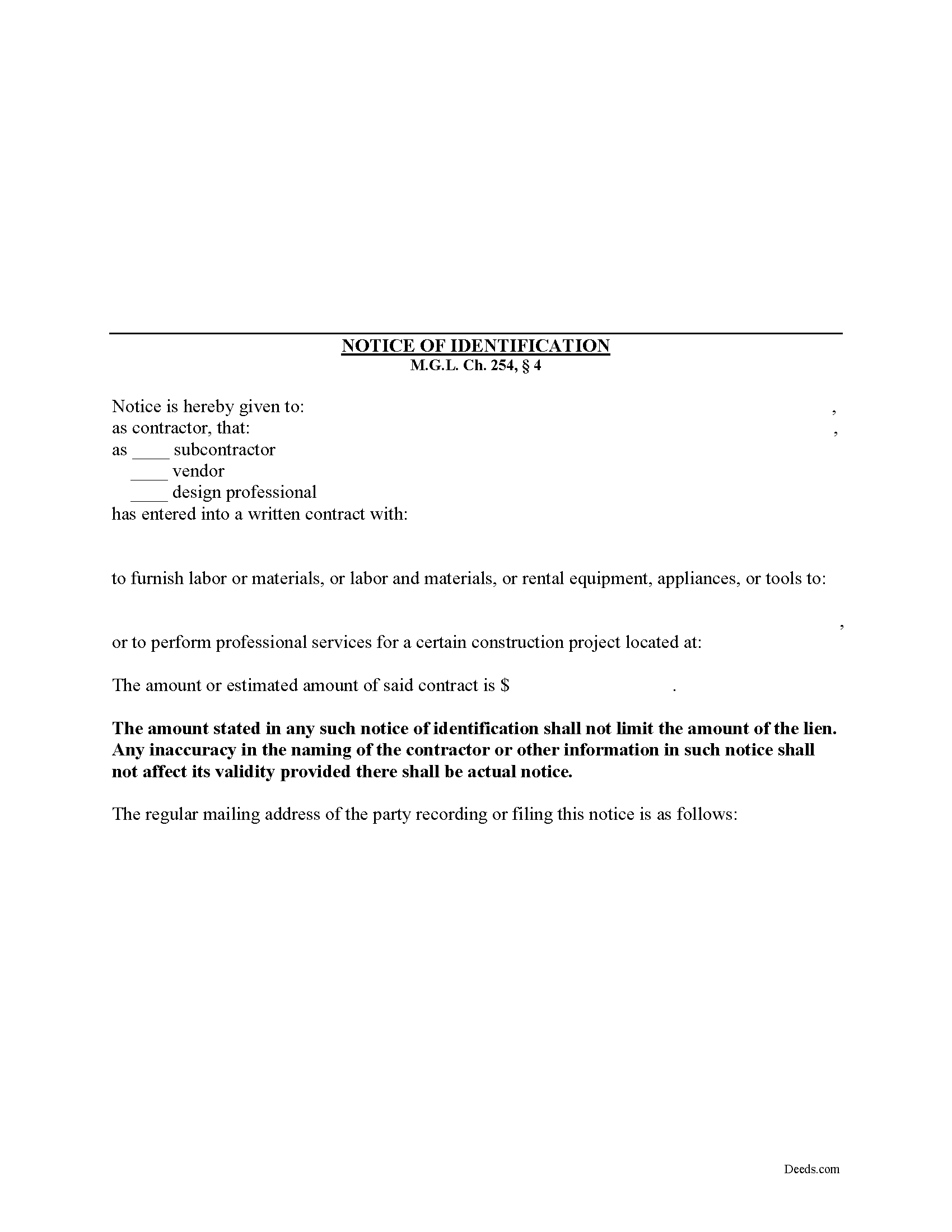
Worcester County Notice of Identification Form
Fill in the blank Notice of Identification form formatted to comply with all Massachusetts recording and content requirements.
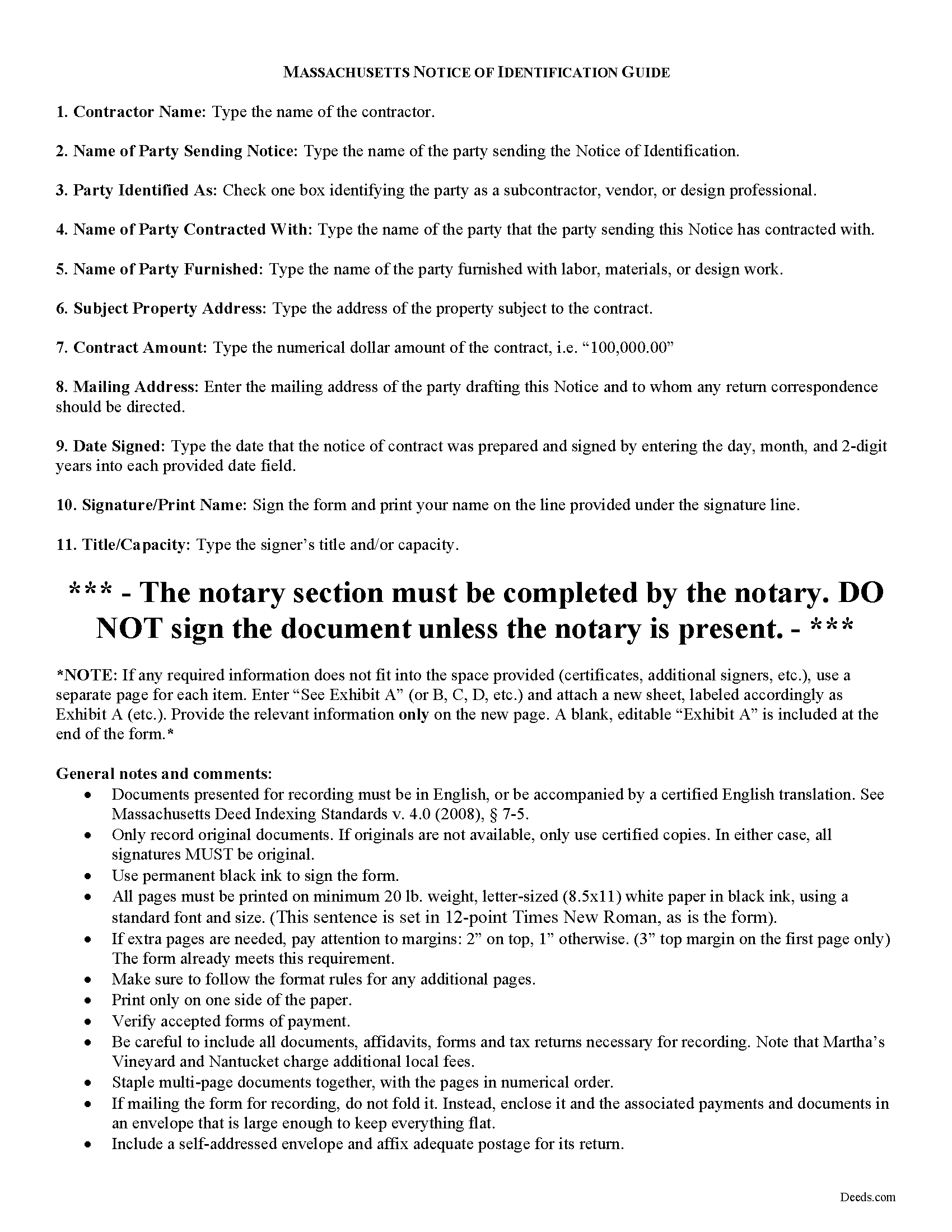
Worcester County Notice of Indentification Guide
Line by line guide explaining every blank on the form.
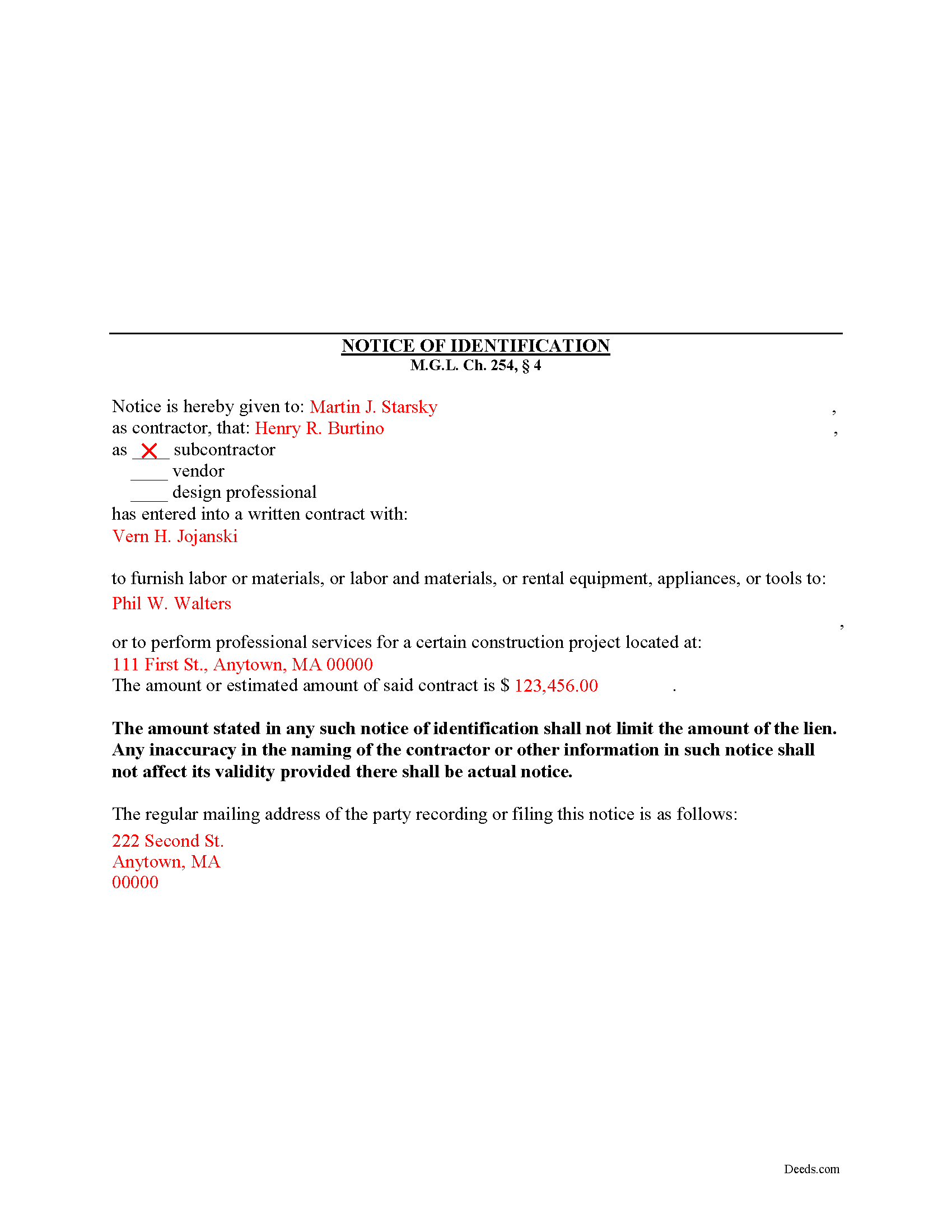
Worcester County Completed Example of the Notice of Indentification Document
Example of a properly completed form for reference.
All 3 documents above included • One-time purchase • No recurring fees
Immediate Download • Secure Checkout
Additional Massachusetts and Worcester County documents included at no extra charge:
Where to Record Your Documents
Worcester District Registry of Deeds
Worcester, Massachusetts 01608
Hours: 9:00am to 4:00 pm M-F
Phone: (508) 798-7717
Worcester Northern District Registry of Deeds
Fitchburg, Massachusetts 01420
Hours: 8:30 to 4:30 M-F / Recording until 4:00
Phone: (978) 342-2132
Recording Tips for Worcester County:
- Bring your driver's license or state-issued photo ID
- Ensure all signatures are in blue or black ink
- Bring extra funds - fees can vary by document type and page count
- Check margin requirements - usually 1-2 inches at top
- Leave recording info boxes blank - the office fills these
Cities and Jurisdictions in Worcester County
Properties in any of these areas use Worcester County forms:
- Ashburnham
- Athol
- Auburn
- Baldwinville
- Barre
- Berlin
- Blackstone
- Bolton
- Boylston
- Brookfield
- Charlton
- Charlton City
- Charlton Depot
- Cherry Valley
- Clinton
- Douglas
- Dudley
- East Brookfield
- East Princeton
- East Templeton
- Fayville
- Fiskdale
- Fitchburg
- Gardner
- Gilbertville
- Grafton
- Hardwick
- Harvard
- Holden
- Hopedale
- Hubbardston
- Jefferson
- Lancaster
- Leicester
- Leominster
- Linwood
- Lunenburg
- Manchaug
- Mendon
- Milford
- Millbury
- Millville
- New Braintree
- North Brookfield
- North Grafton
- North Oxford
- North Uxbridge
- Northborough
- Northbridge
- Oakham
- Oxford
- Paxton
- Petersham
- Princeton
- Rochdale
- Royalston
- Rutland
- Shrewsbury
- South Barre
- South Grafton
- South Lancaster
- Southborough
- Southbridge
- Spencer
- Sterling
- Still River
- Sturbridge
- Sutton
- Templeton
- Upton
- Uxbridge
- Warren
- Webster
- West Boylston
- West Brookfield
- West Millbury
- West Warren
- Westborough
- Westminster
- Wheelwright
- Whitinsville
- Winchendon
- Winchendon Springs
- Worcester
Hours, fees, requirements, and more for Worcester County
How do I get my forms?
Forms are available for immediate download after payment. The Worcester County forms will be in your account ready to download to your computer. An account is created for you during checkout if you don't have one. Forms are NOT emailed.
Are these forms guaranteed to be recordable in Worcester County?
Yes. Our form blanks are guaranteed to meet or exceed the applicable formatting requirements used for recording in Worcester County, including margin requirements, font requirements, and other layout standards. This guarantee applies to formatting, not to the legal sufficiency of information entered by the user or the suitability of a form for a particular transaction.
Can I reuse these forms?
Yes. You can reuse the forms for your personal use. For example, if you have multiple properties in Worcester County you only need to order once.
What do I need to use these forms?
The forms are PDFs that you fill out on your computer. The free Adobe Acrobat Reader is recommended, and most PDF apps also work. You do NOT enter your property information online - you download the blank forms and complete them privately on your own computer.
Are there any recurring fees?
No. This is a one-time purchase. Nothing to cancel, no memberships, no recurring fees.
How much does it cost to record in Worcester County?
Recording fees in Worcester County vary. Contact the recorder's office at (508) 798-7717 for current fees.
Questions answered? Let's get started!
Subcontractors, vendors, and design professionals involved in a work of improvement must send a special type of notice when they have not contracted directly with the original contractor or property owner and are working under another party. This preserves these individual's rights to a mechanic's lien while letting the owner know who is involved in the job and may have a later claim if unpaid.
In Massachusetts, a lien claimant without a direct contractual relationship with the original contractor, except for liens for labor, can only claim an amount of lien less than or equal to the amount due or to become due under the subcontract between the original contractor and the subcontractor whose work includes the work of the person claiming the lien. M.G.L. Ch. 254, 4. However, if the claimant files a Notice of Identification within thirty (30) days of commencement of his performance, lien rights are preserved for the full amount of services or materials expended. Id.
The Notice of Identification contains the following information: 1) contractor's name; 2) name of the party sending the notice; 3) whether the claimant is a subcontractor, vendor, or design professional; 4) name of the person contracted with; 5) name of the person or party furnished; 6) the property address where work is performed; and 7) the amount of the contract. Id. The Notice must be sent via certified mail, return receipt requested, to the original contractor within thirty (30) days of starting performance.
The amount stated in any such notice of identification shall not limit the amount of the lien. Id. Any inaccuracy in the naming of the contractor or other information in such notice shall not affect its validity provided there is actual notice. Id.
This article is provided for informational purposes only and should not be relied upon as a substitute for professional legal advice. If you have questions about the Notice of Identification, or any other issues related to lien laws in Massachusetts, please consult with an attorney.
Important: Your property must be located in Worcester County to use these forms. Documents should be recorded at the county recording office listed above.
This Notice of Identification meets all recording requirements specific to Worcester County.
Our Promise
The documents you receive here are guaranteed to meet or exceed the applicable Worcester County recording format requirements. If there is a rejection caused by our formatting, we will correct the issue or refund your payment. This guarantee applies to document formatting only and does not extend to information entered by the user, the selection of the form, or the legal effect of the completed document.
Save Time and Money
Get your Worcester County Notice of Identification form done right the first time with Deeds.com Uniform Conveyancing Blanks. At Deeds.com, we understand that your time and money are valuable resources, and we don't want you to face a penalty fee or rejection imposed by a county recorder for submitting nonstandard documents. We constantly review and update our forms to meet rapidly changing state and county recording requirements for roughly 3,500 counties and local jurisdictions.
4.8 out of 5 - ( 4,842 Reviews )
Peggy R. 5 out of 5 stars
Thank you it was quick and easy
Thank you!
Rocio G. 5 out of 5 stars
Better than in person service, I recommend this service 100%.
We appreciate your business and value your feedback. Thank you. Have a wonderful day!
JAMES V. 5 out of 5 stars
I initiated an order at 8:30PM on a Tuesday. I already had a response waiting for me when I opened my email the next morning. Very responsive. I'm very happy with this service.
We appreciate your business and value your feedback. Thank you. Have a wonderful day!
Robert P. 5 out of 5 stars
Excellent service to record a warranty deed. Travel time and expensive gas and working through the waiting times at the county made sense to try this service. I received a stamped recording notice for my file in just a few hours when the county office opened.
Thank you for choosing our service. We appreciate your review.
Julie P. 5 out of 5 stars
Quick & easy to use. Spoke a lawyer and saved hundreds by doing it myself.
Thank you for your feedback Julie, we appreciate you.
Samantha A. 5 out of 5 stars
This company is a super time saver for our firm and our client! Their website was easy to use and their staff was fast and efficient. Their fees are very reasonable. I would most certainly use their services again.
We appreciate your business and value your feedback. Thank you. Have a wonderful day!
John Z. 5 out of 5 stars
This was an easy to use program. Easy payment. documents are on my desktop ready to fill out. I will have to update after my property transfer. Zuna
We appreciate your business and value your feedback. Thank you. Have a wonderful day!
Marilyn C. 5 out of 5 stars
My document got recorded right away. Thank you! Will use again in the future when needed.
We appreciate your business and value your feedback. Thank you. Have a wonderful day!
Sharon D. 4 out of 5 stars
I found all the forms I needed to complete a Quit Claim Deed on Deeds.com. All the forms are available for download to fill in on my laptop computer. So far the experience has been very good. My only issue would be that the Quit Claim instructions could be more thorough and easier to understand. I am guessing that the State of New Jersey made up the instructions? Unfortunately this has cost me a huge amount of extra time to parse out EXACTLY the terms I need to write on the Quit Claim Deed form. I haven't started the Tax Forms, but hope they will be more straightforward. In general, I DO recommend Deeds.com!
Thanks for the recommendation, Sharon. We appreciate you flagging the New Jersey instructions, and we'll review them with an eye toward making things clearer and more straightforward. Feedback like yours is how we keep improving.
Kolette S. 3 out of 5 stars
The forms are nice; however, they do not display the "th" after the day or the second digit of the year. You can type them in, but they will not print out. I just left them blank and will handwrite.
Thank you for your feedback. We really appreciate it. Have a great day!
MIchael T. 5 out of 5 stars
very helpful in a trouble free manner.
Thank you!
David S. 5 out of 5 stars
It was as I suspected. Very useful.
Thank you for your feedback. We really appreciate it. Have a great day!
Zina J. 5 out of 5 stars
Deeds.com supplied exactly what I needed to complete a quitclaim. Deeds.com saved me $180, supplied the necessary forms, and a sample page to use as a guide. I recommend Deeds.com.
Thank you!
David O. 5 out of 5 stars
Service was top-notch....fast, accurate, cost-effective.
Thank you!
Tamara H. 5 out of 5 stars
Absolutely awesome, all the information and forms I needed Thanks Tamie Hamilton
We appreciate your business and value your feedback. Thank you. Have a wonderful day!