Essex County Subcontractor Full Conditional Lien Waiver Form
Last validated October 22, 2026 by our Forms Development TeamFormatted for recording in Essex County, for property anywhere in the county: rural and unincorporated areas as well as Amesbury, Andover, Beverly, Boxford, Byfield, Danvers, Essex, Georgetown and 31 more.
- 3 documents included
- Immediate PDF download
- Formatting guarantee
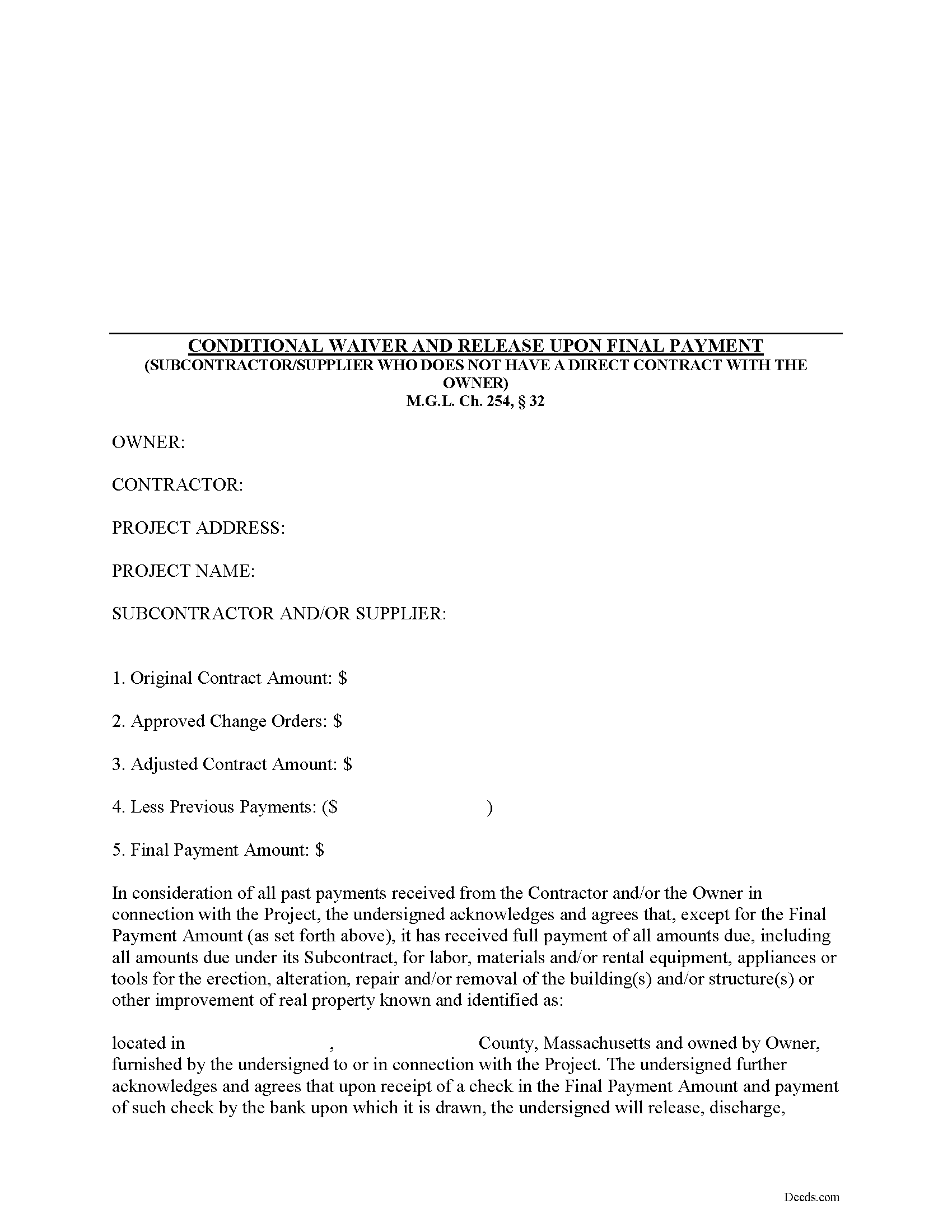
Essex County Subcontractor Full Conditional Lien Waiver Form
Fill in the blank Subcontractor Full Conditional Lien Waiver form formatted to comply with all Massachusetts recording and content requirements.
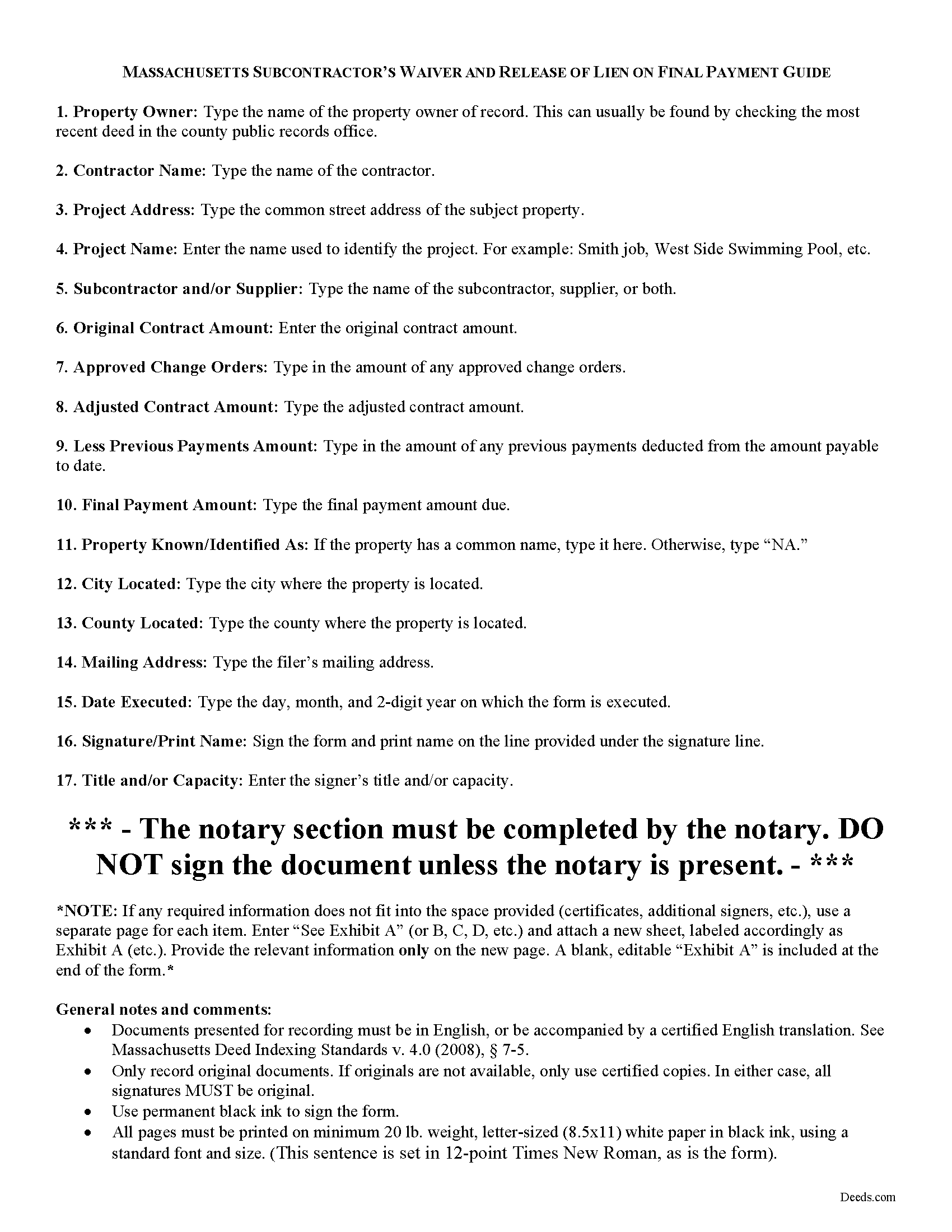
Essex County Subcontractor Full Conditional Lien Waiver Guide
Line by line guide explaining every blank on the form.
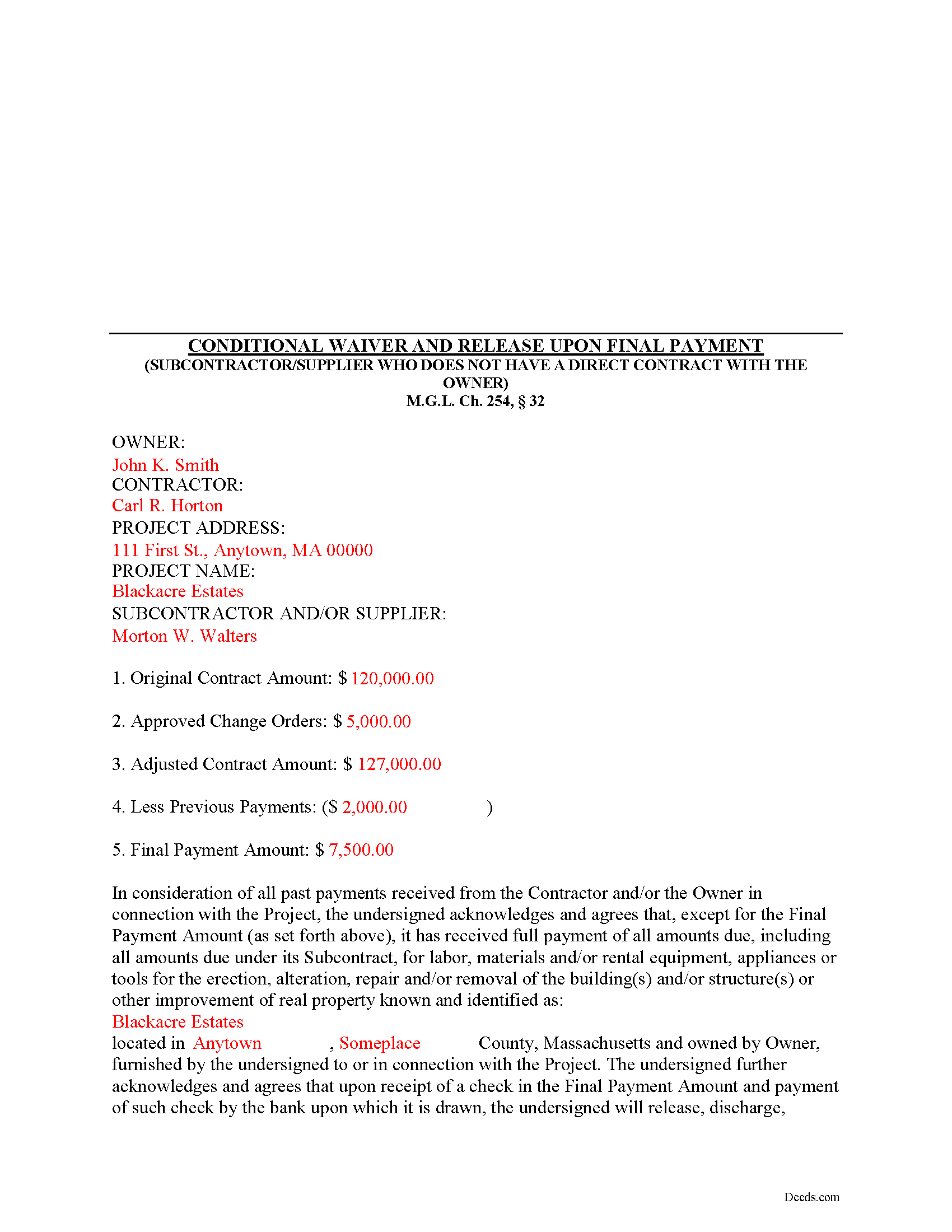
Essex County Completed Example of the Subcontractor Full Conditional Lien Waiver Document
Example of a properly completed form for reference.
All 3 documents above included • One-time purchase • No recurring fees
Immediate Download • Secure Checkout
Additional Massachusetts and Essex County documents included at no extra charge:
Where to Record Your Documents
Essex County Registry of Deeds, Northern District
Lawrence, Massachusetts 01843
Hours: 8:00 to 4:30 Mon-Fri / Recording until 4:00
Phone: (978) 557-1900
Essex County Register of Deeds, Southern District
Salem, Massachusetts 01970
Hours: 8:00 to 4:30 Mon-Fri / Recording until 4:00
Phone: (978) 542-1704
Recording Tips for Essex County:
- Bring your driver's license or state-issued photo ID
- Ensure all signatures are in blue or black ink
- Double-check legal descriptions match your existing deed
- Verify all names are spelled correctly before recording
- White-out or correction fluid may cause rejection
Cities and Jurisdictions in Essex County
Properties in any of these areas use Essex County forms:
- Amesbury
- Andover
- Beverly
- Boxford
- Byfield
- Danvers
- Essex
- Georgetown
- Gloucester
- Groveland
- Hamilton
- Hathorne
- Haverhill
- Ipswich
- Lawrence
- Lynn
- Lynnfield
- Manchester
- Marblehead
- Merrimac
- Methuen
- Middleton
- Nahant
- Newbury
- Newburyport
- North Andover
- Peabody
- Prides Crossing
- Rockport
- Rowley
- Salem
- Salisbury
- Saugus
- South Hamilton
- Swampscott
- Topsfield
- Wenham
- West Boxford
- West Newbury
Hours, fees, requirements, and more for Essex County
How do I get my forms?
Forms are available for immediate download after payment. The Essex County forms will be in your account ready to download to your computer. An account is created for you during checkout if you don't have one. Forms are NOT emailed.
Are these forms guaranteed to be recordable in Essex County?
Yes. Our form blanks are guaranteed to meet or exceed the applicable formatting requirements used for recording in Essex County, including margin requirements, font requirements, and other layout standards. This guarantee applies to formatting, not to the legal sufficiency of information entered by the user or the suitability of a form for a particular transaction.
Can I reuse these forms?
Yes. You can reuse the forms for your personal use. For example, if you have multiple properties in Essex County you only need to order once.
What do I need to use these forms?
The forms are PDFs that you fill out on your computer. The free Adobe Acrobat Reader is recommended, and most PDF apps also work. You do NOT enter your property information online - you download the blank forms and complete them privately on your own computer.
Are there any recurring fees?
No. This is a one-time purchase. Nothing to cancel, no memberships, no recurring fees.
How much does it cost to record in Essex County?
Recording fees in Essex County vary. Contact the recorder's office at (978) 557-1900 for current fees.
Questions answered? Let's get started!
Massachusetts Subcontractor's Full Conditional Lien Waiver
The Subcontractor's Full Conditional Lien Waiver is useful for situations where a subcontractor seeks full payment, but will only waive lien rights after the bank pays the check.
Lien waivers are used between contractors (also subcontractors and suppliers) and property owners as a quid-pro-quo arrangement between the contractor and owner. The purpose of a waiver is to influence payment from the owner in return for the contractor waiving future mechanic's lien rights.
In Massachusetts, any promise or agreement that bars the filing of a Notice of Contract is void and unenforceable, but that prohibition does not apply to full or partial lien waivers or dissolutions of liens. M.G.L. Ch. 254, 32. Therefore, the parties can use waivers to facilitate payment and ease concerns of hidden liens.
In general, Massachusetts recognizes four types of lien waivers: Partial Waiver by Contractor, Full Conditional Waiver by Contractor, Partial Waiver by Subcontractor, and Full Conditional Waiver by Subcontractor. Id. As their titles suggest, contractors should use a contractor's waiver and subcontractors should use a waiver designated for a subcontractor. Only offer full waivers on a full and final payment; the waiver is conditioned on the payment clearing the bank.
Lawful waivers identify the parties to the contract, the claimant, the property, the nature of work, payment information, and anything else necessary for clarity or to meet local requirements. The claimant (or authorized representative) must sign the completed waiver in front of a notary, then submit the document to the recording office for the county where the property is located.
Using lien waivers properly can ensure smoother relations between the parties on a construction job and alleviate and feelings of mistrust or concern. This article is provided for informational purposes only and should not be relied upon as a substitute for advice from an attorney. Please speak with a Massachusetts attorney if you have any questions about lien waivers or for any other issues concerning mechanic's liens.
Important: Your property must be located in Essex County to use these forms. Documents should be recorded at the county recording office listed above.
This Subcontractor Full Conditional Lien Waiver meets all recording requirements specific to Essex County.
Our Promise
The documents you receive here are guaranteed to meet or exceed the applicable Essex County recording format requirements. If there is a rejection caused by our formatting, we will correct the issue or refund your payment. This guarantee applies to document formatting only and does not extend to information entered by the user, the selection of the form, or the legal effect of the completed document.
Save Time and Money
Get your Essex County Subcontractor Full Conditional Lien Waiver form done right the first time with Deeds.com Uniform Conveyancing Blanks. At Deeds.com, we understand that your time and money are valuable resources, and we don't want you to face a penalty fee or rejection imposed by a county recorder for submitting nonstandard documents. We constantly review and update our forms to meet rapidly changing state and county recording requirements for roughly 3,500 counties and local jurisdictions.
4.8 out of 5 - ( 4,836 Reviews )
Paula S. 5 out of 5 stars
I highly recommend this website. It was quick and easy with very helpful guides and examples! I am so very thankful that I stumbled across the Deed website! Definitely worth every penny spent!
We appreciate your business and value your feedback. Thank you. Have a wonderful day!
Jim A. 5 out of 5 stars
Your website is user friendly and when I brought up issues they were quickly addressed. thank you so much! jim atkinson
Thank you!
Michelle D. 5 out of 5 stars
Very professional service, they were timely and proficient with answers and sending in the documents that I requested. Will work with them again in the future
We appreciate your business and value your feedback. Thank you. Have a wonderful day!
DAVID S. 5 out of 5 stars
I was very impressed with the speed at which information was retrieved on my very first search. Unfortunately, the county we were looking for is behind times and has not digitized its information. I will be using Deeds.Com again and appreciate that I was not charged for no information being returned back. Thank You David S
Thank you for your feedback. We really appreciate it. Have a great day!
Tammie S. 5 out of 5 stars
No review provided.
Thank you for your feedback. We really appreciate it. Have a great day!
Kenneth R. 5 out of 5 stars
Thank you. After searching for the correct forms and instructions on my county website, and finding nothing, I was very pleased with the Pinal County, AZ, acceptable forms and instructions I was able to download at a very reasonable cost from Deeds.com.
Thank you!
Shelby D. 1 out of 5 stars
Not very helpful since I am married and the example provided is for single person. Nevada homestead requires spouse to sign off on quit claim deed but no guidance provided as to where this acknowledgment is placed on template form. There should be example for married person as well. Had to use another service. Waste of $21.
Thank you for your feedback. We really appreciate it. Have a great day!
Roberta U. 5 out of 5 stars
Thanks for the quick reply Will use in future. Thanksgivings
Thank you!
M. TIMOTHY P. 5 out of 5 stars
EXCELLENT service! Deed came back within minutes!
Thank you for your feedback. We really appreciate it. Have a great day!
Michael L. 5 out of 5 stars
Perfect timely service! Will use again!
Thank you!
Sandra T T. 5 out of 5 stars
Great website to find state documents. I do like the one-time charge also vs a recurring charge. Thank you!
Thank you, Sandra! We’re glad you found the state documents you needed and appreciate you mentioning the one-time charge option. We believe in keeping things straightforward and transparent. Thanks again for your kind words and for choosing Deeds.com!
Jacqueline C. 3 out of 5 stars
Was relieved to see your site actually delivered what I paid for.
Thank you!
Jacqueline T. 5 out of 5 stars
Worth it for the time saved as the supplemental forms required were included the purchase. First time user, easy peasy. 5 stars from me.
We appreciate your business and value your feedback. Thank you. Have a wonderful day!
Beverly H. 5 out of 5 stars
Thanks!!
Thank you!
Linda F. 5 out of 5 stars
I can't recommend working with Deeds.com enough. I had been given incorrect information from another document service. The helpful staff member at Deeds.com that assisted in the submission of the recording was exceptionally helpful in making sure what I was submitting included the necessary elements required by the county. I am very thankful I chose Deeds.com for my eRecording service. Thank you!!
Thank you, Linda! We’re so glad our team could assist in making sure your submission met the county’s requirements. It means a lot that you chose Deeds.com after a frustrating experience elsewhere. We appreciate your trust and kind words!