Suffolk County Warranty Deed (Two Grantors) Form
Last validated October 21, 2026 by our Forms Development TeamFormatted for recording in Suffolk County, for property anywhere in the county: rural and unincorporated areas as well as Allston, Boston, Brighton, Charlestown, Chelsea, East Boston, Hyde Park, Jamaica Plain and 6 more.
- 3 documents included
- Immediate PDF download
- Formatting guarantee
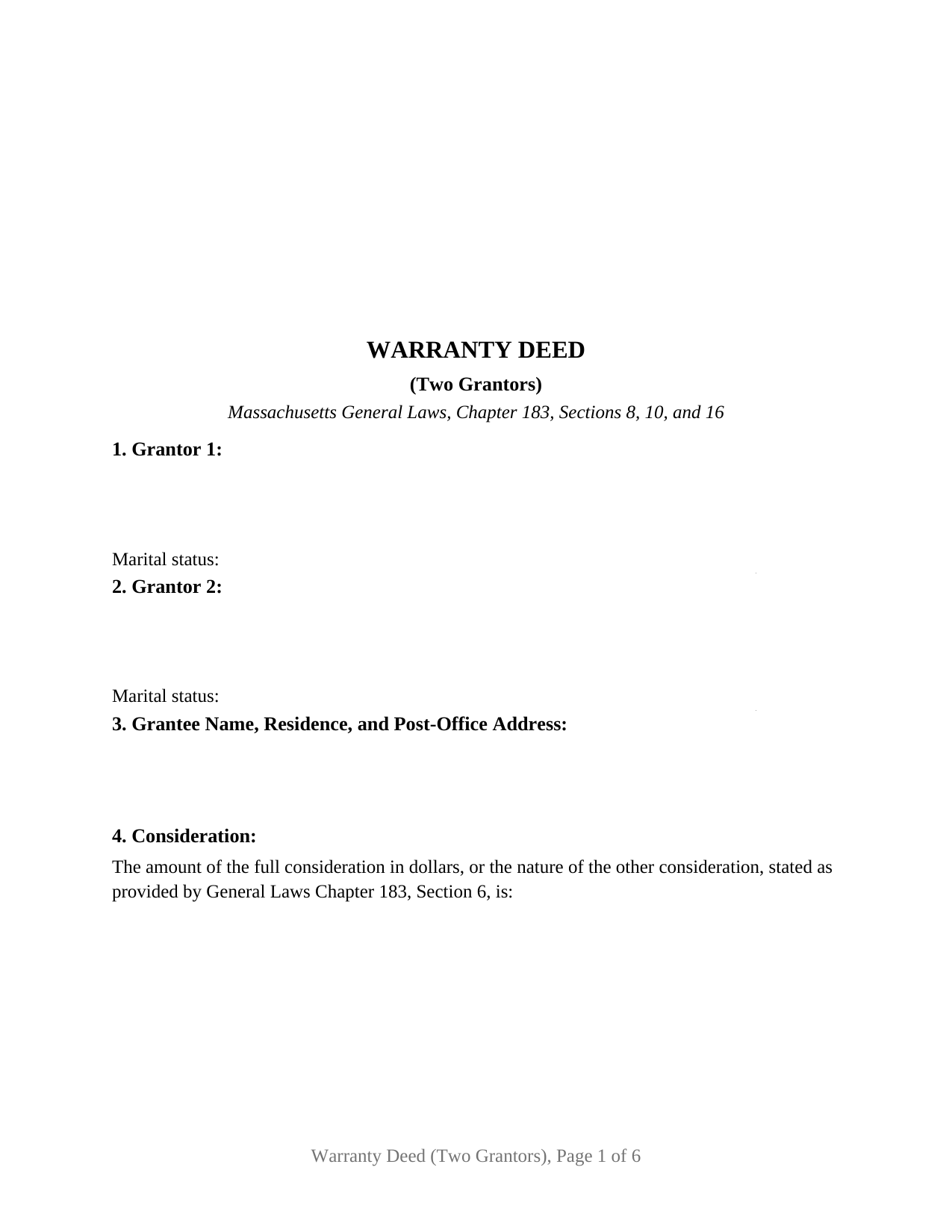
Suffolk County Warranty Deed (Two Grantors) Form
Fill in the blank Warranty Deed (Two Grantors) form formatted to comply with all Massachusetts recording and content requirements.
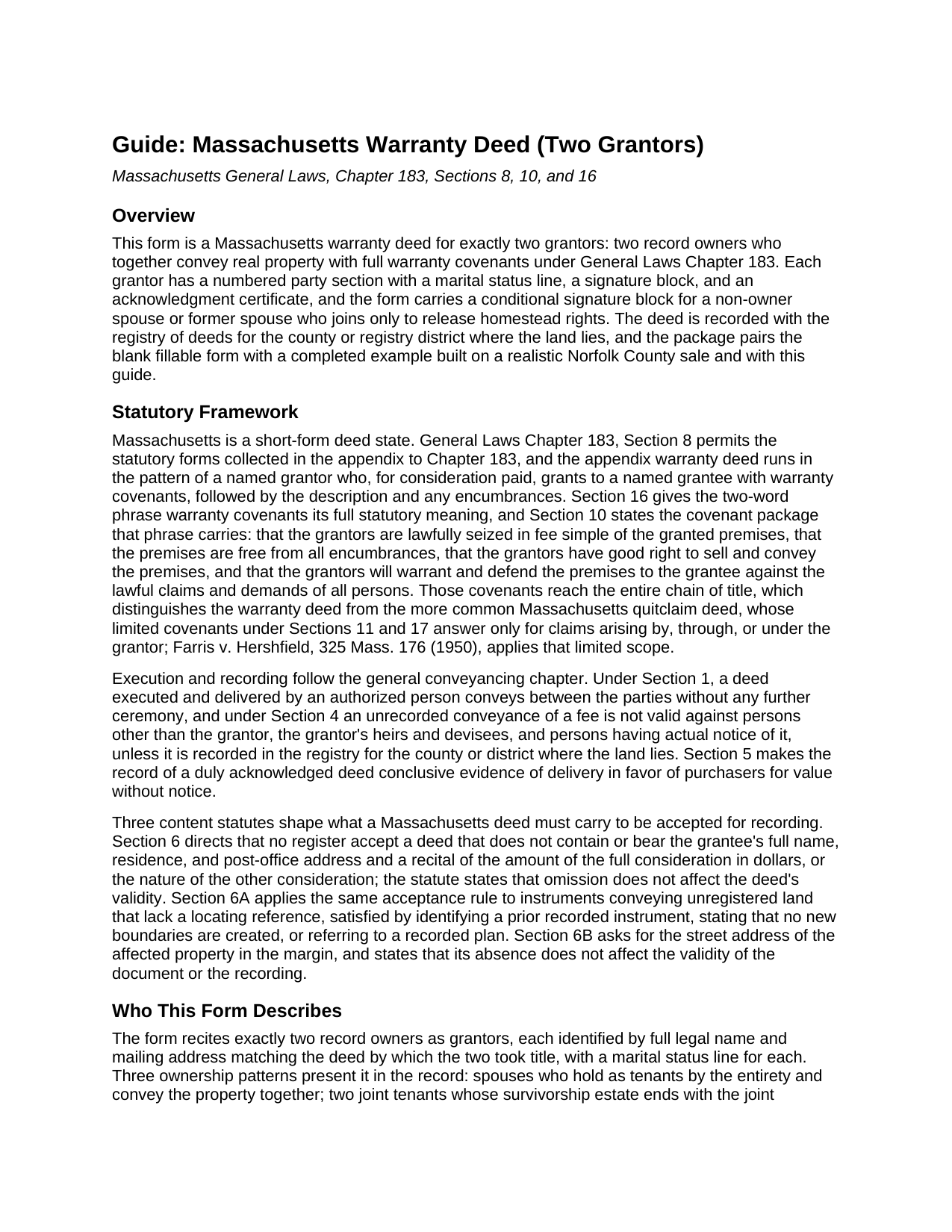
Suffolk County Warranty Deed (Two Grantors) Guide
Line by line guide explaining every blank on the Warranty Deed (Two Grantors) form.
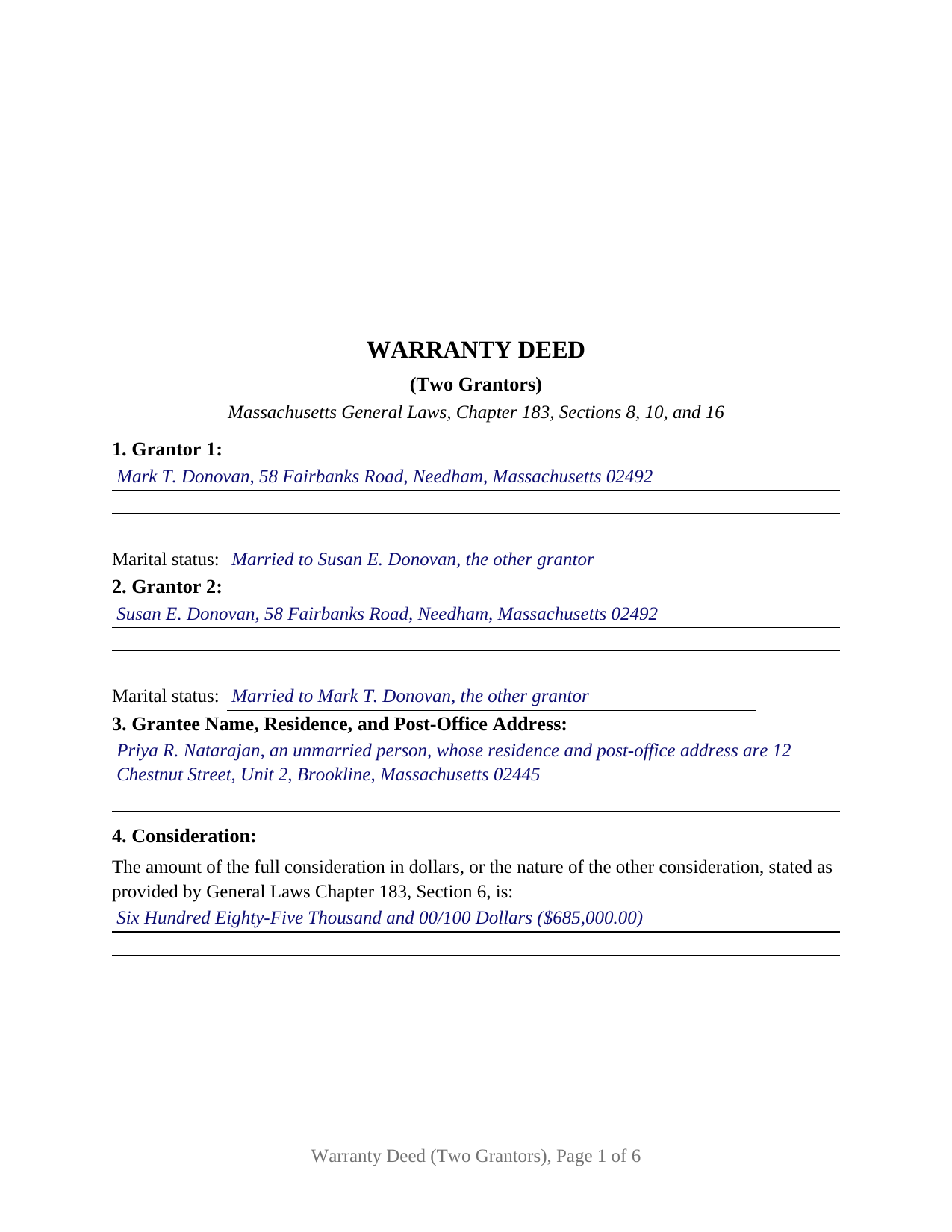
Suffolk County Completed Example of the Warranty Deed (Two Grantors) Document
Example of a properly completed Massachusetts Warranty Deed (Two Grantors) document for reference.
All 3 documents above included • One-time purchase • No recurring fees
Immediate Download • Secure Checkout
Additional Massachusetts and Suffolk County documents included at no extra charge:
Where to Record Your Documents
Suffolk County Registry of Deeds
Boston, Massachusetts 02114-9660
Hours: 8:30 to 4:45 M-F / Recording until 4:15
Phone: (617) 788-8575 or 788-6221
Recording Tips for Suffolk County:
- Bring your driver's license or state-issued photo ID
- Ensure all signatures are in blue or black ink
- Check that your notary's commission hasn't expired
- Documents must be on 8.5 x 11 inch white paper
- Double-check legal descriptions match your existing deed
Cities and Jurisdictions in Suffolk County
Properties in any of these areas use Suffolk County forms:
- Allston
- Boston
- Brighton
- Charlestown
- Chelsea
- East Boston
- Hyde Park
- Jamaica Plain
- Mattapan
- Readville
- Revere
- Roslindale
- West Roxbury
- Winthrop
Hours, fees, requirements, and more for Suffolk County
How do I get my forms?
Forms are available for immediate download after payment. The Suffolk County forms will be in your account ready to download to your computer. An account is created for you during checkout if you don't have one. Forms are NOT emailed.
Are these forms guaranteed to be recordable in Suffolk County?
Yes. Our form blanks are guaranteed to meet or exceed the applicable formatting requirements used for recording in Suffolk County, including margin requirements, font requirements, and other layout standards. This guarantee applies to formatting, not to the legal sufficiency of information entered by the user or the suitability of a form for a particular transaction.
Can I reuse these forms?
Yes. You can reuse the forms for your personal use. For example, if you have multiple properties in Suffolk County you only need to order once.
What do I need to use these forms?
The forms are PDFs that you fill out on your computer. The free Adobe Acrobat Reader is recommended, and most PDF apps also work. You do NOT enter your property information online - you download the blank forms and complete them privately on your own computer.
Are there any recurring fees?
No. This is a one-time purchase. Nothing to cancel, no memberships, no recurring fees.
How much does it cost to record in Suffolk County?
Recording fees in Suffolk County vary. Contact the recorder's office at (617) 788-8575 or 788-6221 for current fees.
Questions answered? Let's get started!
Two record owners who convey Massachusetts real estate together join in one deed, and the buyer takes the same statutory promise from each of them. This fillable Massachusetts warranty deed is arranged for exactly two grantors: a numbered party section with a marital status line for each owner, two grantor signature blocks, an acknowledgment certificate for every signer, and a conditional block a releasing spouse completes only when homestead law calls for it.
Two grantors, one set of warranty covenants
Under General Laws Chapter 183, Sections 10 and 16, a deed that grants Massachusetts land WITH WARRANTY COVENANTS conveys a fee simple backed by covenants reaching the whole chain of title: lawful seisin, freedom from encumbrances beyond those the deed states, good right to convey, and a promise to defend the grantee against the lawful claims of all persons, not merely claims tracing to the current owners. The operative section of this deed carries the statutory shorthand in capitals and adds a clause joining each grantor in those covenants as to that grantor's entire right, title, and interest, so the two owners stand behind the conveyance together rather than each answering only for a half.
Couples, co-owners, and the two-owner record
Three ownership patterns present the two-grantor configuration. Spouses holding as tenants by the entirety appear most often: the entirety estate exists only between married owners under Chapter 184, Sections 7 and 8, and a sale of the family home takes both of their signatures on one deed. Two joint tenants end their survivorship estate the same way, and two tenants in common, commonly siblings or heirs who inherited fractional shares, pass the whole title to a buyer in a single instrument. The form recites exactly two record owners; a conveyance by one owner, by a trustee, or by a business entity presents a different signing configuration, as does a title held by three or more people.
Homestead when both owners are at the table
Massachusetts homestead law supplies the deed's spousal logic. A deed to someone outside the family terminates an estate of homestead under General Laws Chapter 188, Section 10 only when the owner and any non-owner spouse or former spouse living in the home as a principal residence sign it. When the two grantors are married to each other, both owners are already signing, and the deed's homestead release operates without another name. When the grantors are co-owners and one has a spouse off the title who lives in the property, that spouse signs the releasing-spouse block and takes the third acknowledgment certificate. The marital status line in each grantor section puts the answer on the face of the record.
The statutory certificate and the registry district
Each certificate on this deed follows the substance of the Massachusetts acknowledgment form in General Laws Chapter 222, Section 15(b): the signer personally appears, proves identity through satisfactory evidence of identification entered on its own certificate line, and acknowledges signing voluntarily for the deed's stated purpose. Because every signer has a certificate, the two grantors may appear before different notaries on different dates, in Massachusetts or elsewhere. The deed then goes to the registry of deeds for the county or registry district where the land lies; several counties record through more than one district, and the correct office is the district serving the property's city or town. The first page holds its upper corner open for the registry's recording information, and the deed excise stamps are computed from the consideration the deed recites, alongside the statewide recording fee.
The download includes the two-grantor warranty deed as a fillable PDF, a completed example filled in for a Norfolk County sale by a married couple, and a plain-language guide covering each numbered section, the homestead release, the notary certificates, and the registry process. The materials are informational and are not legal advice.
Important: Your property must be located in Suffolk County to use these forms. Documents should be recorded at the county recording office listed above.
This Warranty Deed (Two Grantors) meets all recording requirements specific to Suffolk County.
Our Promise
The documents you receive here are guaranteed to meet or exceed the applicable Suffolk County recording format requirements. If there is a rejection caused by our formatting, we will correct the issue or refund your payment. This guarantee applies to document formatting only and does not extend to information entered by the user, the selection of the form, or the legal effect of the completed document.
Save Time and Money
Get your Suffolk County Warranty Deed (Two Grantors) form done right the first time with Deeds.com Uniform Conveyancing Blanks. At Deeds.com, we understand that your time and money are valuable resources, and we don't want you to face a penalty fee or rejection imposed by a county recorder for submitting nonstandard documents. We constantly review and update our forms to meet rapidly changing state and county recording requirements for roughly 3,500 counties and local jurisdictions.
4.8 out of 5 - ( 4,845 Reviews )
Louise S. 5 out of 5 stars
The form was easy to download and complete however you should be able to convert to a word document.
Thank you for your feedback. We really appreciate it. Have a great day!
Craig L. 5 out of 5 stars
Fast and easy and saved me $240. What's not to like? Five stars.
We appreciate your business and value your feedback. Thank you. Have a wonderful day!
William S C. 5 out of 5 stars
The Lady Bird Deed appears to be fine with me as are the instructions. However, there apparently are no specific laws in Texas addressing them other than they are OK. The problem is that lenders are surely going to use them as triggers for their due on sale clauses, especially as the current small mortgage rates begin to increase. The solution to that seems to be to sign and have them notarized, but not to record them unless the holder needs to enforce the provisions. It seems to me that you should consider your solution to that problem in your instructions.
Thank you for your feedback. We really appreciate it. Have a great day!
Evan W. 5 out of 5 stars
Quick service. Thank you
Thank you!
Mary K. 5 out of 5 stars
Awesome site. Looking for a way to save hiring an attorney. Family doesn't have the money for that so this site is much appreciated.
Thank you for your feedback. We really appreciate it. Have a great day!
Robyn R. 5 out of 5 stars
Deeds.com was so simple and easy to use! My local recorders office is closed due to COVID-19 and their recording said to use Deeds.com. I thought it was going to either be very complicated or very expensive and it was neither!!! The site walked me through step by step and the price of their service was very fair and affordable. They were very timely and efficient and my documents were recorded almost immediately! Thank you Deeds.com!!!
Thank you Robyn, glad we could help.
Joe S. 5 out of 5 stars
My first experience with deeds.com was excellent. My task was handled promptly and efficiently. Count on me as a repeat customer.
We appreciate your business and value your feedback. Thank you. Have a wonderful day!
Ira S. 5 out of 5 stars
Hi, 1. I need a password to be able to copy and paste from the deed. 2. It would be more convenient if all documents could be downloaded together. Ira
Thank you for your feedback. We really appreciate it. Have a great day!
ELIZABETH A P. 5 out of 5 stars
THE FORMS WERE GOOD, EASY TO UNDERSTAND. NICE TO BE ABLE TO DOWNLOAD THEM INSTANTLY. LIKED THAT I DID NOT HAVE TO JOIN ANYTHING WITH ONGOING FEES.
Thank you Elizabeth, have a great day!
John D. 5 out of 5 stars
I was quite impressed by the quality of your documents and the ease of the download.
Thank you for your feedback. We really appreciate it. Have a great day!
Patrick P. 5 out of 5 stars
Great service! I found out how easy it was for me to record a deed. I saved about $200 using deeds.com. The sample form really helped. Thanks!
Thank you!
Margaret S. 5 out of 5 stars
Your service is second to none. Your website is user-friendly, easy to navigate and within minutes I had the forms I needed. Keep up the good work!
We appreciate your business and value your feedback. Thank you. Have a wonderful day!
Maryel T. 4 out of 5 stars
Good site, had the information I needed. Quicker than I expected. Thanks.
We appreciate your business and value your feedback. Thank you. Have a wonderful day!
Debbra .S C. 5 out of 5 stars
Very easy and nice website to use.
Thank you for your feedback. We really appreciate it. Have a great day!
Kimberly M. 5 out of 5 stars
I love Deeds.com. I've never had any issues with the service, getting documents back, etc.
We appreciate your business and value your feedback. Thank you. Have a wonderful day!