Carroll County Quitclaim Deed (Interspousal) Form
Last validated October 21, 2026 by our Forms Development TeamFormatted for recording in Carroll County, for property anywhere in the county: rural and unincorporated areas as well as Bartlett, Center Conway, Center Ossipee, Center Sandwich, Center Tuftonboro, Chatham, Chocorua, Conway and 24 more.
- 3 documents included
- Immediate PDF download
- Formatting guarantee
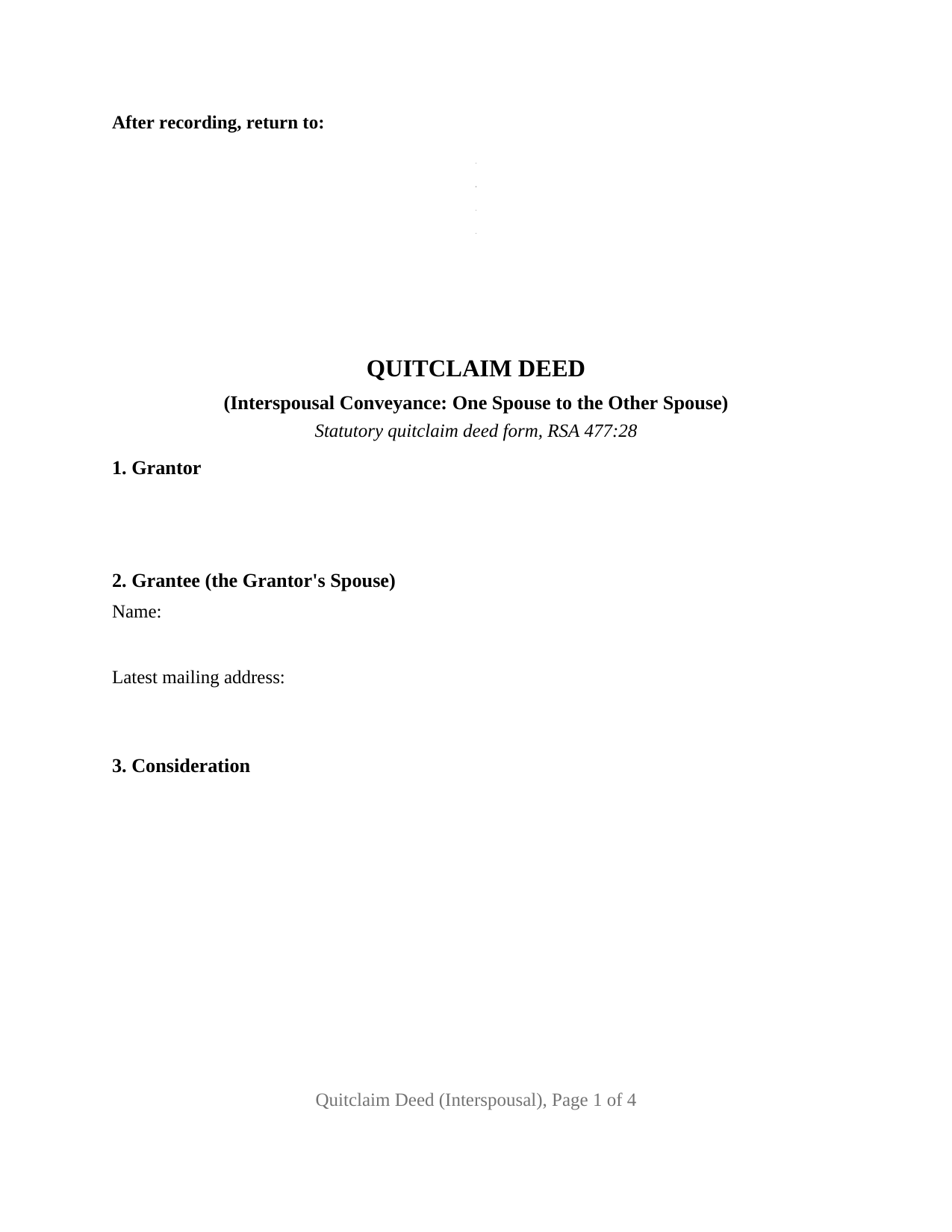
Carroll County Quitclaim Deed (Interspousal) Form
Fill in the blank Quitclaim Deed (Interspousal) form formatted to comply with all New Hampshire recording and content requirements.
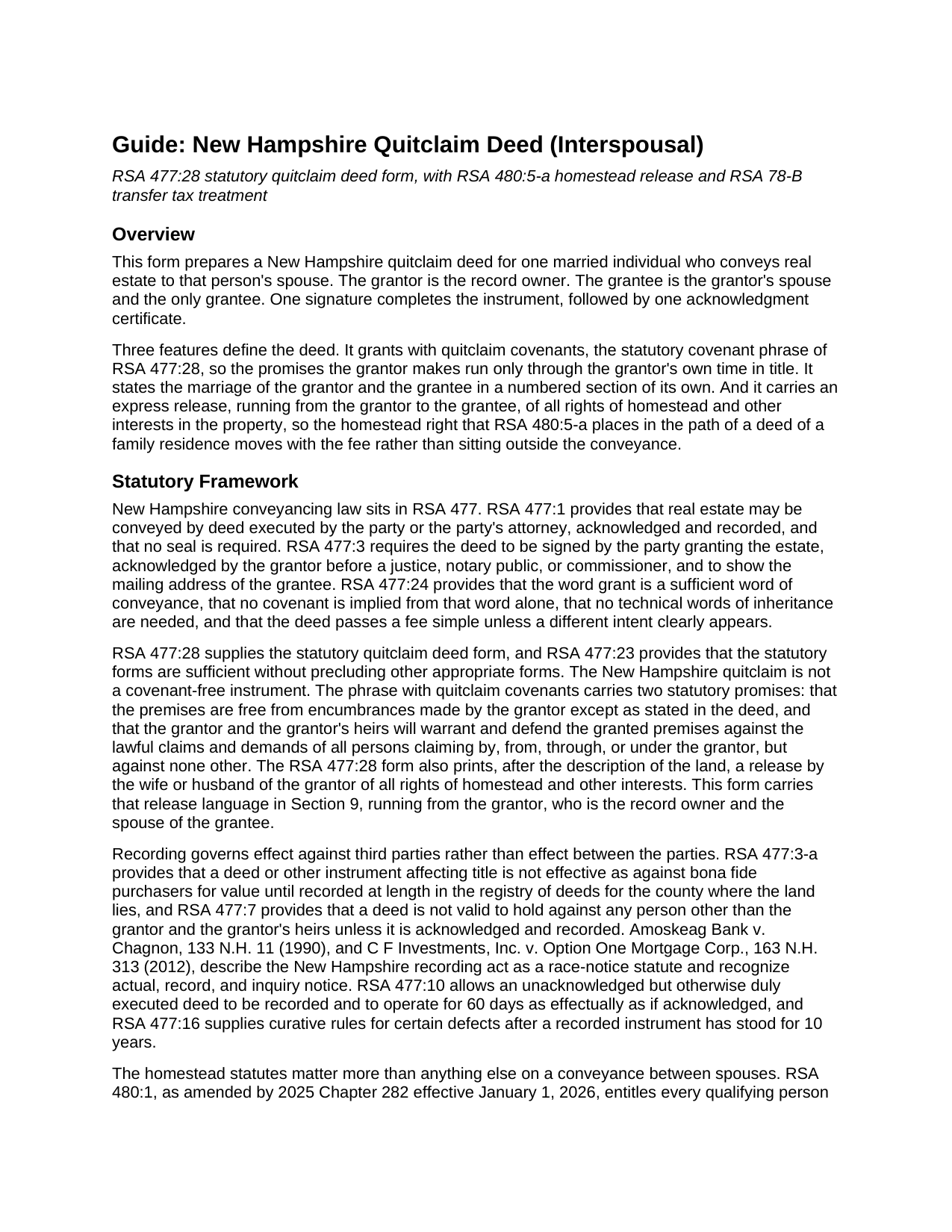
Carroll County Quitclaim Deed (Interspousal) Guide
Line by line guide explaining every blank on the Quitclaim Deed (Interspousal) form.
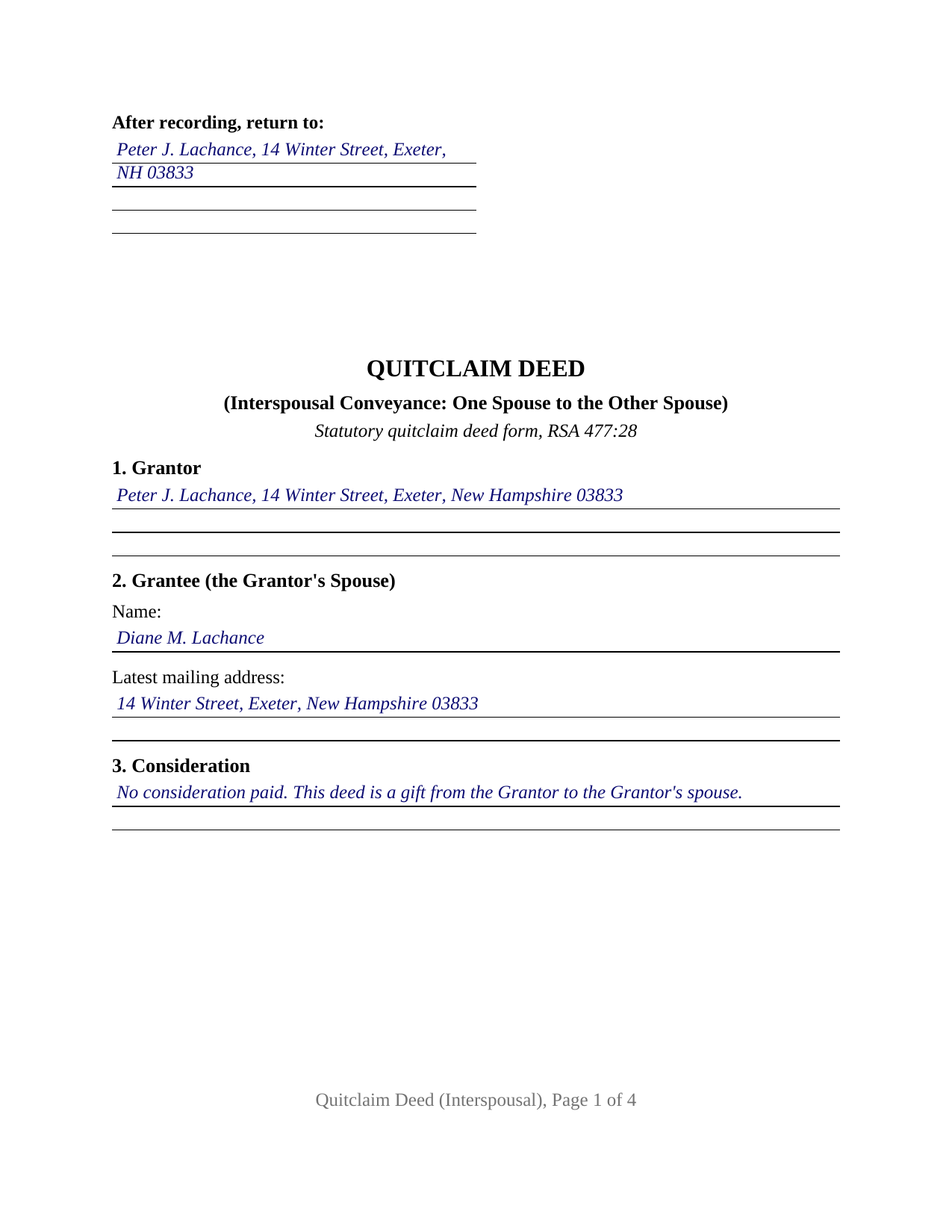
Carroll County Completed Example of the Quitclaim Deed (Interspousal) Document
Example of a properly completed New Hampshire Quitclaim Deed (Interspousal) document for reference.
All 3 documents above included • One-time purchase • No recurring fees
Immediate Download • Secure Checkout
Additional New Hampshire and Carroll County documents included at no extra charge:
Where to Record Your Documents
Registry Of Deeds
Ossipee, New Hampshire 03864
Hours: 9:00am to 5:00pm M-F
Phone: (603) 539-4872
Recording Tips for Carroll County:
- Bring your driver's license or state-issued photo ID
- Ensure all signatures are in blue or black ink
- Make copies of your documents before recording - keep originals safe
- Recorded documents become public record - avoid including SSNs
- Recording fees may differ from what's posted online - verify current rates
Cities and Jurisdictions in Carroll County
Properties in any of these areas use Carroll County forms:
- Bartlett
- Center Conway
- Center Ossipee
- Center Sandwich
- Center Tuftonboro
- Chatham
- Chocorua
- Conway
- East Wakefield
- Eaton Center
- Effingham
- Freedom
- Glen
- Intervale
- Jackson
- Kearsarge
- Madison
- Melvin Village
- Mirror Lake
- Moultonborough
- North Conway
- North Sandwich
- Ossipee
- Sanbornville
- Silver Lake
- South Tamworth
- Tamworth
- Union
- West Ossipee
- Wolfeboro
- Wolfeboro Falls
- Wonalancet
Hours, fees, requirements, and more for Carroll County
How do I get my forms?
Forms are available for immediate download after payment. The Carroll County forms will be in your account ready to download to your computer. An account is created for you during checkout if you don't have one. Forms are NOT emailed.
Are these forms guaranteed to be recordable in Carroll County?
Yes. Our form blanks are guaranteed to meet or exceed the applicable formatting requirements used for recording in Carroll County, including margin requirements, font requirements, and other layout standards. This guarantee applies to formatting, not to the legal sufficiency of information entered by the user or the suitability of a form for a particular transaction.
Can I reuse these forms?
Yes. You can reuse the forms for your personal use. For example, if you have multiple properties in Carroll County you only need to order once.
What do I need to use these forms?
The forms are PDFs that you fill out on your computer. The free Adobe Acrobat Reader is recommended, and most PDF apps also work. You do NOT enter your property information online - you download the blank forms and complete them privately on your own computer.
Are there any recurring fees?
No. This is a one-time purchase. Nothing to cancel, no memberships, no recurring fees.
How much does it cost to record in Carroll County?
Recording fees in Carroll County vary. Contact the recorder's office at (603) 539-4872 for current fees.
Questions answered? Let's get started!
An interspousal quitclaim deed is the New Hampshire conveyance where the person who would ordinarily sign to let go of the homestead right stands on the receiving side of the deed. This fillable form prepares that instrument under RSA 477:28: one married record owner grants to that owner's spouse, a single signature completes it, and the homestead release runs from the grantor to the grantee.
The Homestead Right Changes Direction
RSA 480:5-a holds the homestead right outside any deed of a family residence unless the owner and the owner's wife or husband both execute the instrument, which on a sale produces two signatures. Here the spouse whose joinder the statute contemplates is the grantee, so the form answers the point in print: a numbered section states the marriage, and the operative section releases to the grantee all rights of homestead and other interests, including the occupancy right of RSA 480:3-a, with nothing reserved. RSA 480:1 measures the stakes at $400,000 for each person, capped at $550,000 in the aggregate as of January 1, 2026, and Brady v. Sumski, 176 N.H. 165 (2023), reads an ownership requirement into that section. New Hampshire appellate law has not reached the execution rule as applied to an owner conveying to that owner's own spouse, as the guide included here records.
One Grantor, One Certificate, and a Grantee Who Signs Nothing
The deed recites exactly one grantor: an individual holding record title, married to the sole grantee, signing personally. Under the signature sits the printed name entry that RSA 478:4-a, I(c) makes an intake item, followed by one acknowledgment certificate in the RSA 456-B:8 short form, and Section 11 states in print that the grantee takes under the deed and signs nothing. Patterns that present this configuration in the record include an owner who held title before the marriage moving the property into the other spouse's name, a spouse conveying back a fractional interest taken under an earlier deed, and a couple completing a marital property settlement in which the residence goes to one of them. A deed naming both spouses as grantees, a conveyance out of two record owners, and a trustee conveyance each carry a different signature architecture.
Three Transfer Tax Paths for One Deed Between Spouses
RSA 78-B presumes every transfer of New Hampshire real estate taxable, and a deed between spouses can land in any of three places. A transfer for value, including money paid by the grantee spouse or an assumption of mortgage debt, is taxed at $0.75 per $100 on each side, purchaser and seller both liable, which registries state as $1.50 per $100 in total. A transfer made pursuant to a final decree of divorce or nullity falls under RSA 78-B:2, XIII, and the parties remain spouses until that decree enters. A true gift is a noncontractual transfer under RSA 78-B:2, IX, which RSA 78-B:1-a, III defines as a transfer meeting the three elements of a gift, so an obligation taken on by the receiving spouse pushes the deed back toward the taxable column. Section 10 holds the statement RSA 78-B:6 looks for, since no recording completes without tax indicia or a statement that the transaction is not subject to the tax. The declaration of consideration that follows a gift goes to the Department of Revenue Administration separately, prepared apart from this package.
Covenants That Stop at the Grantor's Own Years in Title
A New Hampshire quitclaim promises something rather than nothing. The RSA 477:28 phrase with quitclaim covenants binds the grantor as to encumbrances the grantor made and as to claims traced through the grantor, and no further back. Between spouses the limit is usually the entire point, because the property keeps the history it had when the grantor took it: a recorded mortgage keeps running against the land, Section 7 collects the exceptions to the covenants, and Section 6 names the instrument by which the grantor acquired the property.
The download delivers the interspousal quitclaim deed as a fillable PDF, a completed example filled in for a Rockingham County gift in which an Exeter owner conveys the marital home to his wife, and a plain language guide covering all eleven numbered sections, the homestead release, the signing formalities, and the registry and tax steps. Buyers search this instrument as an interspousal deed or a spousal transfer deed, and often type quit claim as two words, while RSA 477:28 writes quitclaim. These materials describe New Hampshire law in general terms and are not legal advice.
Important: Your property must be located in Carroll County to use these forms. Documents should be recorded at the county recording office listed above.
This Quitclaim Deed (Interspousal) meets all recording requirements specific to Carroll County.
Our Promise
The documents you receive here are guaranteed to meet or exceed the applicable Carroll County recording format requirements. If there is a rejection caused by our formatting, we will correct the issue or refund your payment. This guarantee applies to document formatting only and does not extend to information entered by the user, the selection of the form, or the legal effect of the completed document.
Save Time and Money
Get your Carroll County Quitclaim Deed (Interspousal) form done right the first time with Deeds.com Uniform Conveyancing Blanks. At Deeds.com, we understand that your time and money are valuable resources, and we don't want you to face a penalty fee or rejection imposed by a county recorder for submitting nonstandard documents. We constantly review and update our forms to meet rapidly changing state and county recording requirements for roughly 3,500 counties and local jurisdictions.
4.8 out of 5 - ( 4,830 Reviews )
Robert B. 5 out of 5 stars
Fast and easy and Jefferson County Colorado excepted the forms.
Thank you!
virginia a. 4 out of 5 stars
Thank you for the prompt instructions on the download and installation. The only problem I had was trying to input data into the form once I renamed the form.and saved it. I was unable to change the size of the font and was very frustrated. In the end I finally had to redo the entire form through Word using your format.
Thank you!
mary c. 5 out of 5 stars
Really good product, included guide to filling out forms. Totally pleased with that part. Customer service however was terrible. Did not hear back after I sent two emails. The site signed me up but after I was accepted they would not allow me to download a form, with the notation my account was closed. Had to use another email. Had problems with that. Finally got off of site and went to a login site that allowed me to download the forms. If you can get past setting up your account, it is fantastic site. Nice price compared to alternatives. Also I recieved two validation codes. Have no idea why they were sent.
Thank you!
Dakota H. 5 out of 5 stars
Brilliant idea. Beats working with an attorney who charges $250+ per hour. Thanks.
Thank you!
Maria G. 5 out of 5 stars
Very easy and fast. Couldnt ask for anything better.
We appreciate your business and value your feedback. Thank you. Have a wonderful day!
Timothy L. 5 out of 5 stars
It was very simple and easy to fill out the information need to do the warranty deed.
Thank you for your feedback. We really appreciate it. Have a great day!
William G. 5 out of 5 stars
I am very pleased with Deeds.com. They responded back very quickly, checked my forms, gave an example for a correction, and submitted the forms over the weekend. What more could you ask?
Thank you!
Victor K. 3 out of 5 stars
The form I needed was correct and paginated as required. It was accepted w/o penalties. I was not happy about the information which I found way too scant. One sample form does not cover enough possibilities, more would be helpful. The instruction page is a bit better but sometimes it is not clear enough - sometimes it is not clear what the numbered items in the form correspond to. There is no guidance about the process and it would take very little to provide it. Example about "description", say where to find. There is a bunch of "free forms" attached but no guide on which are needed and when. Example: at the counter I was given a paper "conveyance" form and asked to fill it - I did not know it was needed and what it did and so I had not d
Thank you for your feedback. We really appreciate it. Have a great day!
Daniel C. 2 out of 5 stars
The fill-in pdf produced a messy document and several of the fields too small to accommodate the text. A tailorable MS Word document would have been far better. I would not recommend using this product.
Thank you for taking the time to share your feedback. We’re sorry to hear that the fill-in PDF did not meet your expectations, particularly with regard to formatting and field sizing.
Based on your comments, we will be reviewing the document to see where improvements can be made. Feedback like yours is genuinely helpful in identifying areas where our forms can be clearer and easier to use.
We’ve gone ahead and canceled your order and refunded your payment in full, so there’s no expectation that you use a product you wouldn’t feel comfortable recommending.
Deana A. 5 out of 5 stars
Great forms and info, easy step-by-step guidance.
Thank you!
Franklin W. 1 out of 5 stars
I am not so happy. I did find and purchase the document I needed. But there is one problem. It is in Adobe PDF format only. I cannot enter information into the form.
Sorry to hear that. Sounds like you may have been trying to complete the document in your browser instead of downloading the PDF and completing it on your computer. The PDF forms are fill in the blank, that's one of the reasons we use that format.
Rechantell A. 5 out of 5 stars
It was quick and easy. Trust worthy. Very satisfied and would recommend. Thank you for your services.
We appreciate your business and value your feedback. Thank you. Have a wonderful day!
Lillian F. 5 out of 5 stars
I LOVE THE EASE OF GETTING THE INFORMATION I REQUESTED. YOUR SERVICE IS MORE THAN WHAT I EXPECTED.
We appreciate your business and value your feedback. Thank you. Have a wonderful day!
Robert J. F. 5 out of 5 stars
Nice work. Easy to use site for reasonable price. Thank you.
Thank you for your feedback. We really appreciate it. Have a great day!
Susan K. 5 out of 5 stars
First time using DEEDS.COM and very helpful with documents to fill out. I highly recommend this company for all your needs .Thank you.
We appreciate your business and value your feedback. Thank you. Have a wonderful day!