Charleston County Quitclaim Deed (Individual Grantor) Form
Last validated October 28, 2026 by our Forms Development TeamFormatted for recording in Charleston County, for property anywhere in the county: rural and unincorporated areas as well as Adams Run, Awendaw, Charleston, Charleston Afb, Folly Beach, Hollywood, Isle Of Palms, Johns Island and 6 more.
- 3 documents included
- Immediate PDF download
- Formatting guarantee
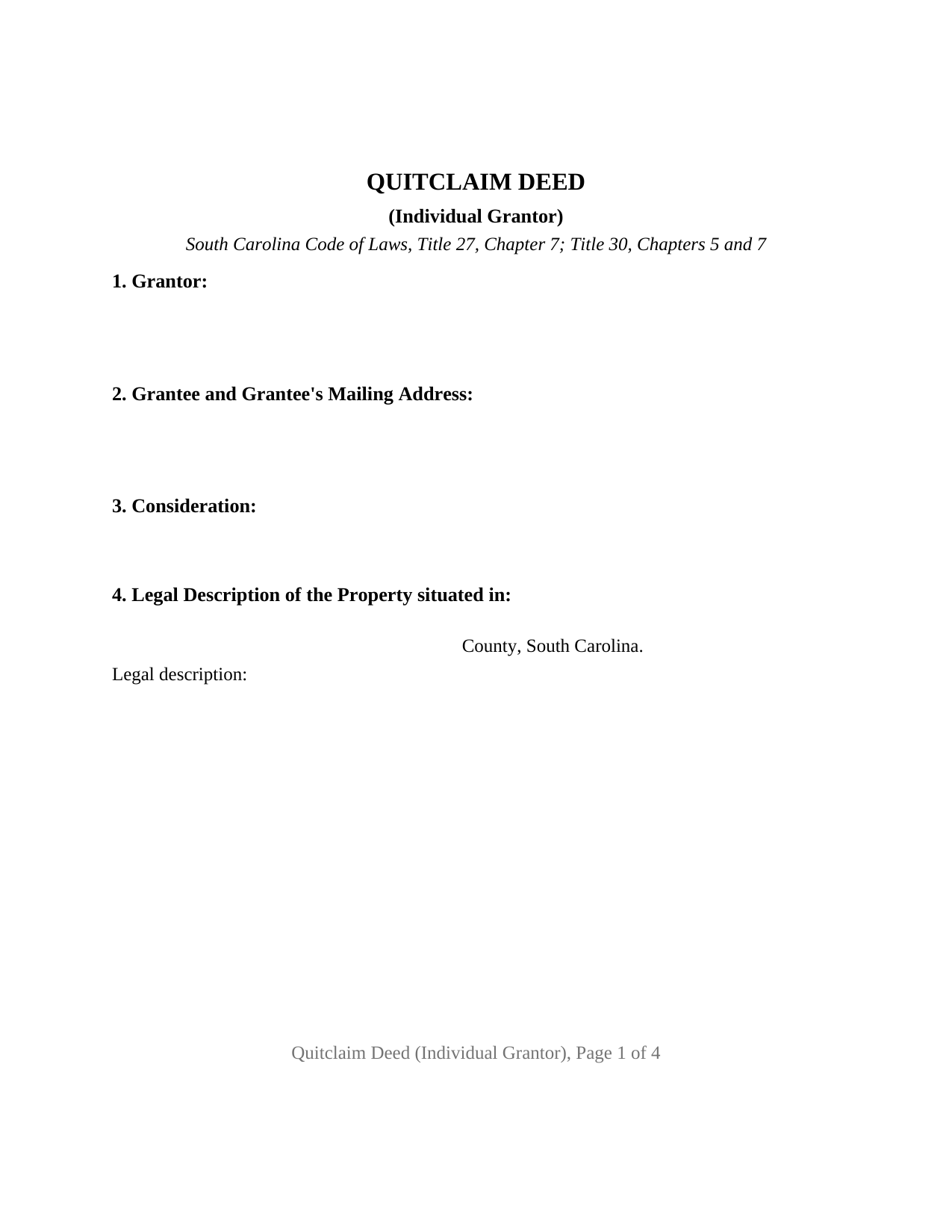
Charleston County Quitclaim Deed (Individual Grantor) Form
Fill in the blank Quitclaim Deed (Individual Grantor) form formatted to comply with all South Carolina recording and content requirements.
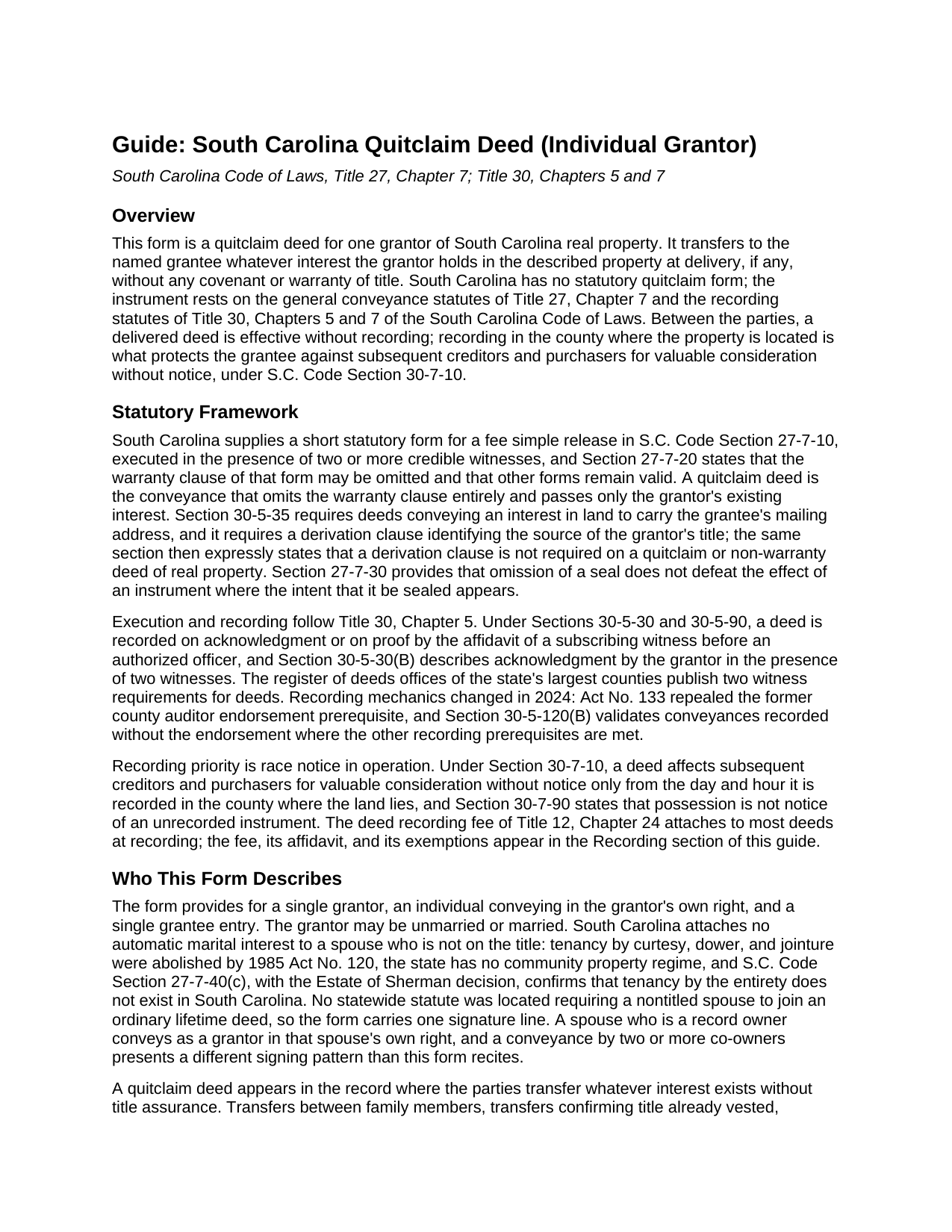
Charleston County Quitclaim Deed (Individual Grantor) Guide
Line by line guide explaining every blank on the Quitclaim Deed (Individual Grantor) form.
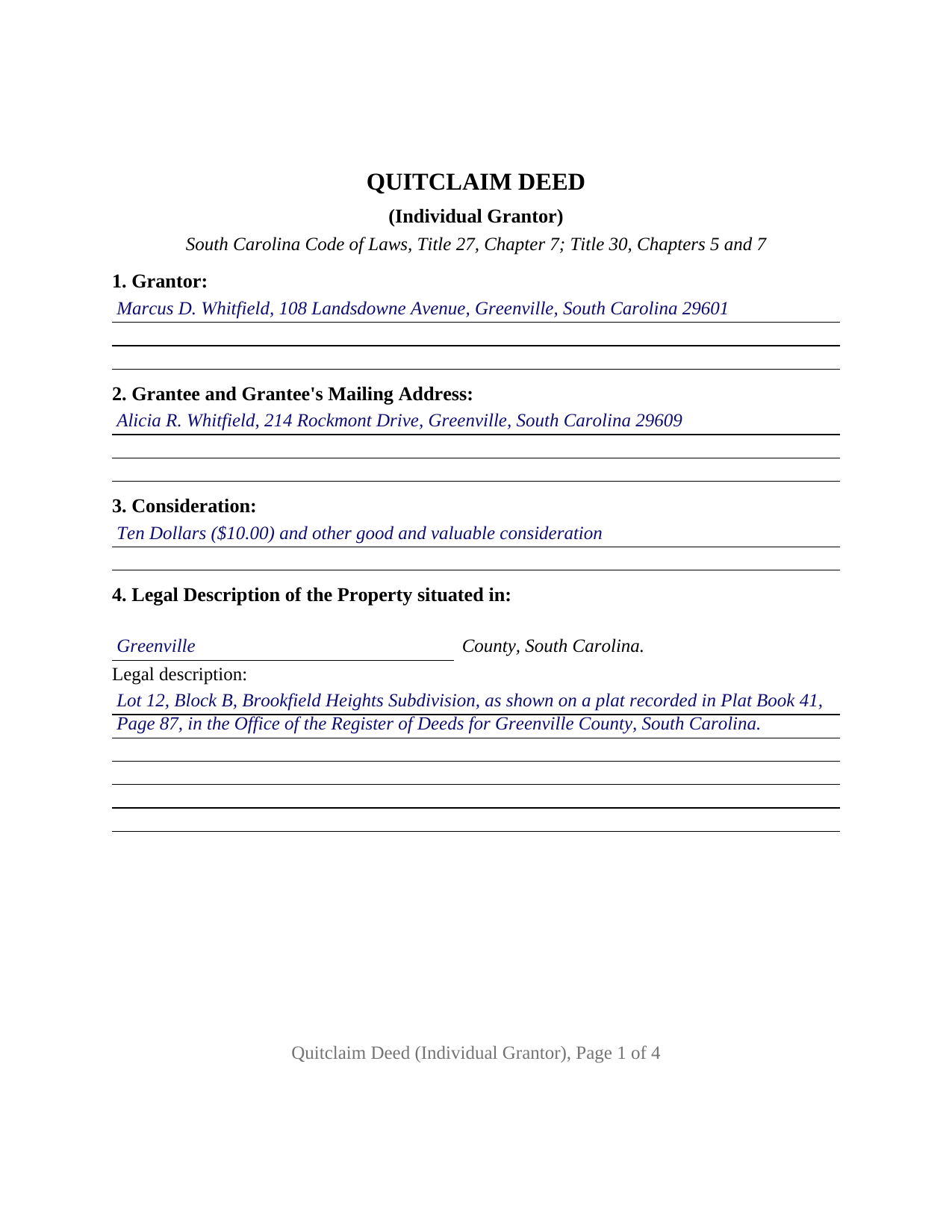
Charleston County Completed Example of the Quitclaim Deed (Individual Grantor) Document
Example of a properly completed South Carolina Quitclaim Deed (Individual Grantor) document for reference.
All 3 documents above included • One-time purchase • No recurring fees
Immediate Download • Secure Checkout
Additional South Carolina and Charleston County documents included at no extra charge:
Where to Record Your Documents
Charleston County Register
Charleston, South Carolina 29401 / 29402
Hours: 8:30am to 5:00pm Monday through Friday / Recording until 4:30pm
Phone: (843) 958-4800
Recording Tips for Charleston County:
- Bring your driver's license or state-issued photo ID
- Ensure all signatures are in blue or black ink
- Ask for certified copies if you need them for other transactions
- Ask if they accept credit cards - many offices are cash/check only
- Check that your notary's commission hasn't expired
Cities and Jurisdictions in Charleston County
Properties in any of these areas use Charleston County forms:
- Adams Run
- Awendaw
- Charleston
- Charleston Afb
- Folly Beach
- Hollywood
- Isle Of Palms
- Johns Island
- Mc Clellanville
- Mount Pleasant
- North Charleston
- Ravenel
- Sullivans Island
- Wadmalaw Island
Hours, fees, requirements, and more for Charleston County
How do I get my forms?
Forms are available for immediate download after payment. The Charleston County forms will be in your account ready to download to your computer. An account is created for you during checkout if you don't have one. Forms are NOT emailed.
Are these forms guaranteed to be recordable in Charleston County?
Yes. Our form blanks are guaranteed to meet or exceed the applicable formatting requirements used for recording in Charleston County, including margin requirements, font requirements, and other layout standards. This guarantee applies to formatting, not to the legal sufficiency of information entered by the user or the suitability of a form for a particular transaction.
Can I reuse these forms?
Yes. You can reuse the forms for your personal use. For example, if you have multiple properties in Charleston County you only need to order once.
What do I need to use these forms?
The forms are PDFs that you fill out on your computer. The free Adobe Acrobat Reader is recommended, and most PDF apps also work. You do NOT enter your property information online - you download the blank forms and complete them privately on your own computer.
Are there any recurring fees?
No. This is a one-time purchase. Nothing to cancel, no memberships, no recurring fees.
How much does it cost to record in Charleston County?
Recording fees in Charleston County vary. Contact the recorder's office at (843) 958-4800 for current fees.
Questions answered? Let's get started!
This fillable South Carolina quitclaim deed recites a single grantor: one individual releasing whatever interest that person holds in the described real property to a named grantee. The form carries one signature line, two subscribing witness blocks, and one acknowledgment certificate, the execution set South Carolina recording practice expects of a deed signed by one person.
A release of interest, not a promise of title
A quitclaim deed, also searched as a quit claim deed or non-warranty deed, transfers the grantor's right, title, and interest, if any, and nothing more. The operative language remises, releases, and forever quitclaims; no covenant or warranty of title travels with the conveyance, and the grantee takes whatever the record actually holds. South Carolina writes a distinct treatment for this instrument into its recording statute: S.C. Code Section 30-5-35 excludes quitclaim and non-warranty deeds from the derivation clause that warranty deeds and mortgages must carry, so no source of title recital is required, and the form's prior instrument reference stays optional and informational. The transfers that appear in the record on quitclaim deeds are the low assurance patterns: family transfers, title cleanups confirming ownership already vested, transfers implementing a court order, and boundary adjustments between neighbors.
One grantor, two witnesses, one certificate
The individual grantor configuration is the architecture of this form. One grantor section identifies the owner releasing the interest, one signature line carries the execution, two witness blocks answer the two witness practice South Carolina statutes and county recording offices describe for deeds, and a single acknowledgment certificate completes the recording prerequisite of S.C. Code Section 30-5-30. County recording offices publish that the notary may serve as one of the two witnesses, so a signing can proceed with the grantor, one other witness, and the notary present. The form recites exactly one grantor conveying in that grantor's own right; deeds executed by two or more co-owners, or by an entity through an officer, present different signing patterns than this form recites.
What South Carolina asks of a recorded deed
The form collects what the statutes and the county registers of deeds ask for. The grantee entry carries a mailing address, which Section 30-5-35 requires on deeds conveying an interest in land. A tax map number section holds the parcel identifier the largest counties list on their published intake requirements, and the legal description section takes the formal description from the prior recorded instrument. The first page reserves one and one half inches at the top and bottom for the recording stamp, the strictest margin rule published among the state's largest counties. Recording a deed costs fifteen dollars under the uniform statewide fee schedule of Section 8-21-310, and under Section 30-7-10 the recorded deed affects subsequent creditors and purchasers for valuable consideration without notice from the day and hour of recording.
Deed stamps and the value affidavit
South Carolina collects a deed recording fee, commonly called deed stamps, of one dollar and eighty five cents per five hundred dollars of the realty's value on most deeds, and Section 12-24-70 pairs the fee with an affidavit of value signed by a responsible person connected with the transaction. Many of the transfers that arrive on quitclaim deeds land in the exemptions of Section 12-24-40: deeds whose value is one hundred dollars or less, transfers between spouses or incident to divorce under Internal Revenue Code Section 1041, partition deeds, and quitclaim deeds used to confirm title already vested where no consideration is paid. An exempt deed records with the reason for exemption stated in the affidavit instead of a value.
The download includes the blank quitclaim deed as a fillable PDF, a completed example showing the entire document filled in for a realistic Greenville County fact pattern, and a plain language guide that walks through every numbered section, the witness and notary requirements, and the recording steps, with the deed stamp exemptions laid out. The materials describe South Carolina law in general terms and are not legal advice.
Important: Your property must be located in Charleston County to use these forms. Documents should be recorded at the county recording office listed above.
This Quitclaim Deed (Individual Grantor) meets all recording requirements specific to Charleston County.
Our Promise
The documents you receive here are guaranteed to meet or exceed the applicable Charleston County recording format requirements. If there is a rejection caused by our formatting, we will correct the issue or refund your payment. This guarantee applies to document formatting only and does not extend to information entered by the user, the selection of the form, or the legal effect of the completed document.
Save Time and Money
Get your Charleston County Quitclaim Deed (Individual Grantor) form done right the first time with Deeds.com Uniform Conveyancing Blanks. At Deeds.com, we understand that your time and money are valuable resources, and we don't want you to face a penalty fee or rejection imposed by a county recorder for submitting nonstandard documents. We constantly review and update our forms to meet rapidly changing state and county recording requirements for roughly 3,500 counties and local jurisdictions.
4.8 out of 5 - ( 4,843 Reviews )
Alan K. 5 out of 5 stars
All I needed was a simple Certificate of Trust. Deeds.com had a template for exactly what I needed. I didn't have to make an appt with an attorney, wait for one to be available, nor pay a ridiculous amount for a standardized document. Super easy.
Thank you for your feedback. We really appreciate it. Have a great day!
Jean B. 5 out of 5 stars
Thank you for this service. Saved a lot of my time and money. The guide and sample was very helpful. Jean
We appreciate your business and value your feedback. Thank you. Have a wonderful day!
A. S. 3 out of 5 stars
First, I am glad that you gave a blank copy, an example copy, and a 'guide'. It made it much easier to do. Overall I was very happy with your products and organization... however, things got pretty confusing and I have a pretty 'serious' law background in Real Estate and Civil law. With that said, I spent about 10+ hours getting my work done, using the Deed of Trust and Promissory note from you and there were a few problems: First, it would be FANTASTIC if you actually aligned your guide to actually match the Deed or Promissory Note. What I mean is that if the Deed says 'section (E)' then your guide shouldn't be 'randomly' numbered as 1,2,3, for advice/instructions, but should EXACTLY match 'section (E)'. Some places you have to 'hunt' for what you are looking for, and if you did it based on my suggestion, you wouldn't need to 'hunt' and it would avoid confusion. 2nd: This one really 'hurt'... you had something called the 'Deed of Trust Master Form' yet you had basically no information on what it was or how to use it. The only information you had was a small section at the top of the 'Short Form Deed of Trust Guide'. Holy Cow, was that 'section' super confusing. I still don't know if I did it correctly, but your guide says only put a return address on it and leave the rest of the 16 or so page Deed of Trust beneath it blank... and then include your 'Deed of Trust' (I had to assume the short form deed that I had just created) as part of it. I had to assume that I had to print off the entire 17 page or so title page and blank deed. I also had to assume that the promissory note was supposed to be EXHIBIT A or B on the Short Form Deed. It would be great if someone would take a serious look at that short section in your 'Short Form Deed of Trust Guide' and realize that those of us using your products are seriously turning this into a county clerk to file and that most of us, probably already have a property that has an existing Deed... or at least can find one in the county records if necessary... and make sure that you make a distinction between the Deed for the property that already exists, versus the Deed of Trust and Promissory note that we are trying to file. Thanks.
Thank you for your feedback. We'll have staff review the document for clarity. Have a great day!
Florence F. 5 out of 5 stars
excellent experience and very prompt and detail . great service
We appreciate your review and your business. Thank you.
Lajeanne F. 5 out of 5 stars
Your service was as you promoted and I was able to get a copy of my deed and find the information on it I needed. Thank you.
Thank you for your feedback. We really appreciate it. Have a great day!
Sandra P. 5 out of 5 stars
Thank so much! It' was pretty easy with the help of my Brother in-law .
Thank you for your feedback. We really appreciate it. Have a great day!
Jim H. 5 out of 5 stars
Well written form, and the guidance document and example supplied were very helpful.
Thank you!
Mike S. 3 out of 5 stars
Overpriced
Thanks Mike. We get it, $27.97 isn't cheap for a lot of people right now. Your Nevada package includes a recorder-ready affidavit, a completed sample, and step-by-step instructions for the state. Expensive, yes. Overpriced, not even close.
RALPH B. 5 out of 5 stars
THE BEST SERVICE WAS ON TIME AS STATED DID ALL THE WORK NEED IN A VERY PROFESSIONAL MANNER GREAT FOLLOW UP AND THE OFFICE STAFF IS FANTASTIC IN RESPONSE AND DOING WHAT I NEED TO HAVE DONE WOULD RECOMMEND THIS COMPANY TO ANYONE WHO NEEDS THIS SERVICE
Thank you!
Valerie S. 5 out of 5 stars
The service was easy, fast, and cheap and we were able to close our sale 2 days after we downloaded the deed! Thanks!
Thank you for your feedback. We really appreciate it. Have a great day!
Eric F. 5 out of 5 stars
Thank You deeds.com, your site helped me accomplish a difficult mission.
We appreciate your business and value your feedback. Thank you. Have a wonderful day!
Noelle V. 5 out of 5 stars
I requested a copy of some documents and within the hour, they were waiting for me in PDF form. It was easy and helped a great deal to have this service available.
Your feedback is valuable to us and helps us improve. Thank you for sharing your thoughts!
PETER A. 5 out of 5 stars
Got the forms I needed after getting forms for the wrong county and paying twice. My bad!
Thanks for your feedback! Just to clarify—when an order is placed for the wrong county, we’re happy to help. In this case, we canceled the original order and refunded the payment so there was no duplicate charge. Glad you got the correct forms in the end!
Solomon L. 5 out of 5 stars
Great communication, this was my first e-recording.
Your feedback is greatly appreciated. Thank you for taking the time to share your experience!
Dana Y. 5 out of 5 stars
Purchased and used the quitclaim form. I have no complaints with any aspect. The forms, instructions, and example all came together to make the process very easy.
Thank you Dana. Have a great day!