Charleston County Quitclaim Deed (Corrective) Form
Last validated October 19, 2026 by our Forms Development TeamFormatted for recording in Charleston County, for property anywhere in the county: rural and unincorporated areas as well as Adams Run, Awendaw, Charleston, Charleston Afb, Folly Beach, Hollywood, Isle Of Palms, Johns Island and 6 more.
- 3 documents included
- Immediate PDF download
- Formatting guarantee
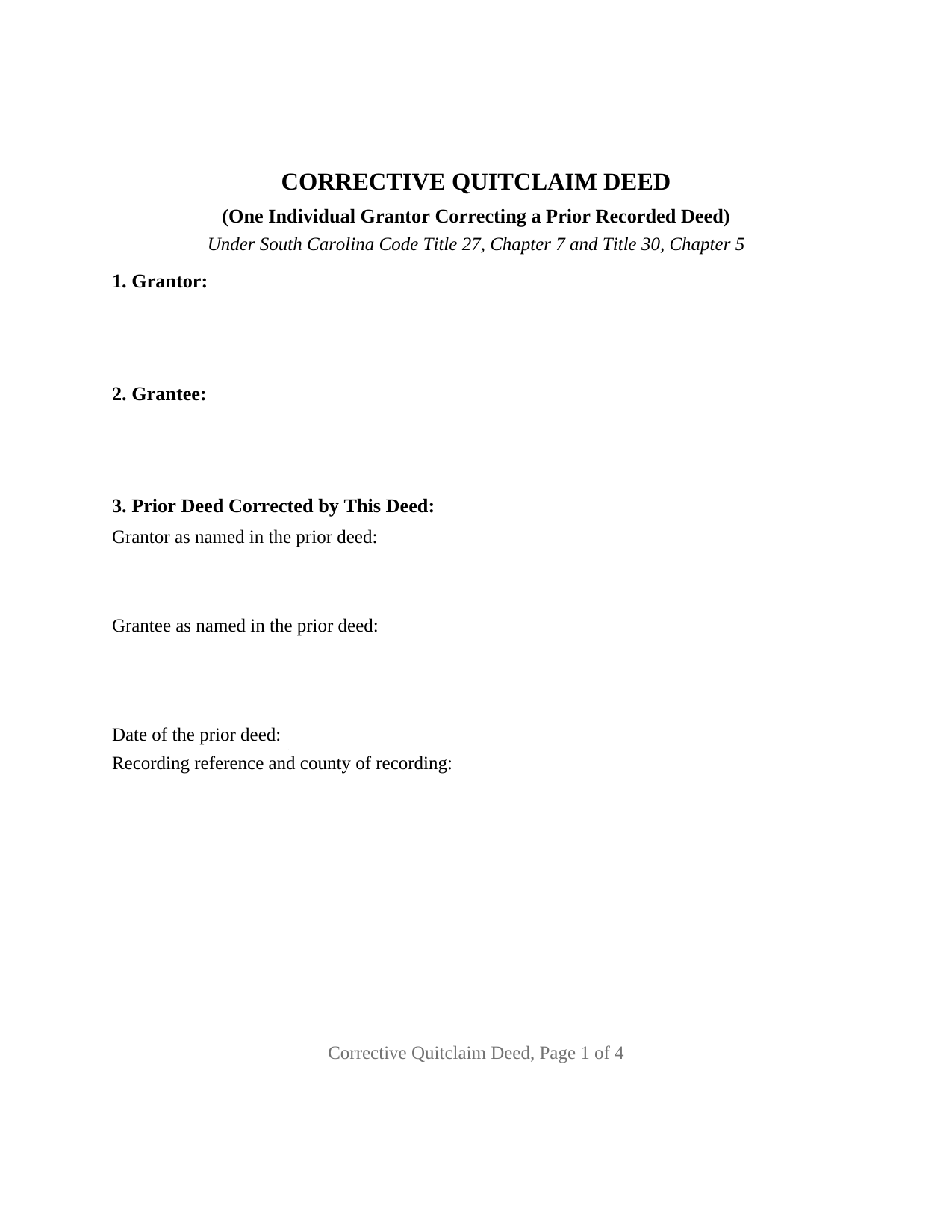
Charleston County Quitclaim Deed (Corrective) Form
Fill in the blank Quitclaim Deed (Corrective) form formatted to comply with all South Carolina recording and content requirements.
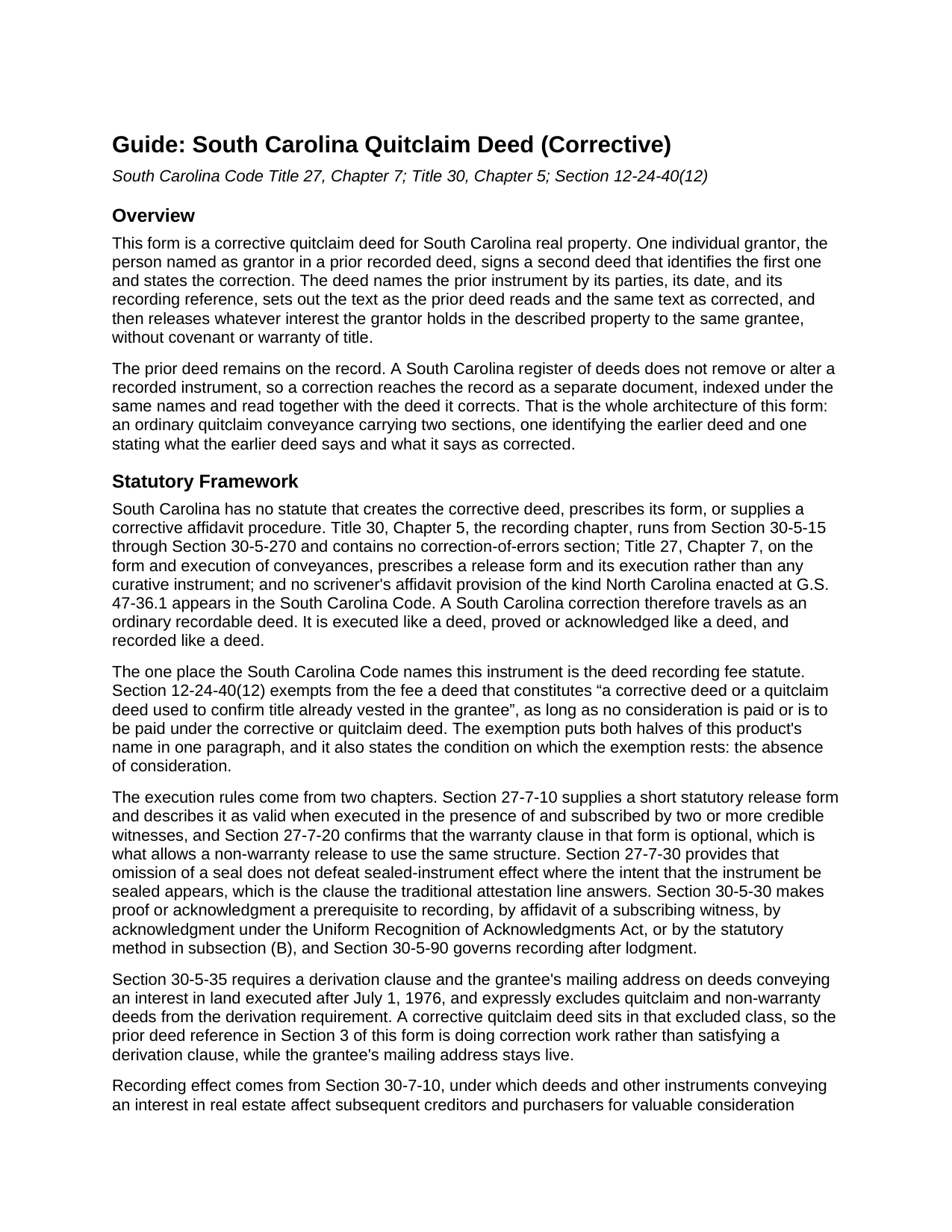
Charleston County Quitclaim Deed (Corrective) Guide
Line by line guide explaining every blank on the Quitclaim Deed (Corrective) form.

Charleston County Completed Example of the Quitclaim Deed (Corrective) Document
Example of a properly completed South Carolina Quitclaim Deed (Corrective) document for reference.
All 3 documents above included • One-time purchase • No recurring fees
Immediate Download • Secure Checkout
Additional South Carolina and Charleston County documents included at no extra charge:
Where to Record Your Documents
Charleston County Register
Charleston, South Carolina 29401 / 29402
Hours: 8:30am to 5:00pm Monday through Friday / Recording until 4:30pm
Phone: (843) 958-4800
Recording Tips for Charleston County:
- Bring your driver's license or state-issued photo ID
- Ensure all signatures are in blue or black ink
- Both spouses typically need to sign if property is jointly owned
- Bring extra funds - fees can vary by document type and page count
- Check margin requirements - usually 1-2 inches at top
Cities and Jurisdictions in Charleston County
Properties in any of these areas use Charleston County forms:
- Adams Run
- Awendaw
- Charleston
- Charleston Afb
- Folly Beach
- Hollywood
- Isle Of Palms
- Johns Island
- Mc Clellanville
- Mount Pleasant
- North Charleston
- Ravenel
- Sullivans Island
- Wadmalaw Island
Hours, fees, requirements, and more for Charleston County
How do I get my forms?
Forms are available for immediate download after payment. The Charleston County forms will be in your account ready to download to your computer. An account is created for you during checkout if you don't have one. Forms are NOT emailed.
Are these forms guaranteed to be recordable in Charleston County?
Yes. Our form blanks are guaranteed to meet or exceed the applicable formatting requirements used for recording in Charleston County, including margin requirements, font requirements, and other layout standards. This guarantee applies to formatting, not to the legal sufficiency of information entered by the user or the suitability of a form for a particular transaction.
Can I reuse these forms?
Yes. You can reuse the forms for your personal use. For example, if you have multiple properties in Charleston County you only need to order once.
What do I need to use these forms?
The forms are PDFs that you fill out on your computer. The free Adobe Acrobat Reader is recommended, and most PDF apps also work. You do NOT enter your property information online - you download the blank forms and complete them privately on your own computer.
Are there any recurring fees?
No. This is a one-time purchase. Nothing to cancel, no memberships, no recurring fees.
How much does it cost to record in Charleston County?
Recording fees in Charleston County vary. Contact the recorder's office at (843) 958-4800 for current fees.
Questions answered? Let's get started!
Most deeds move an interest. This one goes back over a deed that already did. A corrective quitclaim deed names the earlier instrument by its parties, date, and book and page, sets the text as that deed reads beside the same text as corrected, and releases whatever interest the grantor holds to the same grantee, without covenant or warranty of title. One individual signs it: the person named as grantor in the deed being corrected.
A correction arrives as its own document
A South Carolina register of deeds neither alters nor withdraws an instrument once it is recorded, so both papers stay in the index under the same names and are read together. No curative statute says otherwise. Title 30, Chapter 5 runs from Section 30-5-15 to Section 30-5-270 with no correction of errors section, and South Carolina enacted no scrivener's affidavit provision of the sort North Carolina carries at G.S. 47-36.1. The correction travels as an ordinary recordable deed, executed, acknowledged, and recorded like any other, taking its own day and hour under Section 30-7-10 while the earlier deed keeps its date.
The one paragraph in the Code that names this deed
The South Carolina Code names the instrument in one place, the fee statute. Section 12-24-40(12) exempts from the deed recording fee a deed that constitutes "a corrective deed or a quitclaim deed used to confirm title already vested in the grantee", as long as no consideration is paid or is to be paid. Both halves of this form's name sit in that paragraph, with the condition the exemption rests on, which is why the operative section states that nothing is paid for the deed. Section 12-24-70 still calls for an affidavit, carrying the exemption reason in place of a value, recorded as its own document. The flat fifteen dollar charge Section 8-21-310 sets for recording a deed applies either way.
What a correction reaches
The items that arrive on corrective deeds are clerical: a party name misspelled or missing a middle initial, a transposed digit in a plat cabinet or a book and page reference, an omitted marital status, a typographical slip inside the legal description. A change of a different order, one that adds or drops a party, enlarges or shrinks the estate, or describes other land, operates as a conveyance in its own right, and the record then reads as a second transfer rather than a repair.
The corrective configuration
Two sections carry the correction and the rest is an ordinary release. Section 3 identifies the prior deed by the grantor and grantee as that deed spells them, misspelling included, with its date and recording reference, because the point is to locate it in the index. Section 4 holds the parallel entries, as the prior deed reads and as corrected, so a later reader sees the difference without comparing pages. Section 8 performs the release and bounds it: the earlier deed is neither cancelled nor superseded, and no interest passes beyond what it passed. One signature line follows, with two witness blocks answering Sections 27-7-10 and 30-5-30(B), the attestation line Section 27-7-30 reads for sealed instrument effect, and one acknowledgment certificate, the deed reciting one signer. A grantor whose name reached the record with a letter wrong, and a plat reference recorded with two digits reversed, present the pattern this deed recites. The form recites exactly one individual grantor and one prior deed; a release by two record owners, a signature by an entity officer, an agent, or a fiduciary, and a deed carrying no correction at all each follow a different pattern than the one printed here.
Where the derivation clause would have been
Section 30-5-35 asks warranty deeds and mortgages for a derivation clause and leaves quitclaim and non-warranty deeds outside it, so the prior instrument entry here is doing correction work rather than answering that statute. What that section does require stays live: the grantee's mailing address. County intake lists add the tax map number, which has its own section, and the first page holds one and one half inches clear at top and bottom for the register's stamp.
Three files come with the purchase: the blank deed as a fillable PDF, a completed Berkeley County example where a misspelled grantee name is put right, and a plain language guide covering the nine sections, the prior deed and correction entries, the signing mechanics, and recording. These materials describe South Carolina law in general terms and are not legal advice.
Important: Your property must be located in Charleston County to use these forms. Documents should be recorded at the county recording office listed above.
This Quitclaim Deed (Corrective) meets all recording requirements specific to Charleston County.
Our Promise
The documents you receive here are guaranteed to meet or exceed the applicable Charleston County recording format requirements. If there is a rejection caused by our formatting, we will correct the issue or refund your payment. This guarantee applies to document formatting only and does not extend to information entered by the user, the selection of the form, or the legal effect of the completed document.
Save Time and Money
Get your Charleston County Quitclaim Deed (Corrective) form done right the first time with Deeds.com Uniform Conveyancing Blanks. At Deeds.com, we understand that your time and money are valuable resources, and we don't want you to face a penalty fee or rejection imposed by a county recorder for submitting nonstandard documents. We constantly review and update our forms to meet rapidly changing state and county recording requirements for roughly 3,500 counties and local jurisdictions.
4.8 out of 5 - ( 4,833 Reviews )
Ryan B. 5 out of 5 stars
This was a very quick and convenient way to complete one of the tasks for my divorce that I imagined would be extremely difficult. Thank you deeds.com for making a difficult situation bearable.
We appreciate your business and value your feedback. Thank you. Have a wonderful day!
Ken S. 5 out of 5 stars
Easy to downloand. Instructions were helpful and easy to follow. Made the process a lot easier for me.
Thanks Ken.
Mitchell S. 5 out of 5 stars
This service was very helpful, quick, inexpensive and easy to use. Should I ever need it again, I know right where to go.
We are sincerely grateful for your feedback and are committed to providing the highest quality service. Thank you for your trust in us.
Todd W. 2 out of 5 stars
Communication is hard. The reps need to be empowered and encouraged to call the customers when necessary. They encourage 300 dpi resolution and under 2 MB PDF file, which is not even possible with our scanner. They made a vague comment about a legal description looking abbreviated but did not explain. They refused to call me. They said the county said "Image is light please darken", but the image looked fine to me. Maybe not their fault, but they refused to help work with the county on that for me. I followed their suggestion though and re-scanned at 300 dpi, but they misunderstood me and did not re-submit it right away. Over 48 hours later, it's still not recorded yet. I hope it will be today.
Thank you for your feedback Todd.
Jesse C. 5 out of 5 stars
I had a little problem understanding how to copie and use.
Thank you for your feedback Jesse. If you are having any issues please contact us so our customer care department can help you out.
Doris M G. 5 out of 5 stars
Excellent. Everything has gone well and the deed guide has helped so much. Thank you.
Thank you for your feedback. We really appreciate it. Have a great day!
Robin G. 5 out of 5 stars
Very Pleased. Was so easy and No hidden cost. Second time I have used their services. Would not use any other deed website.
We appreciate your business and value your feedback. Thank you. Have a wonderful day!
Rebecca M. 5 out of 5 stars
I found the process of uploading documentation / deeds simple and easy. Will use this service again!
Thank you for your positive words! We’re thrilled to hear about your experience.
Niranjan C. 5 out of 5 stars
Whole process was very easy and quick. Forms were easy to fill, examples were quite appropriate. Recommended.
Thank you!
paula b. 5 out of 5 stars
Very helpful and easy to download, thankyou.
Thank you!
Sharon C. 5 out of 5 stars
Easy process considering not too technical savvy!
We appreciate your business and value your feedback. Thank you. Have a wonderful day!
STANLEY K. 5 out of 5 stars
I AM DELIGHTED TO BE PARTY TO DEEDS.COM. THE PROCESS IS DOWN-TO-EARTH AND VERY USER FRIENDLY. I MUST SAY THAT JUST THE SAVINGS IN TRAVEL TIME AND MONEY IS IN ITSELF VERY REFRESHING. THIS ON LINE PROCESS IS SO CONVENIENT FOR MY OVERALL EFFORT AND OF COURSE FOR OUR CLIENTS AS WELL. I GOT BACKED UP IN RECORDING WHEN THE VIRUS BEGAN RAGING AND PERSONAL VISITS TO LAND RECORDS BECAME A THING OF THE PAST.I FOUND THE SITE WITH A SUGGESTION FROM DC LAND RECORDS' ASSISTANT BY PHONE. I ONLY WISH I'D KNOWN ABOUT THIS AWESOME SERVICE BEFORE 2020. HATS OFF TO DEEDS.COM!
Thank you for your feedback. We really appreciate it. Have a great day!
Elexis C. 5 out of 5 stars
Easy, fast & amazing descriptions of all forms needed.
Thank you!
Michael M. 5 out of 5 stars
Easy to follow directions and instructions to properly and legally fill-in the Deed that I requested. It was also very easy and convenient. If I was going to employ an Attorney or Legal Documents Preparer, they would easily charge me between $150 to $225 a Deed! For the cost of $19.97, anyone would pursue this price! Thank you, Deeds.com for a wonderful and terrific experience! I'm going to need you again to change Titles for my other Investment Properties.
Thank you for your feedback. We really appreciate it. Have a great day!
Stephen U. 5 out of 5 stars
This is another great deal that has come out of the quarantine for covid. Saved me hours and days of time. and provides a way to file deeds that really isn't done effectively anyway else. It was also very inexpensive that you would not expect. I didn't even have to leave home.
Thank you for your feedback. We really appreciate it. Have a great day!