Richland County Trustee Deed Form
Last validated October 7, 2026 by our Forms Development TeamFormatted for recording in Richland County, for property anywhere in the county: rural and unincorporated areas as well as Ballentine, Blythewood, Columbia, Eastover, Gadsden, Hopkins, Irmo, State Park and 1 more.
- 3 documents included
- Immediate PDF download
- Formatting guarantee
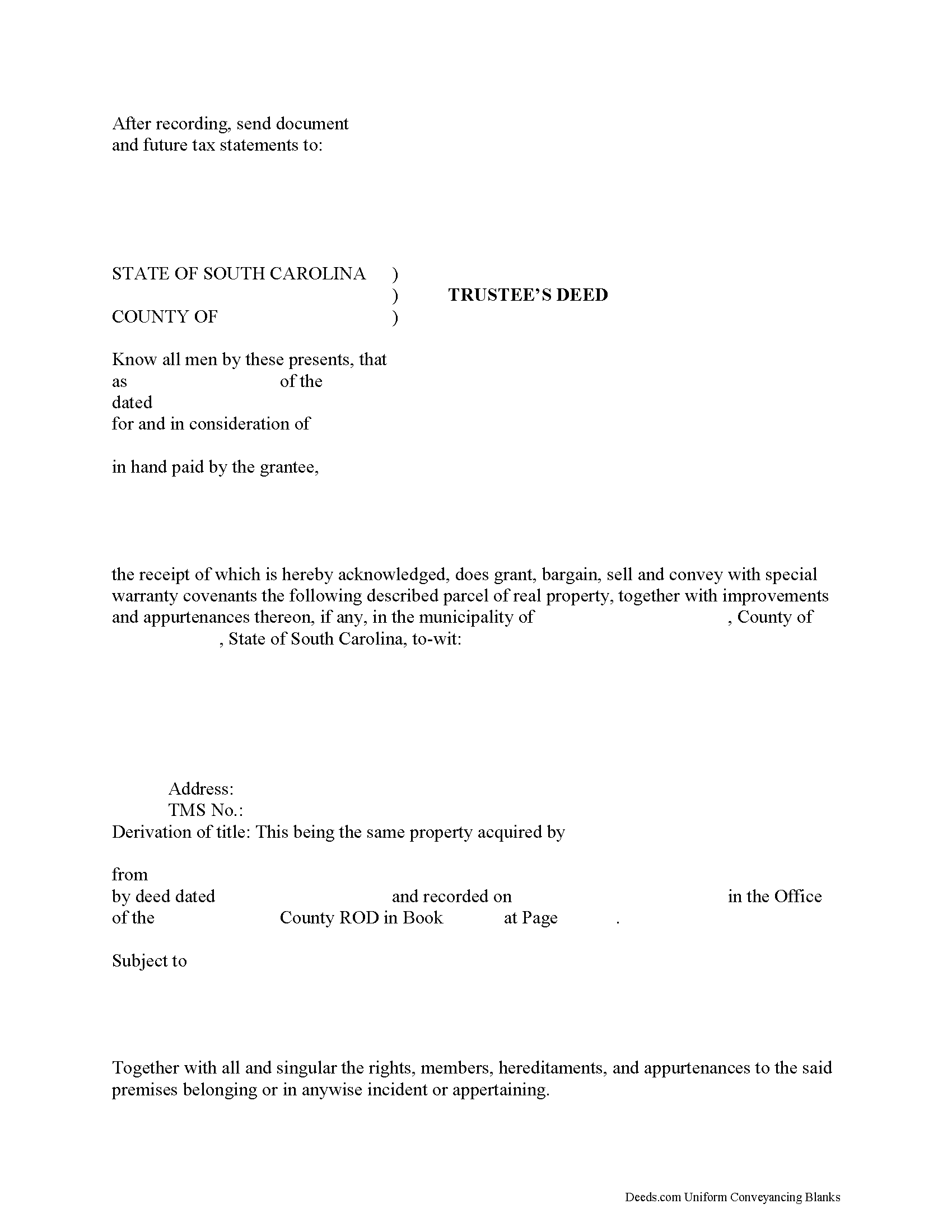
Richland County Trustee Deed Form
Fill in the blank form formatted to comply with all recording and content requirements.
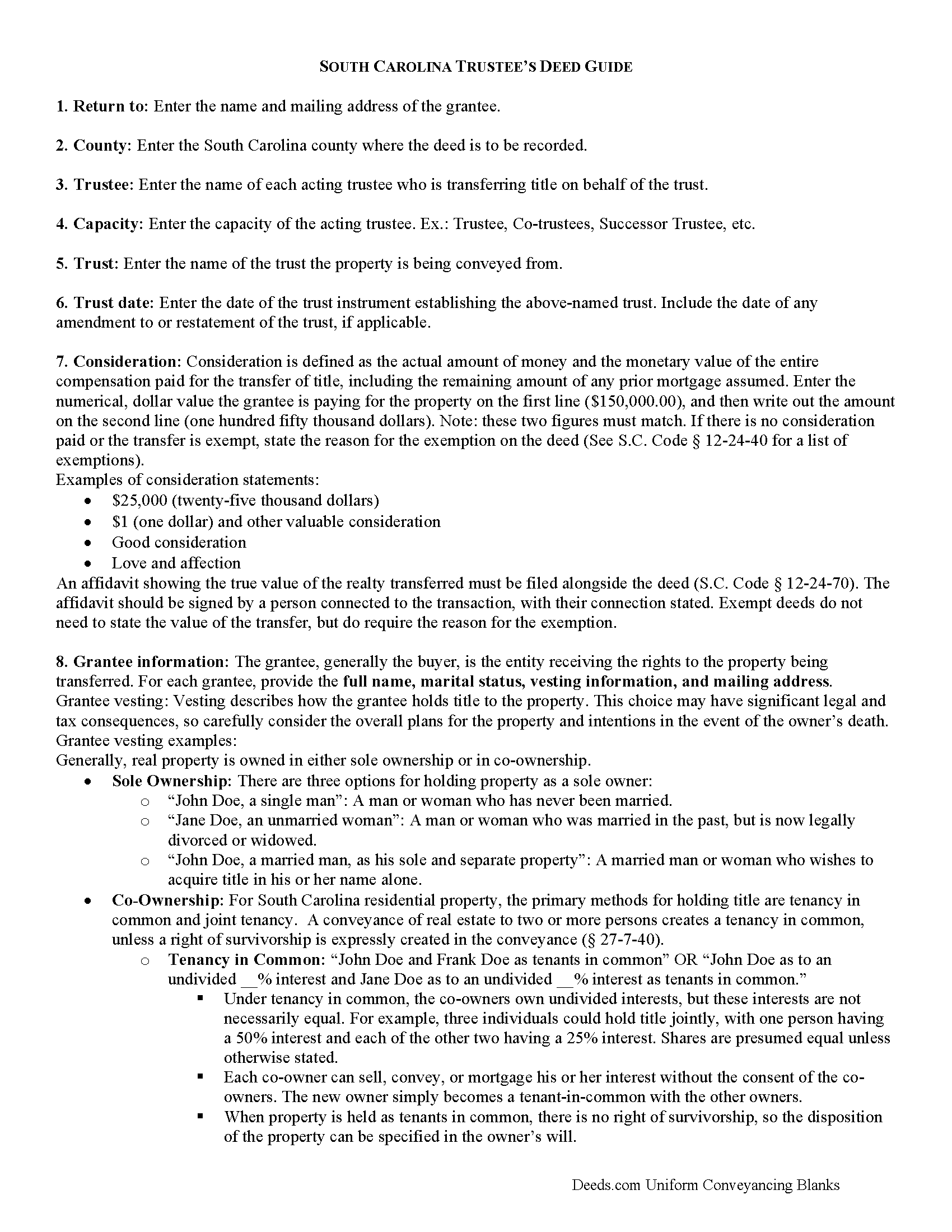
Richland County Trustee Deed Guide
Line by line guide explaining every blank on the form.
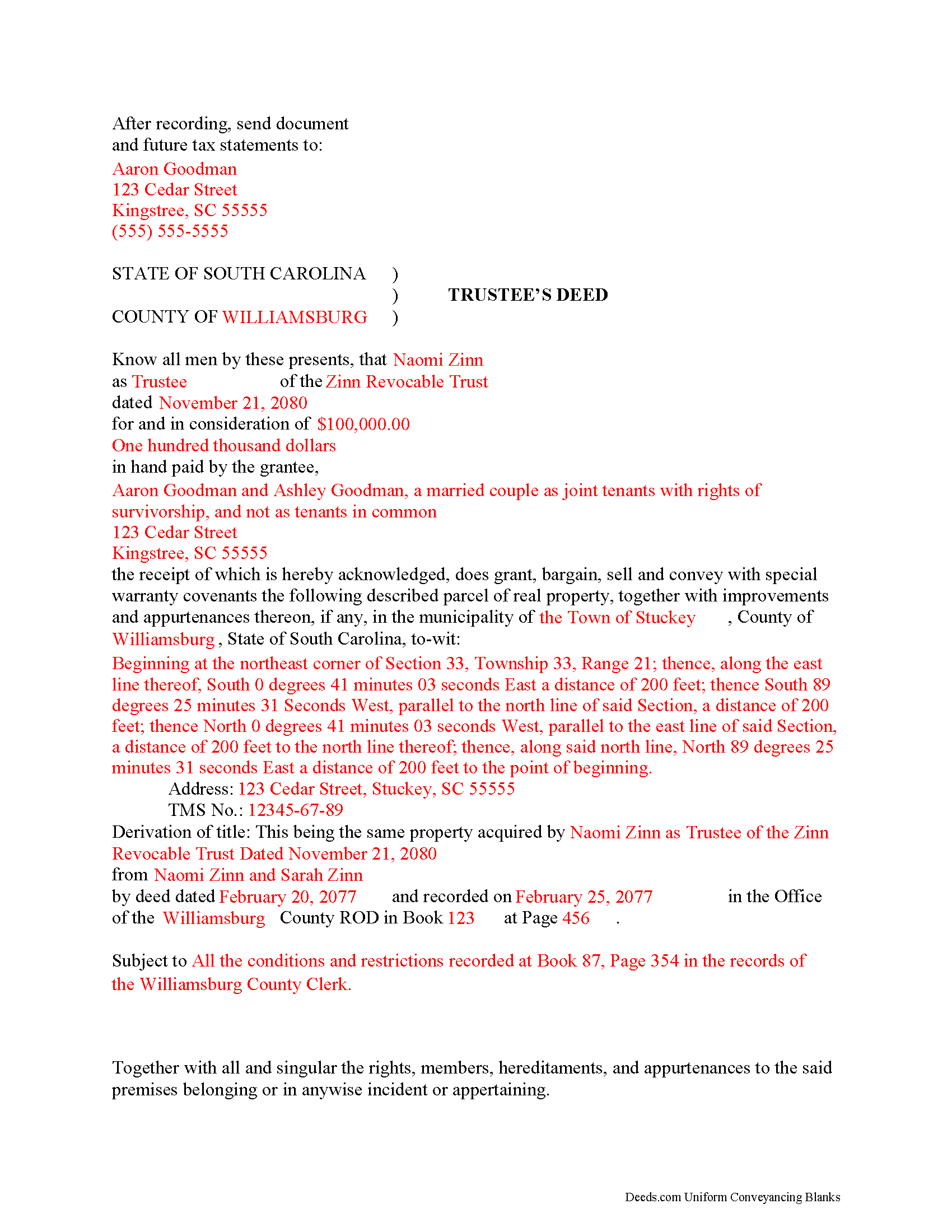
Richland County Completed Example of the Trustee Deed Document
Example of a properly completed form for reference.
All 3 documents above included • One-time purchase • No recurring fees
Immediate Download • Secure Checkout
Additional South Carolina and Richland County documents included at no extra charge:
Where to Record Your Documents
Richland County Register of Deeds
Columbia, South Carolina 29201 / 29202
Hours: 8:30am to 5:00pm Monday through Friday
Phone: 803-576-1910 or 803-576-1917
Recording Tips for Richland County:
- Bring your driver's license or state-issued photo ID
- Ensure all signatures are in blue or black ink
- Documents must be on 8.5 x 11 inch white paper
- Double-check legal descriptions match your existing deed
- Verify all names are spelled correctly before recording
Cities and Jurisdictions in Richland County
Properties in any of these areas use Richland County forms:
- Ballentine
- Blythewood
- Columbia
- Eastover
- Gadsden
- Hopkins
- Irmo
- State Park
- White Rock
Hours, fees, requirements, and more for Richland County
How do I get my forms?
Forms are available for immediate download after payment. The Richland County forms will be in your account ready to download to your computer. An account is created for you during checkout if you don't have one. Forms are NOT emailed.
Are these forms guaranteed to be recordable in Richland County?
Yes. Our form blanks are guaranteed to meet or exceed the applicable formatting requirements used for recording in Richland County, including margin requirements, font requirements, and other layout standards. This guarantee applies to formatting, not to the legal sufficiency of information entered by the user or the suitability of a form for a particular transaction.
Can I reuse these forms?
Yes. You can reuse the forms for your personal use. For example, if you have multiple properties in Richland County you only need to order once.
What do I need to use these forms?
The forms are PDFs that you fill out on your computer. The free Adobe Acrobat Reader is recommended, and most PDF apps also work. You do NOT enter your property information online - you download the blank forms and complete them privately on your own computer.
Are there any recurring fees?
No. This is a one-time purchase. Nothing to cancel, no memberships, no recurring fees.
How much does it cost to record in Richland County?
Recording fees in Richland County vary. Contact the recorder's office at 803-576-1910 or 803-576-1917 for current fees.
Questions answered? Let's get started!
A trustee's deed transfers interest in real property held in a living trust.
A living (inter vivos) trust is an estate planning tool whereby a settlor transfers property to another (the trustee) for the benefit of a third (the beneficiary). The terms of a living trust are set forth in an unrecorded document executed by the settlor called the trust instrument (for testamentary trusts, the terms are established in the decedent's will). The trust's provisions establish the nature of the trust, designate a trustee, enumerate the trustee's powers, and identify the trust's beneficiaries, among other things.
Real property is transferred into trust when the settlor executes a deed conveying title to the trustee. In order to convey the property out of trust, as through sale, the trustee must execute a trustee's deed. Named after the executing party, the trustee's deed in South Carolina is generally a special warranty deed, which carries special warranty covenants that the grantor will warrant and defend the title against any lawful claims arising under, by, or through the grantor. This type of deed is particularly appropriate for trustees, who may have no knowledge of the standing of title prior to their trusteeship (and therefore cannot offer a broader warranty).
The trustee's deed names each acting trustee as the grantor and cites the name and date of trust. It should make a reference to the previous deed conveying the parcel into the trust (or the derivation of title), in addition to meeting all other requirements of form and content for instruments affecting interest in real property in the State of South Carolina.
The trustee's deed must be executed by all each trustee and acknowledged by two witnesses. Depending on the circumstances, the trustee may also execute a certification of trust and provide it alongside the instrument of transfer.
Consult a lawyer with questions about living trusts and trustee's deeds in South Carolina.
(South Carolina TD Package includes form, guidelines, and completed example)
Important: Your property must be located in Richland County to use these forms. Documents should be recorded at the county recording office listed above.
This Trustee Deed meets all recording requirements specific to Richland County.
Our Promise
The documents you receive here are guaranteed to meet or exceed the applicable Richland County recording format requirements. If there is a rejection caused by our formatting, we will correct the issue or refund your payment. This guarantee applies to document formatting only and does not extend to information entered by the user, the selection of the form, or the legal effect of the completed document.
Save Time and Money
Get your Richland County Trustee Deed form done right the first time with Deeds.com Uniform Conveyancing Blanks. At Deeds.com, we understand that your time and money are valuable resources, and we don't want you to face a penalty fee or rejection imposed by a county recorder for submitting nonstandard documents. We constantly review and update our forms to meet rapidly changing state and county recording requirements for roughly 3,500 counties and local jurisdictions.
4.8 out of 5 - ( 4,832 Reviews )
Gordon W. 5 out of 5 stars
Nice forms but it sure would have been nice to be able to at least print the guide and the example so that I don't spend all of my time bouncing back and forth between windows on a laptop.
Thank you for your feedback. We really appreciate it. Have a great day!
Guido d. 5 out of 5 stars
Excellent service. Easy to use, easy to upload, and very cost effective!
Thank you for your feedback. We really appreciate it. Have a great day!
Philip F. 5 out of 5 stars
Quick, user-friendly, and complete! Thank you
We are grateful for your feedback and looking forward to serving you again. Thank you!
Peter N. 5 out of 5 stars
Your website was easy to use and I was able to accomplish my task. Thank You very much.
Thank you for your feedback. We really appreciate it. Have a great day!
Charles E. M. 5 out of 5 stars
5 stars...thanks for your fast and professional assistance. Charles
Thank you!
Allen O. 5 out of 5 stars
The website was easy to use and the forms will guide me as our family sells interest in property to other family members in Central New York.
Thank you for your feedback. We really appreciate it. Have a great day!
Johnnie W. 5 out of 5 stars
Five stars for quick retrieval/no hassle of forms. Will review them again once I have completed the forms and they have been accepted.
Thank you for your feedback. We really appreciate it. Have a great day!
Ira S. 5 out of 5 stars
Hi, 1. I need a password to be able to copy and paste from the deed. 2. It would be more convenient if all documents could be downloaded together. Ira
Thank you for your feedback. We really appreciate it. Have a great day!
Robert M. 1 out of 5 stars
Ultimately, it directed me to the wrong form. Not very helpful. I had to turn to a title company to get my issue addressed.
Our website makes documents available to you. It does not direct you as to which one to use. We are glad that you sought the assistance it sounds like you needed. Have a wonderful day
KAREN I. 5 out of 5 stars
it worked. fantastic. thanks!
Your insights are invaluable to us and help us strive for better service. Thank you for taking the time to share your thoughts.
Scott M. 5 out of 5 stars
Complete Package don't spend good money for a title co. to do this
Thank you for your feedback. We really appreciate it. Have a great day!
Cynthia E. 2 out of 5 stars
Disappointed that you were not able to provide me with the information requested. They did issue a refund but I don’t think it’s come through yet.
We are grateful for your engagement and feedback, which help us to serve you better. Thank you for being an integral part of our community.
George S. 5 out of 5 stars
Deeds.com made the recording of my timeshare Quit Claim Deed painless and extremely fast. I'm talking hours, not days. Thank You!
Your feedback is greatly appreciated. Thank you for taking the time to share your experience!
Karen H. 5 out of 5 stars
Saves a trip to the Recorders Office!
It was a pleasure serving you. Thank you for the positive feedback!
Keyuna C. 5 out of 5 stars
Speedy process, they provided me with the exact documents that I needed.
Thank you!