Albemarle County Real Estate Affidavit Form
Last validated October 5, 2026 by our Forms Development TeamFormatted for recording in Albemarle County, for property anywhere in the county or independent city: rural and unincorporated areas as well as Batesville, Charlottesville, Covesville, Crozet, Earlysville, Esmont, Free Union, Greenwood and 6 more.
- 3 documents included
- Immediate PDF download
- Formatting guarantee
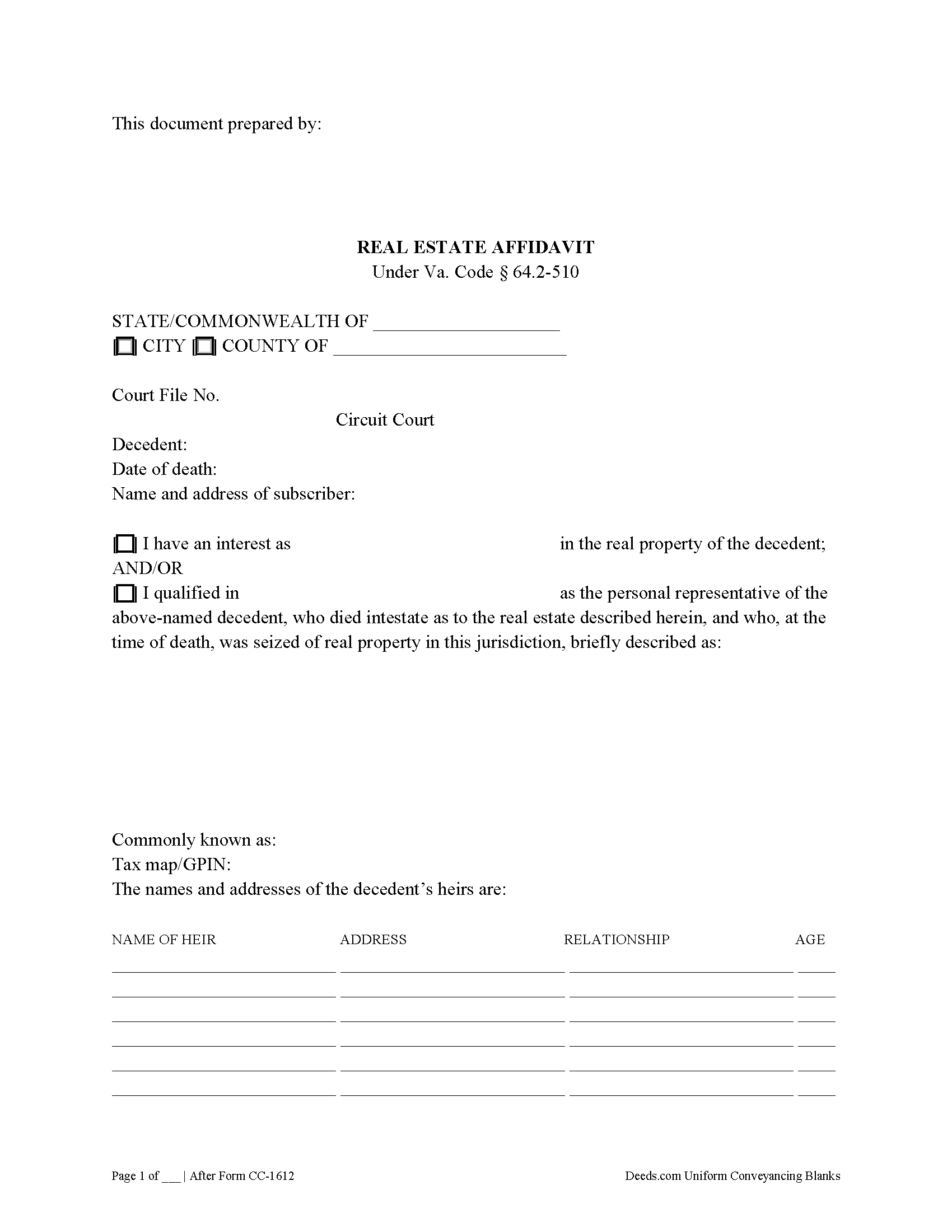
Albemarle County Real Estate Affidavit Form
Fill in the blank form formatted to comply with all recording and content requirements.
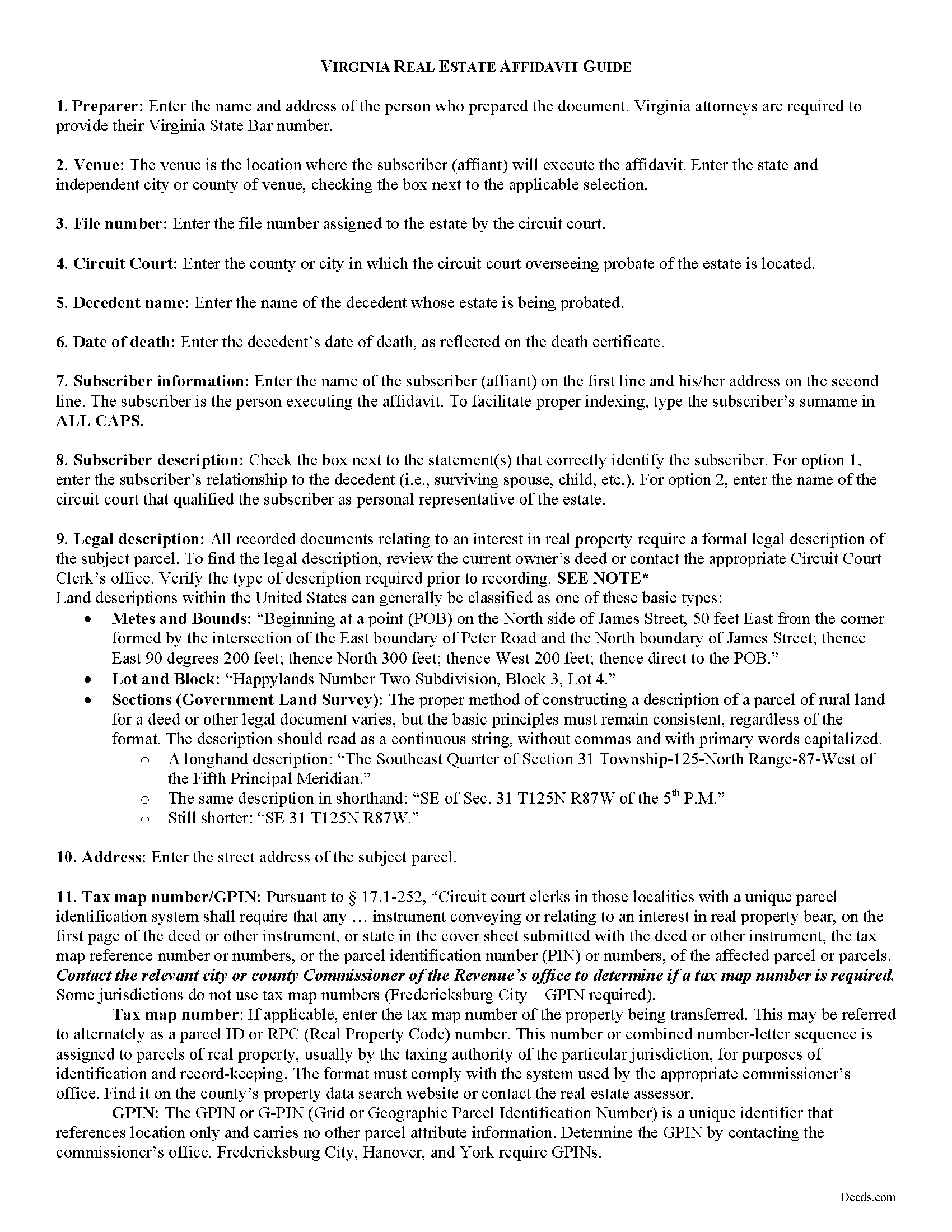
Albemarle County Real Estate Affidavit Guide
Line by line guide explaining every blank on the form.
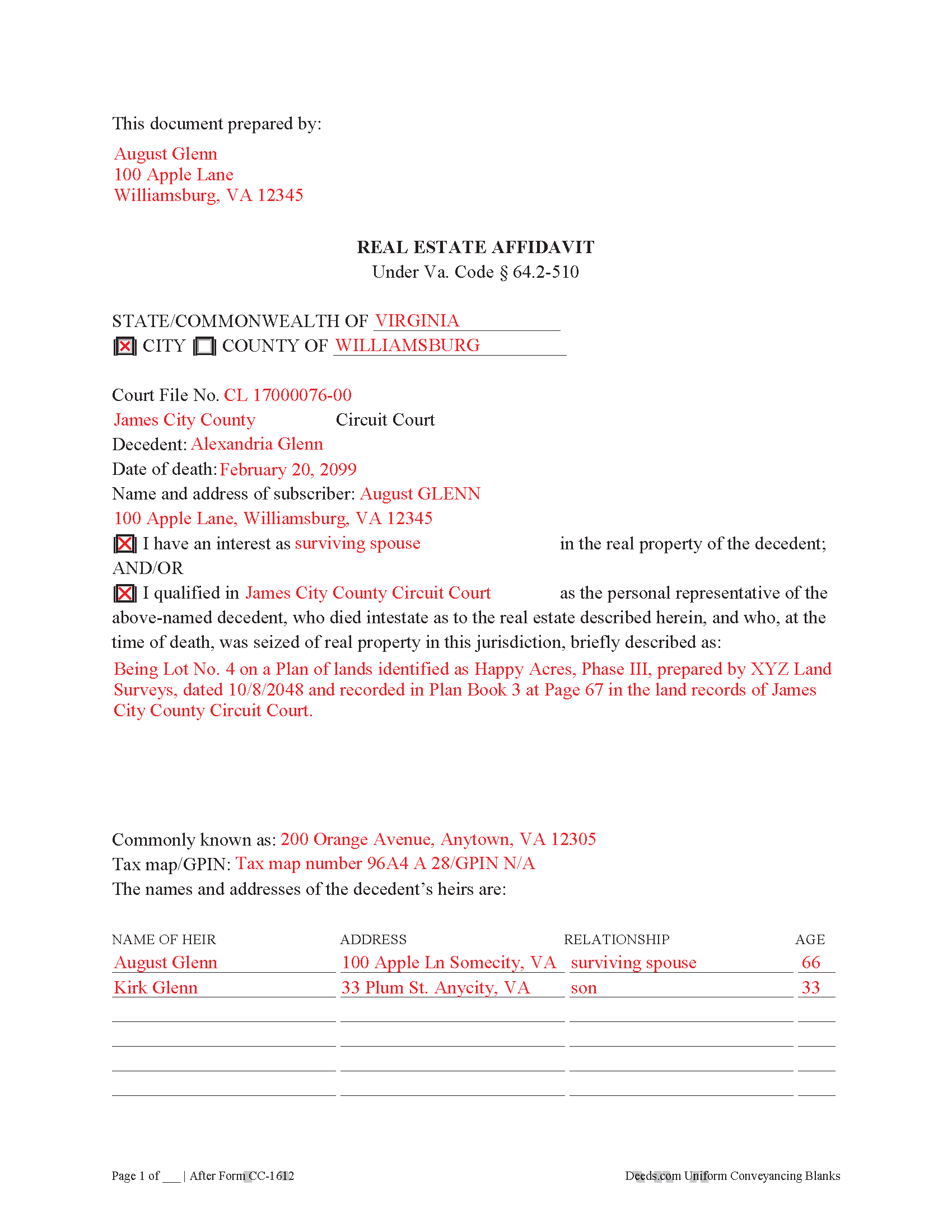
Albemarle County Completed Example of the Real Estate Affidavit Document
Example of a properly completed form for reference.
All 3 documents above included • One-time purchase • No recurring fees
Immediate Download • Secure Checkout
Additional Virginia and Albemarle County documents included at no extra charge:
Where to Record Your Documents
Albemarle County Circuit Court Clerk
Charlottesville, Virginia 22902-5110
Hours: 8:30 to 4:30 M-F
Phone: (434) 972-4085
Recording Tips for Albemarle County:
- Bring your driver's license or state-issued photo ID
- Ensure all signatures are in blue or black ink
- Check that your notary's commission hasn't expired
- Documents must be on 8.5 x 11 inch white paper
- Double-check legal descriptions match your existing deed
Cities and Jurisdictions in Albemarle County
Properties in any of these areas use Albemarle County forms:
- Batesville
- Charlottesville
- Covesville
- Crozet
- Earlysville
- Esmont
- Free Union
- Greenwood
- Ivy
- Keene
- Keswick
- North Garden
- Scottsville
- White Hall
Hours, fees, requirements, and more for Albemarle County
How do I get my forms?
Forms are available for immediate download after payment. The Albemarle County forms will be in your account ready to download to your computer. An account is created for you during checkout if you don't have one. Forms are NOT emailed.
Are these forms guaranteed to be recordable in Albemarle County?
Yes. Our form blanks are guaranteed to meet or exceed the applicable formatting requirements used for recording in Albemarle County, including margin requirements, font requirements, and other layout standards. This guarantee applies to formatting, not to the legal sufficiency of information entered by the user or the suitability of a form for a particular transaction.
Can I reuse these forms?
Yes. You can reuse the forms for your personal use. For example, if you have multiple properties in Albemarle County you only need to order once.
What do I need to use these forms?
The forms are PDFs that you fill out on your computer. The free Adobe Acrobat Reader is recommended, and most PDF apps also work. You do NOT enter your property information online - you download the blank forms and complete them privately on your own computer.
Are there any recurring fees?
No. This is a one-time purchase. Nothing to cancel, no memberships, no recurring fees.
How much does it cost to record in Albemarle County?
Recording fees in Albemarle County vary. Contact the recorder's office at (434) 972-4085 for current fees.
Questions answered? Let's get started!
When a decedent dies intestate (without a valid will), his probate property passes according to the course of descents, codified at Va. Code 64.2-200. The course of descents is an ordered list of heirs at law who have priority to inherit the estate when the decedent fails to provide instruction in a will. The administrator of the estate must compile a list of heirs in compliance with Va. Code 64.2-509 to determine who has an interest in the estate. The inheritance of property by an intestate decedent's heirs is sometimes referred to as intestate succession.
If the intestate decedent dies owning real property, any person having an interest in the estate, including the qualified personal representative, can execute and record an affidavit of real estate under Va. Code 64.2-510. Upon recording, the clerk of the circuit court will notify the commissioner of the revenue, who in turn transfers the real estate in the land books (64.2-510(B)). Once recorded, the affidavit transfers all interest in the described real estate owned by decedent to the heirs listed and evidences the change of ownership to the property.
The affidavit (Form CC-1612) gives the file number of the probate and the court with jurisdiction, as well as the name and date of death of the decedent and the name and address of the subscriber (affiant), stating what interest the subscriber has in the estate. In addition, it describes the subject real estate, acknowledges that the decedent died intestate, and gives the name, address, relation to the decedent, and age of each heir at law. Each subscriber's signature is required.
Finally, the affidavit must meet content and formatting standards for recorded documents related to real property in the Commonwealth of Virginia and in the relevant independent city or county. Record the affidavit in the circuit court where the real estate is located. Contact the circuit court with questions regarding recording.
Consult a lawyer with questions about affidavits of real property or for issues related to intestate succession in the Commonwealth of Virginia, as each situation is unique.
(Virginia REA Package includes form, guidelines, and completed example)
Important: Your property must be located in Albemarle County to use these forms. Documents should be recorded at the county or independent city recording office listed above.
This Real Estate Affidavit meets all recording requirements specific to Albemarle County.
Our Promise
The documents you receive here are guaranteed to meet or exceed the applicable Albemarle County recording format requirements. If there is a rejection caused by our formatting, we will correct the issue or refund your payment. This guarantee applies to document formatting only and does not extend to information entered by the user, the selection of the form, or the legal effect of the completed document.
Save Time and Money
Get your Albemarle County Real Estate Affidavit form done right the first time with Deeds.com Uniform Conveyancing Blanks. At Deeds.com, we understand that your time and money are valuable resources, and we don't want you to face a penalty fee or rejection imposed by a county recorder for submitting nonstandard documents. We constantly review and update our forms to meet rapidly changing state and county recording requirements for roughly 3,500 counties and local jurisdictions.
4.8 out of 5 - ( 4,828 Reviews )
David M. 5 out of 5 stars
Very easy to use and modify if necessary. Spot on with each county requirement for recording and Notarizing
Thank you for your feedback. We really appreciate it. Have a great day!
Kristen R. 5 out of 5 stars
wonderful experience. highly recommend. will use again.
We deeply appreciate the trust you have placed in our services. Thank you for your valuable feedback and for choosing us.
Michael S. 5 out of 5 stars
Great product and service. So convenient.
Your satisfaction with our services is of utmost importance to us. Thank you for letting us know how we did!
Barbara G. 5 out of 5 stars
I got what I needed very quickly. Thank you.
Thank you!
Jacque G. 5 out of 5 stars
Very helpful and easy to access.
Thank you!
Lydia E. 5 out of 5 stars
Very intuitive to use and comprehensive enough for the most complex of cases.
Thank you!
Walter P. 5 out of 5 stars
Quick and easy!
We appreciate your business and value your feedback. Thank you. Have a wonderful day!
Leah P. 5 out of 5 stars
Thank you for your complete listing of deeds and forms. The Deed form I needed worked perfectly!
Thank you!
Byron M. 5 out of 5 stars
This is a great service and a time saver for the company. We get fast responses and a detailed explanation if something additional is needed.
Thank you for your feedback. We really appreciate it. Have a great day!
Lillian F. 5 out of 5 stars
I LOVE THE EASE OF GETTING THE INFORMATION I REQUESTED. YOUR SERVICE IS MORE THAN WHAT I EXPECTED.
We appreciate your business and value your feedback. Thank you. Have a wonderful day!
Nancy C. 5 out of 5 stars
Easy to use, found what I was looking for.
We are grateful for your feedback and looking forward to serving you again. Thank you!
Gloria L. 5 out of 5 stars
Quick and simple process! I wish I would have used them sooner!
Thank you for your feedback. We really appreciate it. Have a great day!
Charles W. 5 out of 5 stars
in one of the reviews, the person said they wished that there was more room allowed for use in the grantor section. the reply was that they were sorry but there was only enough room for what was there considering margins, etc. that is not true. on the forms i downloaded there was plenty of extra room at the top of the page (about 2 inches) that was not being used.
Thank you!
Debra B. 5 out of 5 stars
I was very glad to have this option for filing a form as it would have taken 4 days due to offices being closed to the public during the COVID 19 epidemic. I found the process to be fairly simple and I was able to file the document within 24 hours.
We appreciate your business and value your feedback. Thank you. Have a wonderful day!
Marvin W. 5 out of 5 stars
Easy to use and great instructions!
Thank you!