Hot Springs County Trustee Deed Form
Last validated October 20, 2026 by our Forms Development TeamFormatted for recording in Hot Springs County, for property anywhere in the county: rural and unincorporated areas as well as Kirby, Thermopolis.
- 3 documents included
- Immediate PDF download
- Formatting guarantee
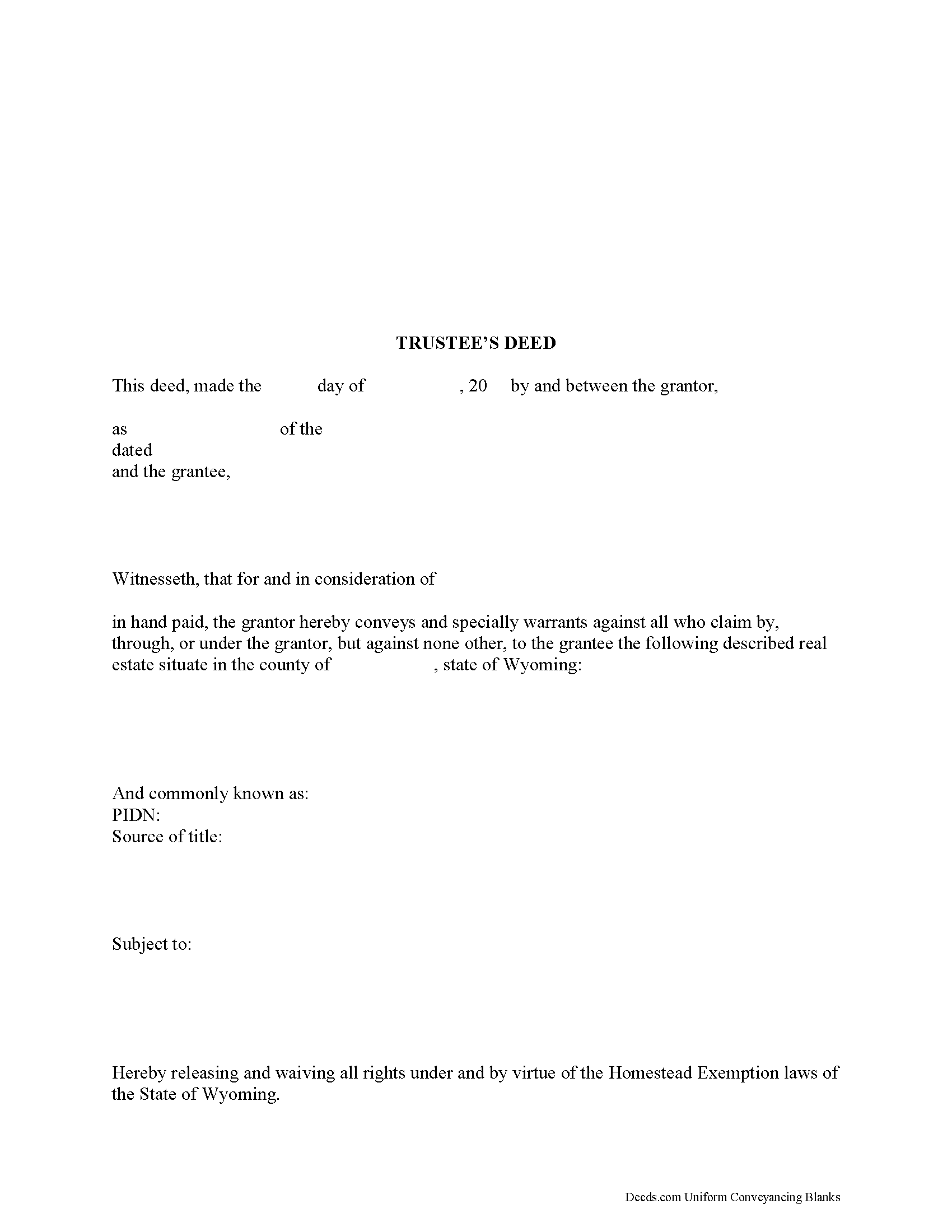
Hot Springs County Trustee Deed Form
Fill in the blank form formatted to comply with all recording and content requirements.
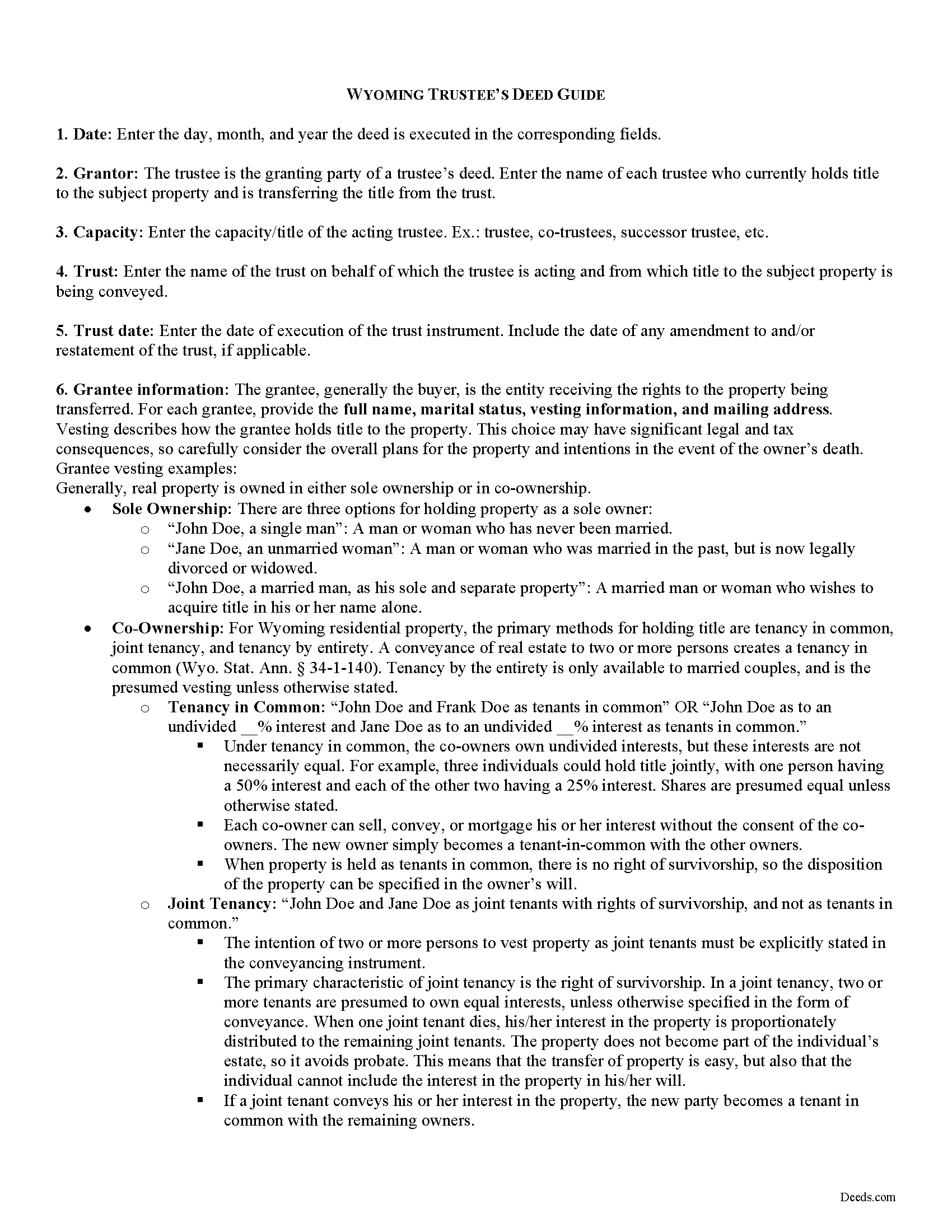
Hot Springs County Trustee Deed Guide
Line by line guide explaining every blank on the form.
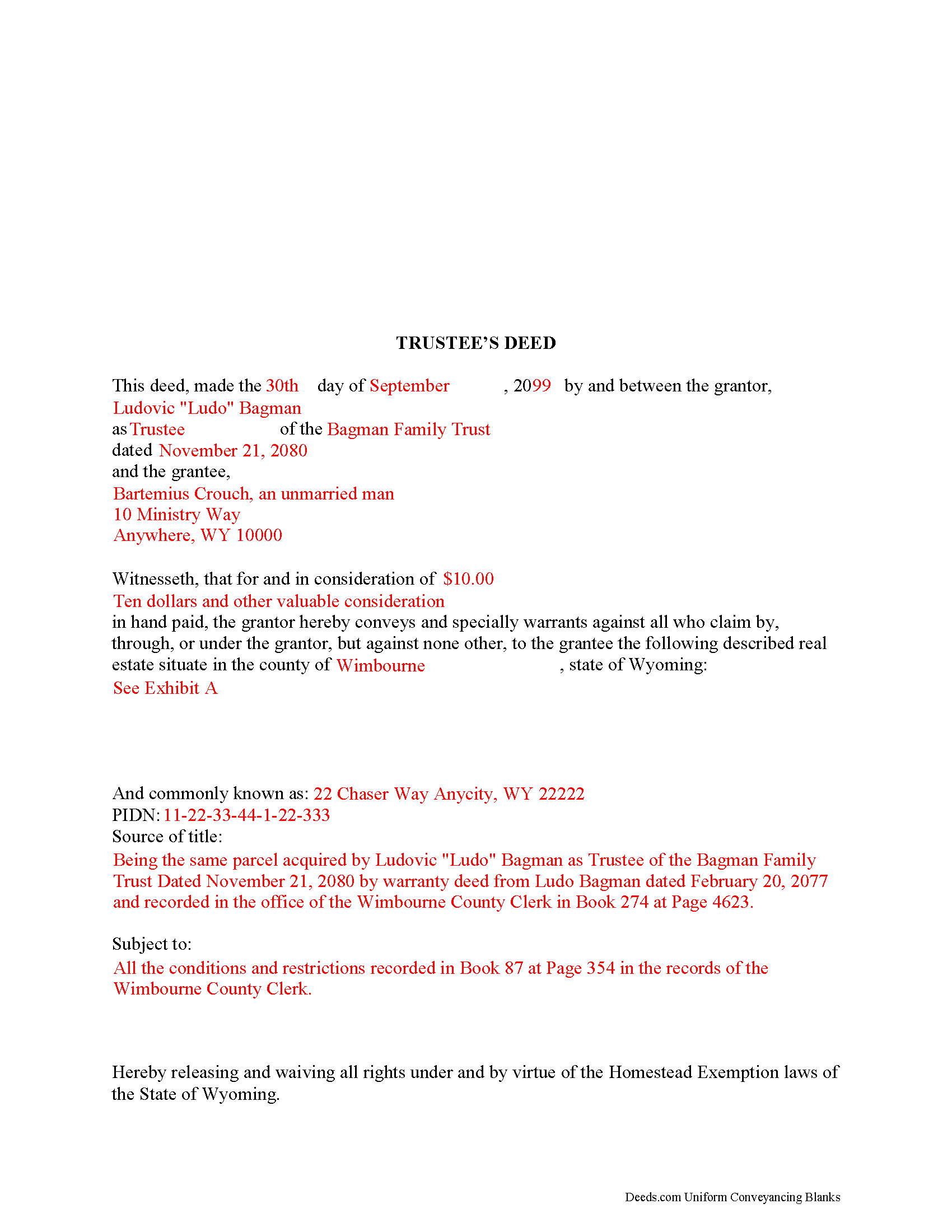
Hot Springs County Completed Example of the Trustee Deed Document
Example of a properly completed form for reference.
All 3 documents above included • One-time purchase • No recurring fees
Immediate Download • Secure Checkout
Additional Wyoming and Hot Springs County documents included at no extra charge:
Where to Record Your Documents
Hot Springs County Clerk
Thermopolis, Wyoming 82443
Hours: Monday - Friday 8:00am - 5:00pm
Phone: (307) 864-3515
Recording Tips for Hot Springs County:
- Bring your driver's license or state-issued photo ID
- Ensure all signatures are in blue or black ink
- Ask about accepted payment methods when you call ahead
- Ask for certified copies if you need them for other transactions
- Ask if they accept credit cards - many offices are cash/check only
Cities and Jurisdictions in Hot Springs County
Properties in any of these areas use Hot Springs County forms:
- Kirby
- Thermopolis
Hours, fees, requirements, and more for Hot Springs County
How do I get my forms?
Forms are available for immediate download after payment. The Hot Springs County forms will be in your account ready to download to your computer. An account is created for you during checkout if you don't have one. Forms are NOT emailed.
Are these forms guaranteed to be recordable in Hot Springs County?
Yes. Our form blanks are guaranteed to meet or exceed the applicable formatting requirements used for recording in Hot Springs County, including margin requirements, font requirements, and other layout standards. This guarantee applies to formatting, not to the legal sufficiency of information entered by the user or the suitability of a form for a particular transaction.
Can I reuse these forms?
Yes. You can reuse the forms for your personal use. For example, if you have multiple properties in Hot Springs County you only need to order once.
What do I need to use these forms?
The forms are PDFs that you fill out on your computer. The free Adobe Acrobat Reader is recommended, and most PDF apps also work. You do NOT enter your property information online - you download the blank forms and complete them privately on your own computer.
Are there any recurring fees?
No. This is a one-time purchase. Nothing to cancel, no memberships, no recurring fees.
How much does it cost to record in Hot Springs County?
Recording fees in Hot Springs County vary. Contact the recorder's office at (307) 864-3515 for current fees.
Questions answered? Let's get started!
A trust is an arrangement whereby one person (the settlor) transfers property to another (trustee), who manages it for the benefit of a third (the beneficiary). A settlor may establish a trust to take effect during his lifetime (inter vivos trust), or a trust may be created upon his death through probate pursuant to the provisions of a will (testamentary trust).
The settlor creates a living trust by executing a trust instrument, which generally remains unrecorded. The settlor may elect to serve as the original trustee and name a successor trustee, who will assume the powers and duties of the trustee upon the settlor's death or incapacity.
When real property is transferred into the trust, the property belongs to the trust. As the trust itself cannot hold title to the property, the settlor must execute a deed titling the property in the name of the trustee on behalf of the trust. The trustee is bound to serve the trust pursuant to its terms and the powers and duties of trustees, codified at Wyo. Stat. Ann 4-10-801 to 4-10-817 as part of the Uniform Trust Code in Wyoming.
To convey real property out of the living trust, the trustee must execute a deed as the granting party. A deed executed by a trustee in a representative capacity is simply titled a trustee's deed. In Wyoming, the trustee's deed is functionally equivalent to a special warranty deed. Though warranty deeds and quitclaim deeds are the most commonly used conveyancing forms in Wyoming, the special warranty deed was codified in 2015 at 34-2-136.
A special warranty deed is a conveyance in fee simple to the grantee and contains the covenants that the property is "free from all encumbrances made by the grantor" except those expressly noted in the form of conveyance, and that the grantor "will forever warrant and defend the title of the property in the grantee... against any lawful claim and demand of the grantor and any person claiming or to claim by, through, or under the grantor, but against none other" (34-2-137). Grantors serving in a representative capacity commonly use a special warranty deed for transfers because it limits their obligation to only the time they held title to the property.
The trustee's deed is modified from the statutory form of a special warranty deed to include the trust's vesting information in the granting field. It requires each acting trustee's name, the name of the trust, and the date of the trust instrument. To maintain a clear chain of title, the deed references the prior instrument by which the trustee acquired title. Trustees may present an affidavit or certification of trust to confirm their authority to convey trust property (see 4-10-1014). The deed is signed by each trustee in the presence of a notary public before recording in the county in which the subject property is located.
Consult a lawyer with any questions regarding trusts and trustee's deeds in the State of Wyoming.
(Wyoming TD Package includes form, guidelines, and completed example)
Important: Your property must be located in Hot Springs County to use these forms. Documents should be recorded at the county recording office listed above.
This Trustee Deed meets all recording requirements specific to Hot Springs County.
Our Promise
The documents you receive here are guaranteed to meet or exceed the applicable Hot Springs County recording format requirements. If there is a rejection caused by our formatting, we will correct the issue or refund your payment. This guarantee applies to document formatting only and does not extend to information entered by the user, the selection of the form, or the legal effect of the completed document.
Save Time and Money
Get your Hot Springs County Trustee Deed form done right the first time with Deeds.com Uniform Conveyancing Blanks. At Deeds.com, we understand that your time and money are valuable resources, and we don't want you to face a penalty fee or rejection imposed by a county recorder for submitting nonstandard documents. We constantly review and update our forms to meet rapidly changing state and county recording requirements for roughly 3,500 counties and local jurisdictions.
4.8 out of 5 - ( 4,829 Reviews )
Alexia B. 5 out of 5 stars
Excellent service with rapid turn around time!
We appreciate your business and value your feedback. Thank you. Have a wonderful day!
DAVID G. 5 out of 5 stars
Extremely helpful -- logically presented -- great documentation...
We appreciate your business and value your feedback. Thank you. Have a wonderful day!
Brenda G. 5 out of 5 stars
So far have only done the download, will come back with further review at a later date.
Thank you!
Jacqueline J. 1 out of 5 stars
Unable to use.
Sorry to hear that Jacqueline.
Debra C. 5 out of 5 stars
Excellent service. Love the site.
Thank you for your feedback. We really appreciate it. Have a great day!
Donna L. 5 out of 5 stars
So far so good. Looks nice but a more condensed version, when the recorder charges by the page, should be offered.
Thank you for your feedback. We really appreciate it. Have a great day!
Richard L. 5 out of 5 stars
very useful
Thank you!
Charlotte F. 5 out of 5 stars
Found the form I needed easily and will continue to use the site.
We appreciate your business and value your feedback. Thank you. Have a wonderful day!
Anna S. 5 out of 5 stars
You guys are awesome, The service, expertise and quick communication were amazing. I think you guys are charging to little, but you didn't hear that from me. Thank you for making this process quick and easy.
Thank you for your feedback. We really appreciate it. Have a great day!
Heather A. 5 out of 5 stars
quick response to e-mail. the forms are easy to use, fully explained.
Thank you for your feedback Heather, glad we could help.
James S. 5 out of 5 stars
easy to use
Thank you James.
Jill R. 5 out of 5 stars
So helpful and extremely responsive. Such a convenient way to record deeds.
We appreciate your business and value your feedback. Thank you. Have a wonderful day!
Eric B. 5 out of 5 stars
Document was well formatted with the extra help of an example and useful instructions. I ended up with a better warranty deed than I was getting on another website. Worth the small price.
Thank you for your feedback. We really appreciate it. Have a great day!
LISA B. 5 out of 5 stars
GOT WHAT I NEEDED FORMS WORKED FINE.
Thank you!
Grace G. 5 out of 5 stars
The Forms I received were perfect for me. I also double ordered one of the forms and you corrected it on the spot. Thanks. (I am a Real Estate Broker)
Thank you!