Calhoun County Quitclaim Deed (Individual) Form
Last validated October 9, 2026 by our Forms Development TeamFormatted for recording in Calhoun County, for property anywhere in the county: rural and unincorporated areas as well as Altha, Blountstown, Clarksville, Wewahitchka.
- 3 documents included
- Immediate PDF download
- Formatting guarantee
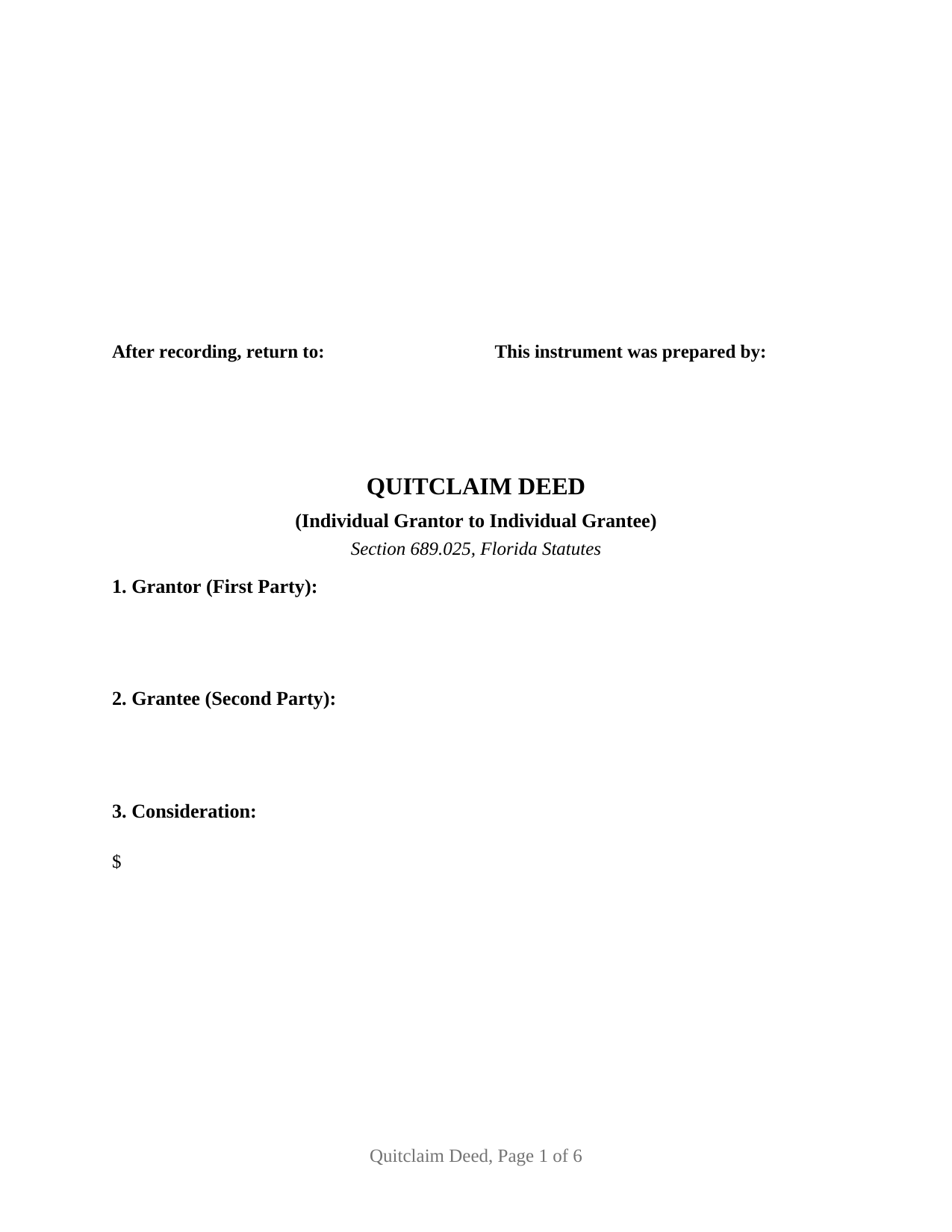
Calhoun County Quitclaim Deed (Individual) Form
Fill in the blank Quitclaim Deed (Individual) form formatted to comply with all Florida recording and content requirements.
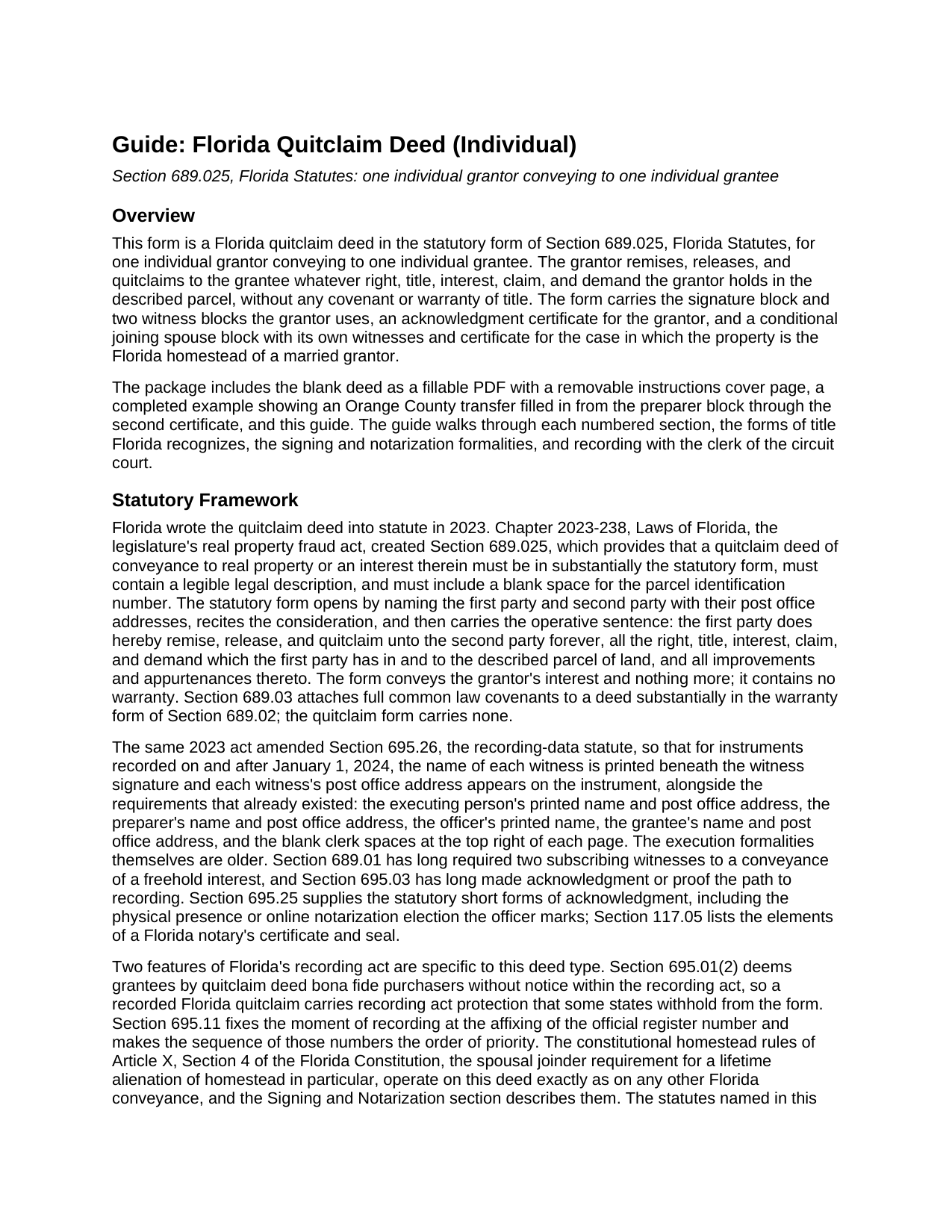
Calhoun County Quitclaim Deed (Individual) Guide
Line by line guide explaining every blank on the Quitclaim Deed (Individual) form.
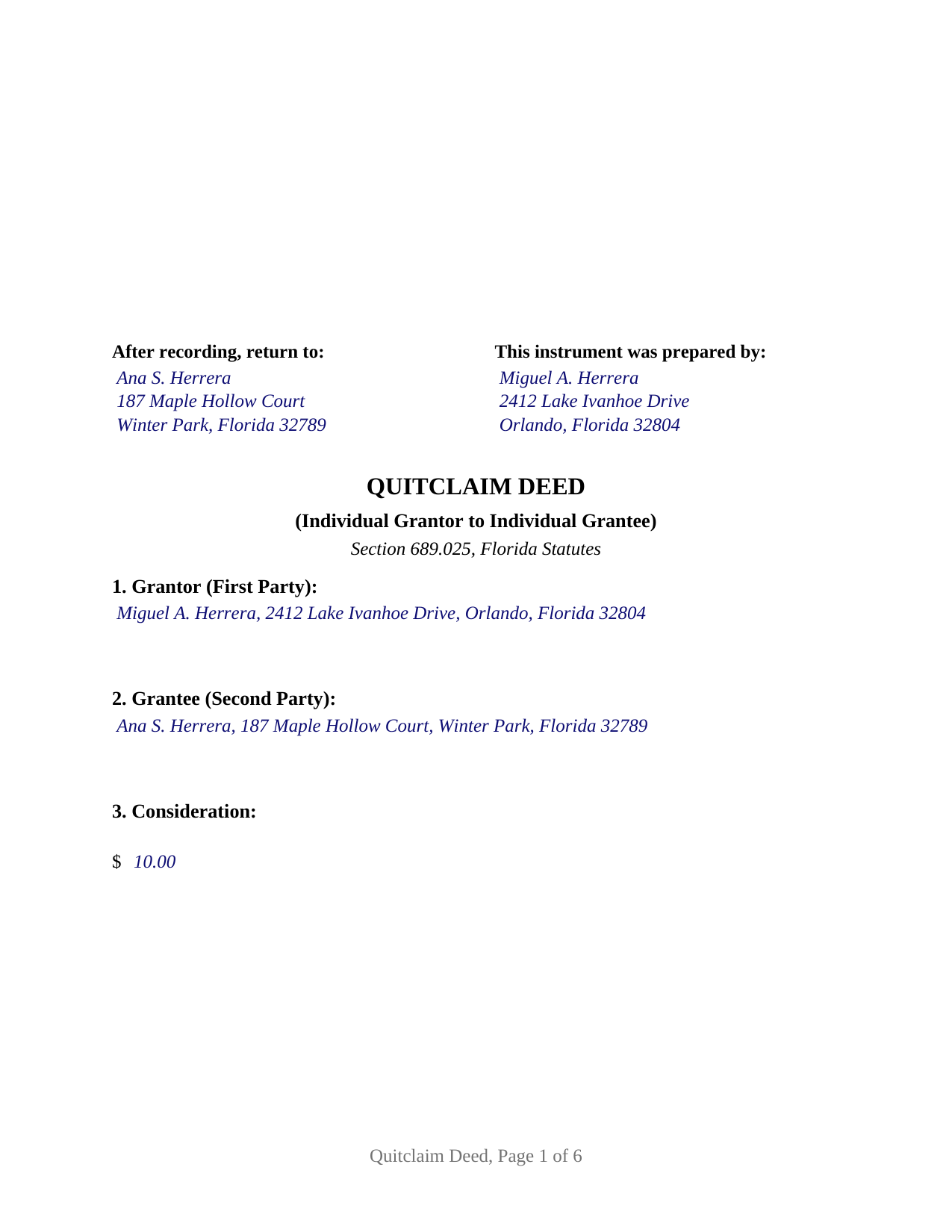
Calhoun County Completed Example of the Quitclaim Deed (Individual) Document
Example of a properly completed Florida Quitclaim Deed (Individual) document for reference.
All 3 documents above included • One-time purchase • No recurring fees
Immediate Download • Secure Checkout
Additional Florida and Calhoun County documents included at no extra charge:
Where to Record Your Documents
Calhoun County Clerk of the Court
Blountstown, Florida 32424
Hours: 8:00am to 4:00pm M-F
Phone: (850) 674-4545
Recording Tips for Calhoun County:
- Bring your driver's license or state-issued photo ID
- Ensure all signatures are in blue or black ink
- Bring extra funds - fees can vary by document type and page count
- Check margin requirements - usually 1-2 inches at top
- Leave recording info boxes blank - the office fills these
Cities and Jurisdictions in Calhoun County
Properties in any of these areas use Calhoun County forms:
- Altha
- Blountstown
- Clarksville
- Wewahitchka
Hours, fees, requirements, and more for Calhoun County
How do I get my forms?
Forms are available for immediate download after payment. The Calhoun County forms will be in your account ready to download to your computer. An account is created for you during checkout if you don't have one. Forms are NOT emailed.
Are these forms guaranteed to be recordable in Calhoun County?
Yes. Our form blanks are guaranteed to meet or exceed the applicable formatting requirements used for recording in Calhoun County, including margin requirements, font requirements, and other layout standards. This guarantee applies to formatting, not to the legal sufficiency of information entered by the user or the suitability of a form for a particular transaction.
Can I reuse these forms?
Yes. You can reuse the forms for your personal use. For example, if you have multiple properties in Calhoun County you only need to order once.
What do I need to use these forms?
The forms are PDFs that you fill out on your computer. The free Adobe Acrobat Reader is recommended, and most PDF apps also work. You do NOT enter your property information online - you download the blank forms and complete them privately on your own computer.
Are there any recurring fees?
No. This is a one-time purchase. Nothing to cancel, no memberships, no recurring fees.
How much does it cost to record in Calhoun County?
Recording fees in Calhoun County vary. Contact the recorder's office at (850) 674-4545 for current fees.
Questions answered? Let's get started!
One name on the grantor line, one on the grantee line. This Florida quitclaim deed prepares the simplest configuration the state's statutory form takes: a single individual conveying to a single individual, under Section 689.025, Florida Statutes. The deed carries the prescribed operative wording, the parcel identification number blank the statute calls for, and an express no-warranty statement, all arranged around one signature ceremony, with a conditional joining spouse block standing behind it for the homestead case.
One grantor, one grantee
The form recites one first party and one second party, each an individual, and its own text states that the first party executes the deed as an individual in his or her own right. The grantor's name and post office address sit in Section 1, the grantee's in Section 2, and a single acknowledgment certificate serves the grantor's signature; a second certificate exists only for the joining spouse block. That one-to-one architecture matches the record patterns where a lone individual moves an interest to another: a co-owner releasing a fractional share to the person who keeps the property, one relative passing an inherited interest to another, or an individual releasing a doubtful claim so a title examiner reads a clean chain. The form is not set up as an entity, trustee, or attorney-in-fact conveyance, and it recites a single grantee rather than co-owners taking survivorship or entireties title; the guide describes how a sole grantee holds what the deed delivers.
An interest passed as-is
The operative words of Section 689.025, remise, release, and quitclaim, move whatever right, title, interest, claim, and demand the first party holds at delivery, and the deed says expressly that it conveys without covenant or warranty of title. Nothing in it promises that the grantor owns anything, and encumbrances of record follow the property into the grantee's hands. Florida's recording act still treats the receiving side generously: Section 695.01(2) deems the grantee under a quitclaim deed a bona fide purchaser without notice for recording act purposes, and recording fixes priority by the register number the clerk assigns.
Two witnesses, one certificate, current rules
Execution follows Section 689.01: the grantor signs before two subscribing witnesses. Since January 1, 2024, the recording statute has also demanded each witness's printed name beneath the witness signature and each witness's post office address on the face of the deed, and the form dedicates labeled lines to all of it. The acknowledgment tracks the current Florida certificate: venue lines, the physical presence or online notarization election of Section 117.05, the date, the signer's name, the identification method, and the notary's name, seal, serial number, and commission expiration. A preparer block naming a natural person and the blank clerk spaces of Section 695.26 complete the recording data, with the first page holding the reserved band where the clerk's stamp lands.
The spouse question a single signature raises
A deed built for one signer still meets Florida's constitution when the property is the signer's homestead. Article X, Section 4(c) lets a married owner alienate homestead real estate only with the spouse joined in the instrument, so the form ends with a labeled joining spouse block, carrying its own two witnesses and its own acknowledgment certificate. The deed's text gives that block effect only when someone signs it: an unmarried grantor, or a grantor conveying property that is not homestead, leaves it blank, and the printed deed says the unsigned block has no effect. Documentary stamp tax rides along at recording under Section 201.02, computed on consideration that includes any mortgage on the land, a point that reaches even one-dollar family transfers of encumbered property; the guide walks the computation, the Miami-Dade rate difference, and the minimum tax on nominal-consideration deeds.
The download delivers the blank statutory deed as a fillable PDF with a removable instructions page, a completed example showing an Orange County transfer filled in from the preparer block through the second certificate, and a plain language guide covering every numbered section, the witnessing and notarization ceremony, and recording with the clerk of the circuit court. The materials describe Florida law in general terms; they are informational and are not legal advice.
Important: Your property must be located in Calhoun County to use these forms. Documents should be recorded at the county recording office listed above.
This Quitclaim Deed (Individual) meets all recording requirements specific to Calhoun County.
Our Promise
The documents you receive here are guaranteed to meet or exceed the applicable Calhoun County recording format requirements. If there is a rejection caused by our formatting, we will correct the issue or refund your payment. This guarantee applies to document formatting only and does not extend to information entered by the user, the selection of the form, or the legal effect of the completed document.
Save Time and Money
Get your Calhoun County Quitclaim Deed (Individual) form done right the first time with Deeds.com Uniform Conveyancing Blanks. At Deeds.com, we understand that your time and money are valuable resources, and we don't want you to face a penalty fee or rejection imposed by a county recorder for submitting nonstandard documents. We constantly review and update our forms to meet rapidly changing state and county recording requirements for roughly 3,500 counties and local jurisdictions.
4.8 out of 5 - ( 4,828 Reviews )
Anita L. 5 out of 5 stars
Found this site very easy to navigate and customer service very supportive and quickly answers any questions you have regarding forms. Best of all you can get the forms you need and only pay for those forms, not tied to some ongoing fee that you must cancel if you have no further need beyond forms you've already purchased.
We appreciate your business and value your feedback. Thank you. Have a wonderful day!
Andrew S. 5 out of 5 stars
This is fast and easy.
We appreciate your business and value your feedback. Thank you. Have a wonderful day!
Lloyd S. 5 out of 5 stars
What a great website. It does Pasco County PROUD !!
Thank you!
Wilma M. 5 out of 5 stars
Amazingly easy. Thank you
Thank you!
Dhanminder D. 5 out of 5 stars
The service was great. Thank you.
Thank you!
Cecelia S. 5 out of 5 stars
I was looking for a copy of my deed and was able to complete the request and get copy fast.
Thank you!
Michael K. 5 out of 5 stars
I haven't used them yet. So far so good.
Thank you!
Jacinto A. 5 out of 5 stars
The forms are exactly what was needed. But wish I was able to click on the preview form to make sure it was the correct forms
Thank you for your feedback Jacinto.
Junior S. 5 out of 5 stars
Good
Thank you!
Joan H. 5 out of 5 stars
I am happy I can record this this way.
Thank you!
Matthew G. 5 out of 5 stars
Second time using Deeds.com. Easy and professional
Thank you Matthew. Have a great day!
Elizabeth L. 5 out of 5 stars
Used this site and the forms a few times now and always a good experience. It's so nice to be able to download these forms to my computer and work on them there. So many others want you to do everything online, pain in my opinion. Thank you Deeds!
Thank you for your feedback. We really appreciate it. Have a great day!
Jo Anne C. 5 out of 5 stars
Excellent documentation. Thank you.
Thank you for your feedback. We really appreciate it. Have a great day!
Sharon C. 5 out of 5 stars
Easy process considering not too technical savvy!
We appreciate your business and value your feedback. Thank you. Have a wonderful day!
Jane D. 5 out of 5 stars
Very easy to navigate and we get exactly what we need, when we need it! Also, they keep Tra k of previous purchases, so you don't have to repurchase! It's great!
We appreciate your business and value your feedback. Thank you. Have a wonderful day!