Calhoun County Quitclaim Deed (Trustee Grantee) Form
Last validated November 2, 2026 by our Forms Development TeamFormatted for recording in Calhoun County, for property anywhere in the county: rural and unincorporated areas as well as Altha, Blountstown, Clarksville, Wewahitchka.
- 3 documents included
- Immediate PDF download
- Formatting guarantee
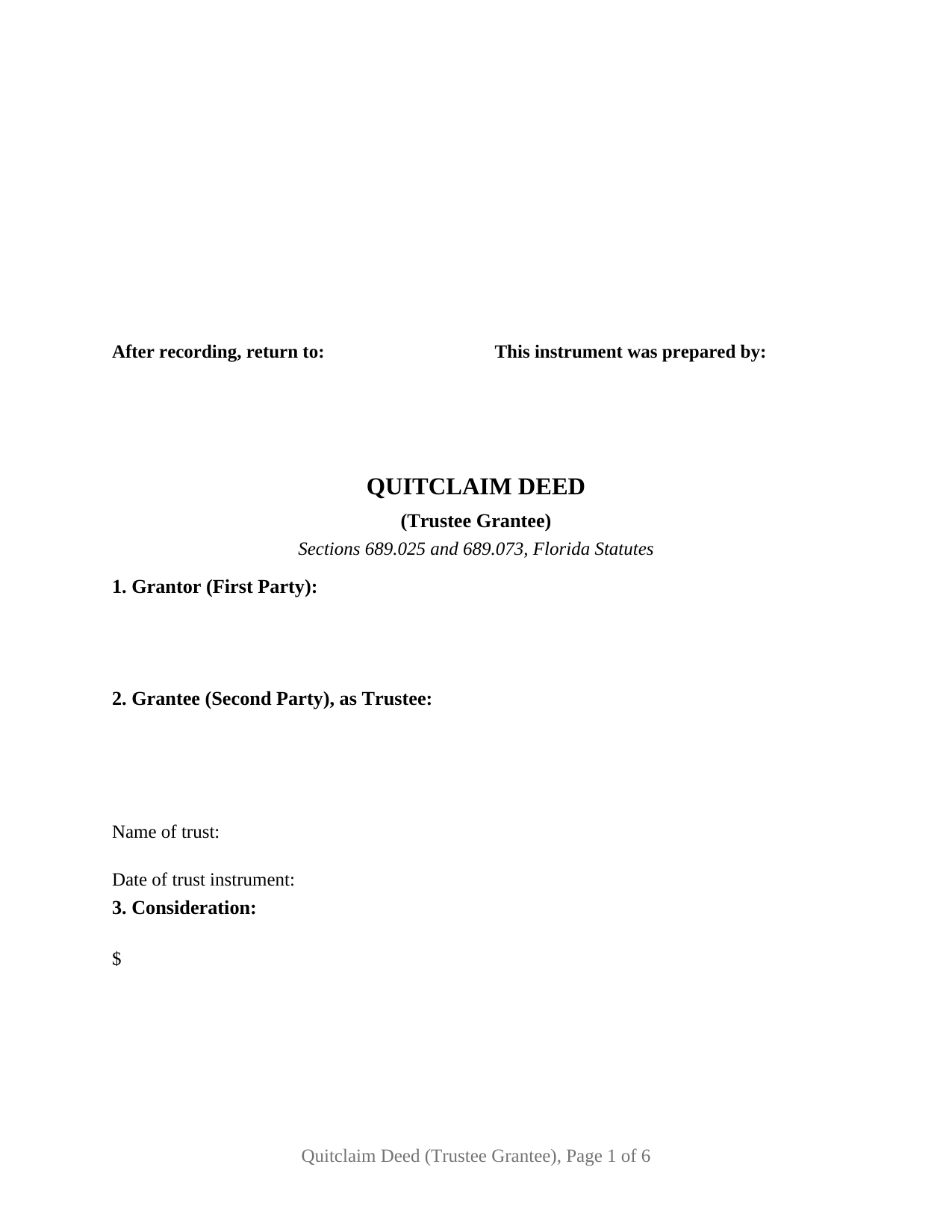
Calhoun County Quitclaim Deed (Trustee Grantee) Form
Fill in the blank Quitclaim Deed (Trustee Grantee) form formatted to comply with all Florida recording and content requirements.
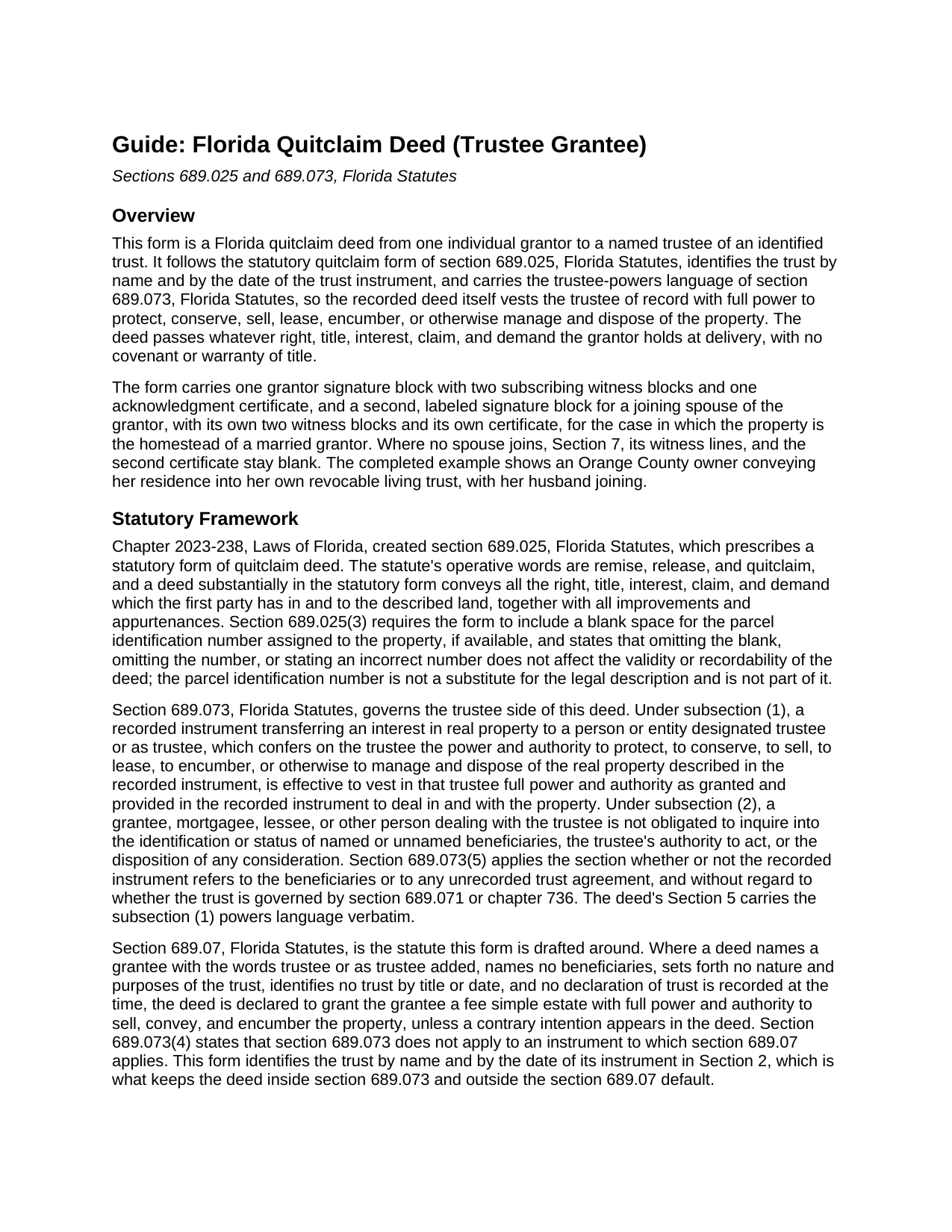
Calhoun County Quitclaim Deed (Trustee Grantee) Guide
Line by line guide explaining every blank on the Quitclaim Deed (Trustee Grantee) form.
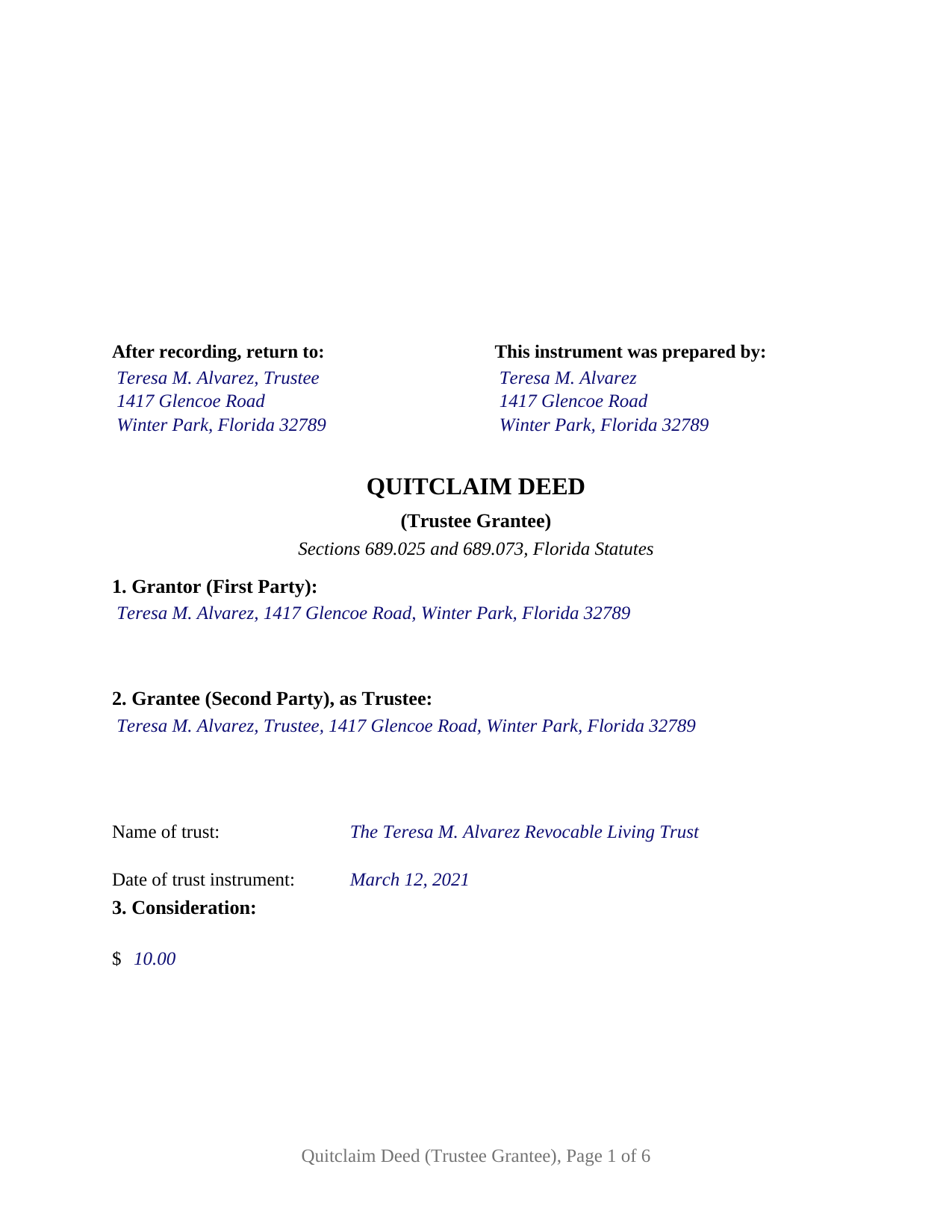
Calhoun County Completed Example of the Quitclaim Deed (Trustee Grantee) Document
Example of a properly completed Florida Quitclaim Deed (Trustee Grantee) document for reference.
All 3 documents above included • One-time purchase • No recurring fees
Immediate Download • Secure Checkout
Additional Florida and Calhoun County documents included at no extra charge:
Where to Record Your Documents
Calhoun County Clerk of the Court
Blountstown, Florida 32424
Hours: 8:00am to 4:00pm M-F
Phone: (850) 674-4545
Recording Tips for Calhoun County:
- Bring your driver's license or state-issued photo ID
- Ensure all signatures are in blue or black ink
- Leave recording info boxes blank - the office fills these
- Make copies of your documents before recording - keep originals safe
- Recorded documents become public record - avoid including SSNs
Cities and Jurisdictions in Calhoun County
Properties in any of these areas use Calhoun County forms:
- Altha
- Blountstown
- Clarksville
- Wewahitchka
Hours, fees, requirements, and more for Calhoun County
How do I get my forms?
Forms are available for immediate download after payment. The Calhoun County forms will be in your account ready to download to your computer. An account is created for you during checkout if you don't have one. Forms are NOT emailed.
Are these forms guaranteed to be recordable in Calhoun County?
Yes. Our form blanks are guaranteed to meet or exceed the applicable formatting requirements used for recording in Calhoun County, including margin requirements, font requirements, and other layout standards. This guarantee applies to formatting, not to the legal sufficiency of information entered by the user or the suitability of a form for a particular transaction.
Can I reuse these forms?
Yes. You can reuse the forms for your personal use. For example, if you have multiple properties in Calhoun County you only need to order once.
What do I need to use these forms?
The forms are PDFs that you fill out on your computer. The free Adobe Acrobat Reader is recommended, and most PDF apps also work. You do NOT enter your property information online - you download the blank forms and complete them privately on your own computer.
Are there any recurring fees?
No. This is a one-time purchase. Nothing to cancel, no memberships, no recurring fees.
How much does it cost to record in Calhoun County?
Recording fees in Calhoun County vary. Contact the recorder's office at (850) 674-4545 for current fees.
Questions answered? Let's get started!
Florida treats the word trustee on a deed with suspicion. Under section 689.07 of the Florida Statutes, a deed made out to a grantee as trustee that names no beneficiaries, states no trust purposes, and identifies no trust by title or date is declared to grant the grantee a fee simple estate personally, with full power to sell and encumber the property. A conveyance meant to fund a trust can end up titling the land in one person's name. This Florida Quitclaim Deed (Trustee Grantee) is drafted around that statute: it names and dates the trust and carries the trustee-powers language Florida law gives effect.
The statutory quitclaim, aimed at a trustee
The deed follows the quitclaim form Florida enacted in 2023 as section 689.025. The grantor remises, releases, and quitclaims all right, title, interest, claim, and demand in the described parcel, with no covenant or warranty of title; the trustee takes exactly the interest the grantor holds. Most often the deed funds the owner's own revocable living trust; section 689.075 confirms that a trust is valid even though the settlor keeps the power to revoke or amend it.
Powers the record can rely on
Section 689.073 gives recorded trustee-powers language real consequences. A recorded deed that designates the grantee as trustee and confers the power to protect, to conserve, to sell, to lease, to encumber, or otherwise to manage and dispose of the property vests that authority in the trustee of record, and a later buyer, lender, or title agent dealing with the trustee is not obligated to inquire into the trust agreement, the trustee's authority, or the beneficiaries. The deed carries that wording verbatim, for the named trustee and any successor trustee.
One grantor, one trustee, and a block for the spouse
The form recites one first party, an individual conveying in his or her own right, and one second party taking title as trustee of the trust named and dated in Section 2, not individually. One grantor signature block, two witness blocks, and one acknowledgment certificate serve the grantor; a labeled joining spouse block, with its own witnesses and certificate, follows for the homestead of a married grantor and stays blank otherwise. A homeowner deeding her residence to herself as trustee of her revocable living trust, a parent conveying a rental parcel to the trustee of an irrevocable trust for descendants, and a co-owner moving an undivided interest into a family trust present the pattern this deed recites. The form is not set up as a deed by two grantors, by spouses holding entireties title, by a trustee as grantor, by an entity, or by an agent under a power of attorney, and it names one trustee, not co-trustees.
Witnesses, joinder, and the county record
The grantor signs before two subscribing witnesses under section 689.01, and since January 1, 2024, each witness's printed name and post-office address must appear on the instrument. Each notary certificate follows the short form of section 695.25(1), with the physical presence or online notarization boxes the officer marks and a reserved area for the rubber stamp seal section 117.05 places beside the notary's signature. Article X, section 4(c) of the Florida Constitution requires a spouse's joinder in a lifetime alienation of homestead, and the joining-spouse block gives that signature a place on the deed when homestead moves into the trust.
Documentary stamps on a deed into a trust
Documentary stamp tax is collected at recording. Rule 12B-4.013(25) of the Florida Administrative Code taxes a deed to a trustee only to the extent it transfers beneficial ownership and there is consideration, and Rule 12B-4.013(25)(i) states that a deed to a trustee from a grantor who holds the power to revoke the trust is not a transfer of ownership subject to the tax. A deed that moves beneficial ownership to other beneficiaries is measured under section 201.02 on the consideration for the interest transferred, mortgage balance included; the guide covers the rules, the minimum tax on a nominal recital, and the Miami-Dade rates.
The download includes the blank deed as a fillable PDF with a removable instructions page, a completed example showing an Orange County transfer into a revocable living trust, and a plain-language guide covering every section, witnessing and notarization, and recording with the clerk of the circuit court. The materials are informational and are not legal advice; a Florida attorney can apply these statutes to a particular title or trust.
Important: Your property must be located in Calhoun County to use these forms. Documents should be recorded at the county recording office listed above.
This Quitclaim Deed (Trustee Grantee) meets all recording requirements specific to Calhoun County.
Our Promise
The documents you receive here are guaranteed to meet or exceed the applicable Calhoun County recording format requirements. If there is a rejection caused by our formatting, we will correct the issue or refund your payment. This guarantee applies to document formatting only and does not extend to information entered by the user, the selection of the form, or the legal effect of the completed document.
Save Time and Money
Get your Calhoun County Quitclaim Deed (Trustee Grantee) form done right the first time with Deeds.com Uniform Conveyancing Blanks. At Deeds.com, we understand that your time and money are valuable resources, and we don't want you to face a penalty fee or rejection imposed by a county recorder for submitting nonstandard documents. We constantly review and update our forms to meet rapidly changing state and county recording requirements for roughly 3,500 counties and local jurisdictions.
4.8 out of 5 - ( 4,844 Reviews )
Erika H. 5 out of 5 stars
The service was fast and efficient. So glad I stumbled upon this website!
Thank you for your feedback. We really appreciate it. Have a great day!
Laurie B. 5 out of 5 stars
easy to use, good experience
Thank you!
Frazer W. 5 out of 5 stars
The great part about Deeds.com is that the staff works with filers to get the job done.
Thank you, Frazer! We appreciate your kind words and are glad our team could help get the job done.
Agnes I H. 5 out of 5 stars
Good knowing the price right up front...and not a FREE one you pay at the end....
We appreciate your business and value your feedback. Thank you. Have a wonderful day!
Charles S. 5 out of 5 stars
Easy to set up and fast service.
We appreciate your business and value your feedback. Thank you. Have a wonderful day!
Stephanie P. 5 out of 5 stars
It was a seamless process, inexpensive, and probably saved me thousands by having an attorney draw this same form us. Highly recommend!
Thank you!
Robert H. 5 out of 5 stars
Excellent service and site. Easy to use. Finding the required forms was easy.
We appreciate your business and value your feedback. Thank you. Have a wonderful day!
Diane P. 5 out of 5 stars
Form was very easy to use and was processed/ recorded with no issue. Thank you it saved me from having to contact an attorney.
We appreciate your business and value your feedback. Thank you. Have a wonderful day!
DONNA F. 5 out of 5 stars
very easy and fast thank you would recommend
We appreciate your business and value your feedback. Thank you. Have a wonderful day!
Paul D. 5 out of 5 stars
Easy to use! The forms were perfect and everything was explained well! Will use again!
We appreciate your business and value your feedback. Thank you. Have a wonderful day!
Connie E. 5 out of 5 stars
Great service! Easy to download and view. Florida should have the Revocable Transfer on Death (TOD)deed, that many other States have. That's the one I really wanted. This one will do in the meantime.
We appreciate your business and value your feedback. Thank you. Have a wonderful day!
Joel B. 5 out of 5 stars
I would have liked more room in the text fields for describing the potential claim. had to use Exhibit A. Could not delete Exhibit B. Alo would like to have a custom footer - not deeds.com. Unprofessional.
Thank you for your feedback. We really appreciate it. Have a great day!
JENNIE W. 5 out of 5 stars
This is so much easier than going downtown to file paperwork! Thanks deeds.com!
Thank you!
wendell s. 5 out of 5 stars
The forms were everything promised. The guide was very helpful and made the process painless.
We appreciate your business and value your feedback. Thank you. Have a wonderful day!
Kathie C. 5 out of 5 stars
This was the first time I have used Deeds.com and I must say that I am extremely impressed. The person that handled my packages was amazing and extremely helpful. I am recommending that our firm starts using Deeds.com and we do a lot of e-recordings. Thank you so much for making this a great experience and for all of your efforts in making it so great!!!
Your feedback is greatly appreciated. Thank you for taking the time to share your experience!