Washington County Certificate of Trust Form
Last validated October 29, 2026 by our Forms Development TeamFormatted for recording in Washington County, for property anywhere in the county or independent city: rural and unincorporated areas as well as Big Pool, Boonsboro, Brownsville, Cascade, Cavetown, Chewsville, Clear Spring, Fairplay and 10 more.
- 3 documents included
- Immediate PDF download
- Formatting guarantee
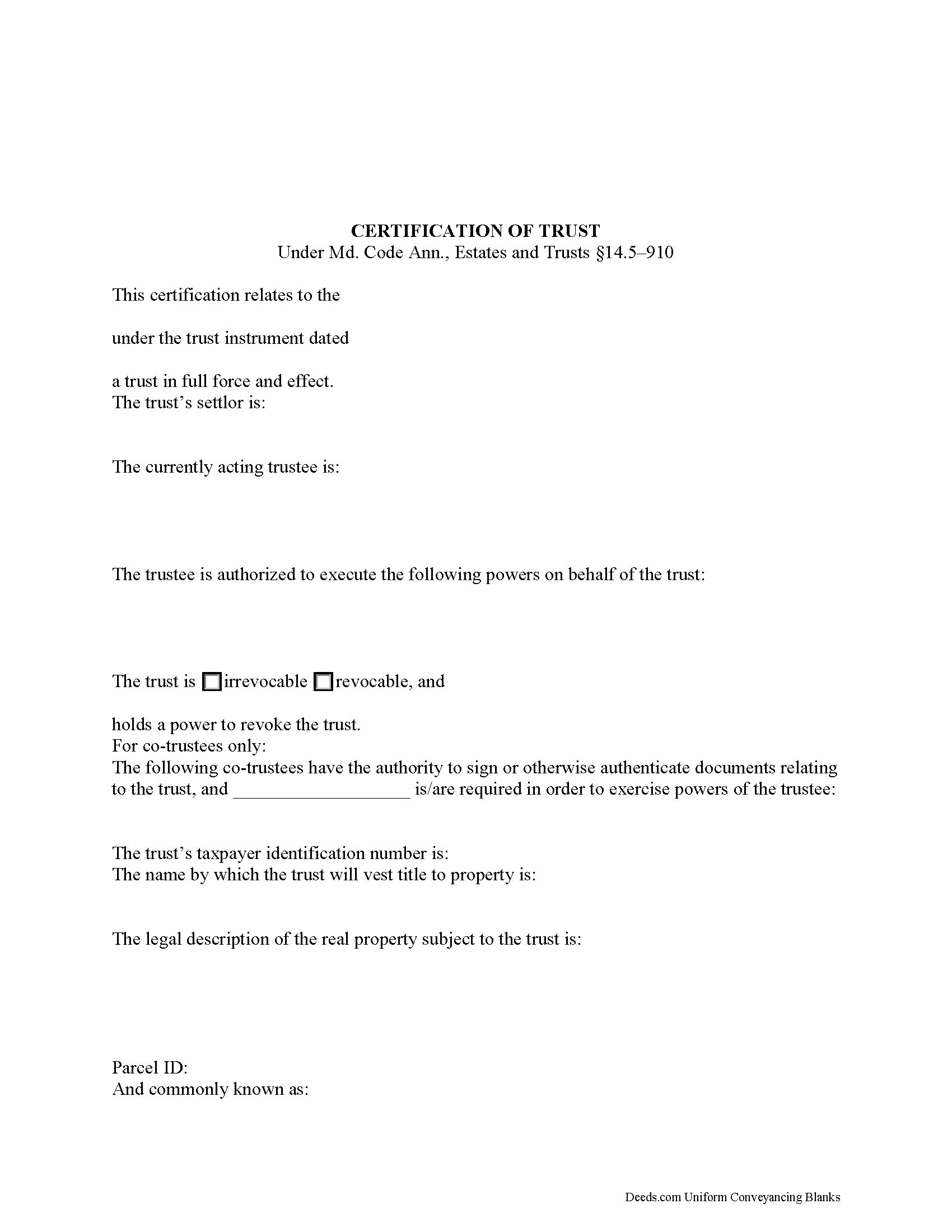
Washington County Certificate of Trust Form
Fill in the blank form formatted to comply with all recording and content requirements.
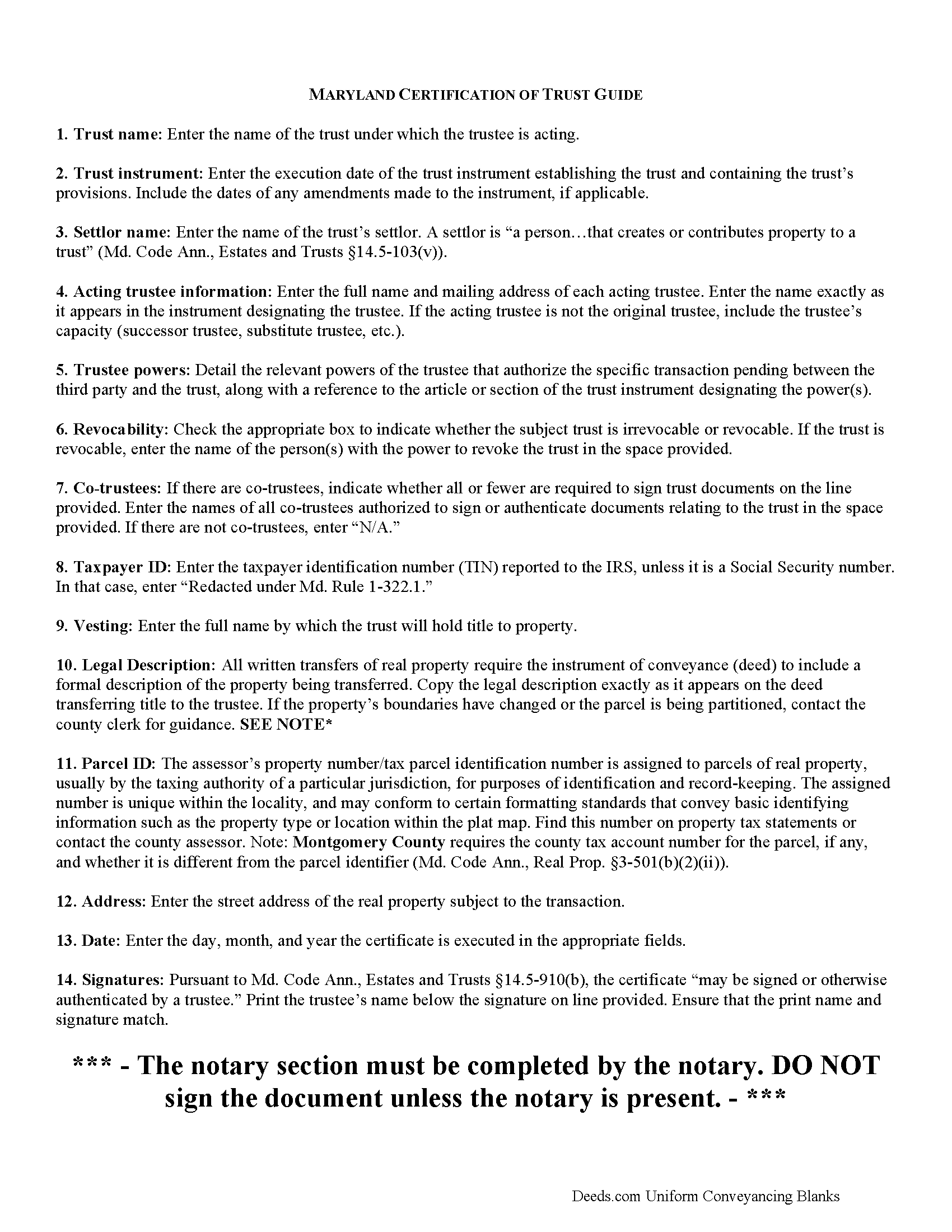
Washington County Certificate of Trust Guide
Line by line guide explaining every blank on the form.
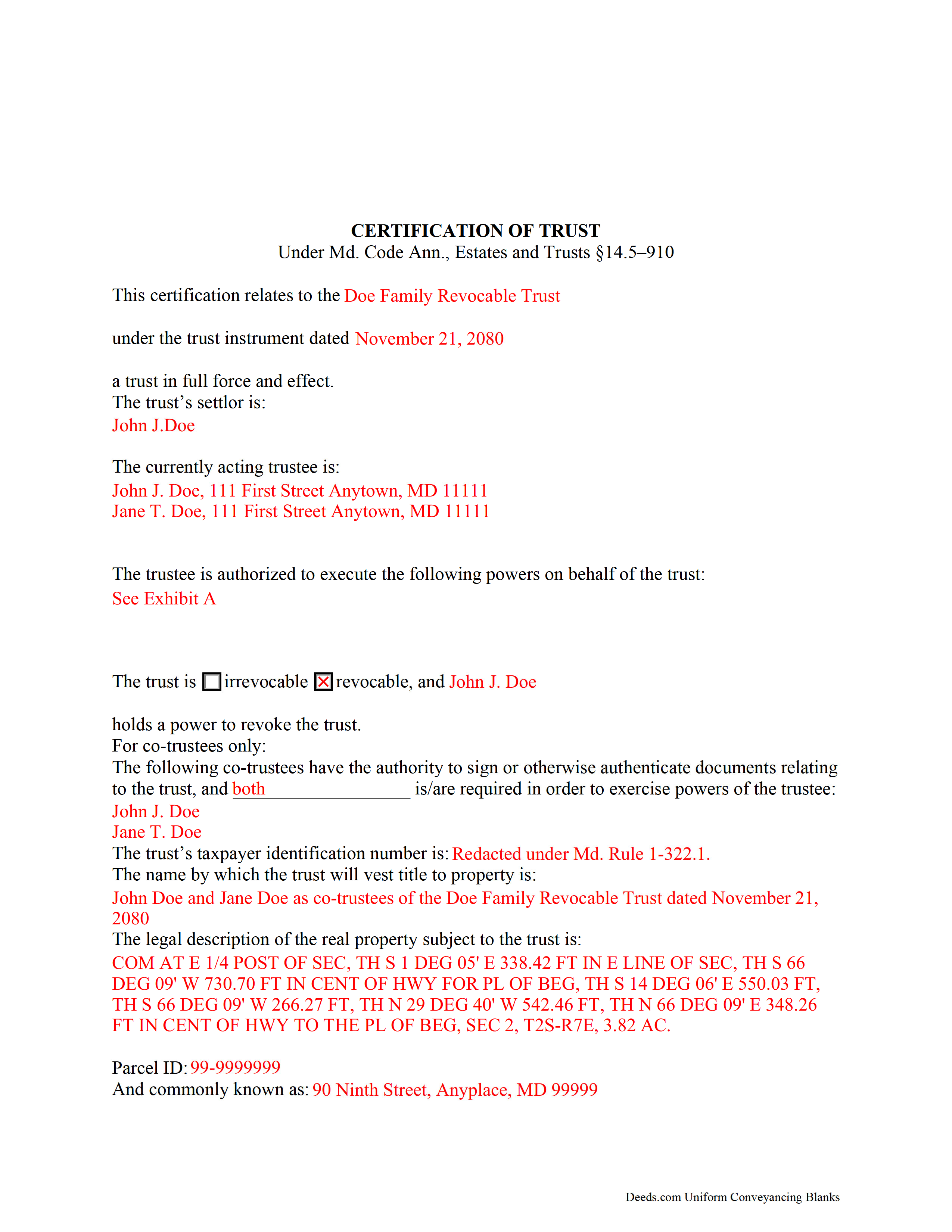
Washington County Completed Example of the Certificate of Trust Document
Example of a properly completed form for reference.
All 3 documents above included • One-time purchase • No recurring fees
Immediate Download • Secure Checkout
Additional Maryland and Washington County documents included at no extra charge:
Where to Record Your Documents
Circuit Court Clerk
Hagerstown, Maryland 21740
Hours: 8:30 to 4:30 Monday through Friday
Phone: 301-790-7991
Recording Tips for Washington County:
- Bring your driver's license or state-issued photo ID
- Ensure all signatures are in blue or black ink
- Check margin requirements - usually 1-2 inches at top
- Leave recording info boxes blank - the office fills these
- Make copies of your documents before recording - keep originals safe
Cities and Jurisdictions in Washington County
Properties in any of these areas use Washington County forms:
- Big Pool
- Boonsboro
- Brownsville
- Cascade
- Cavetown
- Chewsville
- Clear Spring
- Fairplay
- Funkstown
- Hagerstown
- Hancock
- Keedysville
- Maugansville
- Rohrersville
- Saint James
- Sharpsburg
- Smithsburg
- Williamsport
Hours, fees, requirements, and more for Washington County
How do I get my forms?
Forms are available for immediate download after payment. The Washington County forms will be in your account ready to download to your computer. An account is created for you during checkout if you don't have one. Forms are NOT emailed.
Are these forms guaranteed to be recordable in Washington County?
Yes. Our form blanks are guaranteed to meet or exceed the applicable formatting requirements used for recording in Washington County, including margin requirements, font requirements, and other layout standards. This guarantee applies to formatting, not to the legal sufficiency of information entered by the user or the suitability of a form for a particular transaction.
Can I reuse these forms?
Yes. You can reuse the forms for your personal use. For example, if you have multiple properties in Washington County you only need to order once.
What do I need to use these forms?
The forms are PDFs that you fill out on your computer. The free Adobe Acrobat Reader is recommended, and most PDF apps also work. You do NOT enter your property information online - you download the blank forms and complete them privately on your own computer.
Are there any recurring fees?
No. This is a one-time purchase. Nothing to cancel, no memberships, no recurring fees.
How much does it cost to record in Washington County?
Recording fees in Washington County vary. Contact the recorder's office at 301-790-7991 for current fees.
Questions answered? Let's get started!
How to Execute a Maryland Certification of Trust
The certification of trust is codified under 14.5--910 of the Estates and Trusts Article of the Maryland Code. The document is an abbreviation of a trust instrument, verifying the trust's existence and the trustee's authority to enter into the impending transaction.
A certification of trust contains only information essential to the transaction at hand; for example, it need not provide the dispositive terms of the trust, so the identities of trust beneficiaries remain private. The rights of certain persons to obtain the trust instrument are reserved for the instances stated under Md. Code Ann., Estates and Trusts 14.5-910(h).
The information required in a Maryland certification of trust includes a statement that the trust exists, the date of the trust instrument under which it was formed, and the identity of the trust's settlor. A settlor is defined under the Maryland Trust Act as "a person...that creates or contributes property to a trust" and can include more than one person (Md. Code Ann., Estates and Trusts 14.5-103(v)).
The certificate includes the name and address of each acting trustee at the time of the certificate's execution, as well as a description of the powers the trustee has related to the pending transaction. For example, if a certificate of trust is presented by a trustee wishing to execute a trustee's deed, a power of sale should be referenced. Recipients of the certificate can request, in addition, the excerpts from the trust instrument which designate the trustee and establish the relevant powers (Md. Code Ann., Estates and Trusts 14.5-910(e)).
The document also identifies the trust as either revocable or irrevocable and, if the former, the identity of anyone having a power to revoke the trust. For living trusts, the settlor generally retains this power. In the case of co-trustees, the certificate tells which can authenticate documents and whether all or fewer are required in exercising trustee powers. Any trustee may sign a certification of trust in the presence of a notary public.
The taxpayer identification number (TIN) of the trust is required, unless this number is the Social Security number (SSN) of the settlor. Irrevocable trusts are assigned their own taxpayer ID, separate from a SSN.
Finally, the certificate contains the name by which the trust is to hold title to assets, including real property. Where the certificate is used in transactions involving real property, a legal description of the property subject to the trust should be included. The certificate must contain a statement "that the trust has not been revoked, modified, or amended in a manner that would cause the representations in the certification of trust to be incorrect" (Md. Code Ann., Estates and Trusts 14.5-910(c)).
Recipients of a certificate may rely on the correctness of its content, and are protected under Md. Code Ann., Estates and Trusts 14.5-910(f).
Contact an attorney with any questions regarding Maryland trusts and certifications of trust, as trust law can quickly become complicated and each situation is unique.
(Maryland COT Package includes form, guidelines, and completed example)
Important: Your property must be located in Washington County to use these forms. Documents should be recorded at the county or independent city recording office listed above.
This Certificate of Trust meets all recording requirements specific to Washington County.
Our Promise
The documents you receive here are guaranteed to meet or exceed the applicable Washington County recording format requirements. If there is a rejection caused by our formatting, we will correct the issue or refund your payment. This guarantee applies to document formatting only and does not extend to information entered by the user, the selection of the form, or the legal effect of the completed document.
Save Time and Money
Get your Washington County Certificate of Trust form done right the first time with Deeds.com Uniform Conveyancing Blanks. At Deeds.com, we understand that your time and money are valuable resources, and we don't want you to face a penalty fee or rejection imposed by a county recorder for submitting nonstandard documents. We constantly review and update our forms to meet rapidly changing state and county recording requirements for roughly 3,500 counties and local jurisdictions.
4.8 out of 5 - ( 4,839 Reviews )
Craig M. 5 out of 5 stars
Fantastic! So much easier than going and recording it at the recorders office!
Glad we could help Craig, thanks for the kind words.
Morgan K. 5 out of 5 stars
When I brought this deed to the county assessor, they were so impressed that I had done it correctly on my first try, and said they wished everyone would do such a good job on their paperwork.
Thank you for your feedback. We really appreciate it. Have a great day!
Kelly Y. 5 out of 5 stars
The document was easy to locate, pay for and download. I hope it will be this easy to process by the County!
Thank you!
Joseph W. 5 out of 5 stars
good place to get documents and it seems like a sound place to get forms. Self explainitory and helpful
Thank you!
Barry G. 5 out of 5 stars
Excellent service! I was shocked at the speed of completion. Filed and had copies back from the county within 4 hours. Highly recommend!
Thank you for the great feedback, Barry! We’re glad the process moved quickly for you and that everything was recorded and returned so fast. We appreciate the recommendation.
ROBERT D. 5 out of 5 stars
VERY HAPPY WITH YOUR SERVICE !
We appreciate your business and value your feedback. Thank you. Have a wonderful day!
Deidre E. 5 out of 5 stars
Best thing since sliced bread. Do your homework. Find the documents with Deeds.com and bypass expensive and unnecessary lawyers fees.
We deeply appreciate the trust you have placed in our services. Thank you for your valuable feedback and for choosing us.
David K. 5 out of 5 stars
My 1st trip to your site. I give it a full 5-star rating! Thank you. I'll be back.
Thank you for your feedback. We really appreciate it. Have a great day!
John G. 5 out of 5 stars
Fast turn-around, very efficient!!
We appreciate your business and value your feedback. Thank you. Have a wonderful day!
Vernon A L. 3 out of 5 stars
They are forms....no magic there. I still have to round up the details.
We appreciate your business and value your feedback. Thank you. Have a wonderful day!
Roy M. 5 out of 5 stars
Excellent service. Easy to use
We appreciate your business and value your feedback. Thank you. Have a wonderful day!
Gina B. 5 out of 5 stars
This website is reliable and informative. So glad I can across this website. They provide a wide range of documents that are always provided on the recording county website. Thanks!
Thank you!
Marolyn V. 3 out of 5 stars
The booklet is too wordy. Not concise enough for someone who is inexperienced at filling out your form. It would be nice to have a picture example of what you are talking about. When we got to the Registars office we found out they do not have a notary. Would have been nice to know before we went. The form asks for page and book which is no longer needed. So why have it on there?
Thank you, Marolyn, this is useful feedback. A completed sample is actually included with the form, and your note tells us we should make it easier to find and tie it more directly to the instructions, so we'll do that. We'll also add a "before you begin" checklist and a clearer note that the document needs to be notarized in advance, since recording offices don't provide notary service. On the book and page: that reference is required by the Utah statute this affidavit is filed under (§ 57-1-5.1) and still applies to older deeds recorded before counties moved to entry-number-only indexing around 2000. You enter whichever reference appears on your recorded deed and leave the rest blank. Appreciate you taking the time to write in.
Kimberly H. 5 out of 5 stars
Exceptional Service all Year~ I wish Deeds.com A Happy Holidays & A Happy New Year.
We appreciate your business and value your feedback. Thank you. Have a wonderful day!
Steven M. 5 out of 5 stars
They always get me the information I need, in a timely manner.
We appreciate your business and value your feedback. Thank you. Have a wonderful day!