Nantucket County Estate Tax Affidavit Form
Last validated October 7, 2026 by our Forms Development TeamFormatted for recording in Nantucket County, for property anywhere in the county: rural and unincorporated areas as well as Nantucket, Siasconset.
- 3 documents included
- Immediate PDF download
- Formatting guarantee
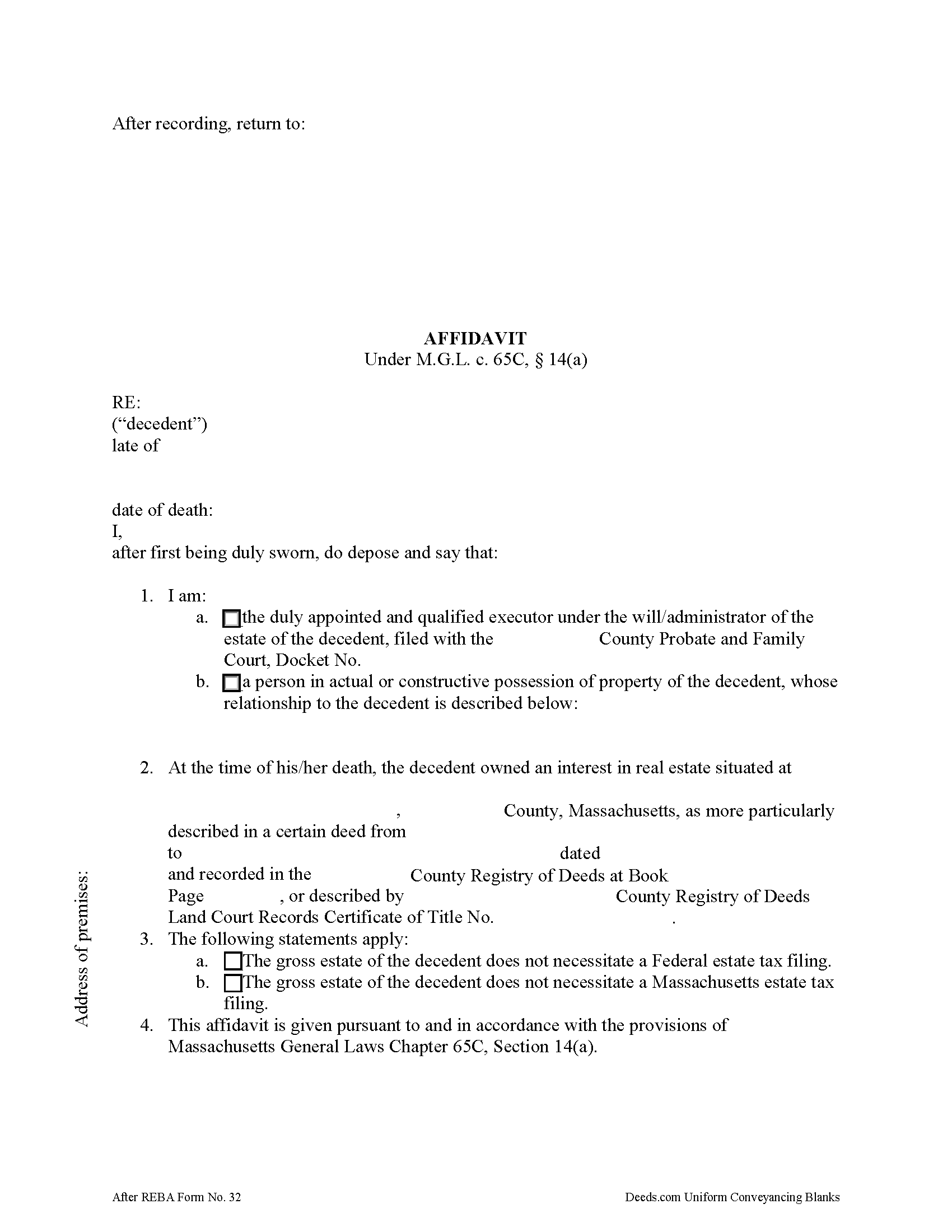
Nantucket County Estate Tax Affidavit Form
Fill in the blank form formatted to comply with all recording and content requirements.
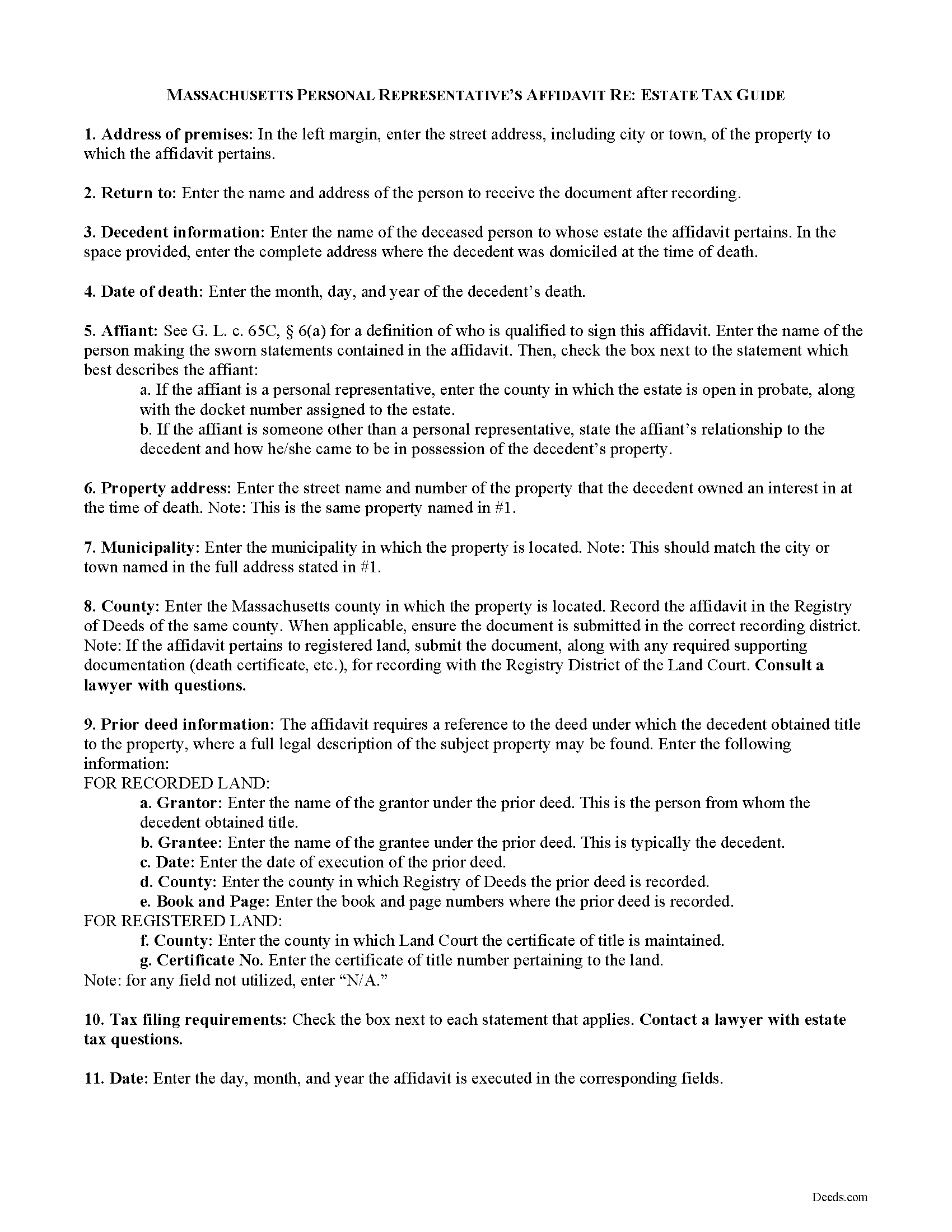
Nantucket County Estate Tax Affidavit Guide
Line by line guide explaining every blank on the form.
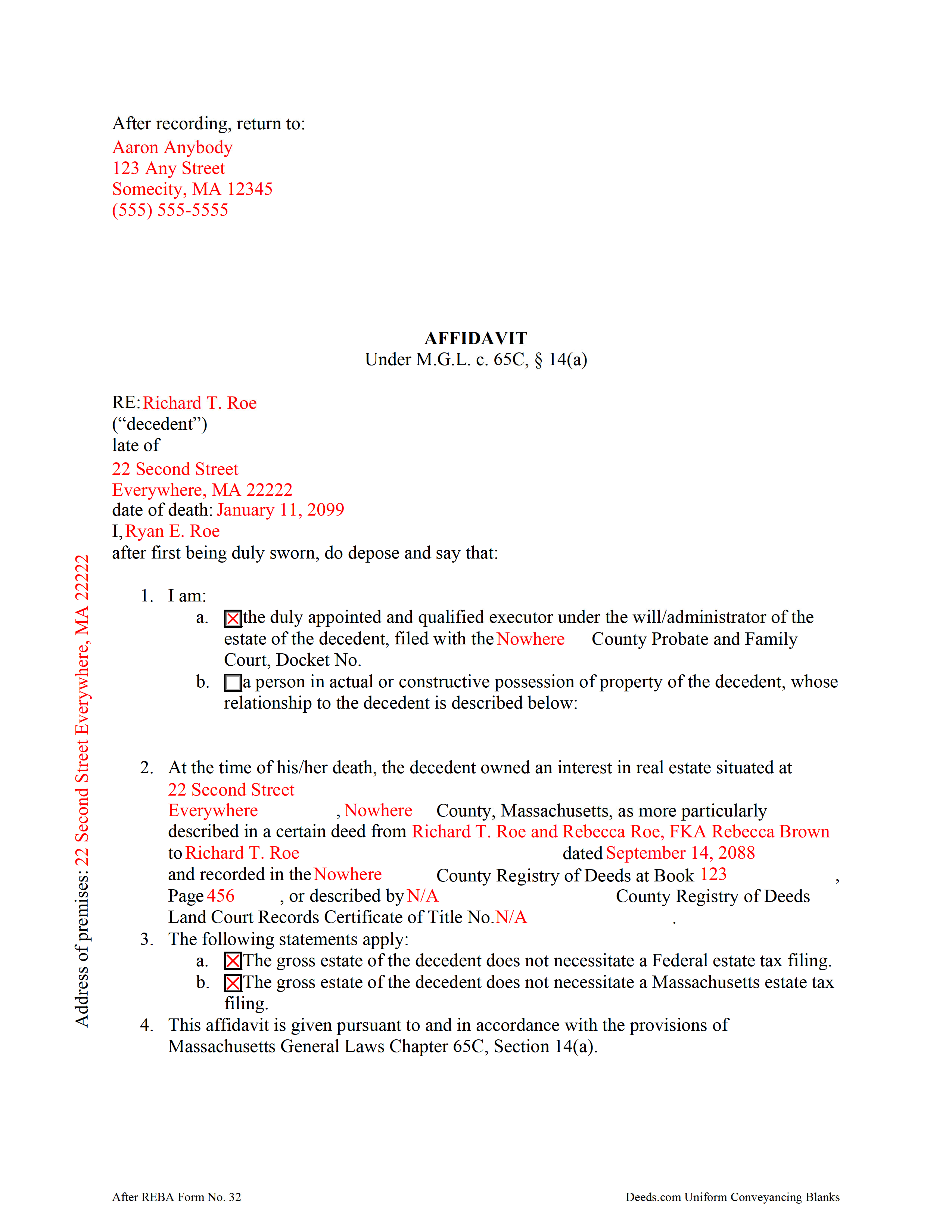
Nantucket County Completed Example of the Estate Tax Affidavit Document
Example of a properly completed form for reference.
All 3 documents above included • One-time purchase • No recurring fees
Immediate Download • Secure Checkout
Additional Massachusetts and Nantucket County documents included at no extra charge:
Where to Record Your Documents
Nantucket Registry of Deeds
Nantucket, Massachusetts 02554
Hours: 8:00 to 4:00 M-F / Recording: 8:00 to 12:00 & 1:00 to 3:45
Phone: (508) 228-7250
Nantucket Islands Land Bank
Nantucket, Massachusetts 02554
Hours: 9:00am - 12:00 & 1:00 - 4:00pm M-F
Phone: (508) 228-7240
Recording Tips for Nantucket County:
- Bring your driver's license or state-issued photo ID
- Ensure all signatures are in blue or black ink
- Avoid the last business day of the month when possible
- Both spouses typically need to sign if property is jointly owned
- Bring extra funds - fees can vary by document type and page count
Cities and Jurisdictions in Nantucket County
Properties in any of these areas use Nantucket County forms:
- Nantucket
- Siasconset
Hours, fees, requirements, and more for Nantucket County
How do I get my forms?
Forms are available for immediate download after payment. The Nantucket County forms will be in your account ready to download to your computer. An account is created for you during checkout if you don't have one. Forms are NOT emailed.
Are these forms guaranteed to be recordable in Nantucket County?
Yes. Our form blanks are guaranteed to meet or exceed the applicable formatting requirements used for recording in Nantucket County, including margin requirements, font requirements, and other layout standards. This guarantee applies to formatting, not to the legal sufficiency of information entered by the user or the suitability of a form for a particular transaction.
Can I reuse these forms?
Yes. You can reuse the forms for your personal use. For example, if you have multiple properties in Nantucket County you only need to order once.
What do I need to use these forms?
The forms are PDFs that you fill out on your computer. The free Adobe Acrobat Reader is recommended, and most PDF apps also work. You do NOT enter your property information online - you download the blank forms and complete them privately on your own computer.
Are there any recurring fees?
No. This is a one-time purchase. Nothing to cancel, no memberships, no recurring fees.
How much does it cost to record in Nantucket County?
Recording fees in Nantucket County vary. Contact the recorder's office at (508) 228-7250 for current fees.
Questions answered? Let's get started!
In Massachusetts, upon death, a lien attaches to a decedent's real property for ten years, or until the estate tax is paid, or an affidavit showing that the decedent's gross estate does not require an estate tax filing is recorded by a personal representative (or other qualified person under G. L. c. 65C, 6(a)) in the Registry of Deeds.
Use the affidavit of estate tax under M.G.L. c. 65C, 14(a) to release the lien on the decedent's property. The affidavit should include the name, address, and date of death of the decedent. The affiant shall indicate whether he/she is the personal representative of the decedent's probated estate, or, if the property is not subject to probate, then the affiant's relationship to the decedent.
The document's recitals also include the address of the premises affected and the prior instrument containing a legal description of the property. All statements contained within the affidavit are made by the affiant on penalty of perjury and sworn to before a notary public.
Contact a lawyer with questions about the Massachusetts estate tax and affidavits relating to decedents' estates in the Commonwealth of Massachusetts.
(Massachusetts ETA Package includes form, guidelines, and completed example)
Important: Your property must be located in Nantucket County to use these forms. Documents should be recorded at the county recording office listed above.
This Estate Tax Affidavit meets all recording requirements specific to Nantucket County.
Our Promise
The documents you receive here are guaranteed to meet or exceed the applicable Nantucket County recording format requirements. If there is a rejection caused by our formatting, we will correct the issue or refund your payment. This guarantee applies to document formatting only and does not extend to information entered by the user, the selection of the form, or the legal effect of the completed document.
Save Time and Money
Get your Nantucket County Estate Tax Affidavit form done right the first time with Deeds.com Uniform Conveyancing Blanks. At Deeds.com, we understand that your time and money are valuable resources, and we don't want you to face a penalty fee or rejection imposed by a county recorder for submitting nonstandard documents. We constantly review and update our forms to meet rapidly changing state and county recording requirements for roughly 3,500 counties and local jurisdictions.
4.8 out of 5 - ( 4,831 Reviews )
Jon B. 2 out of 5 stars
The information and documents received are great. But the communication with customer service is not good at all. I've been waiting three days for them to respond to a question. I don't think they are going too.
Thank you for your feedback. We really appreciate it. Have a great day!
Pamela L. 5 out of 5 stars
Well this could not have been any easier for me! Deeds made this whole process very efficient, and simple. I will definitely be a return customer when needed. Thank You!
Thank you Pamela, we appreciate you!
Bonnie B. 5 out of 5 stars
Very easy process for both quit claim and beneficiary deed forms and explanations.. also gives an example form filled out to ensure you have something to go by when filling out your own for accuracy.. the forms are for your specific county, city, and state so no problems when you go to record at deeds office!
Thank you, Bonnie! County-specific forms, clear instructions, and a filled-in example to guide you — that's exactly the experience we aim for. So glad both deeds went smoothly from form to recording. We appreciate the kind words!
Timothy C. 5 out of 5 stars
Excellent service. Pay your fee, download the form and fill out according to specific instructions. Then, again according to instructions, take it to the county clerk's office and have it recorded. It could not be easier.
Thank you!
Bette B. 5 out of 5 stars
Got Form I needed with detailed instructions and it was inexpensive
Thank you for your feedback. We really appreciate it. Have a great day!
KIMTIEN L. 5 out of 5 stars
VERY GOOD INFORMATION ESPECIALLY FOR ME WHO IS IN CALIFORNIA AND OWN PROPERTY IN FLORIDA.
We appreciate your business and value your feedback. Thank you. Have a wonderful day!
SHASTA S. 3 out of 5 stars
Ordered quitclaim deed form for Knox county Illinois. It got the job done however it was not a very good format. I had to explain all to the county recorder & was worried she would reject it. I would not recommend this item.
Thank you!
Walton A. 5 out of 5 stars
Thanks ..this was very helpful and easy!
Thank you!
Anne H. 5 out of 5 stars
After some initial general confusion -- (we sold a small piece of land privately and therefore do not typically prepare such documentation (!)) -- we were able to purchase and download all forms from Deeds.com and understand how to complete it/them. The help is all there, we just needed to read and study it - the "Example" helped alot. We were able to complete the Document per your online form(s) and then take it to be signed/notarized - and take the completed paper document to the Registry -- and it is now all registered and we are All Set. Took the morning (only). THANK YOU. A wonderful tool!!
We appreciate your business and value your feedback. Thank you. Have a wonderful day!
Karen L. 5 out of 5 stars
Form is easy to complete but has a crowded look upon printing. I would put more returns between paragraphs to make it easier to read.
Thank you for your feedback. We really appreciate it. Have a great day!
Diane D. 5 out of 5 stars
. I purchased 3 different items yesterday. Truthfully, it was a bit annoying, I could not figure out how to put them in a cart and had to do 3 transactions. I'm in the process of reviewing my purchases. Thank you! .
Thank you for your feedback. We really appreciate it. Have a great day!
Randall M. 5 out of 5 stars
These forms worked fantastic!
We appreciate your business and value your feedback. Thank you. Have a wonderful day!
Prentis T. 5 out of 5 stars
So far so good
Thank you for your feedback. We really appreciate it. Have a great day!
Beverly D. 5 out of 5 stars
Deeds.com was a great experience in helping me get some important documents recorded.I would recommend them to anyone wanting documents recorded in a timely manner.
We appreciate your business and value your feedback. Thank you. Have a wonderful day!
Donnajean L. 5 out of 5 stars
The site is user friendly and uncomplicated.
Thank you!