Sweetwater County Quitclaim Deed (Divorce) Form
Last validated October 7, 2026 by our Forms Development TeamFormatted for recording in Sweetwater County, for property anywhere in the county: rural and unincorporated areas as well as Bairoil, Farson, Granger, Green River, Little America, Mc Kinnon, Point Of Rocks, Reliance and 3 more.
- 3 documents included
- Immediate PDF download
- Formatting guarantee
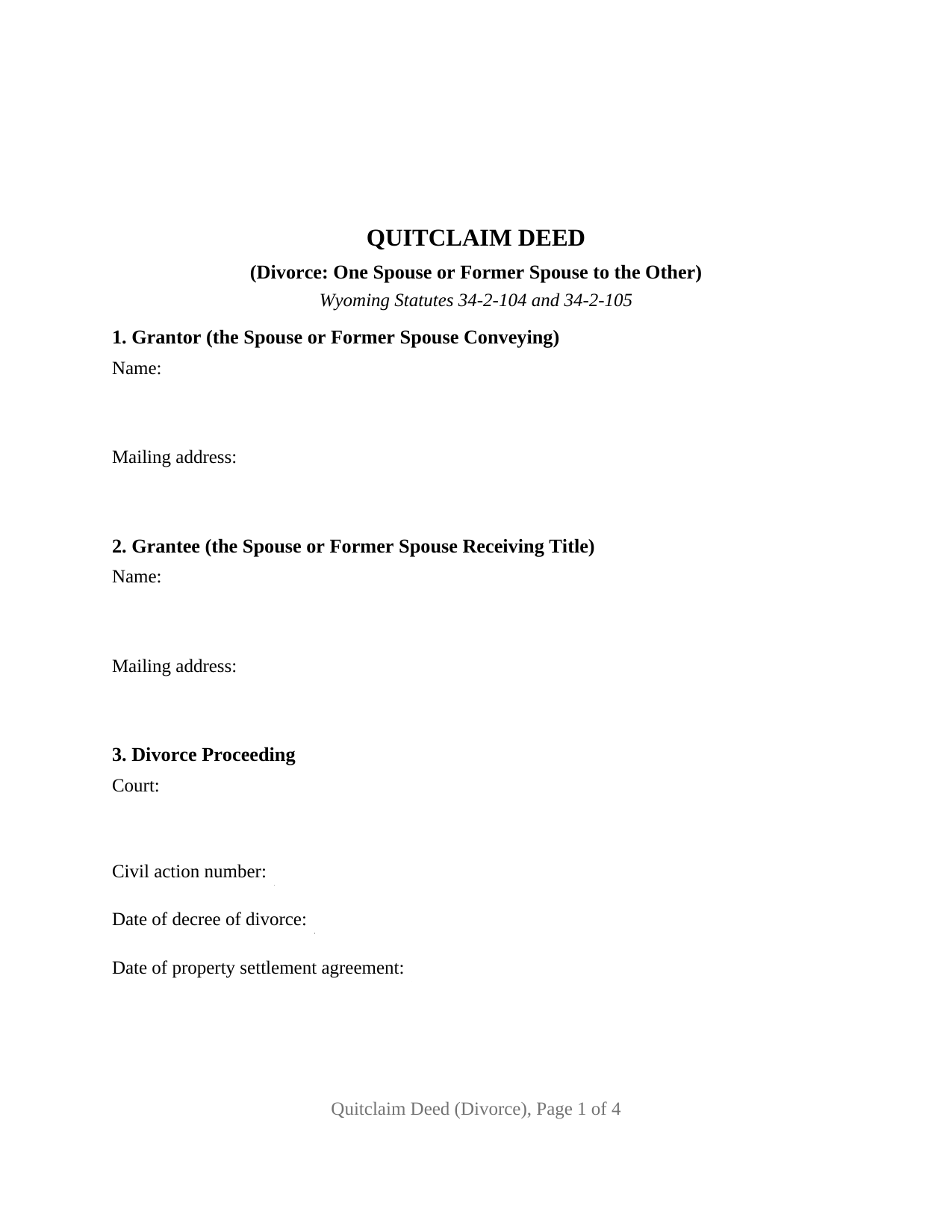
Sweetwater County Quitclaim Deed (Divorce) Form
Fill in the blank Quitclaim Deed (Divorce) form formatted to comply with all Wyoming recording and content requirements.
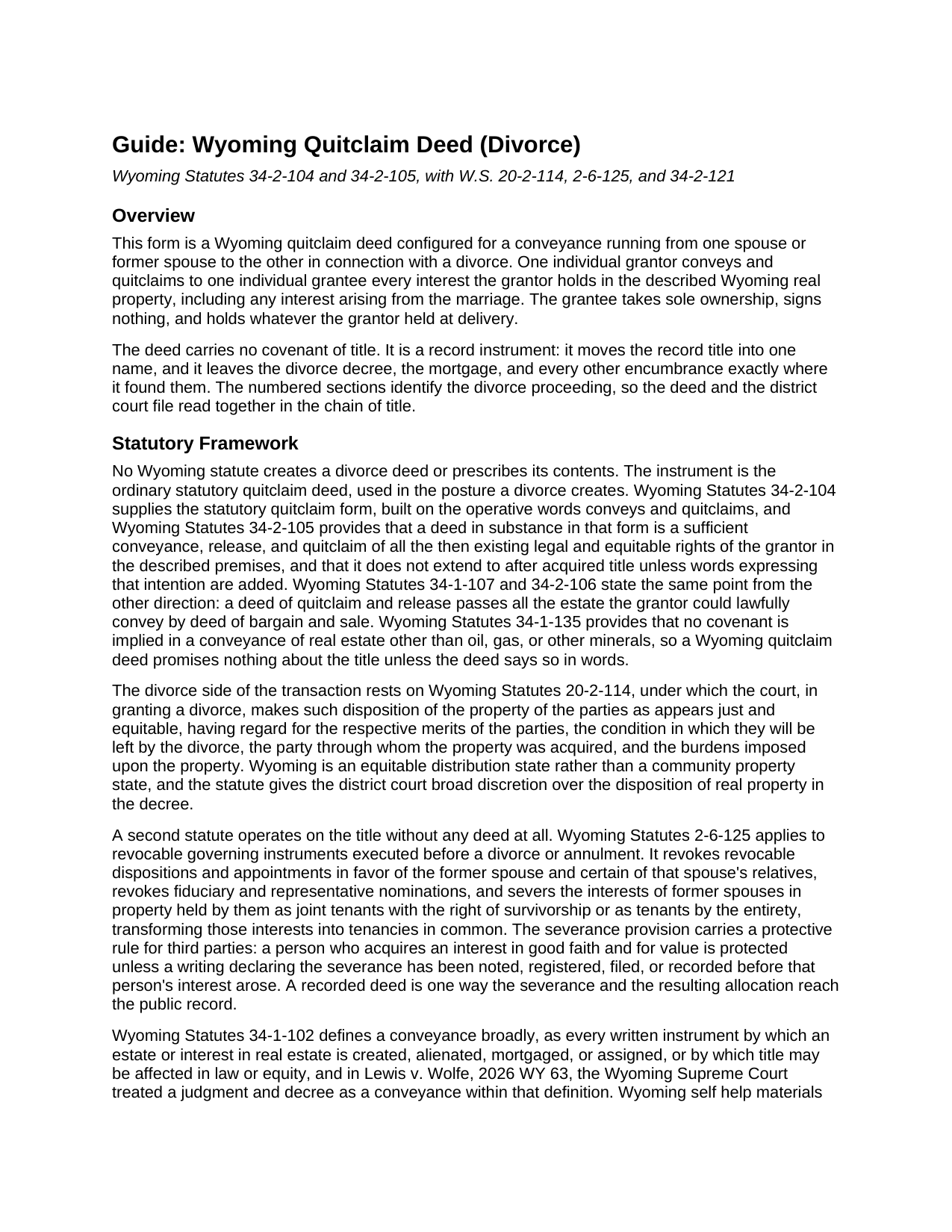
Sweetwater County Quitclaim Deed (Divorce) Guide
Line by line guide explaining every blank on the Quitclaim Deed (Divorce) form.
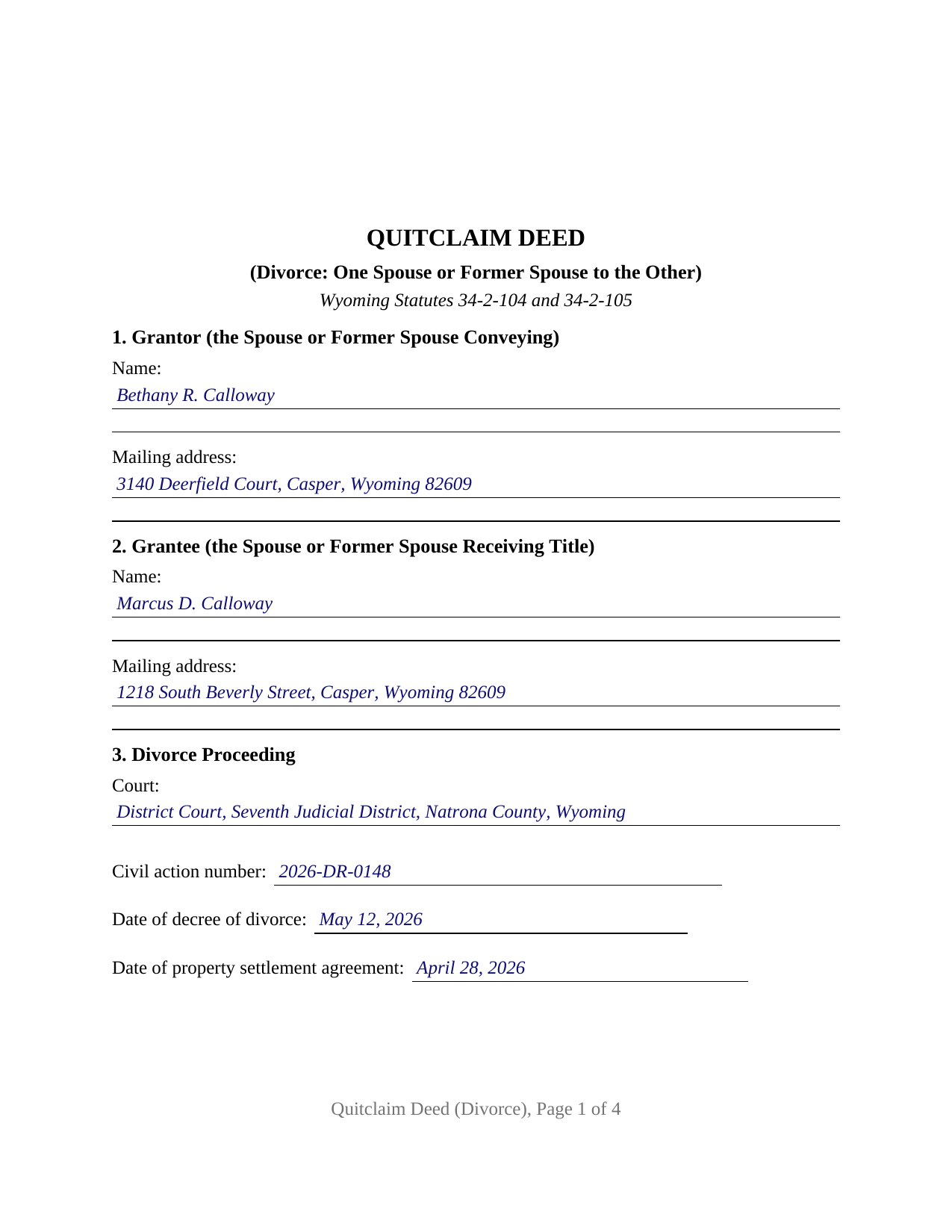
Sweetwater County Completed Example of the Quitclaim Deed (Divorce) Document
Example of a properly completed Wyoming Quitclaim Deed (Divorce) document for reference.
All 3 documents above included • One-time purchase • No recurring fees
Immediate Download • Secure Checkout
Additional Wyoming and Sweetwater County documents included at no extra charge:
Where to Record Your Documents
Sweetwater County Clerk
Green River, Wyoming 82935-4253
Hours: Monday - Friday 8:00am - 5:00pm
Phone: (307) 872-3749; Rock Springs: (307) 922-5213
Recording Tips for Sweetwater County:
- Bring your driver's license or state-issued photo ID
- Ensure all signatures are in blue or black ink
- Double-check legal descriptions match your existing deed
- Verify all names are spelled correctly before recording
- White-out or correction fluid may cause rejection
Cities and Jurisdictions in Sweetwater County
Properties in any of these areas use Sweetwater County forms:
- Bairoil
- Farson
- Granger
- Green River
- Little America
- Mc Kinnon
- Point Of Rocks
- Reliance
- Rock Springs
- Superior
- Wamsutter
Hours, fees, requirements, and more for Sweetwater County
How do I get my forms?
Forms are available for immediate download after payment. The Sweetwater County forms will be in your account ready to download to your computer. An account is created for you during checkout if you don't have one. Forms are NOT emailed.
Are these forms guaranteed to be recordable in Sweetwater County?
Yes. Our form blanks are guaranteed to meet or exceed the applicable formatting requirements used for recording in Sweetwater County, including margin requirements, font requirements, and other layout standards. This guarantee applies to formatting, not to the legal sufficiency of information entered by the user or the suitability of a form for a particular transaction.
Can I reuse these forms?
Yes. You can reuse the forms for your personal use. For example, if you have multiple properties in Sweetwater County you only need to order once.
What do I need to use these forms?
The forms are PDFs that you fill out on your computer. The free Adobe Acrobat Reader is recommended, and most PDF apps also work. You do NOT enter your property information online - you download the blank forms and complete them privately on your own computer.
Are there any recurring fees?
No. This is a one-time purchase. Nothing to cancel, no memberships, no recurring fees.
How much does it cost to record in Sweetwater County?
Recording fees in Sweetwater County vary. Contact the recorder's office at (307) 872-3749; Rock Springs: (307) 922-5213 for current fees.
Questions answered? Let's get started!
A Wyoming divorce rearranges the title before anyone signs a deed. Wyoming Statutes 2-6-125 severs the interests of former spouses in property held as joint tenants with right of survivorship or as tenants by the entirety, turning it into a tenancy in common. What it leaves undone is visible: the records still show both names, and the share standing in the wrong one moves only by an instrument. This Wyoming quitclaim deed does that job: one spouse or former spouse conveys and quitclaims to the other, and numbered blanks put the court, the civil action number, and the decree date on the face of the deed.
A severance the record still has to show
The section that severs the survivorship also protects a stranger to the marriage: someone acquiring an interest in good faith and for value is protected unless a writing declaring the severance was noted, registered, filed, or recorded before that interest arose. Priority runs the same way in this race-notice state, where an unrecorded deed is void against a later good faith purchaser who records first. The same section also revokes revocable dispositions and fiduciary nominations running to a former spouse.
What the decree settles, and what the deed carries
Wyoming Statutes 20-2-114 puts the allocation in the district court's hands: in granting a divorce, the court makes the disposition of the parties' property that appears just and equitable, weighing the parties' respective merits, the condition each is left in, and the burdens on the property. Wyoming divides by equitable distribution, not by a community property formula, so no part of the outcome is arithmetic. The decree orders the allocation; the land records are where it becomes visible, and self-help material published by the Wyoming Judicial Branch states plainly that title does not move on its own when a decree is entered.
One grantor, one certificate, a homestead release on every copy
The form recites two people in fixed roles. Section 1 takes the conveying spouse or former spouse, Section 2 the receiving one with the mailing address Wyoming Statutes 34-1-119(a) makes a condition of recording, Section 3 the proceeding by court, civil action number, decree date, and settlement agreement date. The operative section conveys in the two statutory words of Wyoming Statutes 34-2-104, whose measure Wyoming Statutes 34-2-105 fixes at the rights held at delivery, and prints the homestead release and waiver of Wyoming Statutes 34-2-121 in substance. That wording rides every copy for a structural reason: signed while the action is pending, the deed runs directly between spouses, the single transaction the homestead section excepts from joinder; signed after the decree, it runs between two people who are no longer spouses of each other, neither of them the spouse of the owner that section addresses. One signature block and one certificate close it, because only the grantor signs, and the grantee takes sole ownership without signing. A spouse deeding the marital home to the other under a settlement agreement, and a former spouse clearing off a title weeks after the decree, present the pattern this deed recites, searched as a divorce quitclaim deed or a quit claim deed after divorce. It is not set up for two record owners conveying together, for an owner whose current spouse joins only to release homestead rights, for an entity or trustee grantor, or for an agent under a power of attorney.
Filing it, and the exemption a divorce carries
Filing happens with the county clerk where the land sits. One statewide schedule prices it, Wyoming Statutes 18-3-402(a)(xvi), at twelve dollars for a first page and three dollars per page beyond, and Wyoming attaches no transfer tax and no documentary stamp. The sworn Statement of Consideration travels alongside, since Wyoming Statutes 34-1-142(b) bars acceptance without one, and the divorce posture matters here: paragraph (c)(viii) lets the State Board of Equalization and the Department of Revenue exempt transfers whose sales information is not useful in determining sales-price ratios, and the joint Board and Department general order issued under it lists transfers pursuant to a court order or decree in divorce proceedings. That statement is prepared apart from this package, on the Board's confidential form.
The download delivers the blank fillable deed drawn to the format standards Wyoming's largest county clerks publish, a completed example worked through a Natrona County conveyance after a Casper divorce, and a guide covering the numbered sections, the severance and homestead statutes, notarization, and recording. The materials are informational and are not legal advice.
Important: Your property must be located in Sweetwater County to use these forms. Documents should be recorded at the county recording office listed above.
This Quitclaim Deed (Divorce) meets all recording requirements specific to Sweetwater County.
Our Promise
The documents you receive here are guaranteed to meet or exceed the applicable Sweetwater County recording format requirements. If there is a rejection caused by our formatting, we will correct the issue or refund your payment. This guarantee applies to document formatting only and does not extend to information entered by the user, the selection of the form, or the legal effect of the completed document.
Save Time and Money
Get your Sweetwater County Quitclaim Deed (Divorce) form done right the first time with Deeds.com Uniform Conveyancing Blanks. At Deeds.com, we understand that your time and money are valuable resources, and we don't want you to face a penalty fee or rejection imposed by a county recorder for submitting nonstandard documents. We constantly review and update our forms to meet rapidly changing state and county recording requirements for roughly 3,500 counties and local jurisdictions.
4.8 out of 5 - ( 4,828 Reviews )
Sandra C. 5 out of 5 stars
Quick and easy. Would recommend this site to everyone. Deed was sent to the site and recorded at my local county within 24 hours. Website could be set up better. Not labeled well for us that is not computer savvy.
We appreciate your business and value your feedback. Thank you. Have a wonderful day!
Larry G. 5 out of 5 stars
After purchasing the Quit Claim Deed, I felt I had purchased something I could have gotten free somewhere else. But after reviewing all the other information Deed.com provided, I realized you saved me a lot of time that would have been wasted on research. Money well spent.
Thank you for your feedback. We really appreciate it. Have a great day!
Susan B. 4 out of 5 stars
I guess I got what I paid for. The site said I would be able to download blank PDF forms that I could fill out on my computer. I expected fillable forms, like I download for taxes. Instead the forms I got could only be completed by using Adobe Sign and Fill tools. These are much harder to use than fillable forms.
Thank you for your feedback. We really appreciate it. Have a great day!
Matthew F. 4 out of 5 stars
Experience was very positive. It's very easy to use and I like the chat/feedback feature. It almost doubles the recording fees that is a little expensive but otherwise it works great.
We truly value your business and appreciate your review.
Cruz C. 5 out of 5 stars
L-o-v-e your site. Great over-all usable docs. thanks
Thank you for your feedback. We really appreciate it. Have a great day!
Maura M. 5 out of 5 stars
Easy user friendly website
Thank you!
James A. 5 out of 5 stars
Very easy to navigate and start your process.
Thank you for your positive words! We’re thrilled to hear about your experience.
Angela W. 5 out of 5 stars
All went well.
Thank you for your feedback. We really appreciate it. Have a great day!
Ryan E. 5 out of 5 stars
Great customer service. I was surprised by the attention to detail that went into reviewing my documents and value provided by deeds.com. Definitely recommend.
Thank you for your feedback. We really appreciate it. Have a great day!
Janice U. 5 out of 5 stars
So far everything is going really well. Thank you!
Thank you!
Richard W. 5 out of 5 stars
Very happy I tried your service/product. The quit deed forms were excepted by the register of deeds with no issue. Thank You
We appreciate your business and value your feedback. Thank you. Have a wonderful day!
Dean L. 3 out of 5 stars
The template isn't that easy to work with, with you have to type out large amounts of text. Also copy and paste doesn't seem to work. Furthermore, the code listed on the guide is out of date. However, the DQC is decent in that it has all the required fields you need.
Thank you for your feedback. We really appreciate it. Have a great day!
Mark E. 4 out of 5 stars
This was easy to use and only contained one glaring error-where to send the completed form to finish the process. I’ve completed the form, does this mean I get the amended deed sent to me? I think not.
Your insights are invaluable to us and help us strive for better service. Thank you for taking the time to share your thoughts.
Clifford A. 5 out of 5 stars
Very efficient and smooth process. Thank you!
Thank you!
Michael N. 5 out of 5 stars
This is an extremely helpful and very fast way to file with property recorders. It saved me time away from work and provided a receipt for the filing
Thank you, Michael! We're glad to hear the process was fast and efficient for you—and that it saved you time from work. Appreciate you sharing your experience!