Cochise County Quitclaim Deed (Married Grantor with Non-Owner Spouse Joinder) Form
Last validated October 29, 2026 by our Forms Development TeamFormatted for recording in Cochise County, for property anywhere in the county: rural and unincorporated areas as well as Benson, Bisbee, Bowie, Cochise, Douglas, Dragoon, Elfrida, Fort Huachuca and 12 more.
- 3 documents included
- Immediate PDF download
- Formatting guarantee
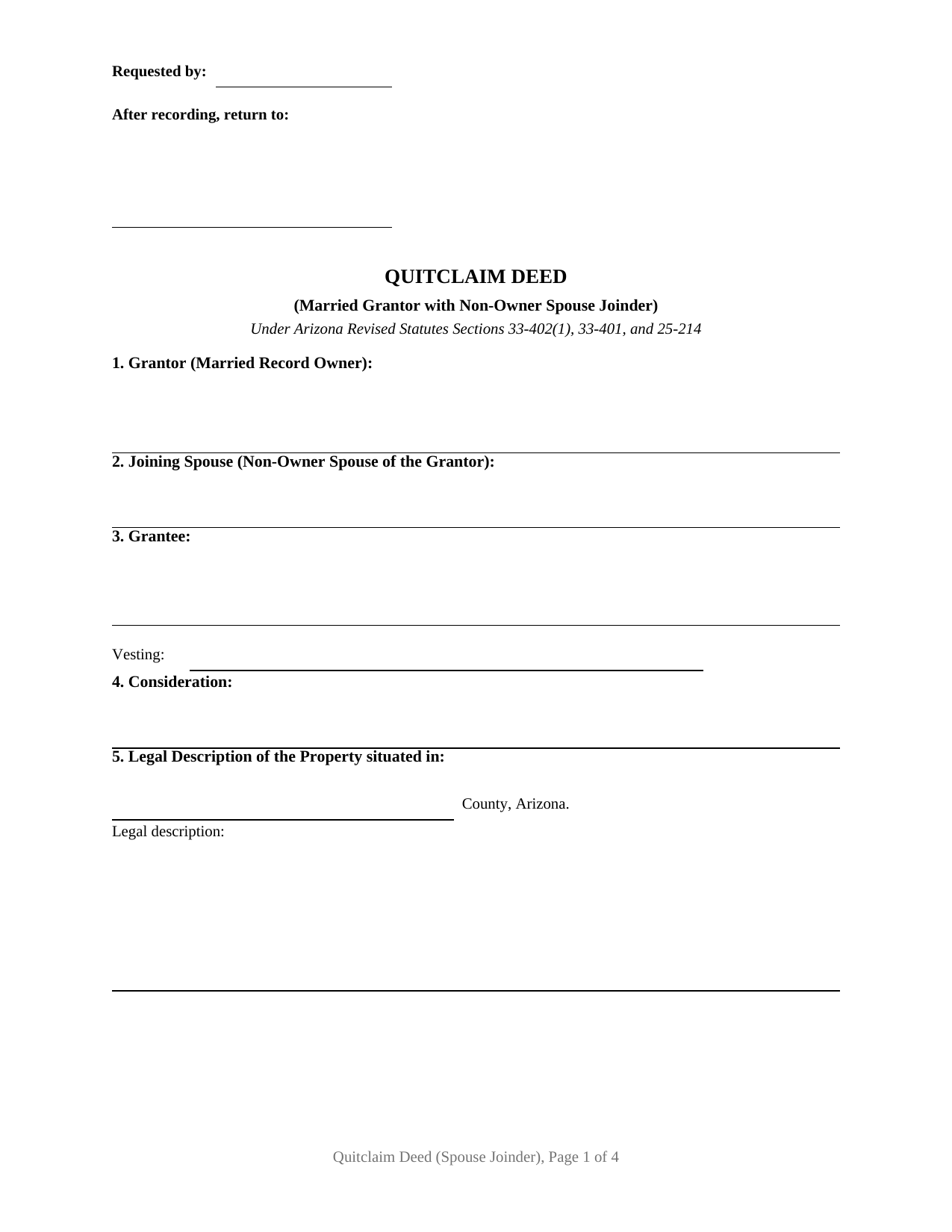
Cochise County Quitclaim Deed (Married Grantor with Non-Owner Spouse Joinder) Form
Fill in the blank Quitclaim Deed (Married Grantor with Non-Owner Spouse Joinder) form formatted to comply with all Arizona recording and content requirements.
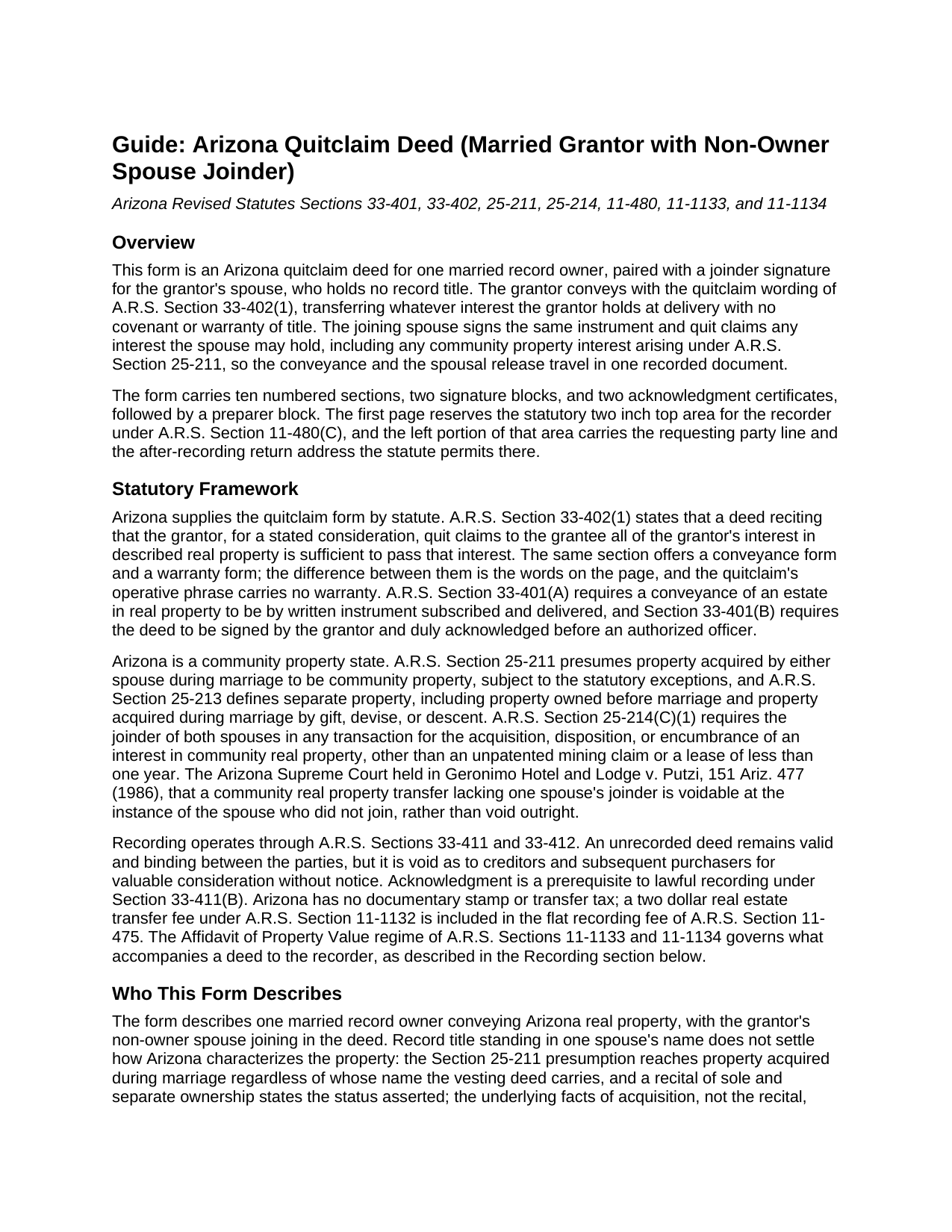
Cochise County Quitclaim Deed (Married Grantor with Non-Owner Spouse Joinder) Guide
Line by line guide explaining every blank on the Quitclaim Deed (Married Grantor with Non-Owner Spouse Joinder) form.
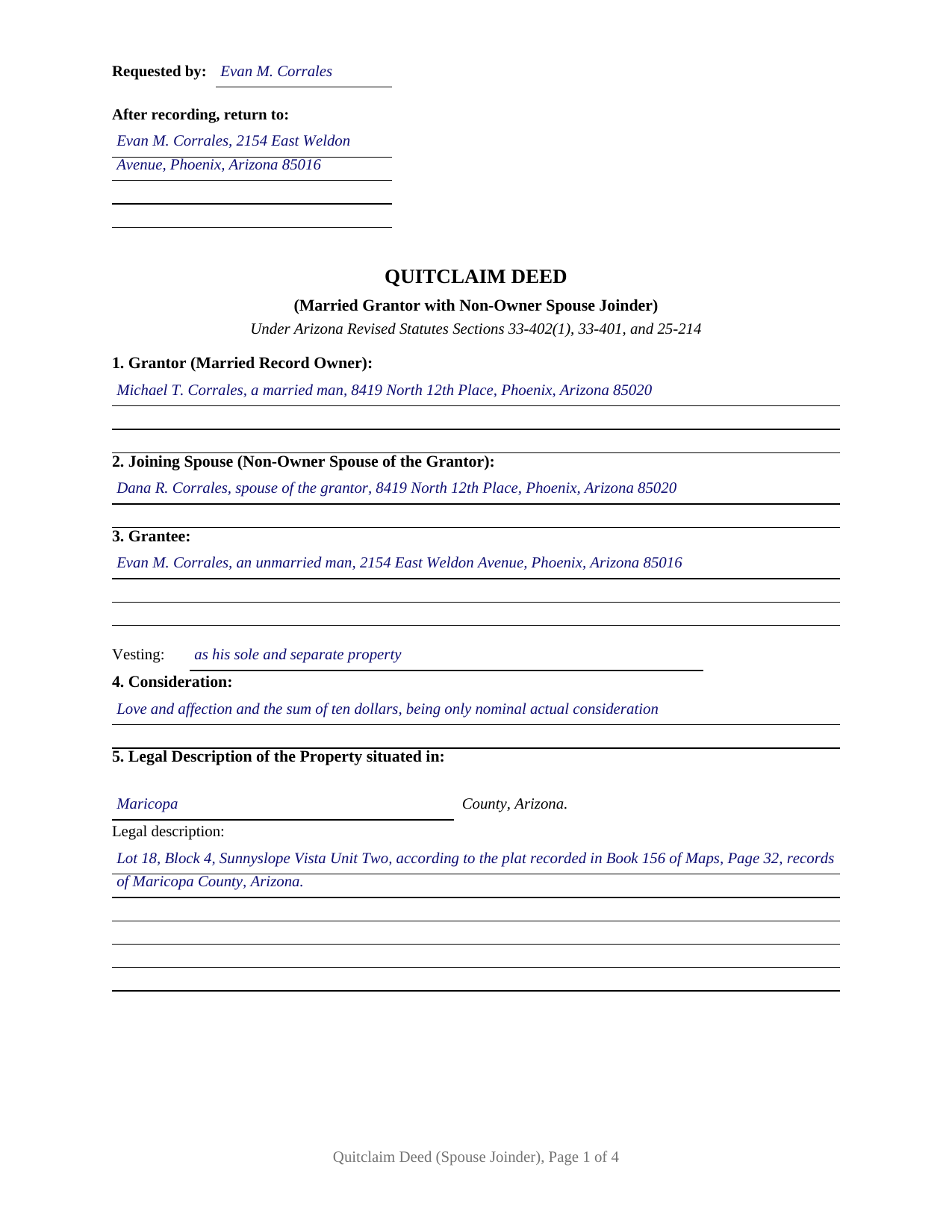
Cochise County Completed Example of the Quitclaim Deed (Married Grantor with Non-Owner Spouse Joinder) Document
Example of a properly completed Arizona Quitclaim Deed (Married Grantor with Non-Owner Spouse Joinder) document for reference.
All 3 documents above included • One-time purchase • No recurring fees
Immediate Download • Secure Checkout
Additional Arizona and Cochise County documents included at no extra charge:
Where to Record Your Documents
Recorder's Office
Bisbee, Arizona 85603
Hours: 8:00am - 5:00pm Monday - Friday
Phone: 520-432-8350
Recording Tips for Cochise County:
- Bring your driver's license or state-issued photo ID
- Ensure all signatures are in blue or black ink
- Verify all names are spelled correctly before recording
- White-out or correction fluid may cause rejection
- Ask about their eRecording option for future transactions
Cities and Jurisdictions in Cochise County
Properties in any of these areas use Cochise County forms:
- Benson
- Bisbee
- Bowie
- Cochise
- Douglas
- Dragoon
- Elfrida
- Fort Huachuca
- Hereford
- Huachuca City
- Mc Neal
- Naco
- Pearce
- Pirtleville
- Pomerene
- Saint David
- San Simon
- Sierra Vista
- Tombstone
- Willcox
Hours, fees, requirements, and more for Cochise County
How do I get my forms?
Forms are available for immediate download after payment. The Cochise County forms will be in your account ready to download to your computer. An account is created for you during checkout if you don't have one. Forms are NOT emailed.
Are these forms guaranteed to be recordable in Cochise County?
Yes. Our form blanks are guaranteed to meet or exceed the applicable formatting requirements used for recording in Cochise County, including margin requirements, font requirements, and other layout standards. This guarantee applies to formatting, not to the legal sufficiency of information entered by the user or the suitability of a form for a particular transaction.
Can I reuse these forms?
Yes. You can reuse the forms for your personal use. For example, if you have multiple properties in Cochise County you only need to order once.
What do I need to use these forms?
The forms are PDFs that you fill out on your computer. The free Adobe Acrobat Reader is recommended, and most PDF apps also work. You do NOT enter your property information online - you download the blank forms and complete them privately on your own computer.
Are there any recurring fees?
No. This is a one-time purchase. Nothing to cancel, no memberships, no recurring fees.
How much does it cost to record in Cochise County?
Recording fees in Cochise County vary. Contact the recorder's office at 520-432-8350 for current fees.
Questions answered? Let's get started!
One of the two signature lines on this Arizona quitclaim deed belongs to a person who may hold no interest at all. The form is drafted for a married grantor whose name stands alone on the deed of record: the grantor conveys with the quitclaim words the statute supplies, A.R.S. Section 33-402(1), while the grantor's spouse signs a joinder that quit claims to the same grantee any interest the spouse may hold. Conveyance and release travel in one instrument.
The Signature That Settles the Community Question
Record title in one name does not answer how Arizona characterizes the property. A.R.S. Section 25-211 presumes property acquired during marriage to be community, and Section 25-214(C) calls for both spouses to join in disposing of community real property; a home bought before the wedding may carry community contributions, and recitals of sole and separate ownership may rest on facts pointing the other way. Arizona case law treats a community real property transfer that one spouse never joined as voidable at that spouse's instance. The joinder line closes the question on the face of the record: however the property is characterized, both spouses have conveyed.
What the Joinder Recites
The joining spouse is not presented as a co-owner. The deed recites that the joining spouse holds no record title, joins to evidence the joinder of both spouses described in Section 25-214(C), and quit claims any interest the spouse may have, including any community interest arising under Section 25-211. The joinder conveys and releases; it promises nothing about title, and it does not recharacterize property that is separate under A.R.S. Section 25-213. The grantee receives the grantor's interest and whatever interest the spouse held, with no covenant of warranty from either signer.
How the Form Is Arranged
The instrument carries one grantor block, one joining spouse block, a grantee section with its own vesting line, and two signature lines, each with a separate certificate on the Arizona short form of A.R.S. Section 41-265, so the spouses may appear before different notaries or on different dates. The configuration is deliberately asymmetric: the form recites exactly one married record owner, and the second signature belongs to a spouse who holds none of the record title. It is not set up for two owners whose names both appear on the vesting deed and who convey together, and it is not arranged as a conveyance running from one spouse to the other; the grantee here is a third party, and the spouses stand together on the granting side. A record owner deeding the family home to an adult child while the other spouse releases any community interest, and a seller whose escrow file notes a title insurer's request that both spouses execute, present the pattern this deed recites. The completed example works the first pattern through a Maricopa County parcel and claims the exemption notation A.R.S. 11-1134 B3, the code for a residential transfer between parent and child with only nominal actual consideration, on the line positioned directly under the legal description.
Through the Recorder's Door
The deed records with the county recorder of the county where the property sits, for the flat thirty dollar fee of A.R.S. Section 11-475, which already folds in the state's two dollar transfer fee. Where the transaction is exempt under Section 11-1134, the exemption code on the face of the deed takes the place of the Affidavit of Property Value; where consideration actually changes hands, the completed affidavit rides with the deed under Section 11-1133. The form is drafted to the Section 11-480 format standards, and the reserved area at the top of the first page carries the requesting party and the after-recording return address where the statute permits them.
The download supplies the blank deed as a fillable PDF, the completed Maricopa County example, and a guide covering every section, the joinder mechanics, the vesting choices, and recording, including the notary thumbprint and recording identification rules arriving September 12, 2026 under Laws 2026, Chapter 31. The materials are informational and are not legal advice.
Important: Your property must be located in Cochise County to use these forms. Documents should be recorded at the county recording office listed above.
This Quitclaim Deed (Married Grantor with Non-Owner Spouse Joinder) meets all recording requirements specific to Cochise County.
Our Promise
The documents you receive here are guaranteed to meet or exceed the applicable Cochise County recording format requirements. If there is a rejection caused by our formatting, we will correct the issue or refund your payment. This guarantee applies to document formatting only and does not extend to information entered by the user, the selection of the form, or the legal effect of the completed document.
Save Time and Money
Get your Cochise County Quitclaim Deed (Married Grantor with Non-Owner Spouse Joinder) form done right the first time with Deeds.com Uniform Conveyancing Blanks. At Deeds.com, we understand that your time and money are valuable resources, and we don't want you to face a penalty fee or rejection imposed by a county recorder for submitting nonstandard documents. We constantly review and update our forms to meet rapidly changing state and county recording requirements for roughly 3,500 counties and local jurisdictions.
4.8 out of 5 - ( 4,837 Reviews )
franklin m. 5 out of 5 stars
good format, helpful instructions
Thank you!
Lisa G. 5 out of 5 stars
Form and info was good
We appreciate your business and value your feedback. Thank you. Have a wonderful day!
Thomas W. 5 out of 5 stars
The serevice was fast and accurate. I would highly recommend Deeds.com to my friends and associates.
Thank you!
iris e. 5 out of 5 stars
Easy to use website. customer service messages you back super quickly. They also double check your work and if anything is missing they message me right away. Price is reasonable. I highly recommend their services. 5 Star hands Down!!
We are grateful for your engagement and feedback, which help us to serve you better. Thank you for being an integral part of our community.
Kevin E. 5 out of 5 stars
Great app works very well thank you very much
Thank you!
roger m. 5 out of 5 stars
super clean interface i thank you very much
Thank you!
Jerry O. 2 out of 5 stars
Everything I needed including detailed instructions to transfer the deed on my house from me alone to me and my wife as joint owners with right of survivorship. Formatting was compliant and blanks for all information required were provided in all the right places. 5 stars
We appreciate your business and value your feedback. Thank you. Have a wonderful day!
Robert h. 5 out of 5 stars
excellent and simple to use. Great price for this.
Thank you Robert! We really appreciate your feedback.
Hussein A. 5 out of 5 stars
Very satisfied with Deeds.com’s services—fast, efficient, and professional.
Your feedback is appreciated. Thank you for letting us know how we did.
ANGELIA E. 5 out of 5 stars
Thanks for your expedite process
We appreciate your business and value your feedback. Thank you. Have a wonderful day!
Jennifer H. 1 out of 5 stars
Price is too expensive.
Thank you for your feedback Jennifer.
Lisa D. 5 out of 5 stars
Love this site! They are very fast in retrieving information. Will use this site again. Thank You for this service!
We appreciate your business and value your feedback. Thank you. Have a wonderful day!
Warren B. 5 out of 5 stars
Outstanding. There is nothing worse than finding the correct forms or having to hire an atty to do what most people can do on their own. I cant speak for all but these forms are fairly easy. The addition of guides and supplement forms are excellent. I just saved quite a bit of money with your site. Thanks
We appreciate your business and value your feedback. Thank you. Have a wonderful day!
Rechantell A. 5 out of 5 stars
It was quick and easy. Trust worthy. Very satisfied and would recommend. Thank you for your services.
We appreciate your business and value your feedback. Thank you. Have a wonderful day!
Laurie F. 5 out of 5 stars
I am so glad I found Deeds.com. You had exactly what I needed and made it easy to download. I have bookmarked you in the event of further inquiry. Thank you.
We appreciate your business and value your feedback. Thank you. Have a wonderful day!