Hampden County Quitclaim Deed with Covenants Form
Last validated October 2, 2026 by our Forms Development TeamFormatted for recording in Hampden County, for property anywhere in the county: rural and unincorporated areas as well as Agawam, Blandford, Bondsville, Brimfield, Chester, Chicopee, East Longmeadow, Feeding Hills and 19 more.
- 3 documents included
- Immediate PDF download
- Formatting guarantee
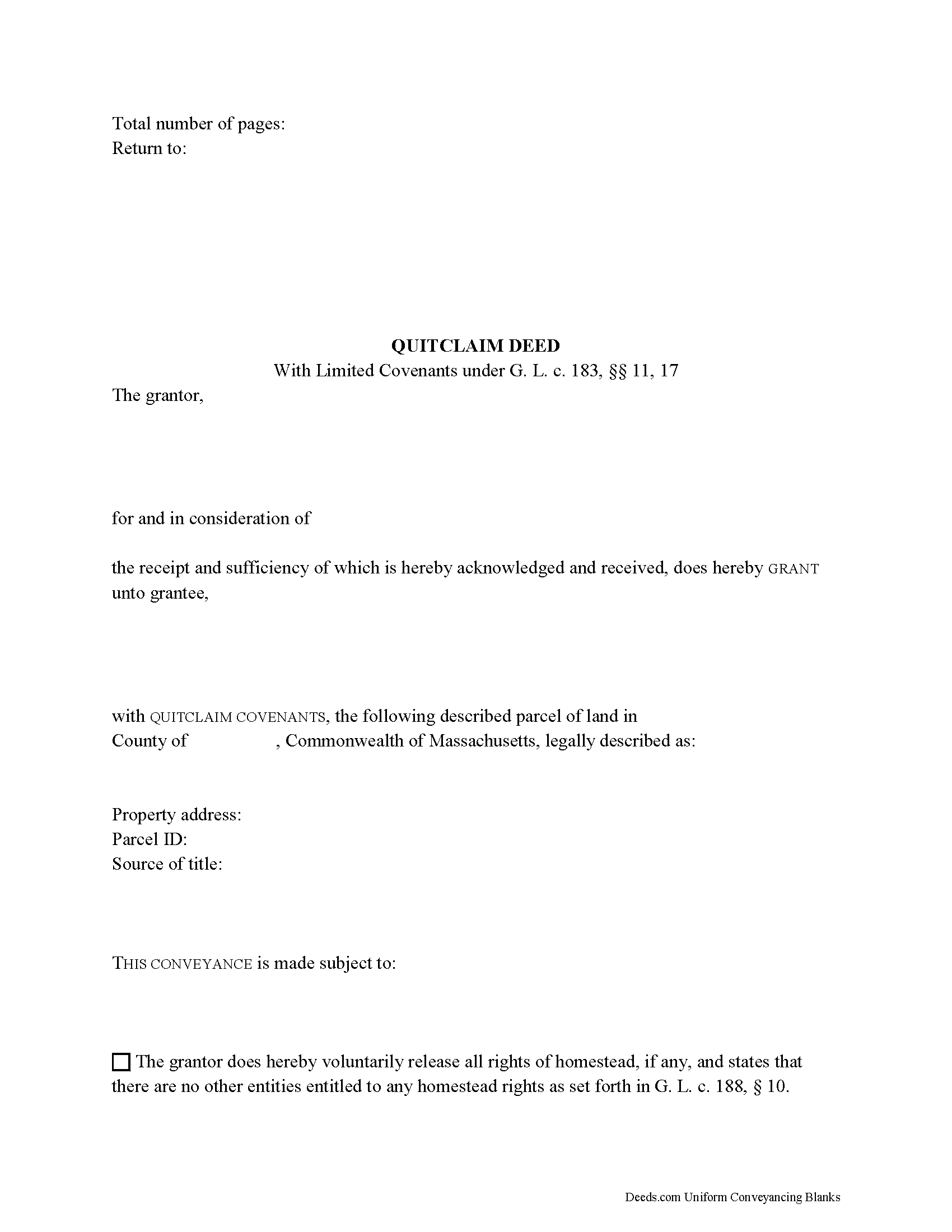
Hampden County Quitclaim Deed with Covenants Form
Fill in the blank Quitclaim Deed with Covenants form formatted to comply with all Massachusetts recording and content requirements.
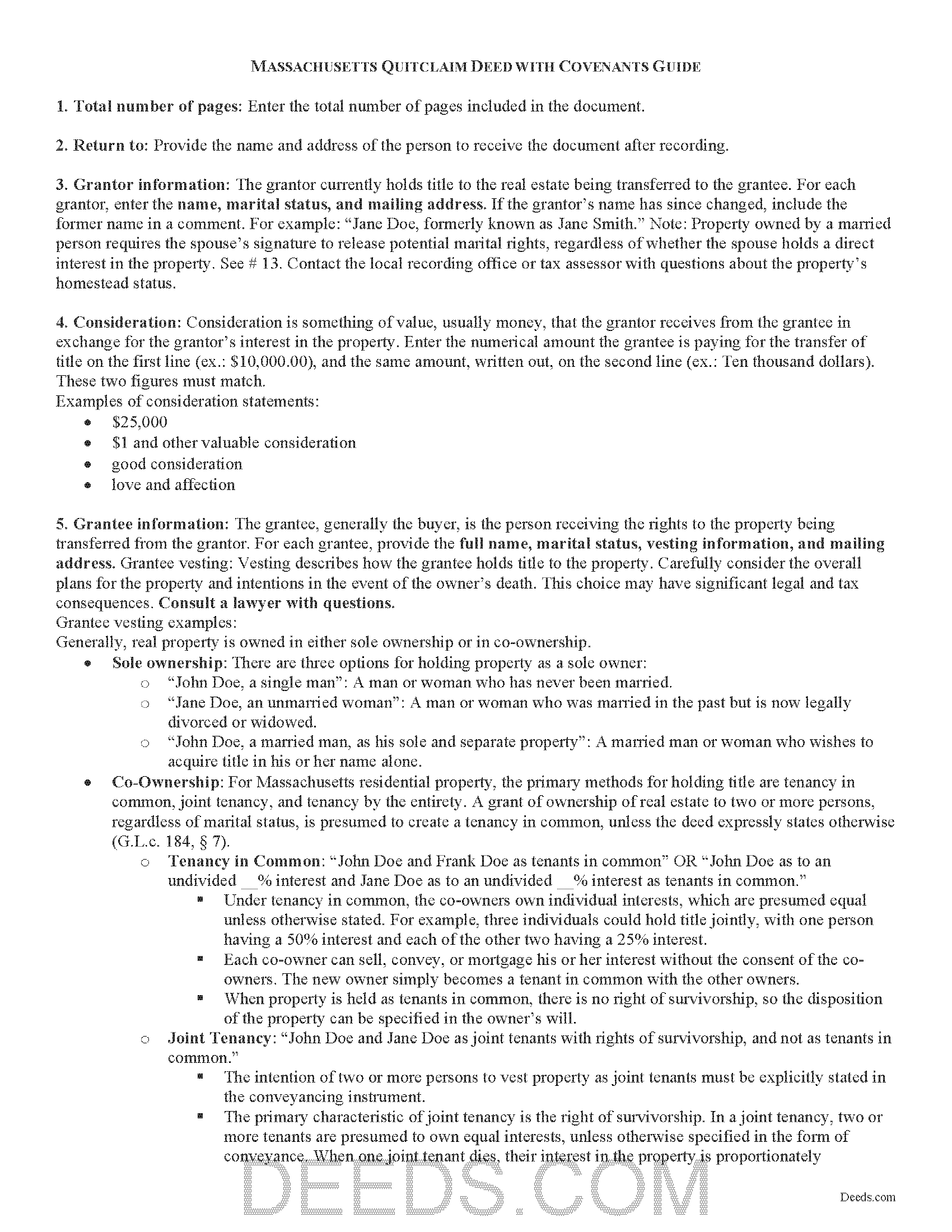
Hampden County Quitclaim Deed with Covenants Guide
Line by line guide explaining every blank on the Quitclaim Deed with Covenants form.
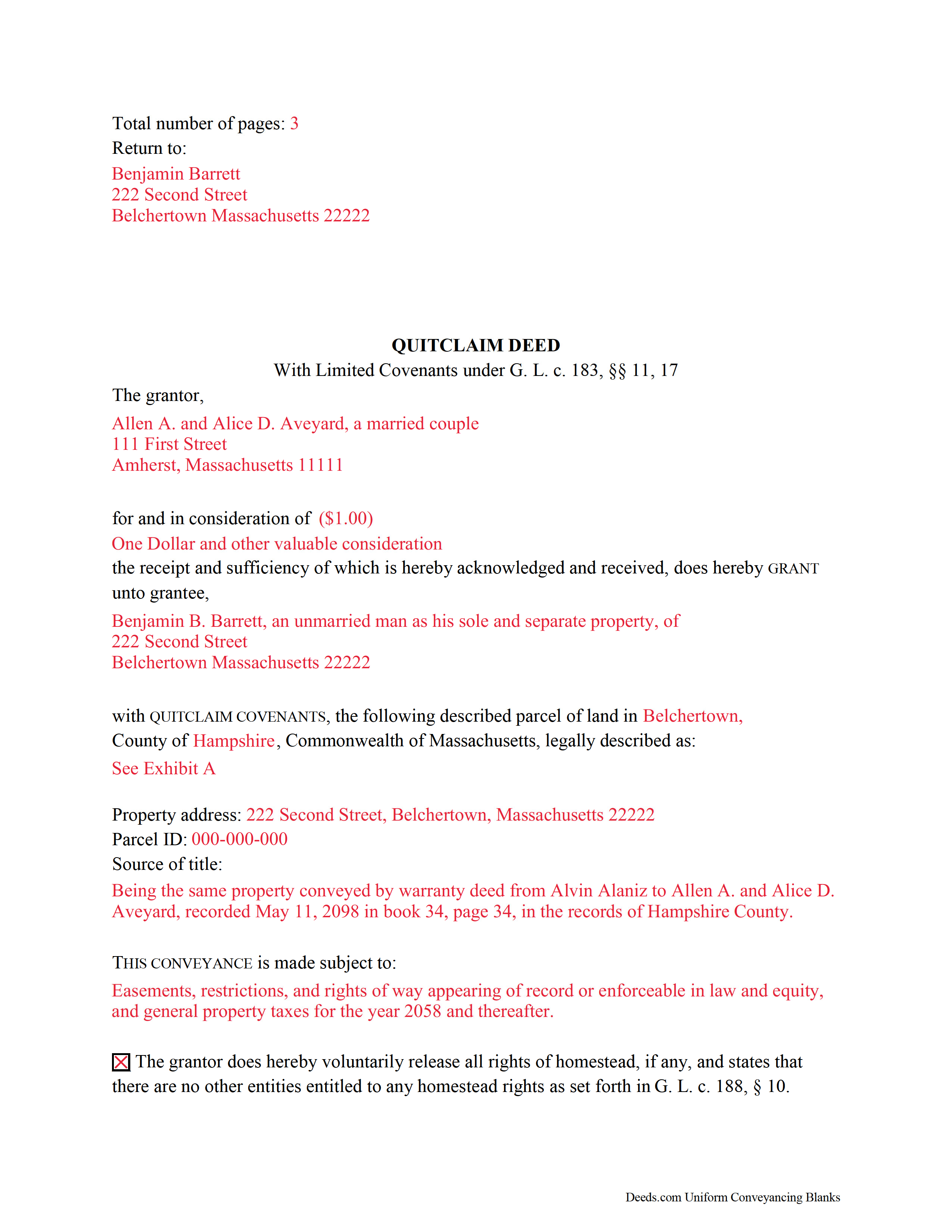
Hampden County Completed Example of the Quitclaim Deed with Covenants Document
Example of a properly completed Massachusetts Quitclaim Deed with Covenants document for reference.
All 3 documents above included • One-time purchase • No recurring fees
Immediate Download • Secure Checkout
Additional Massachusetts and Hampden County documents included at no extra charge:
Where to Record Your Documents
Hampden Registry of Deeds
Springfield, Massachusetts 01103
Hours: Monday through Friday 8:30 to 4:30 / Recording until 4:00
Phone: (413) 755-1722
Westfield Satellite Office
Westfield, Massachusetts 01085
Hours: Mon-Fri 9:00 to 12:00 & 1:00 to 4:00 / Recording Mon, Wed, Fri only
Phone: (413) 755-1722
Recording Tips for Hampden County:
- Bring your driver's license or state-issued photo ID
- Ensure all signatures are in blue or black ink
- Check margin requirements - usually 1-2 inches at top
- Leave recording info boxes blank - the office fills these
- Make copies of your documents before recording - keep originals safe
Cities and Jurisdictions in Hampden County
Properties in any of these areas use Hampden County forms:
- Agawam
- Blandford
- Bondsville
- Brimfield
- Chester
- Chicopee
- East Longmeadow
- Feeding Hills
- Granville
- Hampden
- Holland
- Holyoke
- Indian Orchard
- Longmeadow
- Ludlow
- Monson
- Palmer
- Russell
- Southwick
- Springfield
- Thorndike
- Three Rivers
- Wales
- West Springfield
- Westfield
- Wilbraham
- Woronoco
Hours, fees, requirements, and more for Hampden County
How do I get my forms?
Forms are available for immediate download after payment. The Hampden County forms will be in your account ready to download to your computer. An account is created for you during checkout if you don't have one. Forms are NOT emailed.
Are these forms guaranteed to be recordable in Hampden County?
Yes. Our form blanks are guaranteed to meet or exceed the applicable formatting requirements used for recording in Hampden County, including margin requirements, font requirements, and other layout standards. This guarantee applies to formatting, not to the legal sufficiency of information entered by the user or the suitability of a form for a particular transaction.
Can I reuse these forms?
Yes. You can reuse the forms for your personal use. For example, if you have multiple properties in Hampden County you only need to order once.
What do I need to use these forms?
The forms are PDFs that you fill out on your computer. The free Adobe Acrobat Reader is recommended, and most PDF apps also work. You do NOT enter your property information online - you download the blank forms and complete them privately on your own computer.
Are there any recurring fees?
No. This is a one-time purchase. Nothing to cancel, no memberships, no recurring fees.
How much does it cost to record in Hampden County?
Recording fees in Hampden County vary. Contact the recorder's office at (413) 755-1722 for current fees.
Questions answered? Let's get started!
Real estate conveyances in Massachusetts are governed under Massachusetts General Laws Chapters 183 and 184.
Quitclaim deeds with limited covenants are used to transfer the rights, title, and interest in real estate, if any, from the grantor (seller) to the grantee (buyer). When using this kind of deed, the grantor "covenants that the property is free from all encumbrances," and that he will "warrant and defend the same to the grantee forever against the lawful claims and demands of all persons claiming by, through or under the grantor, but against none other" (G.L.c. 183 sec. 17). Because of these covenants, this form is valid as-is for use as a special warranty deed in Massachusetts.
In addition to meeting all state and local standards for recorded documents, a lawful deed identifies the name, address, and marital status of each grantor and grantee (G.L.c. 183 sec. 6). State law requires that all land records contain information on how the grantee will hold title (G.L.c. 184 sec. 7). For Massachusetts residential property, the primary methods for holding title are tenancy in common, joint tenancy, and tenancy by the entirety. A grant of ownership of real estate to two or more persons, regardless of marital status, is presumed to create a tenancy in common, unless the deed expressly states otherwise (G.L.c. 184 sec. 7).
As with any conveyance of real estate, a quitclaim deed with limited covenants requires a complete legal description of the parcel. The deed must state the amount of the full consideration, or the total price for the conveyance (G.L.c. 183 sec. 6). Based on the consideration paid, an excise tax (also known as a transfer tax or stamp tax) is collected from the seller (G.L.c. 64D sec. 1,2).
Record the completed deed at the local County Registry of Deeds office. Some counties (Berkshire, Bristol, Essex, Middlesex, Worcester) are split into two or more recording districts. Make sure to record the deed in the correct recording district. If the deed pertains to registered land, submit the deed to the Registry District of the Land Court. Include all relevant affidavits, forms, and fees along with the deed for recording. For guidance related to supplemental documentation, speak with the local Registry of Deeds office.
This article is provided for informational purposes only and is not a substitute for legal advice. Contact a lawyer with questions about quitclaim deeds with limited covenants or transfers of real property in Massachusetts.
(Massachusetts QCD with Covenants Package includes form, guidelines, and completed example)
Important: Your property must be located in Hampden County to use these forms. Documents should be recorded at the county recording office listed above.
This Quitclaim Deed with Covenants meets all recording requirements specific to Hampden County.
Our Promise
The documents you receive here are guaranteed to meet or exceed the applicable Hampden County recording format requirements. If there is a rejection caused by our formatting, we will correct the issue or refund your payment. This guarantee applies to document formatting only and does not extend to information entered by the user, the selection of the form, or the legal effect of the completed document.
Save Time and Money
Get your Hampden County Quitclaim Deed with Covenants form done right the first time with Deeds.com Uniform Conveyancing Blanks. At Deeds.com, we understand that your time and money are valuable resources, and we don't want you to face a penalty fee or rejection imposed by a county recorder for submitting nonstandard documents. We constantly review and update our forms to meet rapidly changing state and county recording requirements for roughly 3,500 counties and local jurisdictions.
4.8 out of 5 - ( 4,828 Reviews )
Ralph B. 5 out of 5 stars
My needs were met quickly and efficiently with very little wait. Deeds.com made it easy to understand and use their program and I couldn't be more happy with the results!
It was a pleasure serving you. Thank you for the positive feedback!
rich b. 3 out of 5 stars
Had pretty much everything I needed. Had to slice and dice a bit.
Thank you!
Bette B. 5 out of 5 stars
Got Form I needed with detailed instructions and it was inexpensive
Thank you for your feedback. We really appreciate it. Have a great day!
Conrad R. 5 out of 5 stars
Easy to obtain form, easy to use. Came with instrucions and references to state statutes. Very Helpful.
We appreciate your business and value your feedback. Thank you. Have a wonderful day!
Spencer A. 5 out of 5 stars
Deeds.com made it so easy to file my paper work with the county. It saved me half a days travel and cost me about a tank of gas. This service was well worth the saved travel time and energy. I would highly recommend this service to other individuals. The other companies I spoke with only service law firms, title companies & banks etc. Thanks deed.com, I'll be back and will refer all my friends too.
Thank you so much Spencer, we really appreciate your feedback!
James N. 2 out of 5 stars
The purchasing process was very slick and my credit card was charged IMMEDIATELY. The deliver went well as the link was provided immediately. However I asked a question via the "Contact Us" link and days later I get a survey but no reply. I may have been directed to the wrong forms via my County and I wanted to confirm that...but still no answer. What would that deserve as a rating???
Also, your history on our site shows no messages sent via our contact us page.
Wanda R. 5 out of 5 stars
Very satisfied with the ease of using your database. Excellent place to get help with deeds.
We appreciate your business and value your feedback. Thank you. Have a wonderful day!
Mark S. 5 out of 5 stars
Very easy site to navigate. The quit claim deed I downloaded was perfect for my needs. Would like to see a (Deed in Lieu of Foreclosure) added to the forms list.
We appreciate your business and value your feedback. Thank you. Have a wonderful day!
Owen w. 5 out of 5 stars
Was very pleased with execution of the forms. Easy to understand and was hassle free.
Thank you!
Laura L. 5 out of 5 stars
Used a form from this service. Best part about these forms is that they don't let you get in trouble by removing or changing things that should not be changed. It's easy to look at something and think why is this margin so big, why is this field so small and want to change it only to find out it is incredibly important. That's why they are the deed document pros.
Thank you for the thoughtful review! We're so glad to hear you found our forms reliable and well-structured. It’s true—what might look like an odd margin or a small field is often there for a very specific legal or recording reason. We’ve seen how small changes can lead to big headaches, which is why we design our documents to be both user-friendly and compliant with strict recording standards. We really appreciate you recognizing the care that goes into each one. Thanks again for choosing us!
Willie P. 5 out of 5 stars
got the forms needed plus all the information needed to fill them out.
We appreciate your business and value your feedback. Thank you. Have a wonderful day!
Wayne A. 4 out of 5 stars
good service but pricey.
Thank you for your feedback. We really appreciate it. Have a great day!
Ismael R. 5 out of 5 stars
Very informative and acess was instant and precise.
Great to hear — thank you for taking the time to write a review.
Lan S. 5 out of 5 stars
extremely satisfied with the service. I could not get file size correctly at the beginning. I received quick responses pointing out specific problem, which was very helpful for me to correct the mistake. It took 5 or 6 times due to different errors to finally achieve the qualified version. The customer care team was very patient walking me through the process.
We appreciate your business and value your feedback. Thank you. Have a wonderful day!
Richard T. 5 out of 5 stars
Amazing service from competent individuals that really go above and beyond to get you documents processed.
Thank you!