Hampden County Estate Tax Affidavit Form
Last validated October 7, 2026 by our Forms Development TeamFormatted for recording in Hampden County, for property anywhere in the county: rural and unincorporated areas as well as Agawam, Blandford, Bondsville, Brimfield, Chester, Chicopee, East Longmeadow, Feeding Hills and 19 more.
- 3 documents included
- Immediate PDF download
- Formatting guarantee
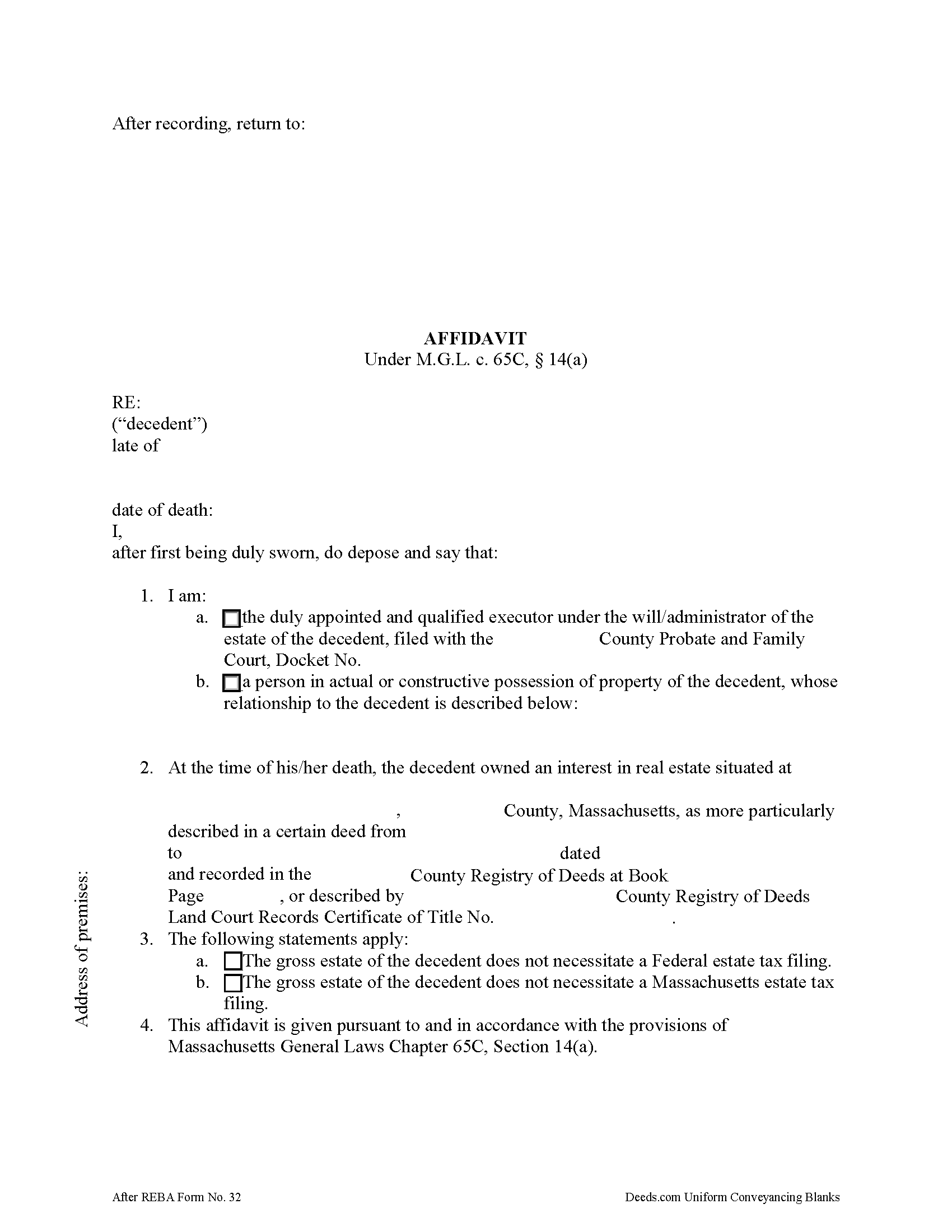
Hampden County Estate Tax Affidavit Form
Fill in the blank form formatted to comply with all recording and content requirements.
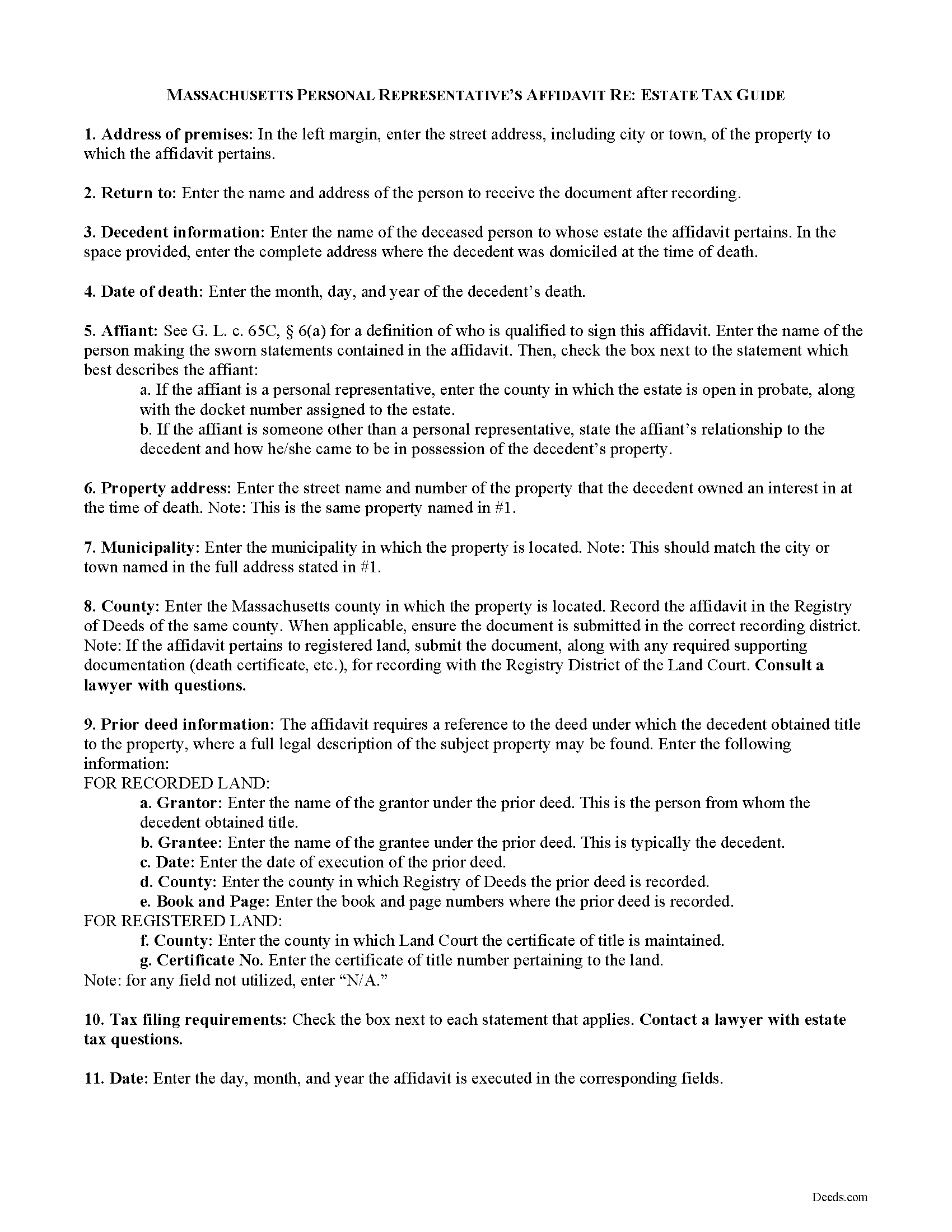
Hampden County Estate Tax Affidavit Guide
Line by line guide explaining every blank on the form.
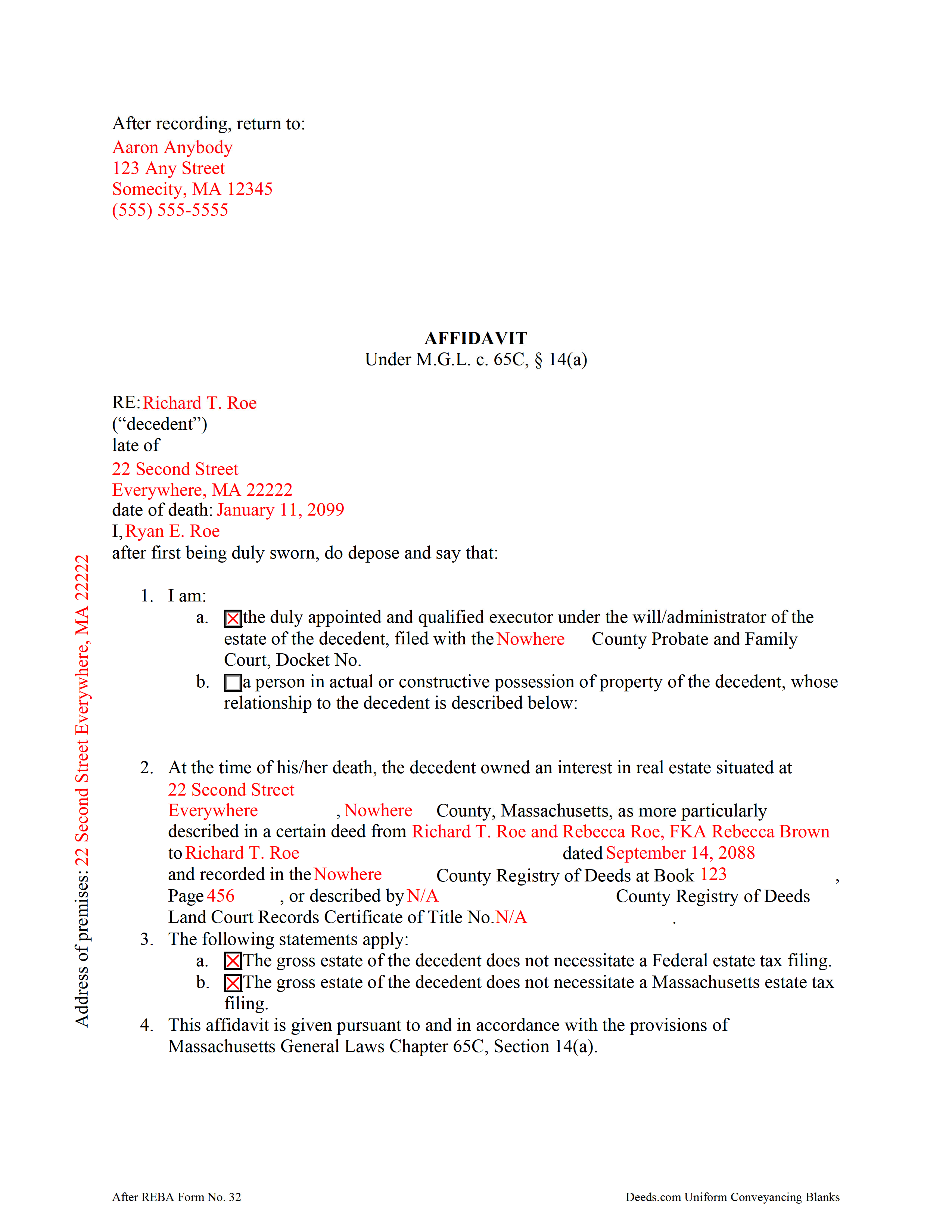
Hampden County Completed Example of the Estate Tax Affidavit Document
Example of a properly completed form for reference.
All 3 documents above included • One-time purchase • No recurring fees
Immediate Download • Secure Checkout
Additional Massachusetts and Hampden County documents included at no extra charge:
Where to Record Your Documents
Hampden Registry of Deeds
Springfield, Massachusetts 01103
Hours: Monday through Friday 8:30 to 4:30 / Recording until 4:00
Phone: (413) 755-1722
Westfield Satellite Office
Westfield, Massachusetts 01085
Hours: Mon-Fri 9:00 to 12:00 & 1:00 to 4:00 / Recording Mon, Wed, Fri only
Phone: (413) 755-1722
Recording Tips for Hampden County:
- Bring your driver's license or state-issued photo ID
- Ensure all signatures are in blue or black ink
- White-out or correction fluid may cause rejection
- Ask about their eRecording option for future transactions
- Avoid the last business day of the month when possible
Cities and Jurisdictions in Hampden County
Properties in any of these areas use Hampden County forms:
- Agawam
- Blandford
- Bondsville
- Brimfield
- Chester
- Chicopee
- East Longmeadow
- Feeding Hills
- Granville
- Hampden
- Holland
- Holyoke
- Indian Orchard
- Longmeadow
- Ludlow
- Monson
- Palmer
- Russell
- Southwick
- Springfield
- Thorndike
- Three Rivers
- Wales
- West Springfield
- Westfield
- Wilbraham
- Woronoco
Hours, fees, requirements, and more for Hampden County
How do I get my forms?
Forms are available for immediate download after payment. The Hampden County forms will be in your account ready to download to your computer. An account is created for you during checkout if you don't have one. Forms are NOT emailed.
Are these forms guaranteed to be recordable in Hampden County?
Yes. Our form blanks are guaranteed to meet or exceed the applicable formatting requirements used for recording in Hampden County, including margin requirements, font requirements, and other layout standards. This guarantee applies to formatting, not to the legal sufficiency of information entered by the user or the suitability of a form for a particular transaction.
Can I reuse these forms?
Yes. You can reuse the forms for your personal use. For example, if you have multiple properties in Hampden County you only need to order once.
What do I need to use these forms?
The forms are PDFs that you fill out on your computer. The free Adobe Acrobat Reader is recommended, and most PDF apps also work. You do NOT enter your property information online - you download the blank forms and complete them privately on your own computer.
Are there any recurring fees?
No. This is a one-time purchase. Nothing to cancel, no memberships, no recurring fees.
How much does it cost to record in Hampden County?
Recording fees in Hampden County vary. Contact the recorder's office at (413) 755-1722 for current fees.
Questions answered? Let's get started!
In Massachusetts, upon death, a lien attaches to a decedent's real property for ten years, or until the estate tax is paid, or an affidavit showing that the decedent's gross estate does not require an estate tax filing is recorded by a personal representative (or other qualified person under G. L. c. 65C, 6(a)) in the Registry of Deeds.
Use the affidavit of estate tax under M.G.L. c. 65C, 14(a) to release the lien on the decedent's property. The affidavit should include the name, address, and date of death of the decedent. The affiant shall indicate whether he/she is the personal representative of the decedent's probated estate, or, if the property is not subject to probate, then the affiant's relationship to the decedent.
The document's recitals also include the address of the premises affected and the prior instrument containing a legal description of the property. All statements contained within the affidavit are made by the affiant on penalty of perjury and sworn to before a notary public.
Contact a lawyer with questions about the Massachusetts estate tax and affidavits relating to decedents' estates in the Commonwealth of Massachusetts.
(Massachusetts ETA Package includes form, guidelines, and completed example)
Important: Your property must be located in Hampden County to use these forms. Documents should be recorded at the county recording office listed above.
This Estate Tax Affidavit meets all recording requirements specific to Hampden County.
Our Promise
The documents you receive here are guaranteed to meet or exceed the applicable Hampden County recording format requirements. If there is a rejection caused by our formatting, we will correct the issue or refund your payment. This guarantee applies to document formatting only and does not extend to information entered by the user, the selection of the form, or the legal effect of the completed document.
Save Time and Money
Get your Hampden County Estate Tax Affidavit form done right the first time with Deeds.com Uniform Conveyancing Blanks. At Deeds.com, we understand that your time and money are valuable resources, and we don't want you to face a penalty fee or rejection imposed by a county recorder for submitting nonstandard documents. We constantly review and update our forms to meet rapidly changing state and county recording requirements for roughly 3,500 counties and local jurisdictions.
4.8 out of 5 - ( 4,828 Reviews )
Mary Z. 5 out of 5 stars
Awesome forms, easy to complete and print.
Thank you!
Ronald W. 5 out of 5 stars
Outstanding website, very refreshing to use. Thank you
We’re glad to hear things went well. Thank you for the review.
Cindy A. 5 out of 5 stars
Easy to understand and use. However, need to add line for phone number for preparer - Thanks
Thank you for your feedback. We really appreciate it. Have a great day!
Kenneth C. 5 out of 5 stars
Great forms, easy to use if you have at least a sixth grade education.
Thank you!
Kevin U. 5 out of 5 stars
very smooth and easy
We appreciate your business and value your feedback. Thank you. Have a wonderful day!
Eva L. 5 out of 5 stars
So far so good! I haven't had an opportunity to populate the forms but they seem to be very easy to do. The sample deed serves very well. Ordering the forms were very easy, I was impressed with the ease of doing so.
Thank you!
Richard A. 5 out of 5 stars
Deeds.com was easy to use and provided everything needed to do a quitclaim deed!
Thank you!
Terri E. 5 out of 5 stars
Quick Accurate experience will recommend this service to my friends
We appreciate your business and value your feedback. Thank you. Have a wonderful day!
DENNIS M. 5 out of 5 stars
very simple and complete
We appreciate your business and value your feedback. Thank you. Have a wonderful day!
Rex M. 5 out of 5 stars
fulfilled all NC requirements
Thank you!
Mallah B. 5 out of 5 stars
I think this company offers a great service that is non-discriminatory and allows me to save time going downtown and hassle dealing with different personalities.
Thank you for your feedback. We really appreciate it. Have a great day!
Oldemar T. 5 out of 5 stars
Messaging system should reach customer email. It took me a couple of days to find out the processor had messaged me. A customer notification should be implemented for every message left in the account.
Thank you!
Roger W. 5 out of 5 stars
Documents were provided quickly and as promised. Very Satisfied.
Thank you for your feedback. We really appreciate it. Have a great day!
Norbert C. 5 out of 5 stars
Great resource and everything went smoothly except email was performed through autofill prompted by the system but the autofill added a letter that gave wrong email. I can still sign in with wrong email since the system recognizes it as mine even though it is wrong. May be my fault and not the system since I did not catch the discrepancy in time. I would suggest a field that allows a correction to any misinformation prior to signing out from the initial sign on. Still think it is a great resource if all documents are processed and accepted by the pwers to be. Thanks.
Thank you!
Michelle N. 5 out of 5 stars
Great experience
Thank you Michelle.