Douglas County Correction Deed Form
Last validated September 22, 2026 by our Forms Development TeamFormatted for recording in Douglas County, for property anywhere in the county: rural and unincorporated areas as well as Azalea, Camas Valley, Canyonville, Days Creek, Dillard, Drain, Elkton, Gardiner and 17 more.
- 3 documents included
- Immediate PDF download
- Formatting guarantee
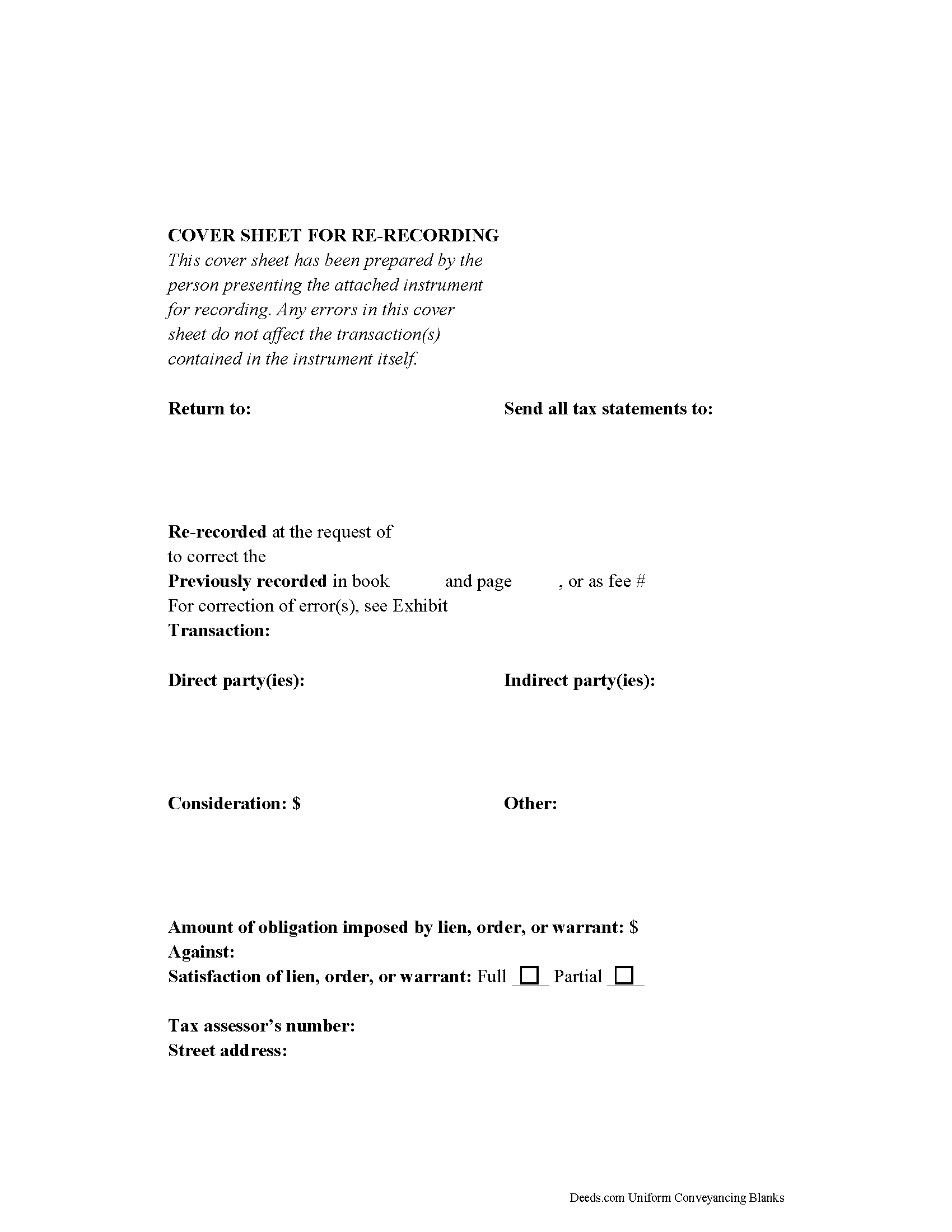
Douglas County Correction Deed Form
Fill in the blank form formatted to comply with all recording and content requirements.
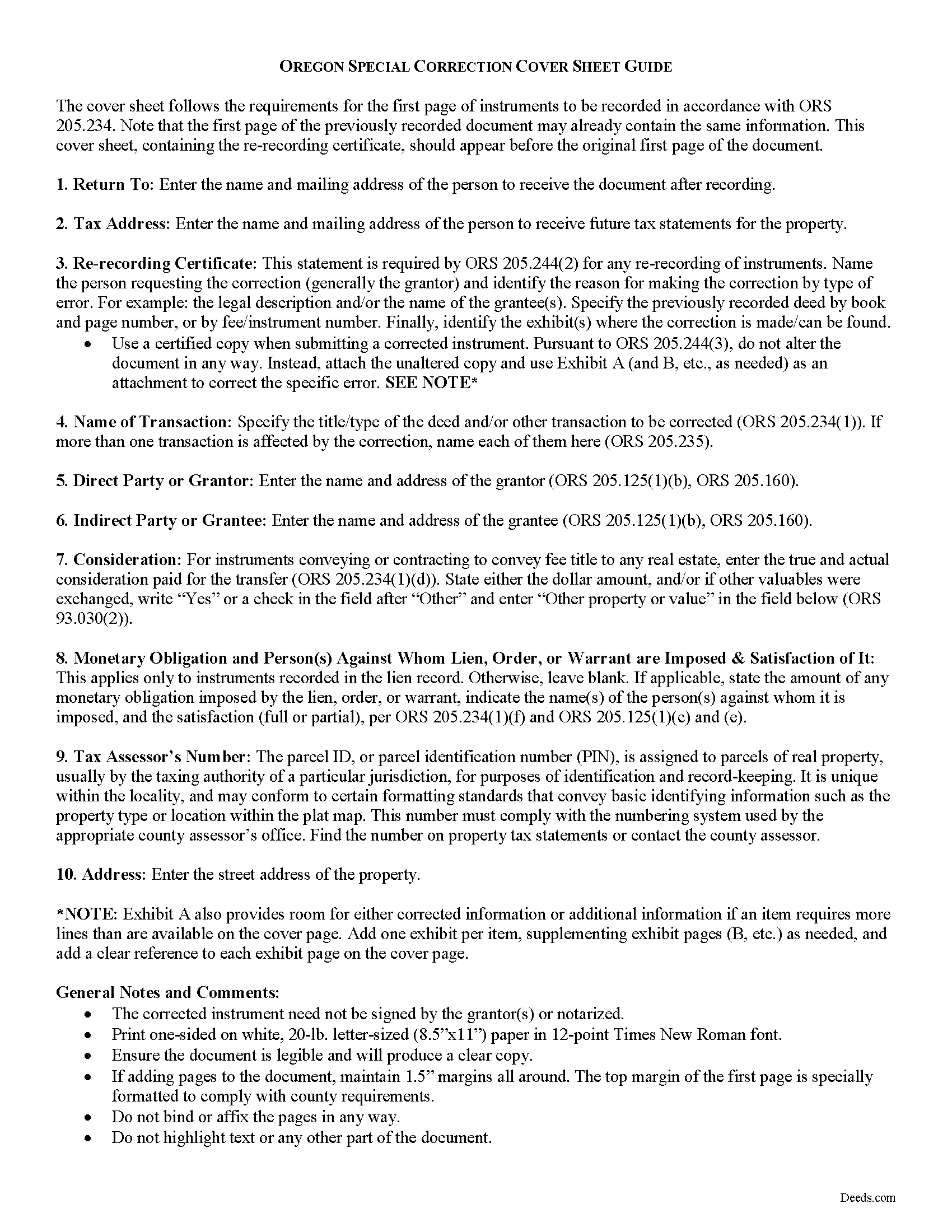
Douglas County Correction Deed Guide
Line by line guide explaining every blank on the form.
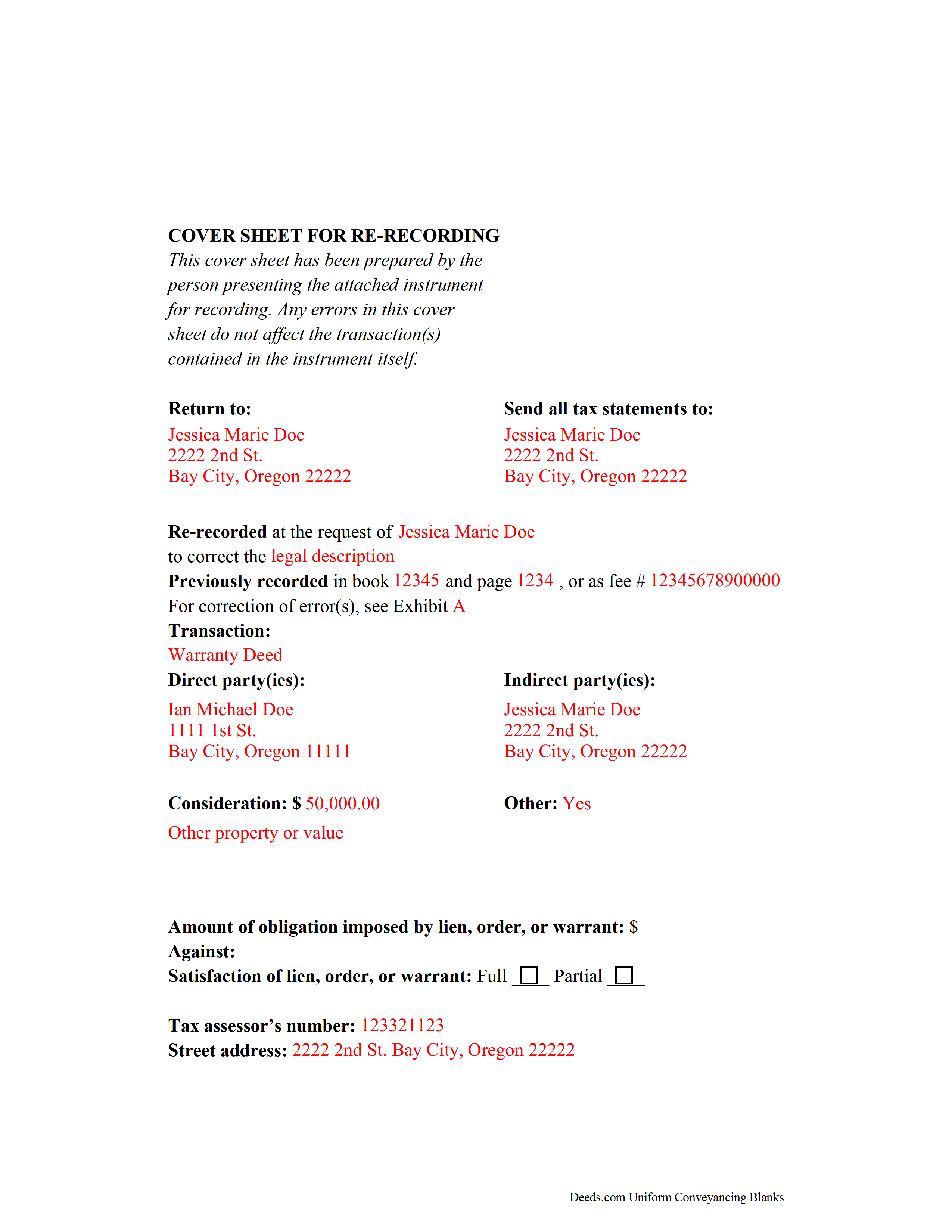
Douglas County Completed Example of the Correction Deed Document
Example of a properly completed form for reference.
All 3 documents above included • One-time purchase • No recurring fees
Immediate Download • Secure Checkout
Additional Oregon and Douglas County documents included at no extra charge:
Where to Record Your Documents
County Clerk: Recording Division
Roseburg, Oregon 97470
Hours: 9:00 to noon & 1:00 to 4:00 Monday through Friday
Phone: (541) 440-4320
Recording Tips for Douglas County:
- Bring your driver's license or state-issued photo ID
- Ensure all signatures are in blue or black ink
- Ask for certified copies if you need them for other transactions
- Ask if they accept credit cards - many offices are cash/check only
- Check that your notary's commission hasn't expired
Cities and Jurisdictions in Douglas County
Properties in any of these areas use Douglas County forms:
- Azalea
- Camas Valley
- Canyonville
- Days Creek
- Dillard
- Drain
- Elkton
- Gardiner
- Glendale
- Glide
- Idleyld Park
- Myrtle Creek
- Oakland
- Reedsport
- Riddle
- Roseburg
- Scottsburg
- Sutherlin
- Tenmile
- Tiller
- Umpqua
- Wilbur
- Winchester
- Winston
- Yoncalla
Hours, fees, requirements, and more for Douglas County
How do I get my forms?
Forms are available for immediate download after payment. The Douglas County forms will be in your account ready to download to your computer. An account is created for you during checkout if you don't have one. Forms are NOT emailed.
Are these forms guaranteed to be recordable in Douglas County?
Yes. Our form blanks are guaranteed to meet or exceed the applicable formatting requirements used for recording in Douglas County, including margin requirements, font requirements, and other layout standards. This guarantee applies to formatting, not to the legal sufficiency of information entered by the user or the suitability of a form for a particular transaction.
Can I reuse these forms?
Yes. You can reuse the forms for your personal use. For example, if you have multiple properties in Douglas County you only need to order once.
What do I need to use these forms?
The forms are PDFs that you fill out on your computer. The free Adobe Acrobat Reader is recommended, and most PDF apps also work. You do NOT enter your property information online - you download the blank forms and complete them privately on your own computer.
Are there any recurring fees?
No. This is a one-time purchase. Nothing to cancel, no memberships, no recurring fees.
How much does it cost to record in Douglas County?
Recording fees in Douglas County vary. Contact the recorder's office at (541) 440-4320 for current fees.
Questions answered? Let's get started!
Correcting Recorded Documents in Oregon with a Re-recording Certificate
If an instrument is recorded and later found to have missing, incomplete, or incorrect information, Oregon law requires that a statutory statement referencing the prior deed -- called a re-recording certificate -- appear either on the first page of the original document or on an attached cover sheet of a re-recorded instrument (ORS 205.244). The re-recording certificate must identify the person requesting the re-recording, the specific error corrected by the re-recording, and the location where the original deed was recorded (ORS 205.244(2)).
If the re-recording certificate appears on a newly generated cover sheet, the cover sheet must meet first-page requirements under ORS 205.234(2), which include the return address, name of transaction, grantor and grantee information, the true and actual consideration for the transfer, and, if applicable, the lien amount and satisfaction.
When re-recording a certified copy of a previously recorded instrument, no alterations may be made to correct the document (ORS 205.244(3)). Instead, make the necessary correction on an attachment and include it, along with the unaltered copy and the cover sheet, and identify these attachments on the cover sheet.
Oregon does not require reacknowledgement of the deed (ORS 205.244(2)). Contact the local county clerk's office with questions related to re-recording a specific document. Re-record the deed in the same office where the original deed was recorded.
This article is provided for informational purposes only and is not a substitute for legal advice. Contact an Oregon lawyer with any questions related to correction deeds and cover sheets.
(Oregon CD Package includes form, guidelines, and completed example)
Important: Your property must be located in Douglas County to use these forms. Documents should be recorded at the county recording office listed above.
This Correction Deed meets all recording requirements specific to Douglas County.
Our Promise
The documents you receive here are guaranteed to meet or exceed the applicable Douglas County recording format requirements. If there is a rejection caused by our formatting, we will correct the issue or refund your payment. This guarantee applies to document formatting only and does not extend to information entered by the user, the selection of the form, or the legal effect of the completed document.
Save Time and Money
Get your Douglas County Correction Deed form done right the first time with Deeds.com Uniform Conveyancing Blanks. At Deeds.com, we understand that your time and money are valuable resources, and we don't want you to face a penalty fee or rejection imposed by a county recorder for submitting nonstandard documents. We constantly review and update our forms to meet rapidly changing state and county recording requirements for roughly 3,500 counties and local jurisdictions.
4.8 out of 5 - ( 4,839 Reviews )
Kay I. 5 out of 5 stars
Very easy to use. However, the "sample" filled in red ink did not print for me to refer to. Is that the correct desire, not to print?
Thank you for your feedback. We really appreciate it. Have a great day!
Angela B. 5 out of 5 stars
Great forms! Quick, easy, and to the point. The completed document, when printed out, looks really professional.
We appreciate your business and value your feedback. Thank you. Have a wonderful day!
ARNOLD E. 5 out of 5 stars
SO FAR SO GOOD! I AM STILL COMPLETING THE QUIT CLAIM DEED. THANKS....ARNIE
Thank you Arnold, we really appreciate your feedback.
Carl T. 5 out of 5 stars
Great site with good information and pricing. Let me know when you are able to record documents in California.
Thank you for your feedback. We really appreciate it. Have a great day!
Lesley B. 5 out of 5 stars
It was so quick and easy to access.. Thank you!!
Thank you for your feedback. We really appreciate it. Have a great day!
Doris S. 5 out of 5 stars
Pleased with efficiency and expediency of website. Added value is the respective county requirements for Florida. I needed a quitclaim deed between family members. Highly recommended. We hope to record signed and executed document next week in Florida. Thank you.
We appreciate your business and value your feedback. Thank you. Have a wonderful day!
John S. 5 out of 5 stars
Easy to use website and reasonably priced forms. I recommend it.
Thank you for the kind words John.
Michael H. 5 out of 5 stars
Site was easy to understand and use. Service was prompt. Good job Montgomery County!
Thank you!
Norman K. 2 out of 5 stars
It wasn't really what I needed I read and read and read and read and I thought I was to do with for filing for probate or probate executor but instead it was for the property if you are executor and but it wasn't very clear on that so it didn't work for me so I was kind of wasted money
Sorry to hear that Norman. We've gone ahead and canceled your order and payment.
Gwen R. 5 out of 5 stars
Happy with the forms no complaints at all.
Thank you Gwen!
Frank H. 4 out of 5 stars
Form and instructions were useful. But I suggest creating a form for transferring a deed pursuant to a trust. The existing form is based on a will going through probate so it doesn't fit the trust situation in some respects.
Thank you for your feedback. We really appreciate it. Have a great day!
THUY N. 5 out of 5 stars
It's convenience.
Thank you for your feedback. We really appreciate it. Have a great day!
Jennifer J. 5 out of 5 stars
I have to admit this process was a scary one but you have made it very clear and simple to follow along with. I felt their virtual hand holding, that is how user friendly it is. Thank you for being top notch.
Thank you!
Randall M. 5 out of 5 stars
These forms worked fantastic!
We appreciate your business and value your feedback. Thank you. Have a wonderful day!
Michael B. 5 out of 5 stars
It was a breeze to utilize.
Thank you!