Douglas County Transfer on Death Revocation Form
Last validated September 11, 2026 by our Forms Development TeamFormatted for recording in Douglas County, for property anywhere in the county: rural and unincorporated areas as well as Azalea, Camas Valley, Canyonville, Days Creek, Dillard, Drain, Elkton, Gardiner and 17 more.
- 3 documents included
- Immediate PDF download
- Formatting guarantee
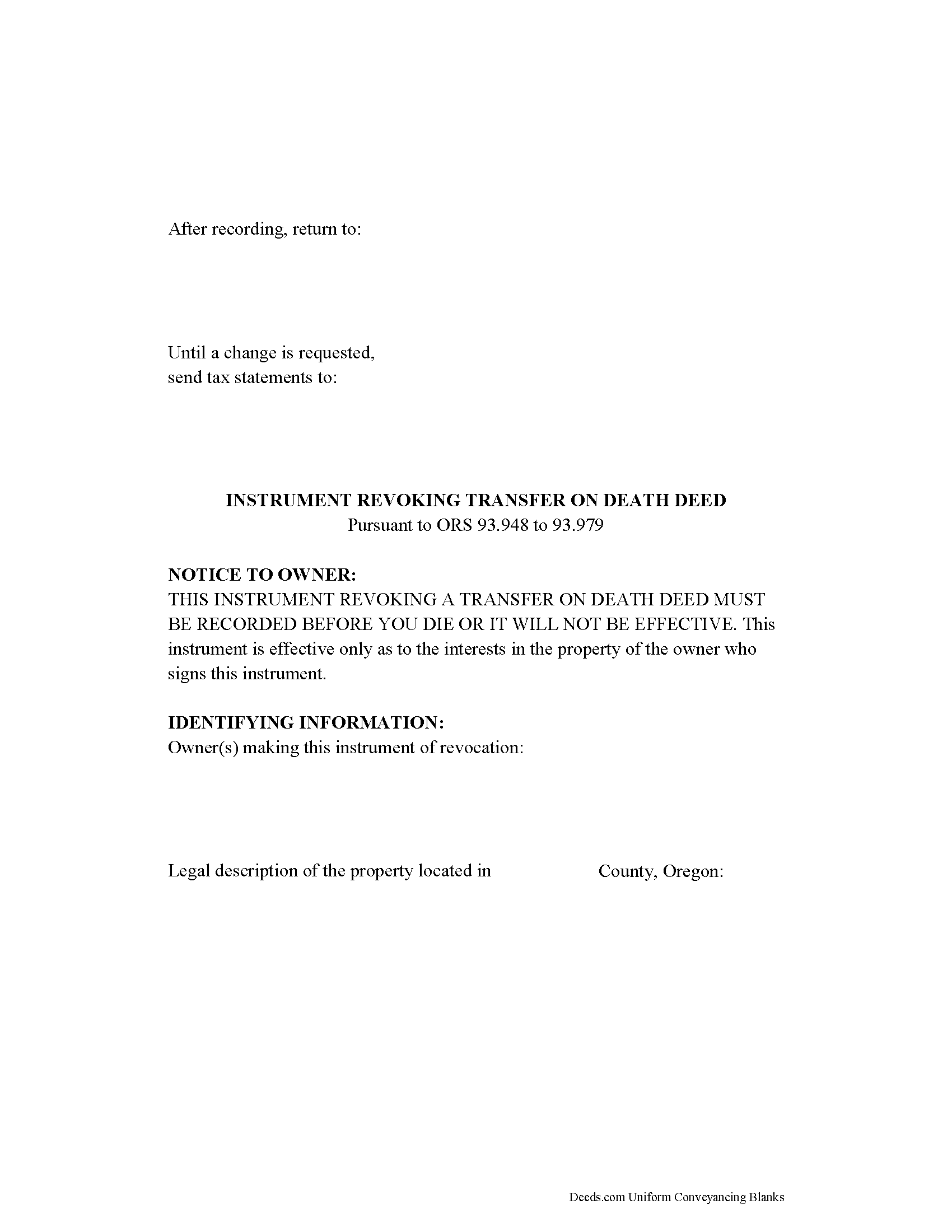
Douglas County Transfer on Death Revocation Form
Fill in the blank form formatted to comply with all recording and content requirements.
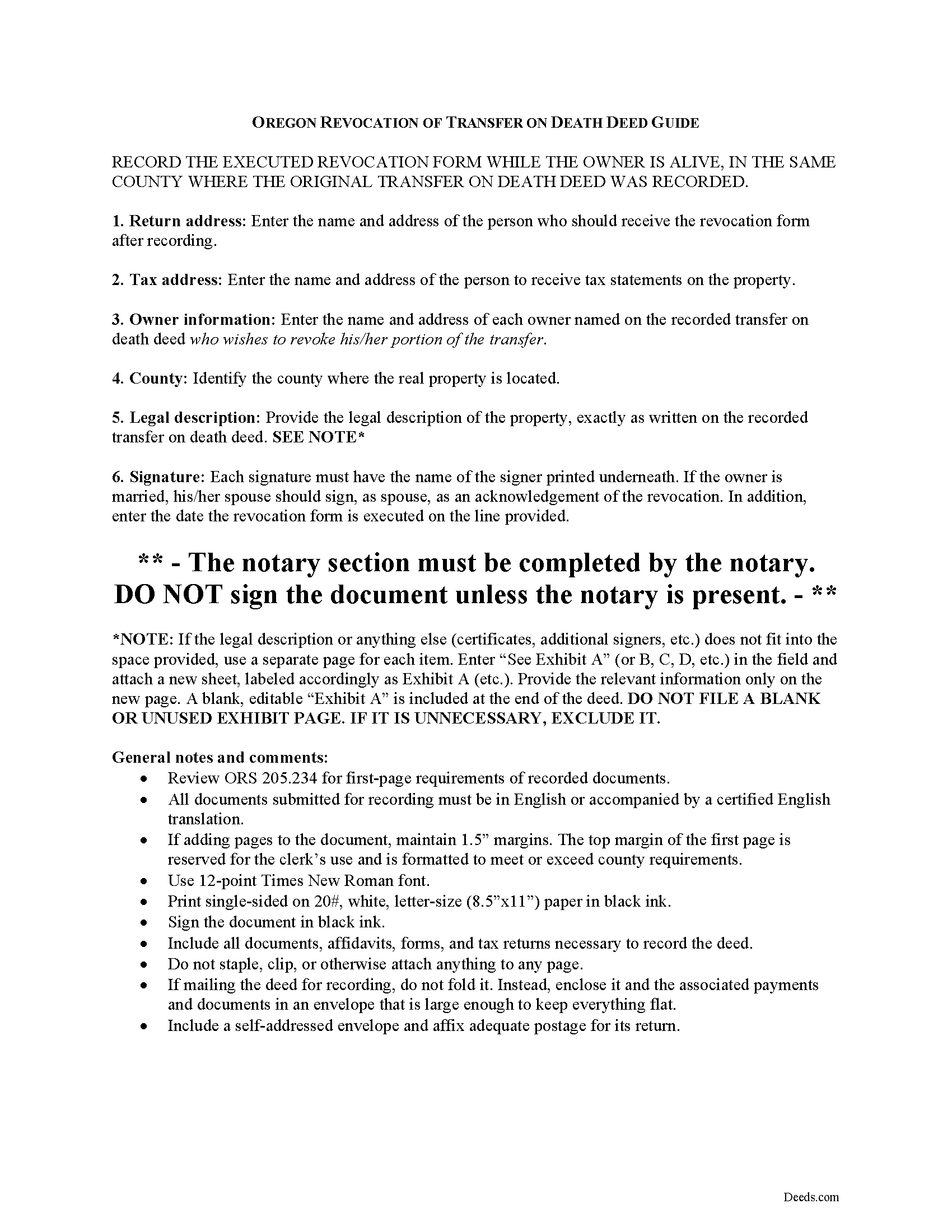
Douglas County Transfer on Death Deed Revocation Guide
Line by line guide explaining every blank on the form.
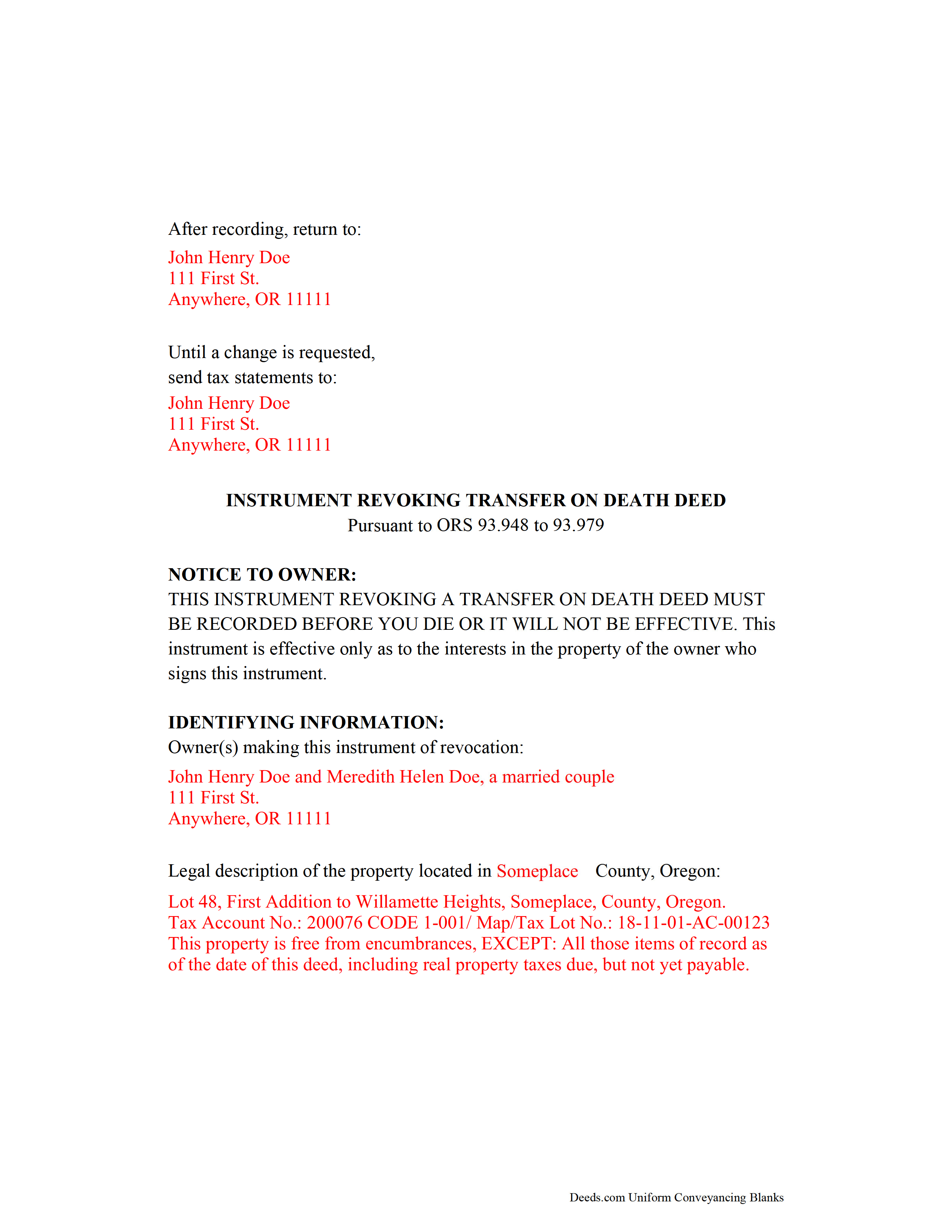
Douglas County Completed Example of the Transfer on Death Revocation Document
Example of a properly completed form for reference.
All 3 documents above included • One-time purchase • No recurring fees
Immediate Download • Secure Checkout
Additional Oregon and Douglas County documents included at no extra charge:
Where to Record Your Documents
County Clerk: Recording Division
Roseburg, Oregon 97470
Hours: 9:00 to noon & 1:00 to 4:00 Monday through Friday
Phone: (541) 440-4320
Recording Tips for Douglas County:
- Bring your driver's license or state-issued photo ID
- Ensure all signatures are in blue or black ink
- Bring extra funds - fees can vary by document type and page count
- Check margin requirements - usually 1-2 inches at top
- Leave recording info boxes blank - the office fills these
Cities and Jurisdictions in Douglas County
Properties in any of these areas use Douglas County forms:
- Azalea
- Camas Valley
- Canyonville
- Days Creek
- Dillard
- Drain
- Elkton
- Gardiner
- Glendale
- Glide
- Idleyld Park
- Myrtle Creek
- Oakland
- Reedsport
- Riddle
- Roseburg
- Scottsburg
- Sutherlin
- Tenmile
- Tiller
- Umpqua
- Wilbur
- Winchester
- Winston
- Yoncalla
Hours, fees, requirements, and more for Douglas County
How do I get my forms?
Forms are available for immediate download after payment. The Douglas County forms will be in your account ready to download to your computer. An account is created for you during checkout if you don't have one. Forms are NOT emailed.
Are these forms guaranteed to be recordable in Douglas County?
Yes. Our form blanks are guaranteed to meet or exceed the applicable formatting requirements used for recording in Douglas County, including margin requirements, font requirements, and other layout standards. This guarantee applies to formatting, not to the legal sufficiency of information entered by the user or the suitability of a form for a particular transaction.
Can I reuse these forms?
Yes. You can reuse the forms for your personal use. For example, if you have multiple properties in Douglas County you only need to order once.
What do I need to use these forms?
The forms are PDFs that you fill out on your computer. The free Adobe Acrobat Reader is recommended, and most PDF apps also work. You do NOT enter your property information online - you download the blank forms and complete them privately on your own computer.
Are there any recurring fees?
No. This is a one-time purchase. Nothing to cancel, no memberships, no recurring fees.
How much does it cost to record in Douglas County?
Recording fees in Douglas County vary. Contact the recorder's office at (541) 440-4320 for current fees.
Questions answered? Let's get started!
Revoking a Transfer on Death Deed in Oregon
Based on the Uniform Real Property Transfer on Death Act and located at ORS 93.948-93.979 (2011), this statute governs the use and applications of TODDs in the state of Oregon.
Estate plans are most effective when they're kept up to date. Flexible tools like transfer on death deeds help real estate owners control the distribution of what is often their most significant asset. While most deeds involve permanent, immediate transfers of a present interest in real property, TODDs allow the transferor the opportunity, during life, to readjust or even revoke the potential future interest to be conveyed at death ( 93.955 ).
The statutes set forth the rules for revoking a transfer on death deed at 93.965. Just as with a TODD, the revocation MUST be recorded while the owner is still alive or it has no effect. Once recorded, any modifications must be made by instrument. There are three primary ways to change or revoke a TODD: 1) executing and recording a new TODD that changes the details of the previous deed; 2) executing and recording an inter vivos deed, such as a warranty deed or quitclaim deed, conveying the owner's interest in the property to someone else---the transferor no longer owns the property, so it cannot be conveyed at death; or 3) executing and recording an instrument of revocation, thereby cancelling the entire TODD.
Note that all documents related to revoking a transfer on death deed must be recorded in the same county where the land is located.
(Oregon TOD Revocation Package includes form, guidelines, and completed example)
Important: Your property must be located in Douglas County to use these forms. Documents should be recorded at the county recording office listed above.
This Transfer on Death Revocation meets all recording requirements specific to Douglas County.
Our Promise
The documents you receive here are guaranteed to meet or exceed the applicable Douglas County recording format requirements. If there is a rejection caused by our formatting, we will correct the issue or refund your payment. This guarantee applies to document formatting only and does not extend to information entered by the user, the selection of the form, or the legal effect of the completed document.
Save Time and Money
Get your Douglas County Transfer on Death Revocation form done right the first time with Deeds.com Uniform Conveyancing Blanks. At Deeds.com, we understand that your time and money are valuable resources, and we don't want you to face a penalty fee or rejection imposed by a county recorder for submitting nonstandard documents. We constantly review and update our forms to meet rapidly changing state and county recording requirements for roughly 3,500 counties and local jurisdictions.
4.8 out of 5 - ( 4,844 Reviews )
Richard C. 5 out of 5 stars
Amazing from start to finish!
Thank you for your feedback. We really appreciate it. Have a great day!
Jessica B. 5 out of 5 stars
Amazing service. Immediate responses at all hours of the day and prevent late in the evening! Patient and friendly. I will say that Adobe scan did not work well for me. Notes app for IOS has a scan feature and that seemed to work best.
Thank you for your feedback. We really appreciate it. Have a great day!
DAVID E. 5 out of 5 stars
Very professional and knowledgeable. Great communication.
Your feedback is greatly appreciated. Thank you for taking the time to share your experience!
John H. 5 out of 5 stars
Great service
Thank you!
Terrence L. 5 out of 5 stars
Awesome service! 4 services wouldn't handle a 1-time filing, but Deeds.com got the job done in less than 21 hours, for only $15 (plus filing fees). This saved me days of difficulty and aggravation, esp. during COVID-19 lockdown!
Thank you for your feedback. We really appreciate it. Have a great day!
JD S. 5 out of 5 stars
I used Deeds.com recently. They were quick and got the job done quickly. Their online portal was extremely easy to use. I will definitely use them again.
Thank you!
Jayne C. 5 out of 5 stars
It was very easy to navigate and find what I needed. Very happy with the app.
Thank you for your feedback. We really appreciate it. Have a great day!
Michelle H. 5 out of 5 stars
Deeds.com was easy to use, convenient and I will definitely be using your services in the future.
Thank you for your feedback. We really appreciate it. Have a great day!
Barbara G. 5 out of 5 stars
Easy to use. I especially am thankful for the guide.
Your feedback is greatly appreciated. Thank you for taking the time to share your experience!
Marc T. 5 out of 5 stars
Excellent service
Thank you!
alena t. 5 out of 5 stars
It was quick and easy to print and download the forms I needed.
We appreciate your business and value your feedback. Thank you. Have a wonderful day!
Johnnye G. 5 out of 5 stars
I appreciate being able to find the forms needed for my Gift Deed. It was simple to understand and complete. Now, if Utah will accept this form, I will be thrilled. Mailing today. It remains to be seen if it will be accepted.
We appreciate your business and value your feedback. Thank you. Have a wonderful day!
Cyndi H. 5 out of 5 stars
Excellent! Great communication through the process and quick response.
Thank you!
Pamela G. 5 out of 5 stars
I have an apple phone. I could not fill in the form to pay because apple phones do not have a dash that can be used when the field requires a phone number with a dash. I had to borrow an android phone in which the telephone keypad had a dash that could be used. It was easy to pay using an android phone but impossible to pay using an apple phone. Remove the requirement for dashes to allow apple phones to use this service.
Thank you!
Walter R. 5 out of 5 stars
I was able to get all the Forms I required and it was straight forward and easy. Thank you , Walt R.
Thank you!