Douglas County Transfer on Death Deed Form
Last validated November 3, 2026 by our Forms Development TeamFormatted for recording in Douglas County, for property anywhere in the county: rural and unincorporated areas as well as Azalea, Camas Valley, Canyonville, Days Creek, Dillard, Drain, Elkton, Gardiner and 17 more.
- 3 documents included
- Immediate PDF download
- Formatting guarantee
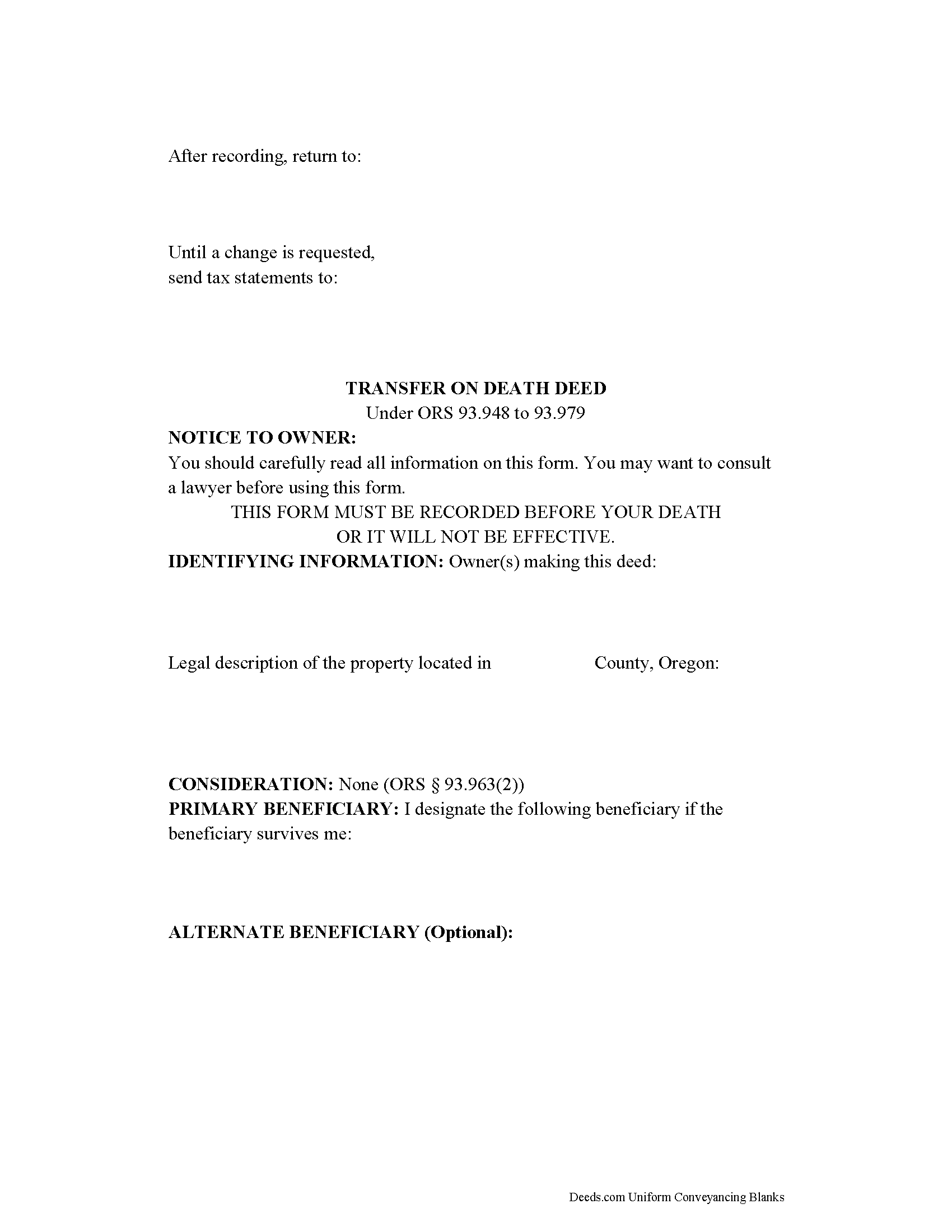
Douglas County Transfer on Death Deed Form
Fill in the blank form formatted to comply with all recording and content requirements.
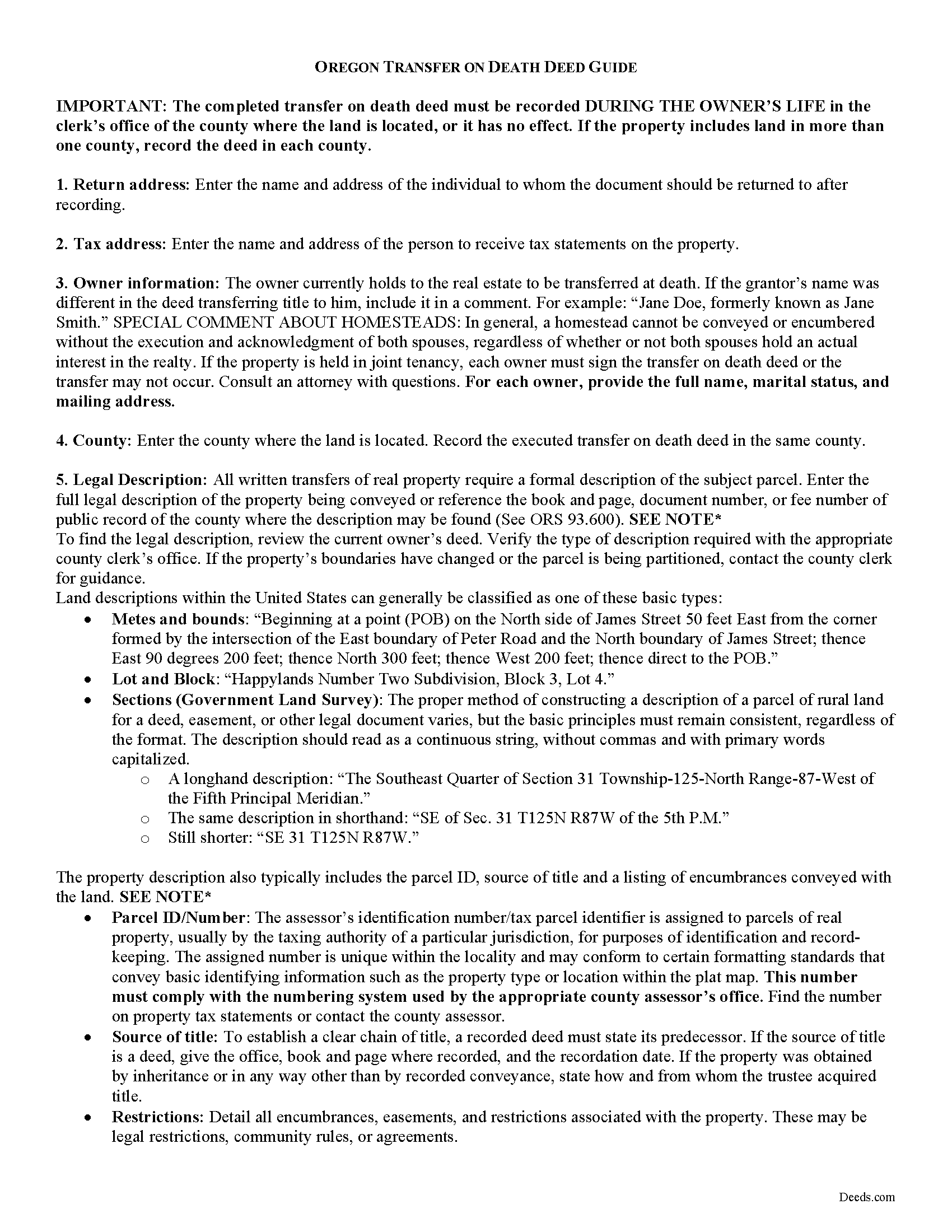
Douglas County Transfer on Death Deed Guide
Line by line guide explaining every blank on the form.
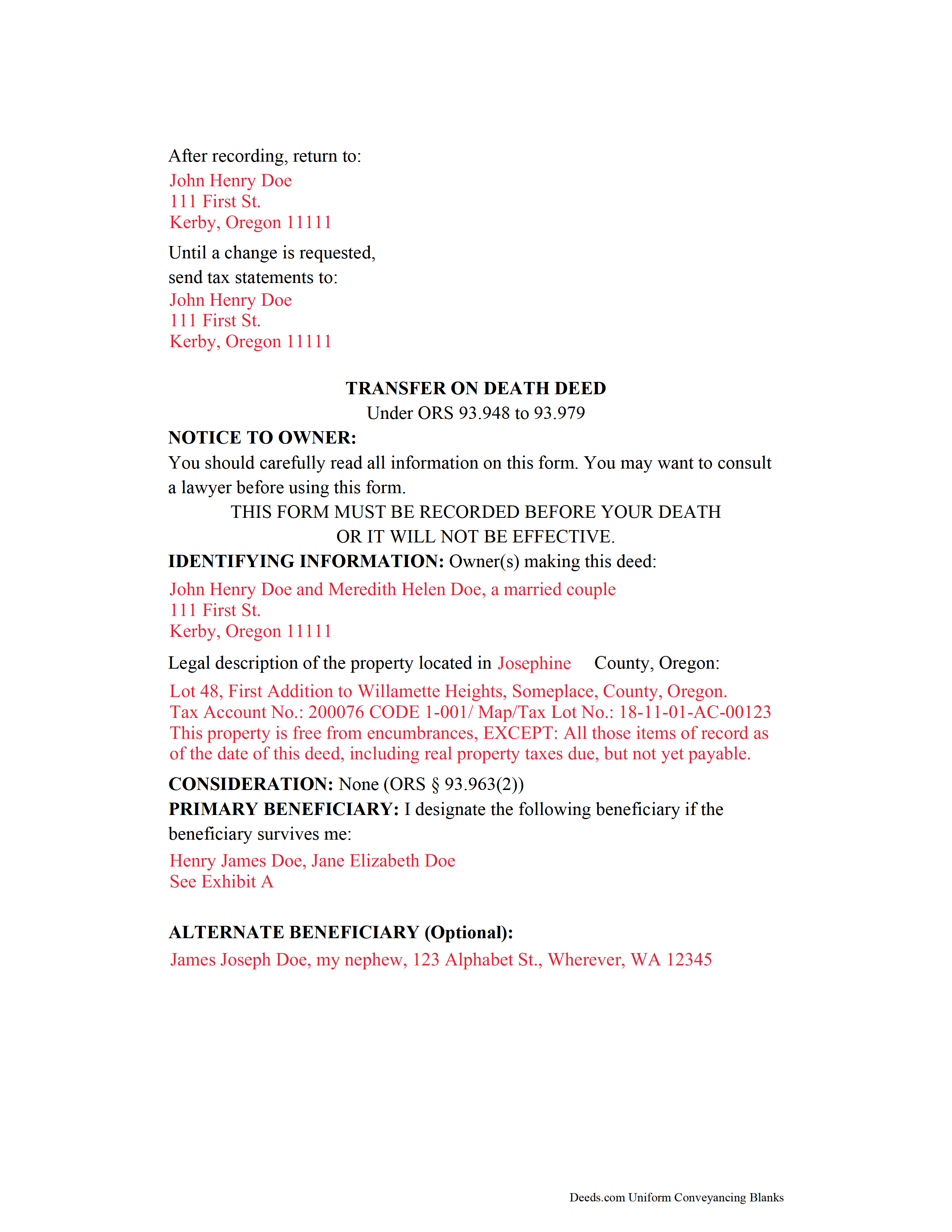
Douglas County Completed Example of a Transfer on Death Deed Document
Example of a properly completed form for reference.
All 3 documents above included • One-time purchase • No recurring fees
Immediate Download • Secure Checkout
Additional Oregon and Douglas County documents included at no extra charge:
Where to Record Your Documents
County Clerk: Recording Division
Roseburg, Oregon 97470
Hours: 9:00 to noon & 1:00 to 4:00 Monday through Friday
Phone: (541) 440-4320
Recording Tips for Douglas County:
- Bring your driver's license or state-issued photo ID
- Ensure all signatures are in blue or black ink
- Both spouses typically need to sign if property is jointly owned
- Bring extra funds - fees can vary by document type and page count
- Check margin requirements - usually 1-2 inches at top
Cities and Jurisdictions in Douglas County
Properties in any of these areas use Douglas County forms:
- Azalea
- Camas Valley
- Canyonville
- Days Creek
- Dillard
- Drain
- Elkton
- Gardiner
- Glendale
- Glide
- Idleyld Park
- Myrtle Creek
- Oakland
- Reedsport
- Riddle
- Roseburg
- Scottsburg
- Sutherlin
- Tenmile
- Tiller
- Umpqua
- Wilbur
- Winchester
- Winston
- Yoncalla
Hours, fees, requirements, and more for Douglas County
How do I get my forms?
Forms are available for immediate download after payment. The Douglas County forms will be in your account ready to download to your computer. An account is created for you during checkout if you don't have one. Forms are NOT emailed.
Are these forms guaranteed to be recordable in Douglas County?
Yes. Our form blanks are guaranteed to meet or exceed the applicable formatting requirements used for recording in Douglas County, including margin requirements, font requirements, and other layout standards. This guarantee applies to formatting, not to the legal sufficiency of information entered by the user or the suitability of a form for a particular transaction.
Can I reuse these forms?
Yes. You can reuse the forms for your personal use. For example, if you have multiple properties in Douglas County you only need to order once.
What do I need to use these forms?
The forms are PDFs that you fill out on your computer. The free Adobe Acrobat Reader is recommended, and most PDF apps also work. You do NOT enter your property information online - you download the blank forms and complete them privately on your own computer.
Are there any recurring fees?
No. This is a one-time purchase. Nothing to cancel, no memberships, no recurring fees.
How much does it cost to record in Douglas County?
Recording fees in Douglas County vary. Contact the recorder's office at (541) 440-4320 for current fees.
Questions answered? Let's get started!
Transfer on death deeds are nontestamentary ( 93.957). This means the property conveyed at death does not become part of the estate, and passes to the beneficiary without the need for probate distribution. Because TODDs deal with disposing assets after death, however, the transferor must meet the same standards for mental capacity as needed to execute a will ( 93.959).
The TODD itself must meet the requirements set forth for a "properly recordable inter vivos deed," except that it must "state that the transfer to the designated beneficiary is to occur at the transferor's death" as well as identifying the primary and alternate beneficiaries by name. Also, it must be recorded, DURING THE OWNER'S LIFE, in the county where the property is located ( 93.961).
In addition to the content requirements, standard (inter vivos) deeds generally transfer a permanent present interest to the grantee (buyer). In the most basic terms, this means that once the deed is executed and recorded, the grantee owns the property. Unlike an inter vivos deed, though, TODDs do not require notice, delivery, acceptance, or consideration ( 93.963). By recording the TODD, the owner declares an intention to convey a potential future interest in the land described in the deed. Since the obligations in favor of the beneficiary (grantee) do not apply, TODDs are revocable.
Land owners who record TODDs retain absolute control over and use of the property while they are living. They may sell, mortgage, or otherwise convey the real estate with no penalty, and no obligation to notify the beneficiary. Transferors may also change, revoke, or otherwise modify the terms of the original transfer on death deed by executing and recording a revocation form; a new TODD with different beneficiary information; or an inter vivos deed transferring the owner's interest to someone else ( 93.965).
Just as some owners may wish to change or revoke a beneficiary designation, some beneficiaries are unable or unwilling to accept the transfer after the owner's death. To address this need, beneficiaries may disclaim the interest in land by following a statutory procedure( 93.971).
Ultimately, TODDs offer a handy, flexible estate planning tool to owners of Oregon real property. Before deciding to use a TODD, consider its potential impact on taxes, access, and eligibility for income-and/or-asset-based benefits. Each situation is unique, so for complex circumstances or with additional questions, contact a local attorney.
Important terms:
Inter vivos: "between the living" Inter vivos deeds, such as warranty deeds or quitclaim deeds, transfer a permanent, present interest in real property during the conveyor's life.
Nontestamentary: After-death plans not included in or affected by the deceased person's will.
Probate: Court-supervised administration of a deceased person's estate.
(Oregon TODD Package includes form, guidelines, and completed example)
Important: Your property must be located in Douglas County to use these forms. Documents should be recorded at the county recording office listed above.
This Transfer on Death Deed meets all recording requirements specific to Douglas County.
Our Promise
The documents you receive here are guaranteed to meet or exceed the applicable Douglas County recording format requirements. If there is a rejection caused by our formatting, we will correct the issue or refund your payment. This guarantee applies to document formatting only and does not extend to information entered by the user, the selection of the form, or the legal effect of the completed document.
Save Time and Money
Get your Douglas County Transfer on Death Deed form done right the first time with Deeds.com Uniform Conveyancing Blanks. At Deeds.com, we understand that your time and money are valuable resources, and we don't want you to face a penalty fee or rejection imposed by a county recorder for submitting nonstandard documents. We constantly review and update our forms to meet rapidly changing state and county recording requirements for roughly 3,500 counties and local jurisdictions.
4.8 out of 5 - ( 4,842 Reviews )
Nancy O. 5 out of 5 stars
Outstanding forms and service. Liked that the main deed forms were PDF so I could fill them out on my laptop, in my own time, instead of some online Q/A auto populate system. Guide was helpful, as was the completed sample. Used the erecording service to file the deed, amazing.
Thank you for your wonderful review Nancy! Our team takes pride in providing helpful resources, and we are pleased that the guide and completed sample were beneficial to you throughout the process. Making the deed filing journey smoother for our users is always our top priority.
patricia w. 5 out of 5 stars
Fast, easy download of forms needed. Thank you, Deeds.com
Thank you!
Jo G. 5 out of 5 stars
The form was easy enough to purchase but I ended up not needing it. No fault of Deeds.com, but it was of no value to me.
Thank you for your feedback. We really appreciate it. Have a great day!
Mayte S. 5 out of 5 stars
I am pleasantly suprised at the service. Fair rates and speedy process. No complaints! Happy to use this service again and recommend to anyone. Thank you very much for all your help!
Thank you!
Timothy G. 5 out of 5 stars
Very happy with the cost and with the speed in which the deed was recorded.
We appreciate your business and value your feedback. Thank you. Have a wonderful day!
Griselle M. 5 out of 5 stars
This is my third time using Deeds.com and they don't disappoint. Their customer service is outstanding - absolutely excellent - via messages, I communicated with them immediately and 24/7 - on weekends and at night. I would not even try another service as they provide excellence which is so rare these days.
We appreciate your business and value your feedback. Thank you. Have a wonderful day!
Richard A. 5 out of 5 stars
Great product. It would be better if the document files were not embedded within other files. It made downloading a little confusing. The titles of the forms did not match exactly word for word, which required a lot of back and forth to make sure I had downloaded the proper document. What would be great is if once you download a document, the hyperlink changed color, or somehow denoted the document had been downloaded. Just a suggestion. You have my email address if you have questions. STILL! Five stars for you guys. I would not let that hiccup dissuade me from buying any form package from you guys. Thanks!
Thank you for your feedback. We really appreciate it. Have a great day!
Jane H. 5 out of 5 stars
So far, so good!
Thank you Jane. Have a great day!
DARRYL B. 5 out of 5 stars
Professional and convenient.
Thank you for your feedback. We really appreciate it. Have a great day!
Rita M. 5 out of 5 stars
Forget what I just wrote! I found it. Thank You! This is a very convenient service.
That's great to hear Rita, thanks for following up.
Jon G. 5 out of 5 stars
Excellent service and professionalism
Thank you!
Craig J. 5 out of 5 stars
Package downloaded without any problems. Help sheet was fair. Maybe they could cross reference the help number on the help sheet to the form better - somehow. Overall, I was pleased. I was able to download, fill in the blanks and do what edits I thought it needed with ease. Cost was very reasonable. I'll give it a 5.
Thank you for your feedback. We really appreciate it. Have a great day!
Jo Ann M. 5 out of 5 stars
Easy from the download to just fill out and print. Good instructions to follow. A cover letter form would be a extra plus
We appreciate your business and value your feedback. Thank you. Have a wonderful day!
Rut P M. 5 out of 5 stars
I was very pleased with the document I downloaded. I was able to edit it easily and save a copy both as a permanent copy or one that could still be edited. I also liked being able to cut and paste longer paragraphs. It cost a little more than I expected; however, it was worth it be cause I didn't have to fill it out by hand. Great job!
Thank you for your feedback. We really appreciate it. Have a great day!
Kathie C. 5 out of 5 stars
This was the first time I have used Deeds.com and I must say that I am extremely impressed. The person that handled my packages was amazing and extremely helpful. I am recommending that our firm starts using Deeds.com and we do a lot of e-recordings. Thank you so much for making this a great experience and for all of your efforts in making it so great!!!
Your feedback is greatly appreciated. Thank you for taking the time to share your experience!