Douglas County Conditional Lien Waiver on Progress Payment Form
Last validated October 27, 2026 by our Forms Development TeamFormatted for recording in Douglas County, for property anywhere in the county: rural and unincorporated areas as well as Azalea, Camas Valley, Canyonville, Days Creek, Dillard, Drain, Elkton, Gardiner and 17 more.
- 3 documents included
- Immediate PDF download
- Formatting guarantee
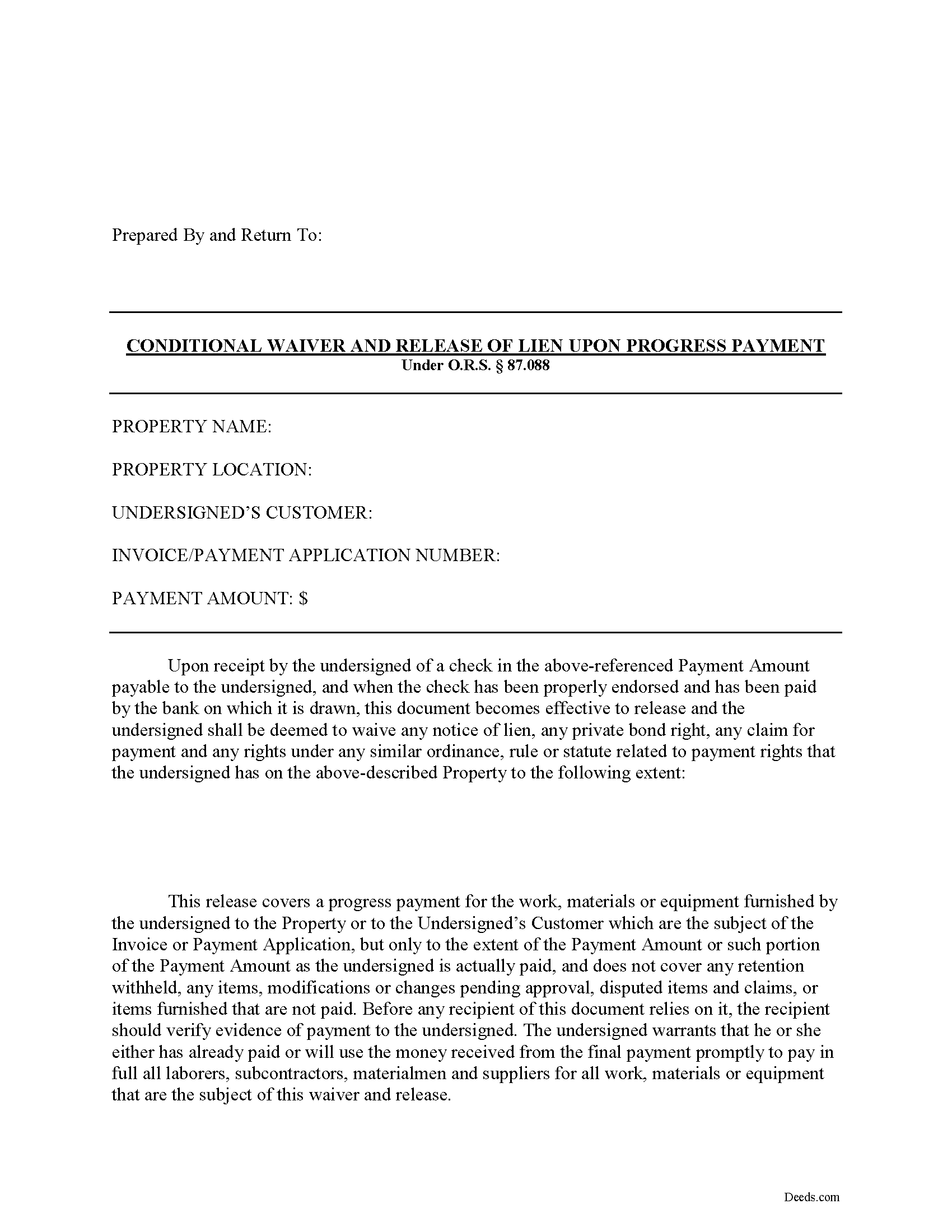
Douglas County Conditional Lien Waiver on Progress Payment Form
Fill in the blank Conditional Lien Waiver on Progress Payment form formatted to comply with all Oregon recording and content requirements.
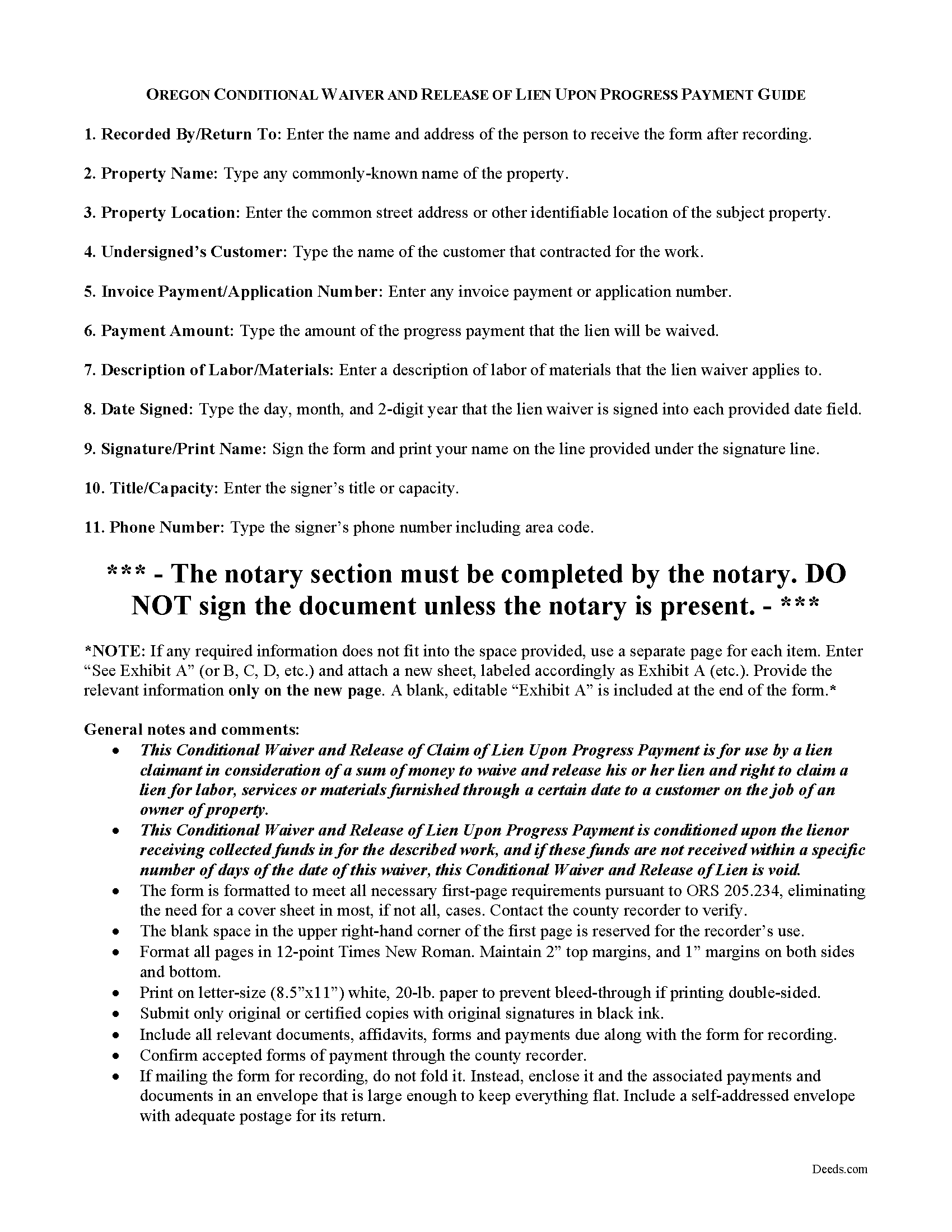
Douglas County Conditional Lien Waiver on Progress Payment Guide
Line by line guide explaining every blank on the form.
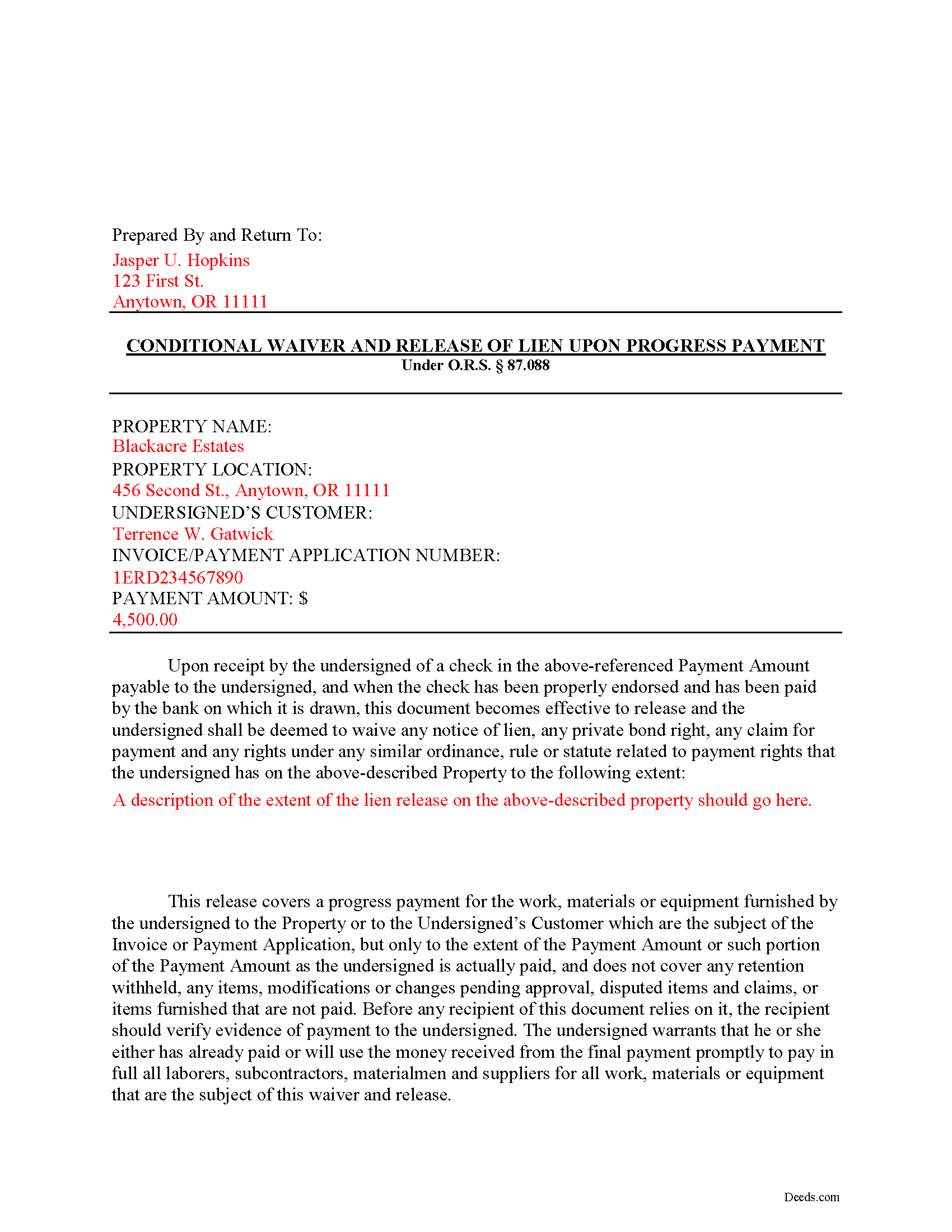
Douglas County Completed Example of the Conditional Lien Waiver on Progess Payment Document
Example of a properly completed form for reference.
All 3 documents above included • One-time purchase • No recurring fees
Immediate Download • Secure Checkout
Additional Oregon and Douglas County documents included at no extra charge:
Where to Record Your Documents
County Clerk: Recording Division
Roseburg, Oregon 97470
Hours: 9:00 to noon & 1:00 to 4:00 Monday through Friday
Phone: (541) 440-4320
Recording Tips for Douglas County:
- Bring your driver's license or state-issued photo ID
- Ensure all signatures are in blue or black ink
- Ask for certified copies if you need them for other transactions
- Ask if they accept credit cards - many offices are cash/check only
- Check that your notary's commission hasn't expired
Cities and Jurisdictions in Douglas County
Properties in any of these areas use Douglas County forms:
- Azalea
- Camas Valley
- Canyonville
- Days Creek
- Dillard
- Drain
- Elkton
- Gardiner
- Glendale
- Glide
- Idleyld Park
- Myrtle Creek
- Oakland
- Reedsport
- Riddle
- Roseburg
- Scottsburg
- Sutherlin
- Tenmile
- Tiller
- Umpqua
- Wilbur
- Winchester
- Winston
- Yoncalla
Hours, fees, requirements, and more for Douglas County
How do I get my forms?
Forms are available for immediate download after payment. The Douglas County forms will be in your account ready to download to your computer. An account is created for you during checkout if you don't have one. Forms are NOT emailed.
Are these forms guaranteed to be recordable in Douglas County?
Yes. Our form blanks are guaranteed to meet or exceed the applicable formatting requirements used for recording in Douglas County, including margin requirements, font requirements, and other layout standards. This guarantee applies to formatting, not to the legal sufficiency of information entered by the user or the suitability of a form for a particular transaction.
Can I reuse these forms?
Yes. You can reuse the forms for your personal use. For example, if you have multiple properties in Douglas County you only need to order once.
What do I need to use these forms?
The forms are PDFs that you fill out on your computer. The free Adobe Acrobat Reader is recommended, and most PDF apps also work. You do NOT enter your property information online - you download the blank forms and complete them privately on your own computer.
Are there any recurring fees?
No. This is a one-time purchase. Nothing to cancel, no memberships, no recurring fees.
How much does it cost to record in Douglas County?
Recording fees in Douglas County vary. Contact the recorder's office at (541) 440-4320 for current fees.
Questions answered? Let's get started!
Oregon's Construction Lien Law is codified at ORS 87.001 to 87.060 and 87.075 to 87.093.
Liens are instruments, recorded with the land records for the locality where the relevant real property is situated, that document the agreement between the owner/customer and the contractor. They identify the primary parties and generally include a description of the work requested, a tentative schedule, and an information about charges and payments.
Contractors and other authorized parties (claimants) use construction liens to protect their interests while improving someone else's property. To encourage payment, the contractor may offer to waive lien rights up to a certain date or dollar amount.
Altogether, there are four separate lien waivers: partial conditional, partial unconditional, final conditional, and final unconditional. A conditional waiver offers more protection to the lien claimant, and depends on the payment clearing the bank, meaning that there are no bounced checks or other complications. An unconditional waiver offers more protection to the owner and is effective regardless of payment receipt.
For example, let's say a customer makes a payment toward the total balance due and contractor offers to release a portion of the rights reserved by a recorded lien. After the payment clears the bank, the claimant completes and records a conditional waiver on progress payment form, which identifies the parties, the nature of improvement, the property, and the relevant dates and payments applied.
This article is provided for informational purposes only and should not be relied upon as a substitute for the advice of an attorney. Please contact an Oregon lawyer with any questions about waivers or other issues related to construction liens.
Important: Your property must be located in Douglas County to use these forms. Documents should be recorded at the county recording office listed above.
This Conditional Lien Waiver on Progress Payment meets all recording requirements specific to Douglas County.
Our Promise
The documents you receive here are guaranteed to meet or exceed the applicable Douglas County recording format requirements. If there is a rejection caused by our formatting, we will correct the issue or refund your payment. This guarantee applies to document formatting only and does not extend to information entered by the user, the selection of the form, or the legal effect of the completed document.
Save Time and Money
Get your Douglas County Conditional Lien Waiver on Progress Payment form done right the first time with Deeds.com Uniform Conveyancing Blanks. At Deeds.com, we understand that your time and money are valuable resources, and we don't want you to face a penalty fee or rejection imposed by a county recorder for submitting nonstandard documents. We constantly review and update our forms to meet rapidly changing state and county recording requirements for roughly 3,500 counties and local jurisdictions.
4.8 out of 5 - ( 4,839 Reviews )
Louise S. 5 out of 5 stars
The form was easy to download and complete however you should be able to convert to a word document.
Thank you for your feedback. We really appreciate it. Have a great day!
Lawrence N. 5 out of 5 stars
Very easy and convenient to use. Low cost and saves a trip to the courthouse and/or having to do mailing(s)
We appreciate your business and value your feedback. Thank you. Have a wonderful day!
John H. 5 out of 5 stars
This was pretty easy especially for a old guy like me.
Thanks John, glad we could help!
Anna C. 5 out of 5 stars
It was more detailed than the forms on other website, plus cheaper. I do not have date it was recorded in 2000 but did have date of warranty deed. Will that be ok with Recorder? Also did not want to date it today till I know when and where the Recorders office is located.
Thank you for your feedback. We really appreciate it. Have a great day!
CAROL C. 5 out of 5 stars
Deeds.com is very user friendly and quite simple to use. Customer service is also prompt in responding to any inquiry. I have been pleased with them since I began using them over 3-years ago.
We appreciate your business and value your feedback. Thank you. Have a wonderful day!
Michael L. 5 out of 5 stars
Quick and Easy. Much appreciated!
Thank you for your feedback. We really appreciate it. Have a great day!
Elizabeth W. 5 out of 5 stars
would have been smart to give each pdf a name instead of unintelligible numbers...
Thank you for your feedback. We really appreciate it. Have a great day!
Joseph E. 5 out of 5 stars
At first I didn't trust all the 5 star reviews. So, I contacted lawyers to check their prices. The price being well over one hundred dollars made my mind up. I gave it a go, the form isn't hard and the directions are easy to follow. 5/5
Thank you for your feedback. We really appreciate it. Have a great day!
LINDA C. 5 out of 5 stars
EASY, FAST, AND CONVENIENT.
Thank you!
kathy d. 5 out of 5 stars
very easy make sense instructions. Thank you.
Thank you for your feedback Kathy. Have an amazing day!
Jim F. 5 out of 5 stars
Site was easy to navigate and helped me to quickly locate the documents I was searching for. Thank you!
Your appreciative words mean the world to us. Thank you.
Constance F. 5 out of 5 stars
Quick and easy download with instructions and a sample document to ensure conformity to the different jurisdictions.
Thank you!
Dianne J. 5 out of 5 stars
Thought we would just do a quit claim to remove a name on a deed but after read your instruction and all that is needed we decided to meet with a lawyer. Appreciate all the info that you supplied.
Glad to hear that Dianne. We always recommend seeking the advice of a professional if you are not completely sure of what you are doing. Have a great day!
Anna L W. 5 out of 5 stars
Was insecure about being able to access the information but pleasantly found that the site was easy to use. Seems that I can use it repeatedly to go back and reprint the forms once I paid.
We appreciate your business and value your feedback. Thank you. Have a wonderful day!
Cynthia H. 5 out of 5 stars
The entire process was simple and easy, from purchasing, downloading and saving the documents.
We appreciate your business and value your feedback. Thank you. Have a wonderful day!