Douglas County Notice of Right to Lien Form
Last validated September 21, 2026 by our Forms Development TeamFormatted for recording in Douglas County, for property anywhere in the county: rural and unincorporated areas as well as Azalea, Camas Valley, Canyonville, Days Creek, Dillard, Drain, Elkton, Gardiner and 17 more.
- 3 documents included
- Immediate PDF download
- Formatting guarantee
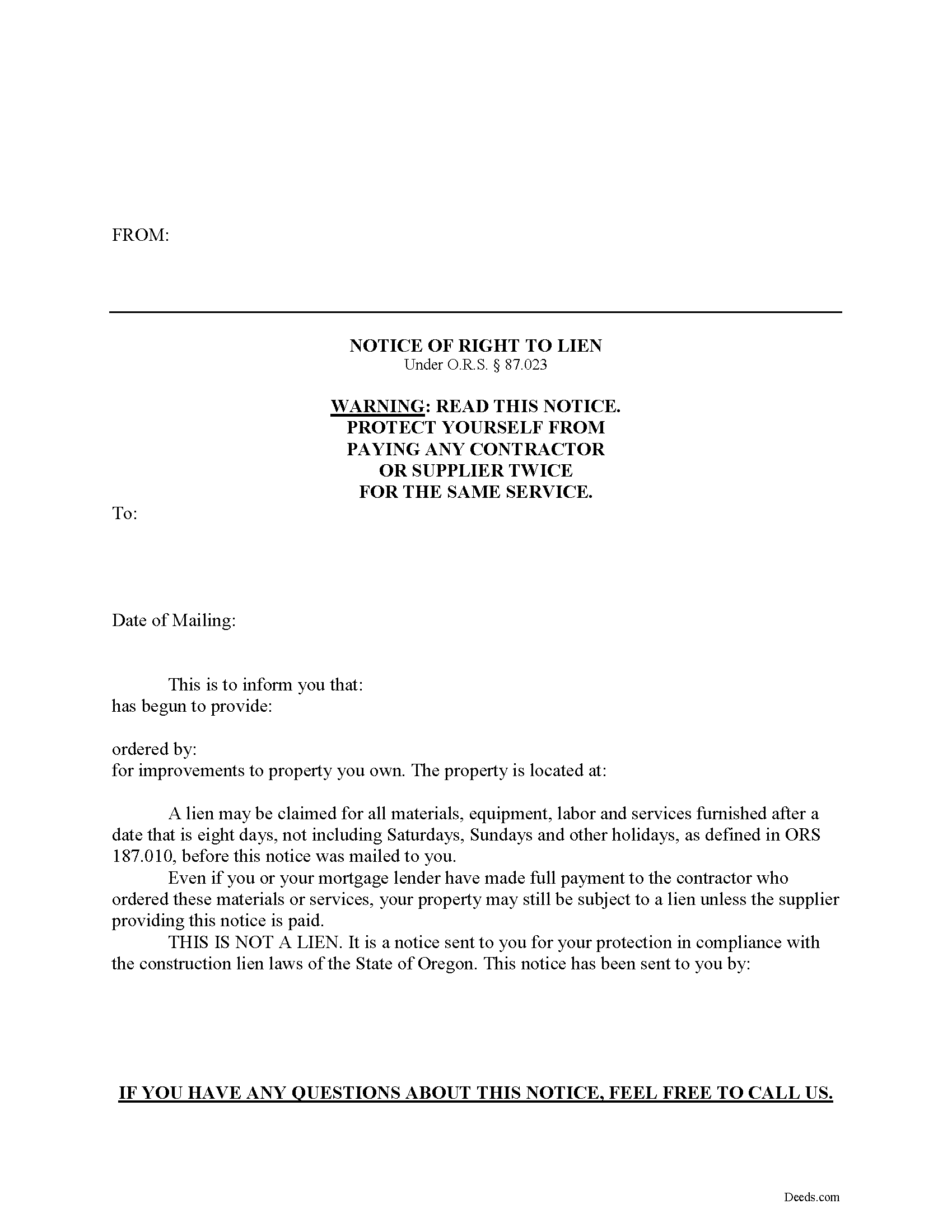
Douglas County Notice of Right to Lien Form
Fill in the blank Notice of Right to Lien form formatted to comply with all Oregon recording and content requirements.
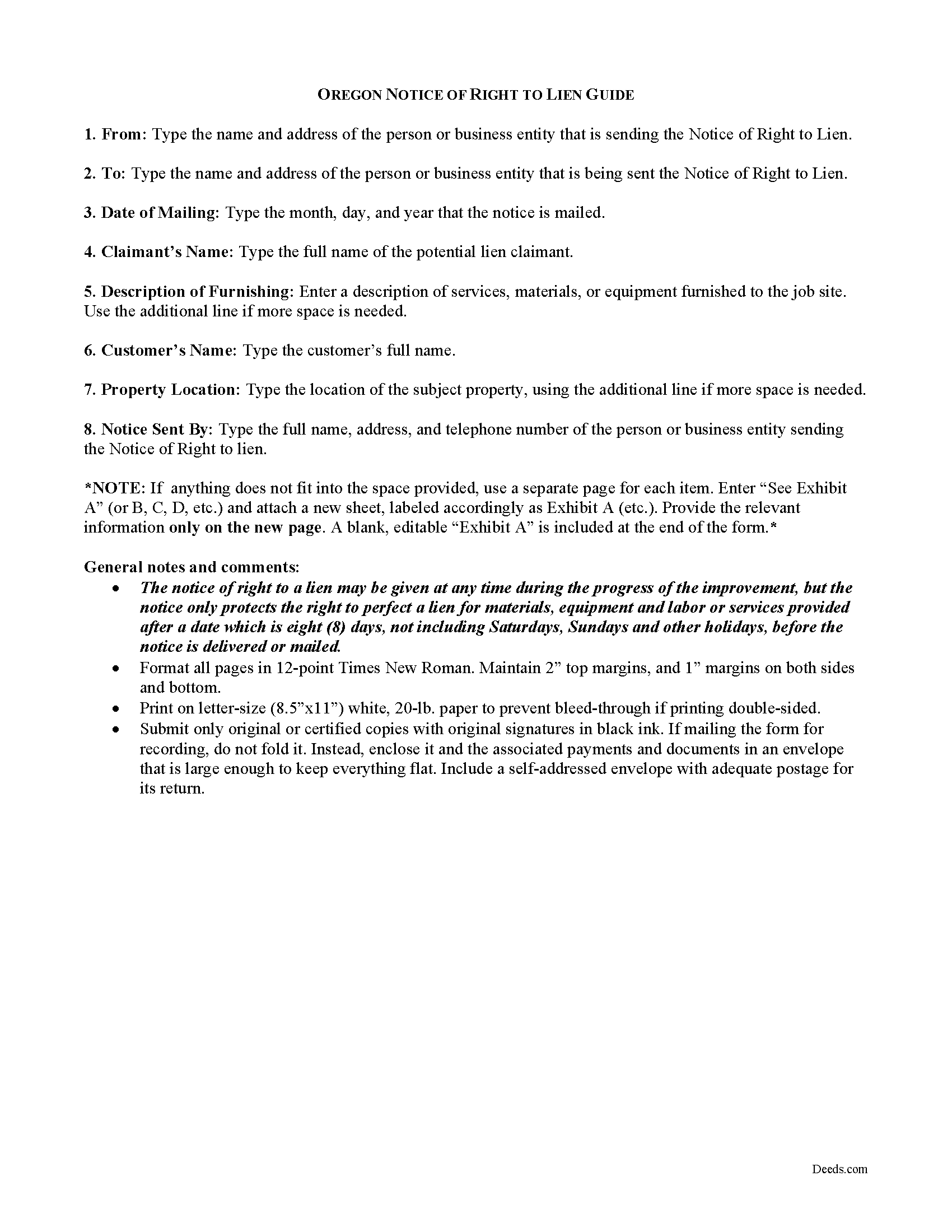
Douglas County Notice of Right to Lien Guide
Line by line guide explaining every blank on the form.
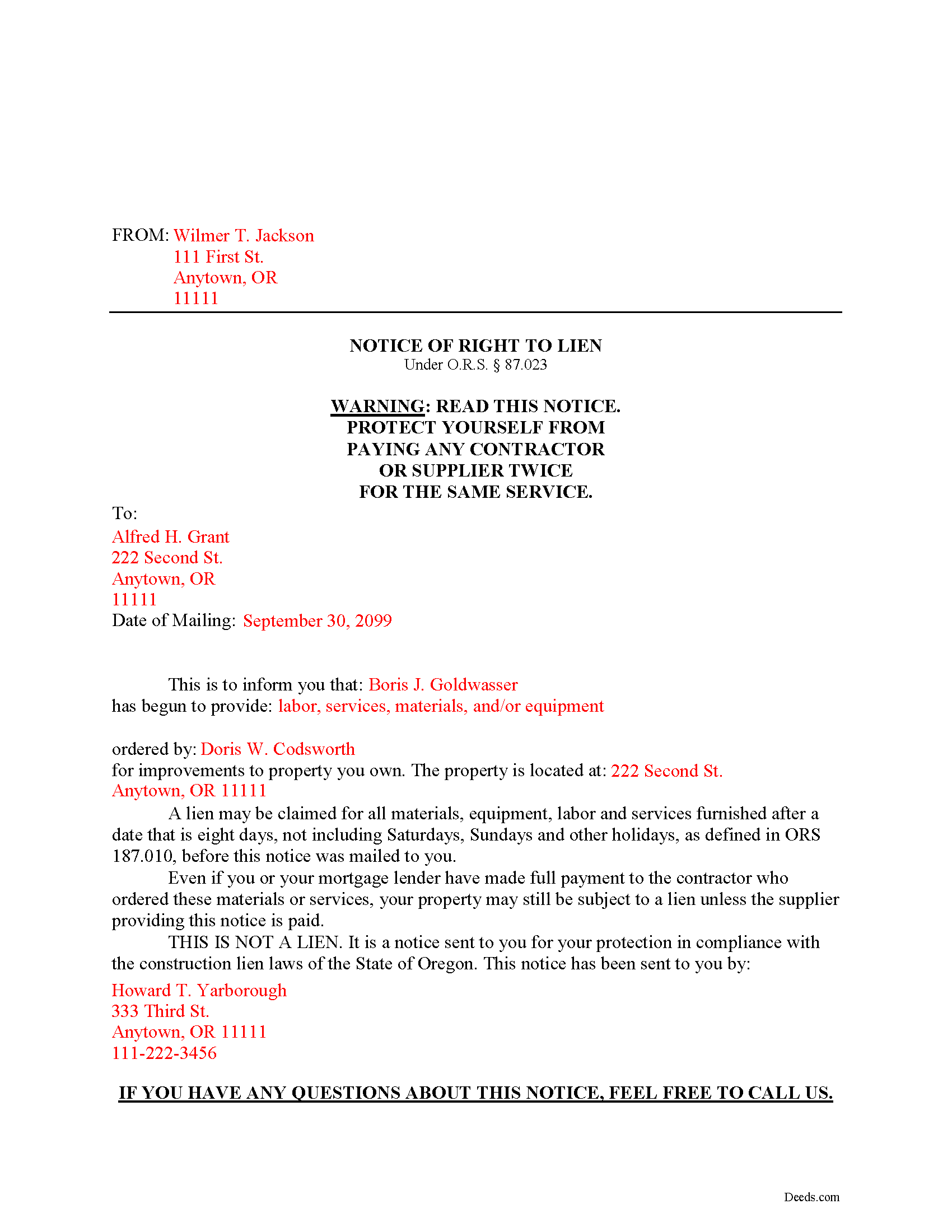
Douglas County Completed Example of the Notice of Right to Lien Document
Example of a properly completed form for reference.
All 3 documents above included • One-time purchase • No recurring fees
Immediate Download • Secure Checkout
Additional Oregon and Douglas County documents included at no extra charge:
Where to Record Your Documents
County Clerk: Recording Division
Roseburg, Oregon 97470
Hours: 9:00 to noon & 1:00 to 4:00 Monday through Friday
Phone: (541) 440-4320
Recording Tips for Douglas County:
- Bring your driver's license or state-issued photo ID
- Ensure all signatures are in blue or black ink
- Both spouses typically need to sign if property is jointly owned
- Bring extra funds - fees can vary by document type and page count
- Check margin requirements - usually 1-2 inches at top
Cities and Jurisdictions in Douglas County
Properties in any of these areas use Douglas County forms:
- Azalea
- Camas Valley
- Canyonville
- Days Creek
- Dillard
- Drain
- Elkton
- Gardiner
- Glendale
- Glide
- Idleyld Park
- Myrtle Creek
- Oakland
- Reedsport
- Riddle
- Roseburg
- Scottsburg
- Sutherlin
- Tenmile
- Tiller
- Umpqua
- Wilbur
- Winchester
- Winston
- Yoncalla
Hours, fees, requirements, and more for Douglas County
How do I get my forms?
Forms are available for immediate download after payment. The Douglas County forms will be in your account ready to download to your computer. An account is created for you during checkout if you don't have one. Forms are NOT emailed.
Are these forms guaranteed to be recordable in Douglas County?
Yes. Our form blanks are guaranteed to meet or exceed the applicable formatting requirements used for recording in Douglas County, including margin requirements, font requirements, and other layout standards. This guarantee applies to formatting, not to the legal sufficiency of information entered by the user or the suitability of a form for a particular transaction.
Can I reuse these forms?
Yes. You can reuse the forms for your personal use. For example, if you have multiple properties in Douglas County you only need to order once.
What do I need to use these forms?
The forms are PDFs that you fill out on your computer. The free Adobe Acrobat Reader is recommended, and most PDF apps also work. You do NOT enter your property information online - you download the blank forms and complete them privately on your own computer.
Are there any recurring fees?
No. This is a one-time purchase. Nothing to cancel, no memberships, no recurring fees.
How much does it cost to record in Douglas County?
Recording fees in Douglas County vary. Contact the recorder's office at (541) 440-4320 for current fees.
Questions answered? Let's get started!
Preliminary Notice in Oregon -- Notice of Right to Lien
Oregon's Construction Lien Law is codified at ORS 87.001 to 87.060 and 87.075 to 87.093.
"Except for when material, equipment, services or labor is furnished at the request of the owner, a person furnishing any materials, equipment, services or labor for which a lien may be perfected, must give a notice of right to a lien to the owner of the site." O.R.S. 87.021(1). In Oregon, this means that contractors must send a property owner a preliminary notice if they ever intend on later filing of a mechanic's lien. Even if they don't anticipate needing a lien, it's generally good practice to send out such notices.
The notice of right to a lien may be given at any time during the work, but the notice only protects the right to perfect a lien for materials, equipment and labor or services provided after a date which is eight days, not including Saturdays, Sundays and other holidays, before the notice is delivered or mailed. Id.
The Notice includes the following information: (1) name and address of the lien claimant, (2) name and address of the property owner, (3) description of services, materials, or equipment furnished, (4) customer's name, and (5) the address where items were furnished. O.R.S. 87.023. Send the Notice by registered or certified mail with a return receipt requested, to ensure there are no issues of whether the proper party ever received it.
This article is provided for informational purposes only and should not be relied upon a substitute for the advice of an attorney. Please consult an Oregon attorney with any questions about preliminary notices or any other issue related to liens.
Important: Your property must be located in Douglas County to use these forms. Documents should be recorded at the county recording office listed above.
This Notice of Right to Lien meets all recording requirements specific to Douglas County.
Our Promise
The documents you receive here are guaranteed to meet or exceed the applicable Douglas County recording format requirements. If there is a rejection caused by our formatting, we will correct the issue or refund your payment. This guarantee applies to document formatting only and does not extend to information entered by the user, the selection of the form, or the legal effect of the completed document.
Save Time and Money
Get your Douglas County Notice of Right to Lien form done right the first time with Deeds.com Uniform Conveyancing Blanks. At Deeds.com, we understand that your time and money are valuable resources, and we don't want you to face a penalty fee or rejection imposed by a county recorder for submitting nonstandard documents. We constantly review and update our forms to meet rapidly changing state and county recording requirements for roughly 3,500 counties and local jurisdictions.
4.8 out of 5 - ( 4,829 Reviews )
Susan S. 5 out of 5 stars
Ordered the forms, completed them, had them notarized, then erecorded all in under 2 hours. Would have been faster but had to wait for the bank to open for notary. Might try the online notary next time. Fantastic experience.
We appreciate your business and value your feedback. Thank you. Have a wonderful day!
Christine L. 5 out of 5 stars
I was very pleased with your service. You got me the information I required within one day. Thank you!
Thank you!
Missie R. 5 out of 5 stars
Very fast and professionally handled.
Thank you!
Lynn S. 5 out of 5 stars
Awesome service! I was a first time user recording a document online. I received alerts and updates throughout the process to completion of recording. I highly recommend deeds.com. They made this process stress free. Thank you
Thank you Lynn, we appreciate the kind words. Have an amazing day!
Claudia H. 5 out of 5 stars
***** Have not used this option before. Found it easy to use and understand. Cost was reasonable and options on recording helpful. Would use again in a heartbeat.
We appreciate your business and value your feedback. Thank you. Have a wonderful day!
Vanessa G. 5 out of 5 stars
Quick, painless, and they communicated with me during the entire process. I will certainly be suing them again.
We are delighted to have been of service. Thank you for the positive review!
Anne F. 5 out of 5 stars
For someone like me that isn't the swiftest on a computer, deeds.com made getting the documents I needed simple and fast. Loved the pages with the explanation and the sample of a completed document. Thank you for your very organized website. Worth every cent I paid.
Thank you for your feedback. We really appreciate it. Have a great day!
Kateri S. 4 out of 5 stars
I had to add a section on the form to accomodate the former Grantor/Grantee informtion before it could be recorded
Your insights are invaluable to us and help us strive for better service. Thank you for taking the time to share your thoughts.
Robert E B. 5 out of 5 stars
Easy to use!
Thank you!
Shari W. 5 out of 5 stars
Fast and easy. Great service. Thanks.
Thank you!
Julia M. 5 out of 5 stars
Your PDF form Personal Representative's Deed was exceedingly helpful.
Thank you Julia. Have a fantastic day!
Robert B. 5 out of 5 stars
Everything worked Fine. I wish there was an John Doe type of an example for the Tax form.
Thank you!
Connie P. 5 out of 5 stars
Easy, fast, responsive. My document was filed and posted in just a matter of days.
Your feedback is valuable to us and helps us improve. Thank you for sharing your thoughts!
Joe L. 5 out of 5 stars
Great service, and fast.
We appreciate your business and value your feedback. Thank you. Have a wonderful day!
David S. 5 out of 5 stars
Very good website. All government should be that clear and efficient.
Thank you!