Grays Harbor County Quitclaim Deed (Trustee Grantee) Form
Last validated October 4, 2026 by our Forms Development TeamFormatted for recording in Grays Harbor County, for property anywhere in the county: rural and unincorporated areas as well as Aberdeen, Amanda Park, Copalis Beach, Copalis Crossing, Cosmopolis, Elma, Grayland, Hoquiam and 13 more.
- 3 documents included
- Immediate PDF download
- Formatting guarantee
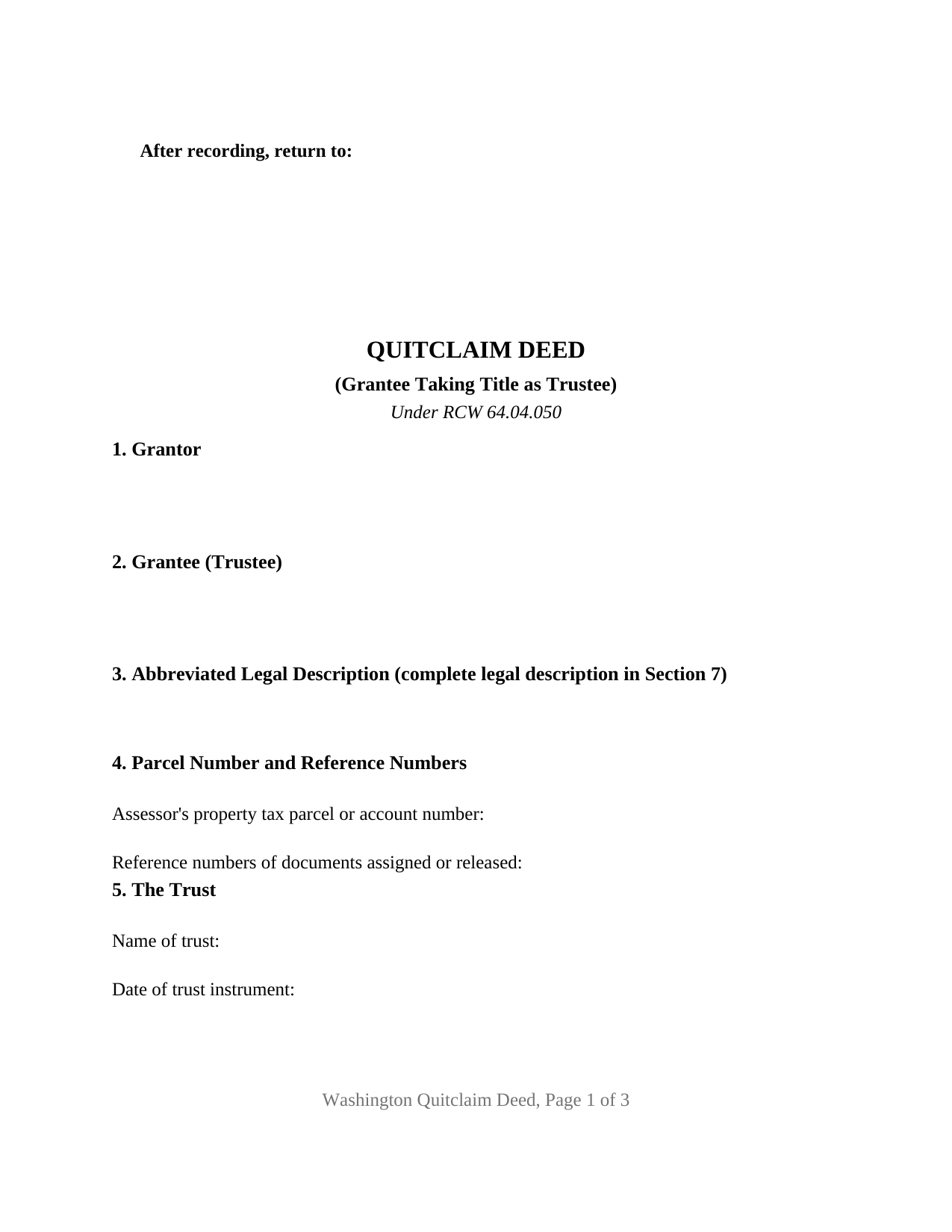
Grays Harbor County Quitclaim Deed (Trustee Grantee) Form
Fill in the blank Quitclaim Deed (Trustee Grantee) form formatted to comply with all Washington recording and content requirements.
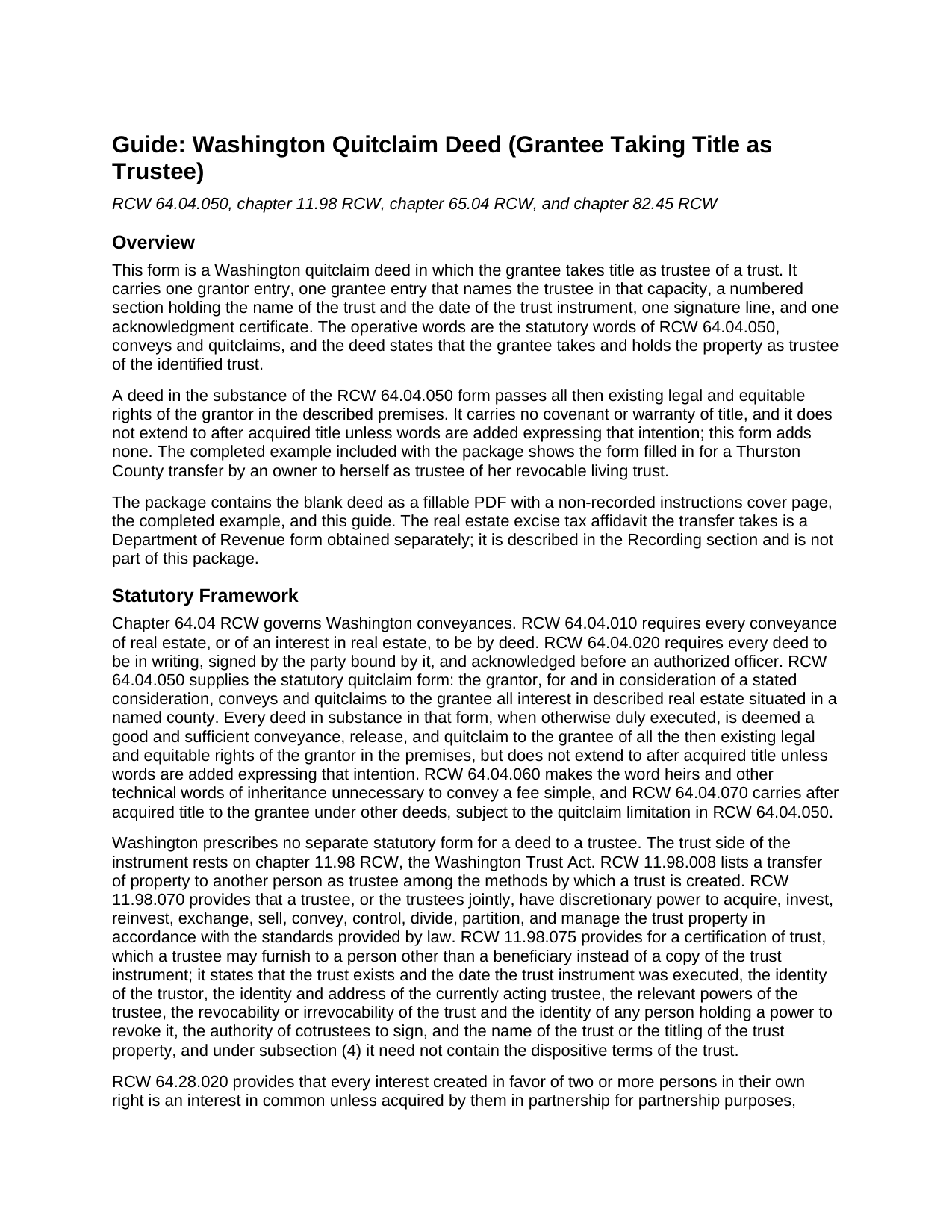
Grays Harbor County Quitclaim Deed (Trustee Grantee) Guide
Line by line guide explaining every blank on the Quitclaim Deed (Trustee Grantee) form.
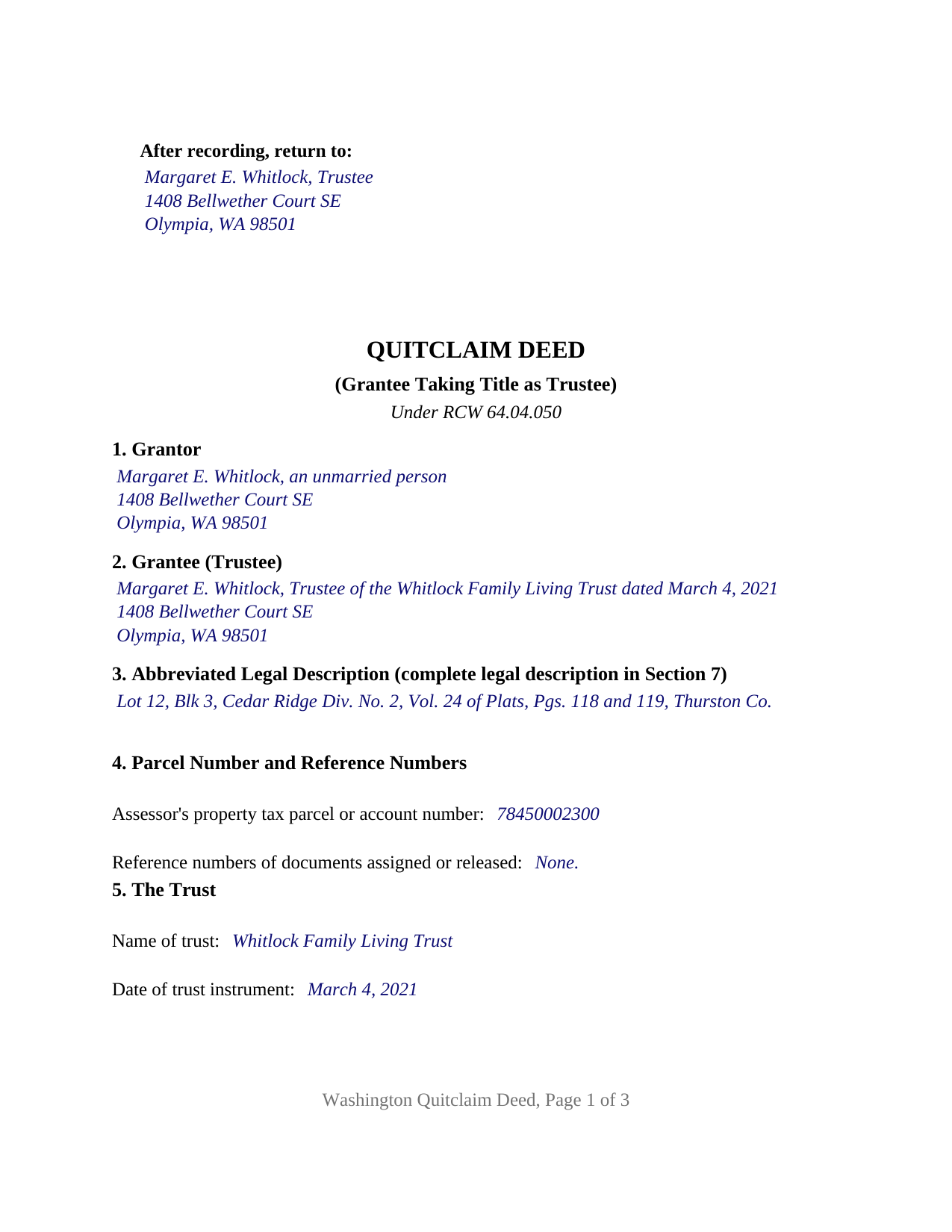
Grays Harbor County Completed Example of the Quitclaim Deed (Trustee Grantee) Document
Example of a properly completed Washington Quitclaim Deed (Trustee Grantee) document for reference.
All 3 documents above included • One-time purchase • No recurring fees
Immediate Download • Secure Checkout
Additional Washington and Grays Harbor County documents included at no extra charge:
Where to Record Your Documents
Grays Harbor County Auditor: Recording
Montesano, Washington 98563
Hours: Monday through Friday 9:00am - 12:00 & 12:30 - 4:30pm
Phone: (360) 964-1557
Recording Tips for Grays Harbor County:
- Bring your driver's license or state-issued photo ID
- Ensure all signatures are in blue or black ink
- Ask about accepted payment methods when you call ahead
- Ask for certified copies if you need them for other transactions
- Ask if they accept credit cards - many offices are cash/check only
Cities and Jurisdictions in Grays Harbor County
Properties in any of these areas use Grays Harbor County forms:
- Aberdeen
- Amanda Park
- Copalis Beach
- Copalis Crossing
- Cosmopolis
- Elma
- Grayland
- Hoquiam
- Humptulips
- Malone
- Mccleary
- Moclips
- Montesano
- Neilton
- Oakville
- Ocean Shores
- Pacific Beach
- Quinault
- Satsop
- Taholah
- Westport
Hours, fees, requirements, and more for Grays Harbor County
How do I get my forms?
Forms are available for immediate download after payment. The Grays Harbor County forms will be in your account ready to download to your computer. An account is created for you during checkout if you don't have one. Forms are NOT emailed.
Are these forms guaranteed to be recordable in Grays Harbor County?
Yes. Our form blanks are guaranteed to meet or exceed the applicable formatting requirements used for recording in Grays Harbor County, including margin requirements, font requirements, and other layout standards. This guarantee applies to formatting, not to the legal sufficiency of information entered by the user or the suitability of a form for a particular transaction.
Can I reuse these forms?
Yes. You can reuse the forms for your personal use. For example, if you have multiple properties in Grays Harbor County you only need to order once.
What do I need to use these forms?
The forms are PDFs that you fill out on your computer. The free Adobe Acrobat Reader is recommended, and most PDF apps also work. You do NOT enter your property information online - you download the blank forms and complete them privately on your own computer.
Are there any recurring fees?
No. This is a one-time purchase. Nothing to cancel, no memberships, no recurring fees.
How much does it cost to record in Grays Harbor County?
Recording fees in Grays Harbor County vary. Contact the recorder's office at (360) 964-1557 for current fees.
Questions answered? Let's get started!
The grantee line is what sets this Washington quitclaim deed apart. Title lands in a trustee, named in that capacity, holding one parcel for a trust the deed identifies by name and by the date of the trust instrument. One grantor signs, one acknowledgment certificate follows the signature, and the operative words are the statutory conveys and quitclaims of RCW 64.04.050, so the trustee receives the rights the grantor holds at delivery and no covenant of title with them.
A grantee named in a capacity, not just by name
Washington trust law puts the fiduciary, not the trust, on the deed. RCW 11.98.008 lists transfer of property to another person as trustee among the methods of creating a trust, and RCW 11.98.070 gives a trustee, or the trustees jointly, the discretionary power to acquire, manage, and convey trust property. Title to trust real estate is held in the trustee's name and capacity, and the grantee entry records all three parts of that: who serves, that the person takes as trustee, and which trust is served. A separate numbered section carries the trust name and the date of the trust instrument as their own entries, the pair a later title examiner reads off the face of the deed.
Why cotrustee grantees are not cotenants
The default that governs most Washington co-owners does not reach this deed. RCW 64.28.020 makes an interest created in two or more people a tenancy in common unless it is acquired in partnership for partnership purposes, declared a joint tenancy under RCW 64.28.010, or acquired as executors or trustees. Cotrustees named as grantees sit in that excluded category: they take no undivided personal shares, and what follows a trustee's death, resignation, or removal comes from the trust instrument and chapter 11.98 RCW. That is why the vesting line on a deed into a trust carries a capacity phrase instead of a tenancy designation.
What the deed states, and what stays in the trust
The deed states capacity and stops there. It does not name beneficiaries, recite distribution terms, or set out the trustee's powers, and the trust instrument does not become part of the record. When a lender or title company later wants proof of authority, RCW 11.98.075 supplies a certification of trust: the existence and date of the trust, the trustee's powers, revocability, whether cotrustees act together, and the titling of trust property, without the dispositive terms. That certification is signed by a trustee or an attorney for the trust under RCW 11.98.075(2); it is prepared separately from this deed and not included in this package.
Excise tax follows the kind of trust
Funding a trust meets the excise tax system even when nothing is owed. WAC 458-61A-303 calls for a real estate excise tax affidavit whenever ownership transfers by deed or quitclaim, and RCW 82.45.090 keeps the auditor from accepting a taxable instrument until the treasurer verifies the tax as paid or not due. Which rule applies turns on the trust. WAC 458-61A-211 treats a transfer into any revocable trust as a mere change in identity or form, with no change in beneficial ownership. WAC 458-61A-210 sends a transfer into an irrevocable trust down a different path, taxable where the transfer both shifts the beneficial interest and carries valuable consideration, with relief of an underlying debt counting as consideration and documentation from the trust instrument going to the treasurer.
One grantor, and a first page the auditor can index
The grantor side stays simple: one grantor entry, one signature line with a printed name and date, one certificate in the individual capacity short form of RCW 42.45.140. Community real property and homestead property answer instead to RCW 26.16.030(3) and RCW 6.13.060, which take execution and acknowledgment by both spouses or both state registered domestic partners, a two signer arrangement this form does not carry. The first four numbered sections hold what RCW 65.04.045(1) puts on page one: the party names, the abbreviated legal description, the parcel number, and reference numbers, with the return name and address in the statutory upper left position of a full three inch recording band.
The download holds the blank deed as a fillable PDF, a completed example prepared for a Thurston County transfer into a living trust, and a plain language guide to every entry, the notarization, the excise tax affidavit, and recording. Searchers also reach this configuration as a quit claim deed into a trust. The materials describe Washington law in general terms and are not legal advice.
Important: Your property must be located in Grays Harbor County to use these forms. Documents should be recorded at the county recording office listed above.
This Quitclaim Deed (Trustee Grantee) meets all recording requirements specific to Grays Harbor County.
Our Promise
The documents you receive here are guaranteed to meet or exceed the applicable Grays Harbor County recording format requirements. If there is a rejection caused by our formatting, we will correct the issue or refund your payment. This guarantee applies to document formatting only and does not extend to information entered by the user, the selection of the form, or the legal effect of the completed document.
Save Time and Money
Get your Grays Harbor County Quitclaim Deed (Trustee Grantee) form done right the first time with Deeds.com Uniform Conveyancing Blanks. At Deeds.com, we understand that your time and money are valuable resources, and we don't want you to face a penalty fee or rejection imposed by a county recorder for submitting nonstandard documents. We constantly review and update our forms to meet rapidly changing state and county recording requirements for roughly 3,500 counties and local jurisdictions.
4.8 out of 5 - ( 4,829 Reviews )
John C. 5 out of 5 stars
These forms are easy to use and a lot cheaper than going to an attorney. I highly recommend Deeds.com
We appreciate your business and value your feedback. Thank you. Have a wonderful day!
Tajsha N. 5 out of 5 stars
I would absolutely use this service again. It was very convenient and I was pleasantly surprised at how responsive the staff was letting me know updates to my recording package. Also, my documents recorded immediately. I did have trouble uploading my document in the beginning because I didn't realize it had to be a pdf file. Once I figured that out, it was immediately accepted. Great service!
We appreciate your business and value your feedback. Thank you. Have a wonderful day!
Giuseppina M. 5 out of 5 stars
Love to work with your company
It was a pleasure serving you. Thank you for the positive feedback!
Carol A. 5 out of 5 stars
great
Thank you!
Anthony G. 5 out of 5 stars
I have only used the service on one occasion but so far it has been great. Extremely simple to use.
We appreciate your business and value your feedback. Thank you. Have a wonderful day!
Marcus F. 5 out of 5 stars
Great resource! I was in a bind being out of state and deeds.com came through in a pinch for a very good price! If I need esigning again this is where I'll be coming.
Your words of encouragement and feedback are greatly appreciated. They motivate us to maintain high standards in our service.
Barbara A. 5 out of 5 stars
Much easier than going to the courthouse!
Thank you for your feedback. We really appreciate it. Have a great day!
Donna R. 5 out of 5 stars
This was a seamless process. It probably took one minute to fill out my information and upload the document. It was formatted and sent immediately. It was processed the next day at the county recorders office. I have zero complaints. Before finding this company I spent an entire day calling and leaving messages at other e-filing companies like simplfile and others but they all required subscriptions. I just needed to file a single document now and then so that was not a good fit. (And those companies I found out still require the customer to do all the work!). Deeds.com kept me informed throughout the process every step. I'm happy to write this review. Thank you
Thank you for your feedback. We really appreciate it. Have a great day!
David B. 5 out of 5 stars
I'm not sure how a forms web-site could be so, but I find deeds.com to be sweet.
Thank you for your feedback. We really appreciate it. Have a great day!
Nancy v. 5 out of 5 stars
Amazing! So easy to get all the forms. Very impressive!
Thank you!
Kathie C. 5 out of 5 stars
This was the first time I have used Deeds.com and I must say that I am extremely impressed. The person that handled my packages was amazing and extremely helpful. I am recommending that our firm starts using Deeds.com and we do a lot of e-recordings. Thank you so much for making this a great experience and for all of your efforts in making it so great!!!
Your feedback is greatly appreciated. Thank you for taking the time to share your experience!
Christi W. 5 out of 5 stars
Very simple and made recording a breeze. Worth the fee!
We appreciate your business and value your feedback. Thank you. Have a wonderful day!
Richard W. 5 out of 5 stars
Very nice web site with available forms. Being out of state we appreciated instruction sheet details. Rick and Jean Weber, Chicago
We appreciate your business and value your feedback. Thank you. Have a wonderful day!
Linda D. 3 out of 5 stars
It was easy to download the form I wanted BUT there were 2 other options listed for "open/download." I didn't want to risk more charges for something I couldn't determine I needed so I passed them up. There were a few others listed with the option to "view" so I did that, without down-loading, and there were no additional charges. I would've liked that opportunity for 2 others that didn't offer "view" so maybe deeds.com missed a sale?
Thank you for your feedback Linda. All the documents available for download in your account are included with your payment, no additional charges.
Dana L. 5 out of 5 stars
So far, so good! Love you guys!
We appreciate your business and value your feedback. Thank you. Have a wonderful day!